

Introduction
My requirement is to bind a dropdown list in SSRS with all column names to be returned by a (SQL) Stored Procedure.
At this point, maybe you are confused about why we need to do that.
Why do we need to do this stuff?
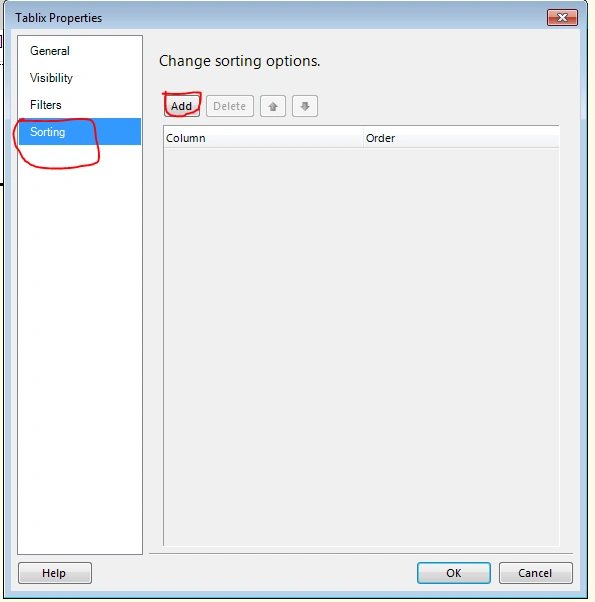
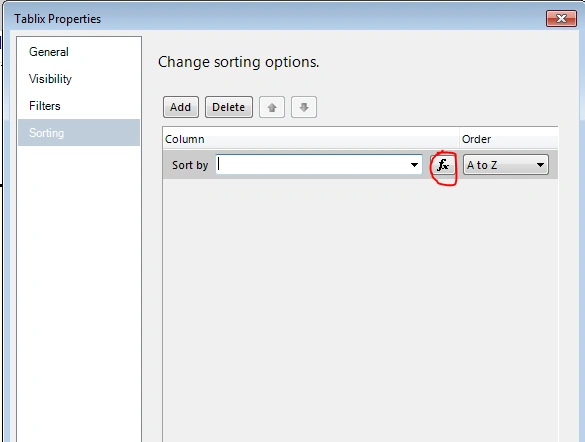
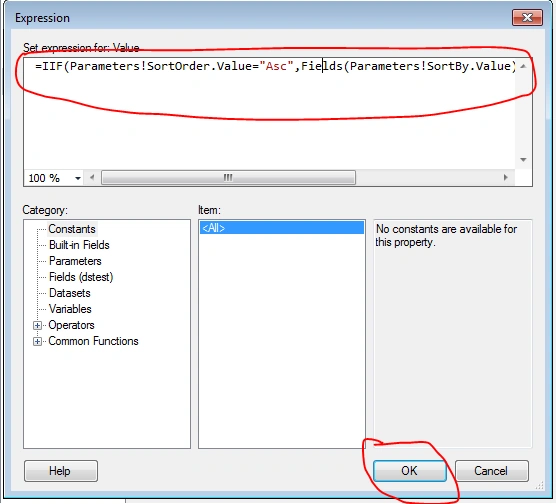
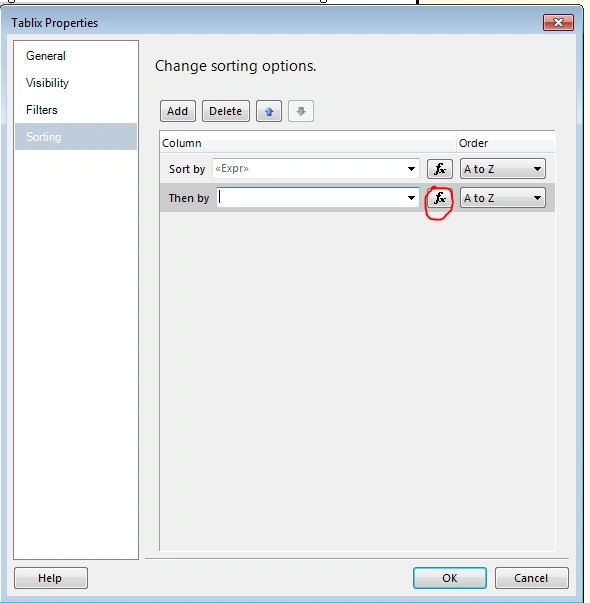
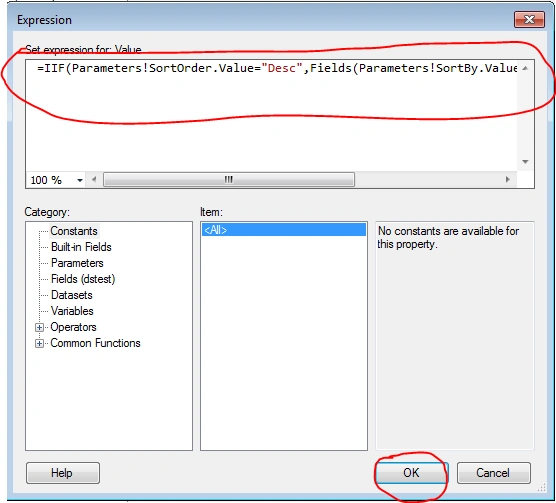
I want to sort my report dynamically. I want to provide the feature to the user to sort the report as we choose.
Let's start.
Step 1
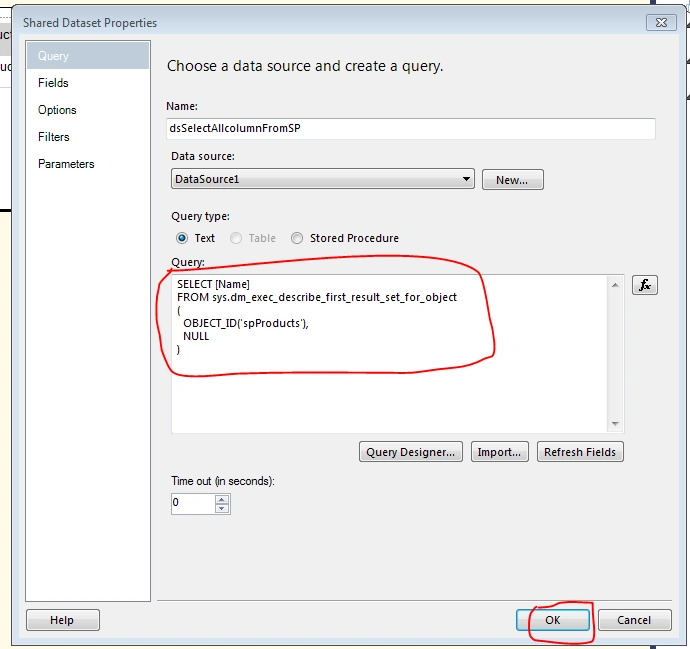
We need to write the following query that returns all the column names from a specific SQL Stored Procedure. In this query, I have called the SQL builtin function:
sys.dm_exec_describe_first_result_set_for_object
Read the MSDN article for this function and the limitations of this function: https://msdn.microsoft.com/en-us/library/ff878236.aspx.
SELECT [Name]
FROM sys.dm_exec_describe_first_result_set_for_object
(
  OBJECT_ID(yourStoredProcedureName),
  NULL
)
I will discuss only one limitation of this function.
Limitation
This function does not return any column names when the T-SQL Batch contains a temporary table.
Step 2
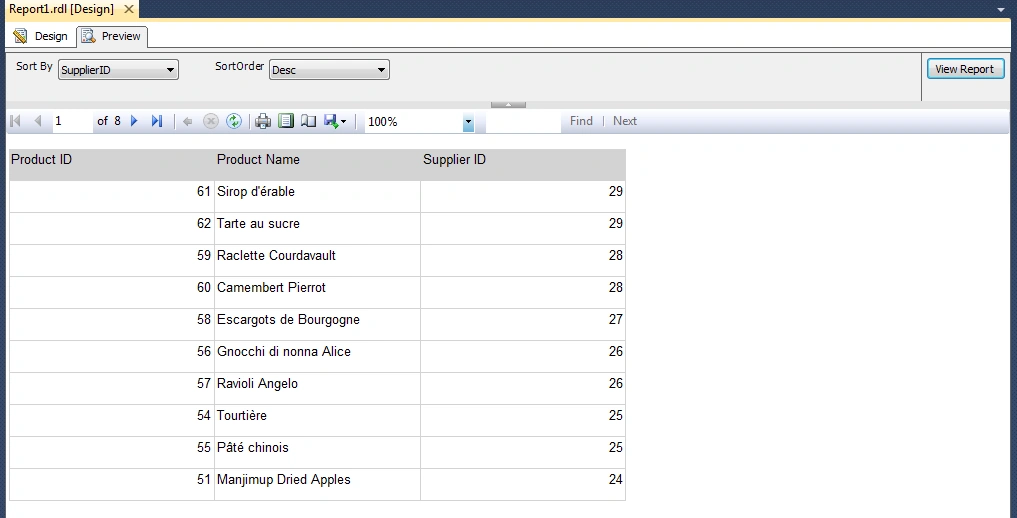
I will now use this query in my report to satisfy my requirements. Go to your Report Solution. This is my report where I need to add the sorting functionality.
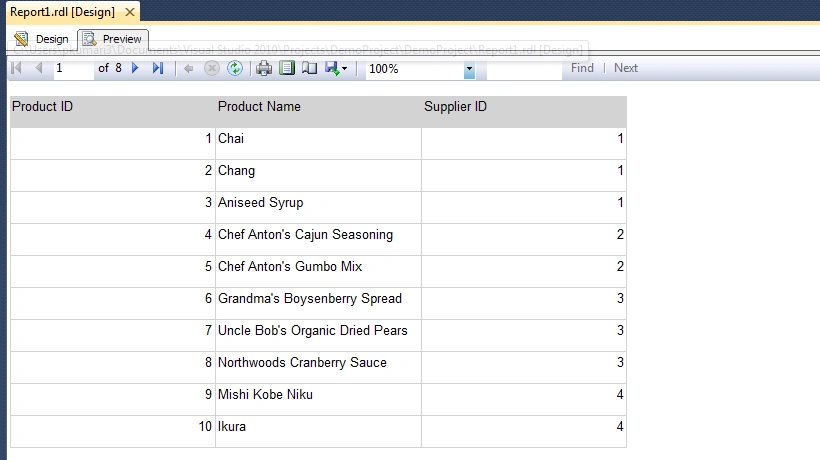
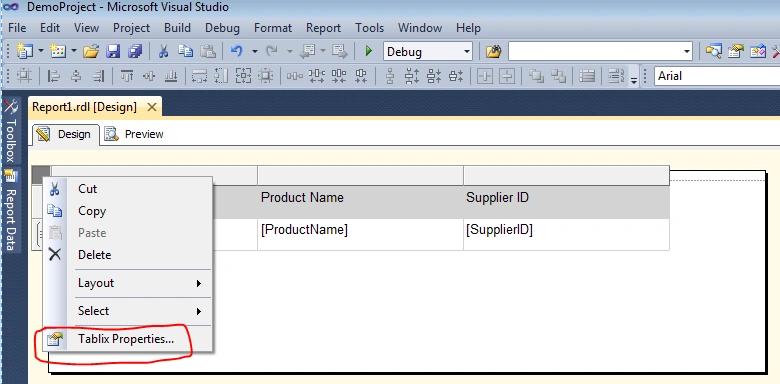
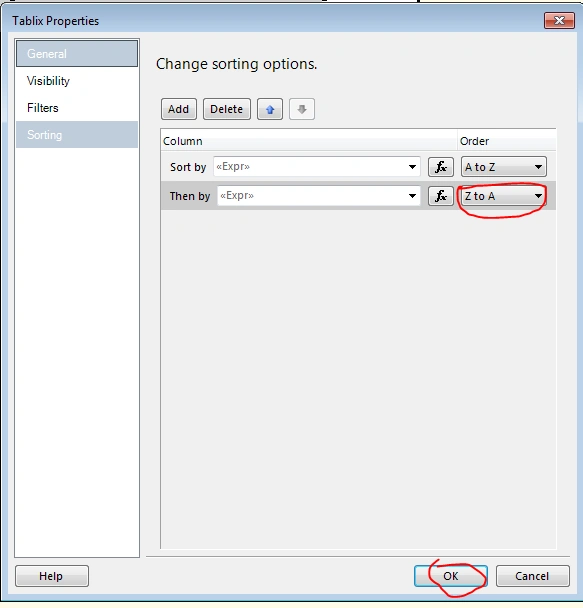
In this report, I want to add sorting functionality. We need to add a new dataset and write a query in this TextBox, then click OK.
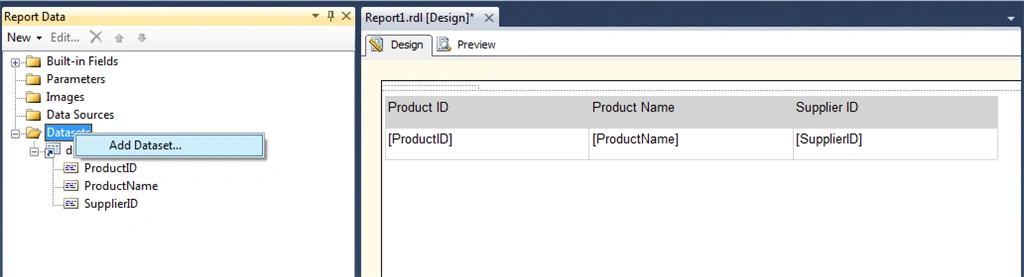
Then add a dataset to the report data pane.
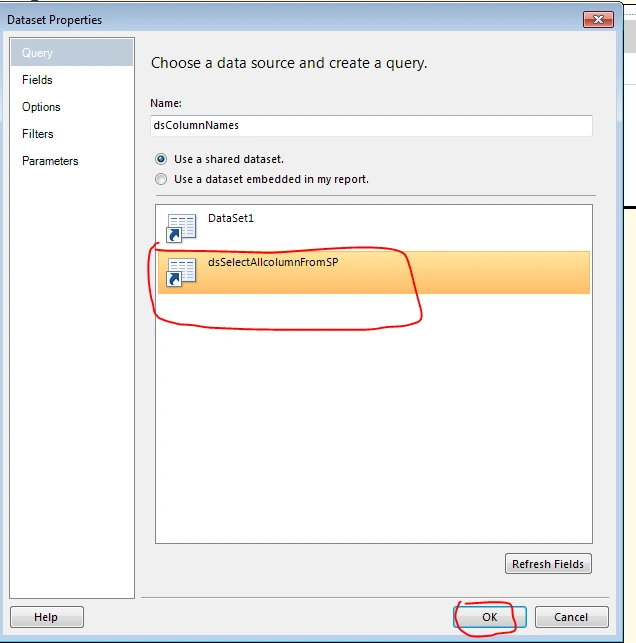
Step 3
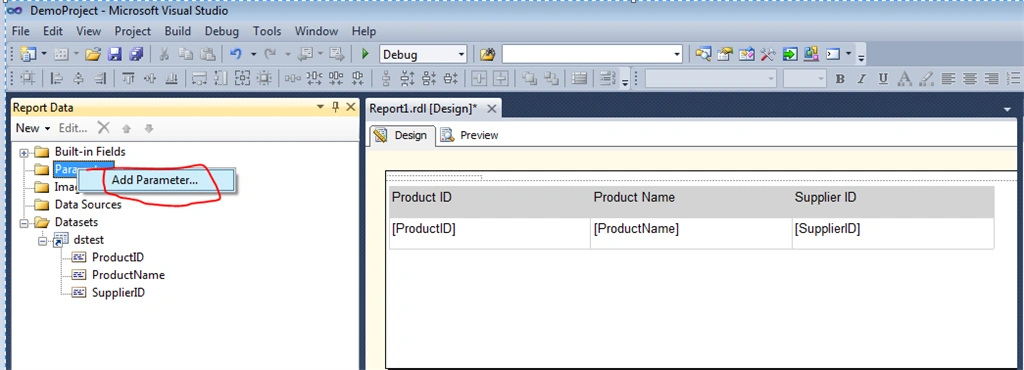
Then we need to add two parameters to this report.
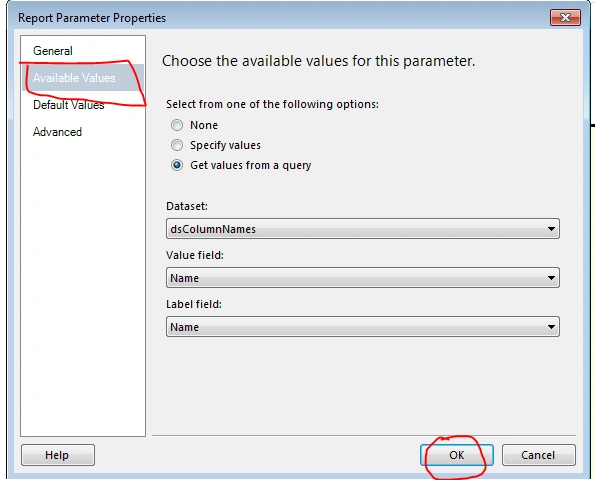
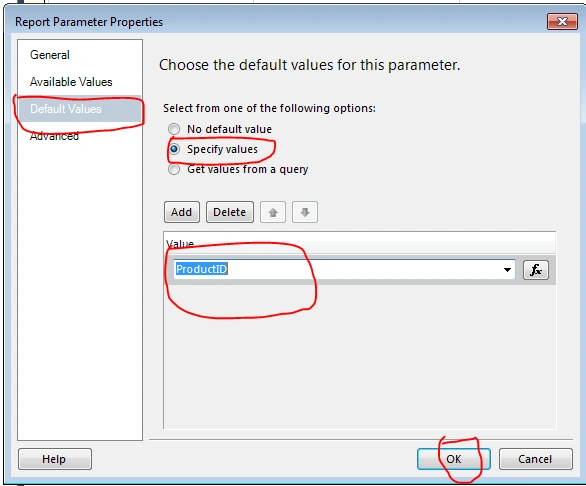
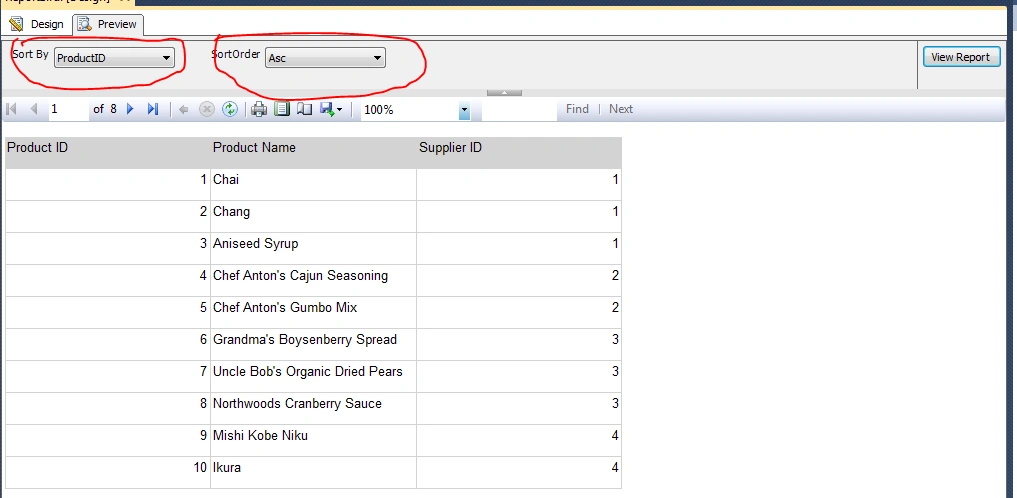
- SortBy. It contains all the columns' names in the dropdown.
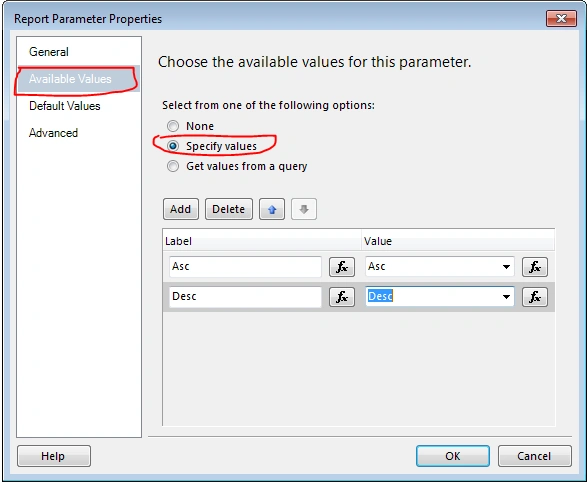
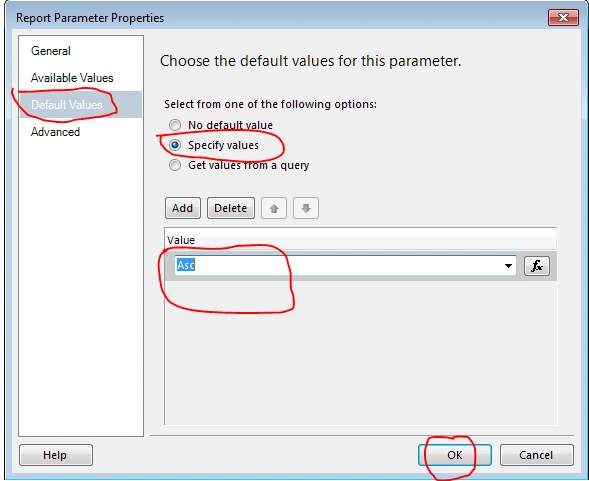
- SortOrder. It contains one of two values (Asc or Desc).
- SortBy. Now I will add the Sa ortBy parameter. Please right-click on the parameter and add it.
RakeshPosted May 4, 2015, 11:01 AM
helpful....good one
Akhil GargPosted Apr 9, 2015, 1:16 PM
nice article
Former memberPosted Apr 8, 2015, 8:09 AM
Nice article
Santhakumar MunuswamyPosted Apr 6, 2015, 11:51 PM
Thanks for nice explanation