

Introduction
Welcome to the "Demonstrating Backbone.js" article series. This article demonstrates how to create and use collections in Backbone.js. This article starts with the concept of Backbone.js and various components of it. Previous articles have provided an introduction to views and the implementation of routers. You can get them from the following:
- Demonstrating Backbone.js: Implement View
- Demonstrating Backbone.js: Implement View Part 1
- Demonstrating Backbone.js: Implement View Part 2
- Demonstrating Backbone.js: Implement View Part 3
- Demonstrating Backbone.js: Implement View Part 4
- Demonstrating Backbone.js :Implement View Part 5
- Demonstrating Backbone.js :Implement Routers Part 1
What a Collection is
Backbone.js Collections are used to collect groups of Backbone Models into one easily manageable object that can synchronize the data with our server with ease.
For example we are doing a Twitter app so models will be each and individual tweet and the collection will be all the tweets combined.
Collections in Backbone.js are extended from underscore.js collections. So they have even more methods as I have explained below.
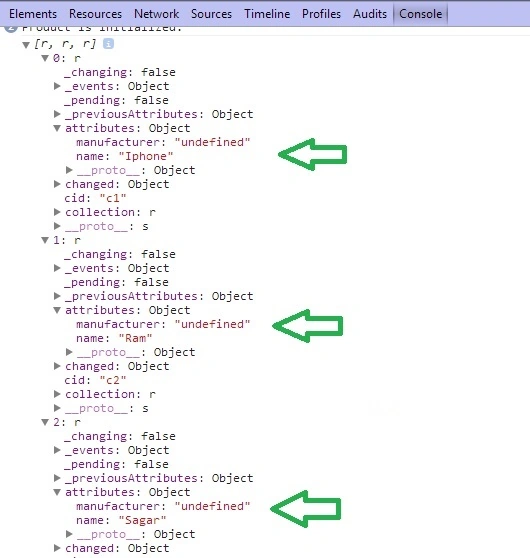
Here we have created a model with defaults and we are passing the model to the collection :
<%@ Page Language="C#" AutoEventWireup="true" CodeBehind="JavaScript.aspx.cs" Inherits="JavaScript.JavaScript" %>
<!DOCTYPE html>
<html xmlns="http://www.w3.org/1999/xhtml">
<head id="Head1" runat="server">
<script src="backbone/Jquery.js" type="text/javascript"></script>
<script src="backbone/underscore-min.js" type="text/javascript"></script>
<script src="backbone/backbone-min.js" type="text/javascript"></script>

Join the conversation! Your thoughts help the community grow.