

Introduction
Welcome to the "Demonstrating Backbone.js" article series. This article demonstrates how to create and use a View in Backbone.js.
The objective of the article is to focus on view functionality and how to use views with a JavaScript templating library.
In order to implement Backbone.js we need to add jQuery because backbone needs jQuery or some other DOM library and of course we also need the backbone.js library.
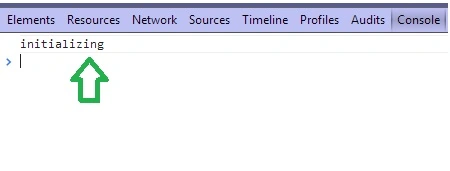
To create a view and call the constructor method we have created a “View” that is extended from the View class of the Backbone.js library.
<%@ Page Language="C#" AutoEventWireup="true" CodeBehind="JavaScript.aspx.cs" Inherits="JavaScript.JavaScript" %>
<!DOCTYPE html>
<html xmlns="http://www.w3.org/1999/xhtml">
<head id="Head1" runat="server">
<script src="backbone/Jquery.js"></script>
<script src="backbone/underscore-min.js"></script>
<script src="backbone/backbone-min.js"></script>
</head>
<body>
<form id="form1" runat="server">
<script>
model = new Backbone.Model({
data: [
{ text: "Dotnetfunda", href: "http://dotnetfunda.com" },
{ text: "itfunda", href: "http://itfunda.com/" },
{ text: "kidsfunda", href: "http://kidsfunda.com" }
]
});
var View = Backbone.View.extend({
initialize: function () {
console.log('initializing');
}
});
var view = new View();
</script>
</form>
Join the conversation! Your thoughts help the community grow.