

In my last article on LightSwitch, we discussed how to save records at the time of adding them. Today we shall see how to handle custom controls in LightSwitch as a series of articles.
As the first article of this series, let us discuss how to add a custom control to a LightSwitch screen. To demonstrate this, we have to create a demo application.
In LightSwitch, the controls are created automatically while creating the screen depending on the property's type. We can change the control of the property with the limited amounted of builtin controls available.
If you need to add new controls, you have to choose Custom controls options from the control list.
Let us create a demo LightSwitch application with the name "WorkingWithCustomControlsInLSBeta2" as shown in the figure.
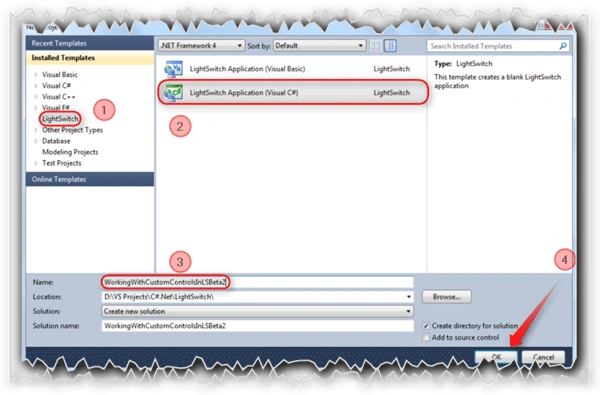
Follow the [No: #] to complete the application creation.
The Entity Designer:
Let us create a table.

This the new screen of Beta 2 which is not available in Beta 1. Select the rounded option to create a new table.
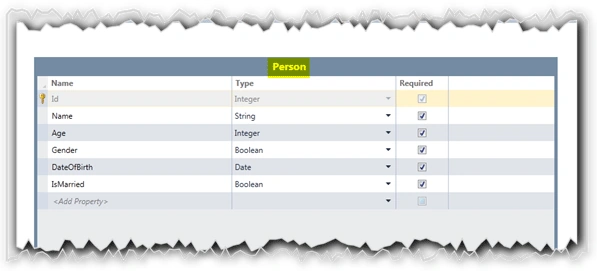
After clicking on the "Create new table" option, the Entity Designer will be displayed to create the Entity required.
As per our demo application we need to create a table called "Person".
Designing the Screen:
Let us create a List and Details screen for the Student entity. There are two ways to create a screen. One of the options is by selecting the Screen... button on the Entity Designer screen.

Another way is right-clicking on the Screens section in the Solution Explorer. In our demo application we have created using the first way.
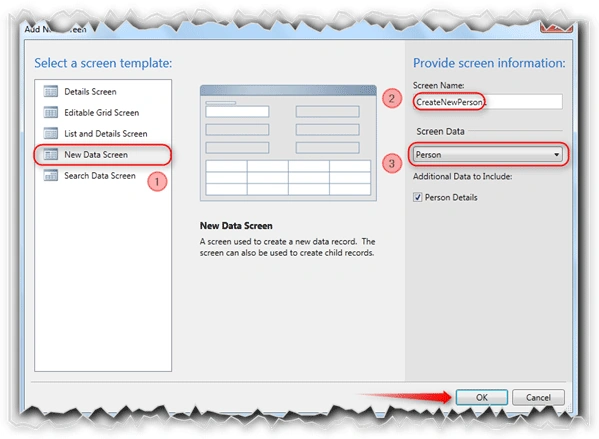
As shown in the above figure, select the New Data Screen template to create the screen for the Person entity.
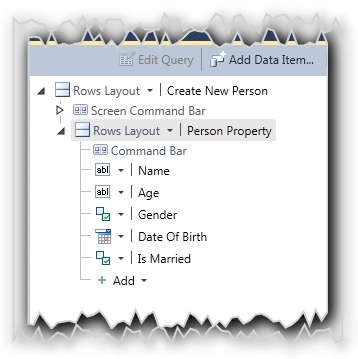
The above figure shows the complete screen structure for our demo application before adding the Custom controls.
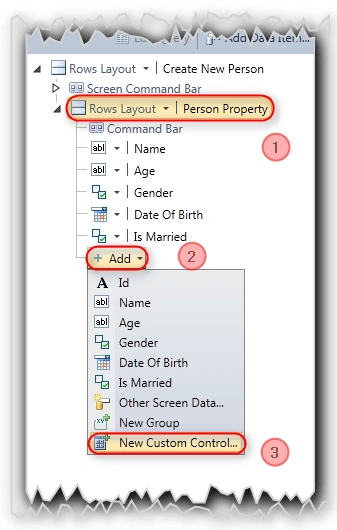
Here,
- Select the "Person Property" screen element.
- To add the new control to the screen, select the "Add" dropdown list.
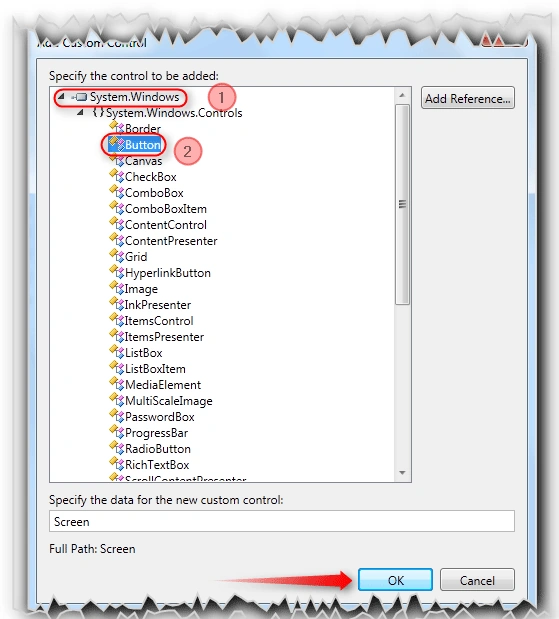
- Select the "New Custom Control"
fiko JZPosted Aug 2, 2011, 2:53 PM
Hi, im looking how to handle the click event of the button. How can I manage the event?
LanaPosted Jul 18, 2011, 2:32 PM
good writing,it was easy to understand
Shalini JunejaPosted Jul 18, 2011, 12:36 AM
Useful Article