

Introduction
In this article I will explain the Pattern Matching features of Match expressions and the Constant Pattern Matching in a F# console application.
Pattern Matching
A match statement is a control statement in which a variable is to be tested for equality against a list of values. Each Switch section contains a number of cases to execute the specific case from the list. In the match expression, each pattern is examined in turn to see if the input data is compatible with the pattern. If a match is found then the statement is executed, otherwise the next pattern is to be tested.
The following is the syntax for pattern matching:
match expression with
| pattern1->output
| pattern2->output
|pattern3>-output
|---------------------
|---------------------
| _->default
"match" and "with" are keywords. Each rule of the match is represented by "|" followed by an arrow "->". For example, "| pattern1 -> result" meaning that if the pattern is matched (the condition is true) then return the result. ( _ ) denotes the default pattern.
Features Match Expression
The following are the features of a Match Expression:
- A match can have any number of cases, each value is followed by the value to be compared to an lambda (->) expression.
- When a break statement is reached, the match terminates and the flow of control jumps to the next line following the match statements.
- Not every case needs to contain a break if no break occurs, the flow of control will go to subsequent cases until a break is reached.
- The Default case may be available in a Match expression, the default case generally occurs at the end of the match statement, it perform its own functionality and no break is needed in the default case.
Constant Pattern Matching
At runtime input is compared with the constant pattern, such a numeric, character, string constants. If an input value is matched with the constant pattern then the corresponding value is returned.
Now I will show you an example of Constant Pattern Patching in a Console Application. Use the following procedure to create the sample.
Step 1:
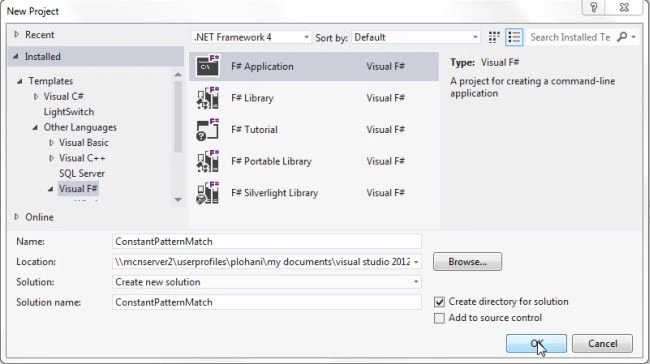
Open Visual Studio then select "Create New Project" --> "F# Console Application".
Step 2:
Use the following code for Constant Pattern Matching in the F# application.
open System
System.Console.Title<-"Display Month Name"
System.Console.ForegroundColor<-ConsoleColor.Blue
System.Console.BackgroundColor<-ConsoleColor.White
printfn "Enter a month number(1-12):"
let intmonth=Convert.ToInt32(System.Console.ReadLine())
System.Console.Clear()
match intmonth with
| 1 ->printfn "January(31 days)"
| 2 ->printfn "Febrary(28/29 days)"
| 3 ->printfn "March(31 days)"
| 4 ->printfn "April(30 days)"
| 5 ->printfn "May(31 days)"
| 6 ->printfn "June(30 days)"
| 7 ->printfn "July(31 days)"
| 8 ->printfn "August(31 days)"
| 9 ->printfn "September(30 days)"
| 10 ->printfn "October(31 days)"
| 11 ->printfn "November(30 days)"
| 12->printfn "December(31 days)"
| _ ->printfn "Invalid input"
System.Console.ReadKey(true)
Step 3 :
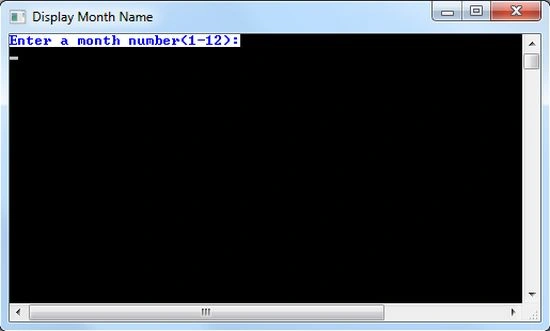
Debug the application by pressing F5 and the result from the console application will be as in the following figure:
Step 4 :
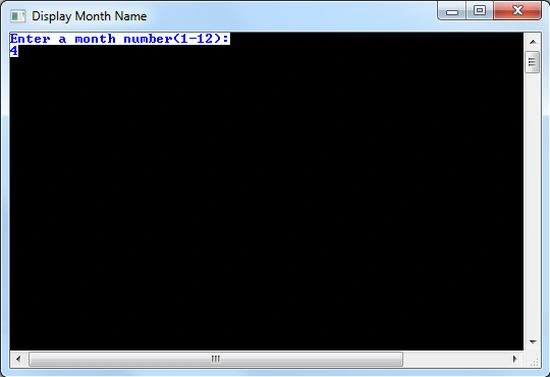
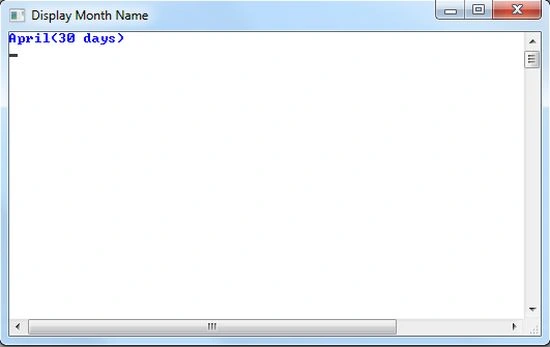
Enter a month number in the range 1-12. Suppose you entered 4, then the output will be as in the following figure:
Output
Step 5 :
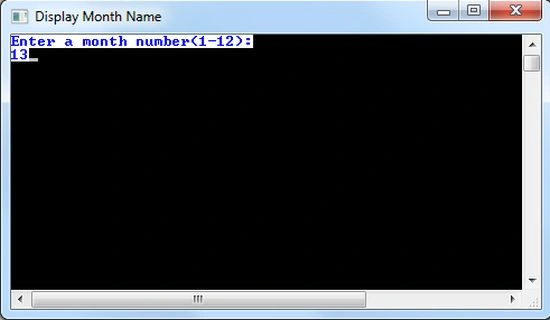
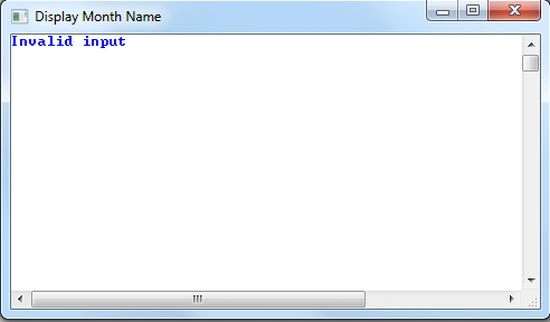
Suppose you entered an incorrect month number, then the output will be as in the following figure:
Output
Summary
This article has explained Pattern Matching, the features of Match expression and the Constant Pattern Matching in a F# console application.
Join the conversation! Your thoughts help the community grow.