In last
three articles we have dicussed about how to load an image
in our windows form, how to resize that image and how to crop an image see this:
Part1: Open an image
Part2: Resizing image
Part3: Cropping image
Now next
article of this series describes how to set the brightness of an image.
For this we can
use concept of colormatrix class of system.Drawing namespace.ColorMattrix
defines a 5 x 5 matrix
that contains the coordinates for the RGBAW space.
You can go msdn for
understanding concept of color matrix
http://msdn.microsoft.com/en-us/library/system.drawing.imaging.colormatrix.aspx
http://msdn.microsoft.com/en-us/library/system.drawing.imaging.colormatrix(v=VS.71).aspx
First
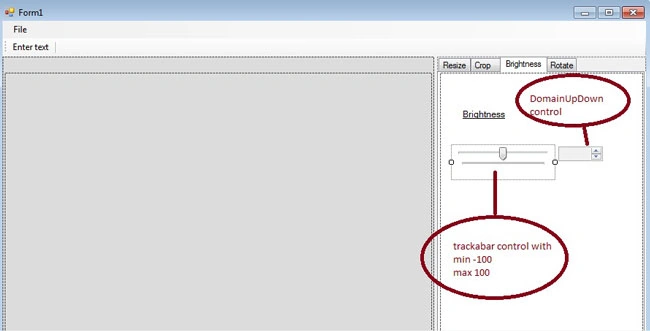
design brightness tab like this layout
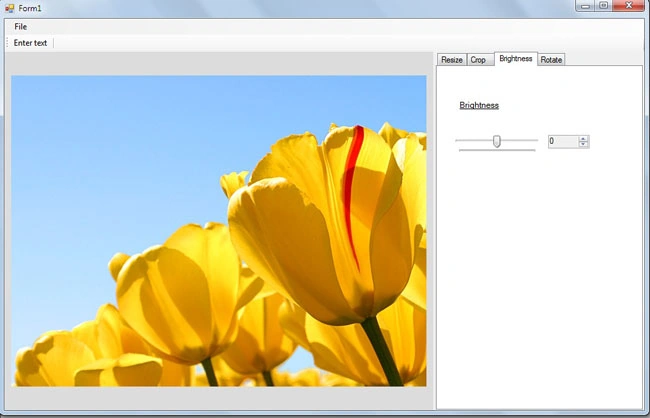
For load an image in tool see this
how to Open an image
code:
Write code on the trackbar_scroll event
Dim
value As Double
= TrackBarBrightness.Value * 0.01F
DomainUpDownBrightness.Text = value
This line set the
brightness value of image in domainUpDown control withrange -100 to 100.
And below we demine
single type array in 5 x 5 matrix
Dim
colorMatrixElements As
Single()() = { _
New
Single() {1, 0, 0, 0, 0}, _
New
Single() {0, 1, 0, 0, 0}, _
New
Single() {0, 0, 1, 0, 0}, _
New
Single() {0, 0, 0, 1, 0}, _
New
Single() {value, value, value, 0, 1}}
Define colormatrix
Dim
colorMatrix As New
Imaging.ColorMatrix(colorMatrixElements)
An
ImageAttributes object maintains color and grayscale settings for five
adjustment categories: default, bitmap, brush, pen, and text. For example, you
can specify a color-adjustment matrix for the default category, a different
color-adjustment matrix for the bitmap category, and still a different
color-adjustment matrix for the pen category.
Dim
imageAttributes As
New ImageAttributes()
imageAttributes.SetColorMatrix(colorMatrix,
ColorMatrixFlag.Default, ColorAdjustType.Bitmap)
Dim
_img As Image = Img 'PictureBox1.Image
Dim
_g As Graphics
Dim
bm_dest As New
Bitmap(CInt(_img.Width),
CInt(_img.Height))
_g = Graphics.FromImage(bm_dest)
_g.DrawImage(_img, New
Rectangle(0, 0, bm_dest.Width + 1, bm_dest.Height + 1), 0, 0, bm_dest.Width + 1,
bm_dest.Height + 1, GraphicsUnit.Pixel, imageAttributes)
PictureBox1.Image = bm_dest
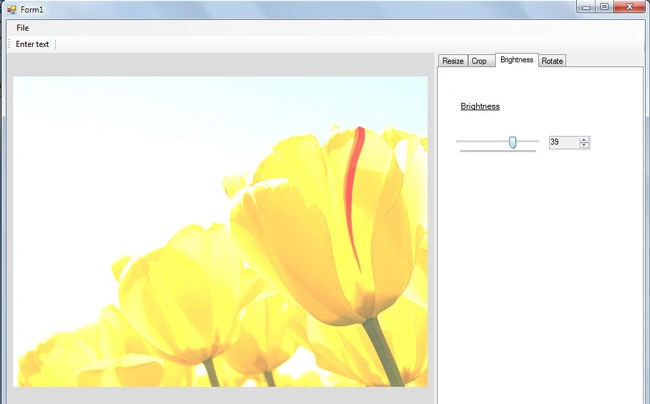
you can get brightness setting by above code


Join the conversation! Your thoughts help the community grow.