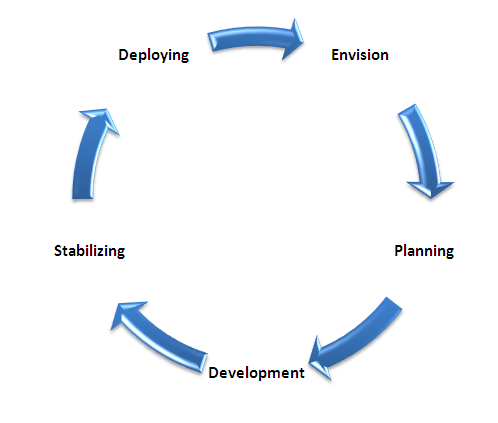
Microsoft Solution Framework: Contains the following Phases
- Envision
- Planning
- Development
- Stabilizing
- Deploying
Envision
In this phase the development team must work with the client on their SharePoint vision by aligning ideas with results. This has to be done in workshops or can be done one-on-one with client and other team members. The primary activities accomplished during envisioning are the formation of the core team and the preparation and delivery of a vision/scope document. The description of the project vision and the identification of the project scope are the main activities; we have to prepare a risk document and present the top risks along with a scope document. In this phase the development team can focus on making prototype development and technology options; feasibility analysis etc. Testing team can focus on testing strategies, testing acceptance criteria, implications etc
Planning
This is one of the important phases, here we have to develop a Statement of Work functional specification, works through the design process, and prepares work plans, cost estimates, and schedules for the various deliverables. There are three levels in the design process: conceptual design, logical design, and physical design. Each level is completed and baselined in this phase. In this phase the development team can focus on technology evaluation, logical and physical design, development plans, development estimates etc. Testing team can focus on design evaluation, testing requirements, test plan/schedule etc. Here we have to develop and finalize the Master Project Plan.
Development
In this phase developers have to focus on the scope complete milestone. Most of the development activities should be accomplished in this phase but some development work may continue into the stabilization phase. Most of this additional work is bug fixing that are raised by the testing team. In this phase we have our critical deliverables source code, executables Installation scripts and configuration settings for deployment will be handled in this. From the testing team we have to deliver test specifications and test cases. Mostly development team must concentrate on code development, infrastructure development, configuration documentation etc. Testing team must focus on functional testing, issues identification, documentation testing, updated test plan etc.
Stabilizing
The Stabilize phase is the critical step in ensuring that our solution meets client's requirements and performance to the desired level of performance. Quality Assurance, User Acceptance testing and pilot user training all take places during this phase. Once a build has been deemed stable enough to be a release candidate, the solution is deployed to a pilot group. The stabilizing phase culminates in the release readiness milestone. Once reviewed and approved, the solution is ready for full deployment to the live production environment. Some of the important deliverables in this phase is Test results, Release notes etc. In this phase the development team must primarily focus on bug resolution, code optimization etc. Testing team must focus on testing, bug reporting and status and configuration testing.
Deploying
In this Phase our solution is finalized and is ready to bring SharePoint solution live in client environment. But if tweaking is needed then that can also be done.