Introduction
Google Maps API allows you to display maps on your ASP.NET MVC Website.
API means Application Programming Interface.
Description
An API is a set of methods and tools, which can be used for building software Applications.
Steps
You will need to register and get an API key from Google API, which will be used to load and display Google Map.
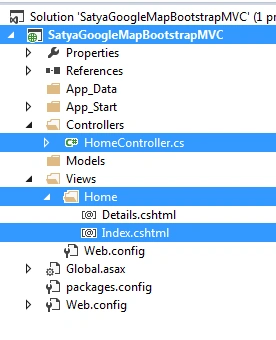
Create a MVC Application named SatyaGoogleMapBootstrapMVC.
Now, create a controller class file named HomeController.cs.
- using System;
- using System.Collections.Generic;
- using System.Linq;
- using System.Web;
- using System.Web.Mvc;
-
- namespace SatyaGoogleMapBootstrapMVC.Controllers
- {
- public class HomeController : Controller
- {
-
-
-
- public ActionResult Index()
- {
- return View();
- }
- public ActionResult Details()
- {
- return View();
- }
-
- }
- }
Create a View based on Controller Action Method Index named Index.cshtml.
- @{
- ViewBag.Title = "Satyaprakash Bhubaneswar Google Map";
- }
-
- <title>@ViewBag.Title</title>
-
- <h2 style="background-color: Yellow;color: Blue; text-align: center; font-style: oblique">Satyaprakash's Bhubaneswar Google Map Using MVC and BOOTSTRAP</h2>
- <fieldset>
- <legend style="font-family: Arial Black; color: blue; font-size: large;">Check Bhubaneswar City</legend>
- <meta charset="utf-8">
- <meta name="viewport" content="width=device-width, initial-scale=1">
- <link rel="stylesheet" href="https://maxcdn.bootstrapcdn.com/bootstrap/3.3.7/css/bootstrap.min.css">
- <script src="https://ajax.googleapis.com/ajax/libs/jquery/3.2.1/jquery.min.js"></script>
- <script src="https://maxcdn.bootstrapcdn.com/bootstrap/3.3.7/js/bootstrap.min.js"></script>
-
- <div id="googleMap" style="height:400px;width:100%;"></div>
- <script>
- function myMap() {
- var myCenter = new google.maps.LatLng(20.296100, 85.824500);
- var mapProp = { center: myCenter, zoom: 12, scrollwheel: false, draggable: true, mapTypeId: google.maps.MapTypeId.ROADMAP };
- var map = new google.maps.Map(document.getElementById("googleMap"), mapProp);
- var marker = new google.maps.Marker({ position: myCenter });
- marker.setMap(map);
- }
- </script>
- <script src="https://maps.googleapis.com/maps/api/js?key=put_your_api_key_here&callback=myMap"></script>
- </fieldset>
- <footer>
- <p style="background-color: Yellow; font-weight: bold; color:blue; text-align: center; font-style: oblique">© @DateTime.Now.ToLocalTime()</p> @*Add Date Time*@
- </footer>
Here, I added some script reference file to keep loading of Google map and support mobile View, using Bootstrap.
- <link rel="stylesheet" href="https://maxcdn.bootstrapcdn.com/bootstrap/3.3.7/css/bootstrap.min.css">
- <script src="https://ajax.googleapis.com/ajax/libs/jquery/3.2.1/jquery.min.js"></script>
- <script src="https://maxcdn.bootstrapcdn.com/bootstrap/3.3.7/js/bootstrap.min.js"></script>
In div tag, I set the Google map view width and height. This also defines the map container and size.
- <div id="googleMap" style="height:400px;width:100%;"></div>
Create a function to set the map properties.
- <script>
- function myMap() {
- var myCenter = new google.maps.LatLng(20.296100, 85.824500);
- var mapProp = { center: myCenter, zoom: 12, scrollwheel: false, draggable: true, mapTypeId: google.maps.MapTypeId.ROADMAP };
- var map = new google.maps.Map(document.getElementById("googleMap"), mapProp);
- var marker = new google.maps.Marker({ position: myCenter });
- marker.setMap(map);
- }
- </script>
- var mapProp = { center: myCenter, zoom: 12, scrollwheel: false, draggable: true, mapTypeId: google.maps.MapTypeId.ROADMAP };
The mapProp variable defines the properties for the map. The center property specifies where to center the map (using latitude and longitude coordinates). The zoom property specifies the zoom level for the map (try to experiment with the zoom level).
- var map=new google.maps.Map(document.getElementById("googleMap"), mapProp);
The given code creates a new map inside the <div> element with an id= googleMap, using the parameters, which are passed (mapProp).
- var marker = new google.maps.Marker({ position: myCenter });
- marker.setMap(map);
The marker variable set the marker position as given latitude and longitude coordinates. Then marker pass the map varible properties in setmap function.
- scrollwheel: false, draggable: true
This is defined in Google map scroll wheel. Proceed, as shown below.
- mapTypeId: google.maps.MapTypeId.ROADMAP
Here, you can set Google map and type I set here as ROADMAP.
Google allows a Website to use any Google API for free, millions of times a day.
Go to https://console.developers.google.com.
Now, you have to sign in to your Gmail account and you will get the key.
Google Maps expects to find the API key in the key parameter when loading an API.
- <script src="https://maps.googleapis.com/maps/api/js?key=put_your_api_key_here&callback=myMap"></script>
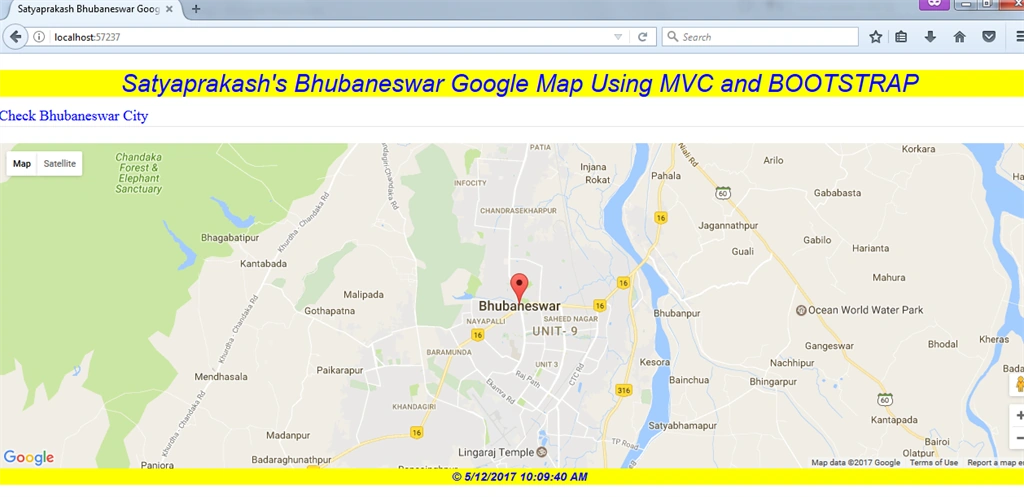
Output to check Bhubaneswar city in Google map
localhost:57237/Home/index
Desktop view & URL
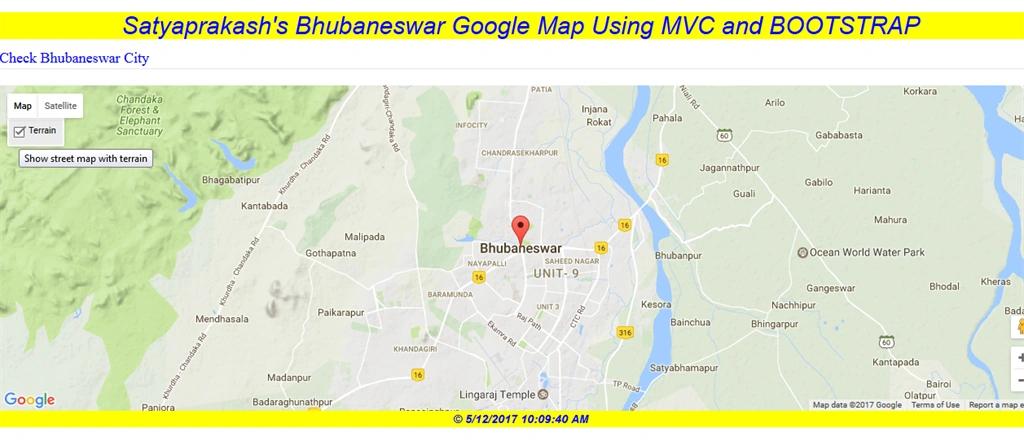
Show street map with Terrain.
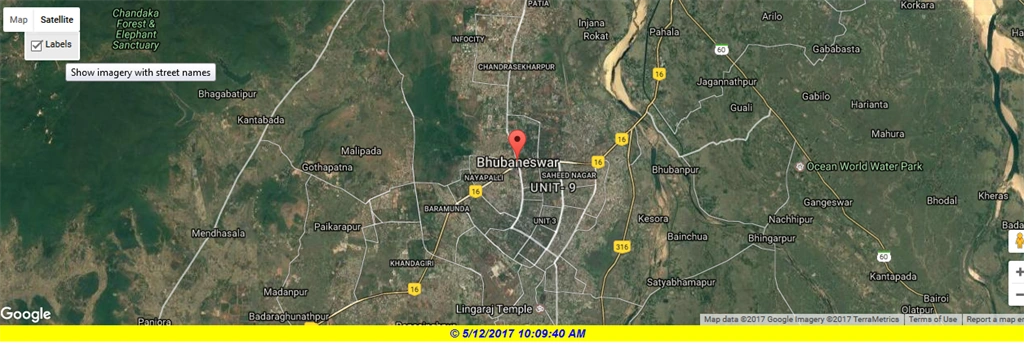
Show image with the street names.
Mobile view
If there is any invalid Google API key or key is empty, then the page will looks, as shown below.
SUMMARY
- What is Google map.
- How to get Google map API key.
- Implement using ASP.NET MVC.
- Google map, using Bootstrap, using multiple view support.





Drillon OctavioPosted Apr 25, 2021, 1:16 AM
This page can't load Google Maps correctly. :(
Guest UserPosted Mar 10, 2020, 6:02 AM
I am now getting an Invalid API key, what can i do. I am using console to access the developer API for maps. Still now luck
Guest UserPosted Mar 10, 2020, 12:37 AM
Hi Samantary do you have source code mate?
Sibin ThomasPosted Nov 1, 2019, 11:50 PM
Thanks this article helps. Can you please share how to remove water mark & logo from the map. I searched in google, but did't get solution. Thanks in advance.
Eren ÜnlüleblebiciPosted Aug 2, 2018, 4:02 AM
Please contact meeee
Eren ÜnlüleblebiciPosted Aug 2, 2018, 3:07 AM
Plss fast answer I have files that I need to download?
Eren ÜnlüleblebiciPosted Aug 2, 2018, 2:53 AM
My page null only have footer and title Where is css and js file your website? (I used asp.net core vs2017)
Guest UserPosted Dec 9, 2017, 12:46 AM
Thanks! its a good tutorial for a start up
Manav PandyaPosted May 13, 2017, 12:47 AM
Nice share sir ............