

In this article I'll explain two simple functionalities frequently used by everyone (that uses machines) everyday very often but they don't know what the difference is between these two, how these two are different and many others.
Outlines
- Overview
- F5 Refresh
• Example
• Points to Remember - URL Select (Manual Refresh)
• Example
• Points to Remember - Conclusion
Overview
Whenever you open your browser and access several websites in it and as soon as you realize that you need to refresh your page for any of several reasons, such as:
- Making page content dynamic
- Accessing current/latest content
- In overcoming browser failure
- In case of 404 or any other error
- Accessing latest activities
And so on.
Then in any these cases, you always have two options to refresh your page and overcome all the problems specified above. These two options are: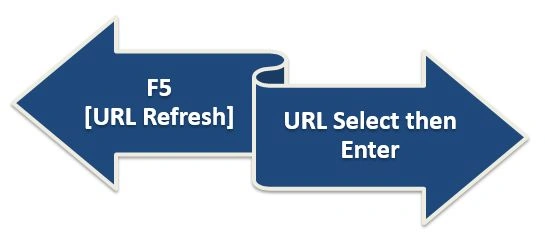
Now I will take you on this interesting journey, so buckle up. Here we go.
F5 (URL Refresh Directly)
We are all familiar with this option "F5”. I don't think I need to mention its history and geography here. What matters for us to know is how this option works for us and how it differs from the other specified options.
F5 is the command to refresh the URL (the page at the URL) generally whenever we are on our browser trying to run our code or sort out some errors in our snippet, we often do that when surfing and error detection when programming but we are unfamiliar with this tiny but powerful key. For us it's just a key and this is the reality but from the browser's and URL's point of view it's a very useful thing and they love it, at least more than us.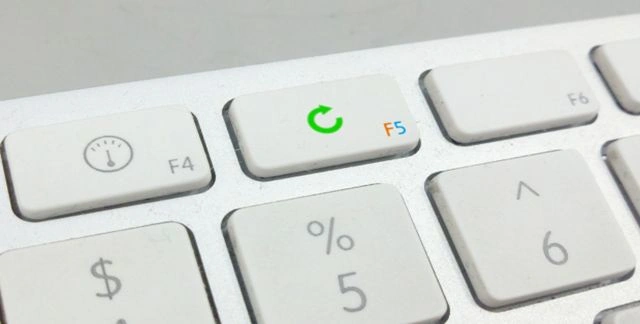
In short, the F5 function key bridges the gap between our browser and the user's requested URL and processes the request.
Example
It generally takes a few seconds (depending upon the type of the website, content and your internet speed), since it first communicates with your browser cache and then responds back to us depending on the request.
Points to Remember
The following are some key points regarding F5 refresh:
- It resubmits the current request
- It uses the browser's cache
- If there is any form in that page then the form data will be resubmitted
- Doesn't make new request every time
- Response of the page in this case is totally cache dependent
- It can also be defined as a complete refresh
- Wastes resources
URL Select then Enter (Manually)
URL selection and then pressing ENTER is the manual option of doing the same thing as the F5 function key, so how is it different from the previously defined option, we will go through this later in this article for now you only need to know:
“This option is better than direct refresh option in several ways.”
(I said all these points in "Points to Remember" section.)
This option works in the following two small steps:
- URL selection
- Enter
Selecting URL
- You are all familiar with this:
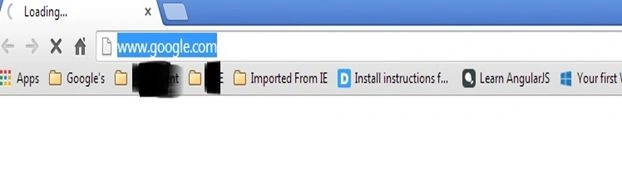
Press "Enter".
Example
This approach works faster than the previous one, since there is no intermediate communication with any type of cache or something like that. So we can say it take less or maybe half the time as the direct option of refreshing the URL (F5).
Points to Remember
Here are some key points of this type of refreshing the page:
- It doesn't resubmit the current request
- There is no use of cache in it
- It doesn't resubmit the from data
- It makes a new request every time
- The page response is dependent upon the RAM or the disk performance of the related system
- It doesn't refresh completely
- It doesn't waste much resources compared to F5 refresh
- It's quite useful
Conclusion
Now be happy because finally you are familiar with these two functionalities with different prospective options.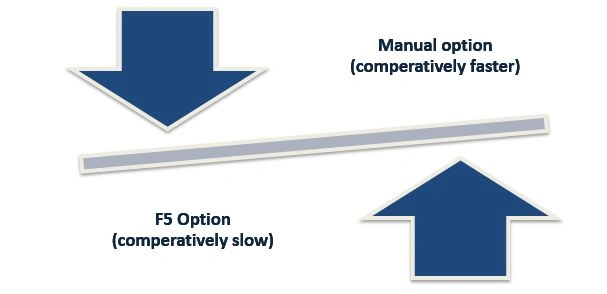
I hope now you will have something in your bag after reading this article. For any doubt, knowledge and update write back to me.
Abhishek JaiswalPosted Mar 18, 2015, 6:43 PM
Glad, this could help guys! Thank you :)
Arunava BhattacharjeePosted Sep 24, 2014, 2:39 AM
Ya...a new learning after 15 years of hitting F5 button :P
Abhishek JaiswalPosted Sep 24, 2014, 2:37 AM
But, there is buddy, I hope now You will be familiar with that! :)
Arunava BhattacharjeePosted Sep 23, 2014, 11:35 PM
:O ... I never thought that there can be any difference :O
Abhishek JaiswalPosted Aug 29, 2014, 12:28 AM
Thank you! :)
Anupam SinghPosted Aug 28, 2014, 6:43 AM
Nice Tip, Abhi.
Abhishek JaiswalPosted Aug 28, 2014, 12:25 AM
@Gaurav, It depends on the caching policy for the page and the method used for fetching the page in the first place. If you fetched the page via a POST, a refresh will re-send the POST data while putting the URL in a new window will issue a GET to the server.
Gaurav GuptaPosted Aug 25, 2014, 11:52 PM
It simply means that F5 key sent a post request to server.. Am I right??
Sanjay SinghPosted Aug 25, 2014, 1:11 PM
thanks sir for reply
Abhishek JaiswalPosted Aug 25, 2014, 12:54 PM
Hey Claudio, thanks for your kind words! :)
Abhishek JaiswalPosted Aug 25, 2014, 12:53 PM
Thnks Sanjay! ans: 'Refresh button, generally refreshes the page in your browser, not your respective url. it simply communicates to your page and page responses you back.'
Abhishek JaiswalPosted Aug 25, 2014, 12:51 PM
Thanks sumit, and u'r right cache also gets refeshed!
Claudio InacioPosted Aug 25, 2014, 6:01 AM
Hello Abhishek, this article shows us the best way to refresh a page. Thanks very much.
Sanjay SinghPosted Aug 25, 2014, 5:26 AM
very nice article sir.. thanks for sharing... sir can you please tell me how refresh button works?
Guest UserPosted Aug 25, 2014, 12:44 AM
Hey Abhi, good explanation so we should use URL+Enter rather F5. There is one other way which I prefere i.e, Ctrl + F5 , I believe it refreshes cache also. Do you've viewpoint on this?