

My previous articles have described:
- Various Types of Form Validation in AngularJS
- Double Click Event in AngularJS
- Mouse/Pointer Events in AngularJS
- Cut and Copy Events in AngularJS
- Paste Event in AngularJS
- Contact Book Using AngularJS
- Change Background Color Dynamically Using AngularJS
Now in this article I will describe sorting and OrderBy filtering in AngularJS.
Introduction
I assume everyone knows that sorting is the process of arranging items depending on a specified sequence.
I assume everyone knows that sorting is the process of arranging items depending on a specified sequence.
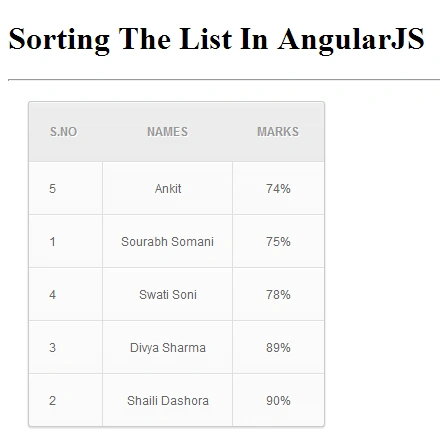
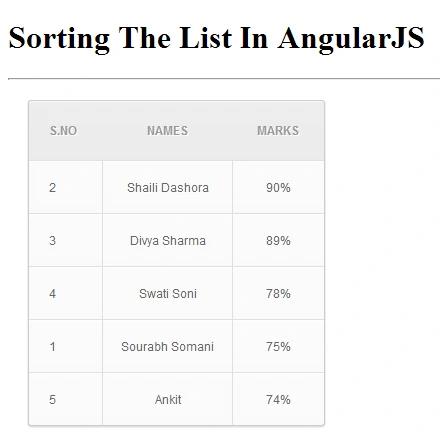
In AngularJS is the filter "orderBy". Using it we can do sorting. Now I am showing you the procedure for sorting using AngularJS.
Step 1
First of all you need to add an external "angular.min.js" file to your application. To add this file to your application you need to download the "angular.min.js" file from the official website of AngularJS; the link is:
AngularJS Official Wbsite.
AngularJS Official Wbsite.
Now after downloading this file, you need to add this file to the head section of your application as in the following:
<!doctype html>
<html ng-app>
<!--ng-app is Root Element of AngularJS (This directive Auto Boot-Strap an AngularJS App)-->
<head>
<script src="angular.min.js"></script>
<head>
<script src="angular.min.js"></script>
<!--angular.min.js is external Downloaded file-->
<title>Sorting using AngularJS</title>
Step 2
In the next step, I am creating another script in the head section, in which I am defining an array with "Serial Number", "Name" and "Marks", as in following:
<script>
function Ctrl($scope) {
$scope.friends = [{sno:1, name:'Sourabh Somani', Marks:'75'},
{sno:2, name:'Shaili Dashora', Marks:'90'},
{sno:3, name:'Divya Sharma', Marks:'89'},
{sno:4, name:'Swati Soni', Marks:'78'},
{sno:5, name:'Ankit', Marks:'74'}]
}
</script>
<script>
function Ctrl($scope) {
$scope.friends = [{sno:1, name:'Sourabh Somani', Marks:'75'},
{sno:2, name:'Shaili Dashora', Marks:'90'},
{sno:3, name:'Divya Sharma', Marks:'89'},
{sno:4, name:'Swati Soni', Marks:'78'},
{sno:5, name:'Ankit', Marks:'74'}]
}
</script>
I have also created an External CSS file (mystyle.css), So now I am adding this using the following code:
<link rel="stylesheet" type="text/css" href="mystyle.css">
</head>
<link rel="stylesheet" type="text/css" href="mystyle.css">
</head>
Note: "mystyle.css" file you can download from uploaded Zip File.
Step 4
Now in the body section I am making a division from the Div tag and in this I am attaching a controller class to the view using the "ng-controller" directive.
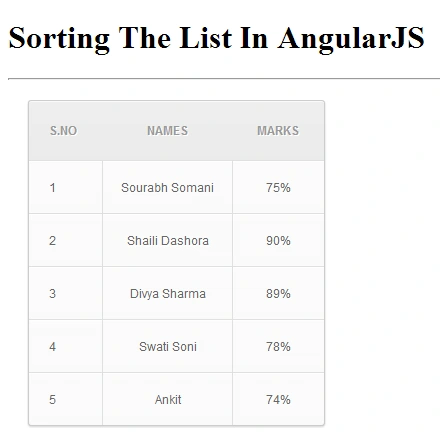
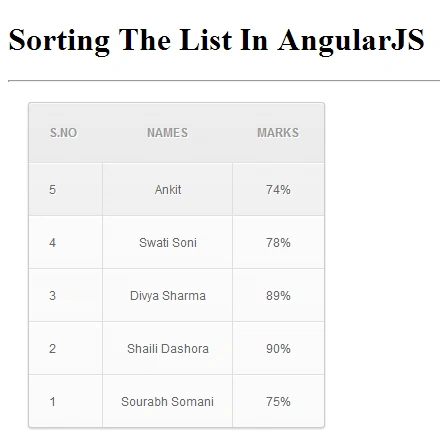
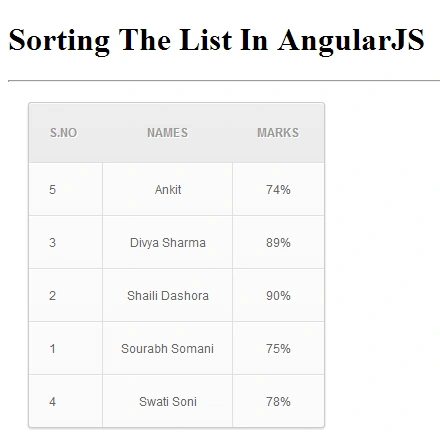
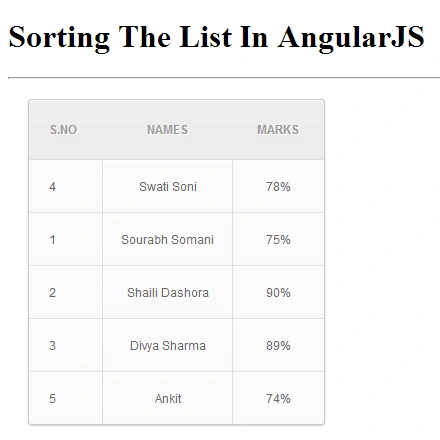
Yashwanth MuthineniPosted Aug 31, 2015, 8:37 AM
Nice Share
Debendra DashPosted Jun 22, 2015, 5:12 AM
good one sir........