

This article demonstrates the mouse pointer events that can be used to update or change the visual state of the application UI in Windows Store Apps using XAML and C#.
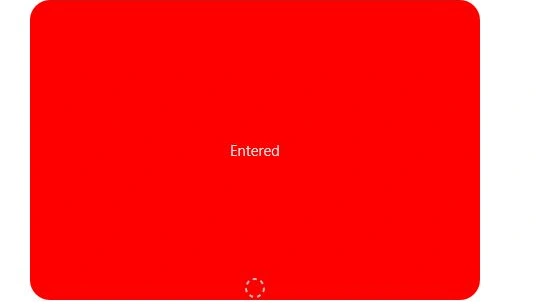
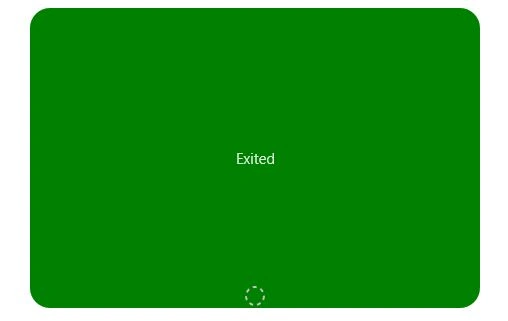
In this article I show the uses of pointer events such as Pointer Entered and Pointer Existed and how to associate these with the mouse pointer.
Here is how to create Pointer Events.
Step 1
Here is some XAML markup code that specifies the event that occurs:
<Page
x:Class="drawingapp.BlankPage1"
xmlns="http://schemas.microsoft.com/winfx/2006/xaml/presentation"
xmlns:x="http://schemas.microsoft.com/winfx/2006/xaml"
xmlns:local="using:drawingapp"
xmlns:d="http://schemas.microsoft.com/expression/blend/2008"
xmlns:mc="http://schemas.openxmlformats.org/markup-compatibility/2006"
mc:Ignorable="d">
<Grid x:Name="LayoutRoot" Background="White">
<Grid.RowDefinitions>
<RowDefinition Height="Auto"/>
<RowDefinition Height="*"/>
</Grid.RowDefinitions>
<Grid x:Name="Output" HorizontalAlignment="Left" VerticalAlignment="Top" Grid.Row="2">
<StackPanel ManipulationMode="All" Margin="30,50">
<Border x:Name="bEnteredExited" Background="Red" Height="300" Width="450" CornerRadius="20" HorizontalAlignment="Left">
<Grid>
<TextBlock Style="{StaticResource BasicTextStyle}" Text="" HorizontalAlignment="Center" VerticalAlignment="Center" x:Name="bEnteredExitedTextBlock"/>
<Ellipse VerticalAlignment="Bottom" Stroke="Silver" StrokeDashArray="2,2" StrokeThickness="2" Margin="2" x:Name="bEnteredExitedTimer" Width="20" Height="20" RenderTransformOrigin="0.5,0.5">
<Ellipse.RenderTransform >
<RotateTransform Angle="0" />
</Ellipse.RenderTransform>
</Ellipse>
</Grid>
</Border>
</StackPanel>
</Grid>
</Grid>
</Page>
Step 2
Here is the .cs file code.
Associate the Pointer events in the Page load method, as in:
public BlankPage1()
{
this.InitializeComponent();
bEnteredExited.PointerEntered += new PointerEventHandler(bEnteredExited_PointerEntered);
bEnteredExited.PointerExited += new PointerEventHandler(bEnteredExited_PointerExited);
//To code for multiple Pointers (i.e. Fingers) we track how many entered/exited.
_pointerCount = 0;
}
Coding of Pointer Entered events:
void bEnteredExited_PointerEntered(object sender, PointerRoutedEventArgs e)
{
_pointerCount++;
UpdateVisuals(sender as Border, "Entered");
}
Coding of Pointer Existed events:
void bEnteredExited_PointerExited(object sender, PointerRoutedEventArgs e)
{
_pointerCount--;
UpdateVisuals(sender as Border, "Exited");
Join the conversation! Your thoughts help the community grow.