

Introduction
Okay, here is great news, Microsoft has released a developer preview of TypeScript, a new programming language like JavaScript that is translated into JavaScript so that its apps can be run in any browser. In other words, TypeScript is a superset of JavaScript and you write with it like you write JavaScript. And today, I explored it and I am sharing it with you.
TypeScript is a language for application-scale JavaScript. TypeScript adds optional types, classes, and modules to JavaScript. TypeScript supports tools for large-scale JavaScript applications for any browser, for any host, on any OS. TypeScript compiles to clean, readable, standards-based JavaScript.
TypeScript has a syntax that is very similar to JavaScript but adds features, such as optional static typing, that Microsoft programming language guru Anders Hejlsberg says will make it easier for developers to build larger applications.
Hejlsberg created Turbo Pascal, was the chief architect of Delphi, and is the lead architect of C# and LINQ. He developed TypeScript with Steve Lucco and Luke Hoban.
Here's a list of features:
- Optional static typing
- Class declarations
- Support for modules
- A Visual Studio plugin
- It's Open Source and under the Apache 2.0 license
- You can install the tools easily with 'npm install -g typescript'
- You can play with it online at "http://www.typescriptlang.org/Playground"
So, let's get started by building a simple website or web application with TypeScript.
Step 1: Get TypeScript tools
There are two main ways to get TypeScript tools:
- Via Node.js package manager (npm) or
- By installing the TypeScript for Visual Studio 2012 plugin (Download it from here)
I'm going to use the second choice of which you don't even need to install it, just visit here and play it online.
There are samples you can try from here.
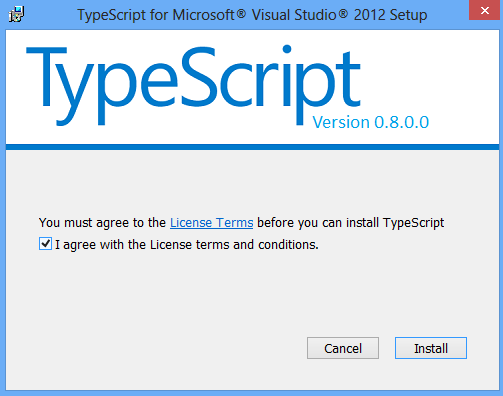
Note1: Close Visual Studio 2012, Microsoft Word, SQL Server VSS Writer, Windows Explorer before installing the plugin. I realized, there is some bug with the installer, after closing every normal process it will force you to close something but actually nothing opened.
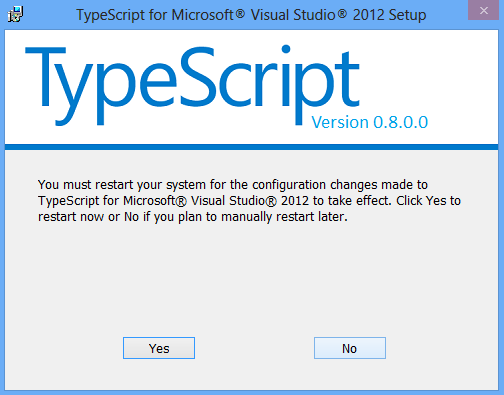
Note2: At the end of the installation, the system will reboot.
Step 2: Screens of TypeScript Installer

Step 3: Create a new Web Site
Create a new website in Visual Studio from File > New > Web Site. Now we will have a new project, add a new web page (.html or .aspx).
Step 4: Coding on Web Page
I added a greeter.ts (similar to greeter.js file) file and typed the following TypeScript codes. Why .ts extension, it is because Microsoft recommended to use .ts extension for this new language.
- function greeter(string) {
- return "Hello, " + person;
- }
- var user = "Abhimanyu K Vatsa";
- document.body.innerHTML = greeter(user);


Sourav Kumar DasPosted Oct 1, 2019, 6:12 AM
Good Article Sir.
Nitesh KejriwalPosted Oct 13, 2012, 3:18 AM
Good one Abhi!
Shirsendu NandiPosted Oct 4, 2012, 3:53 AM
very good article for this topic...it's hot in market..
Richa GargPosted Oct 4, 2012, 1:05 AM
Wow its really a nice language.. thanks for giving this new language introduction Abhimanyu.
Rohatash KumarPosted Oct 3, 2012, 11:38 PM
Thanks for introducing new language.
Megha GoyalPosted Oct 3, 2012, 11:25 PM
wow its a great language i'll also try to make article on it
Varesh TuliPosted Oct 3, 2012, 11:10 PM
Very nice article to learn new language, thanks for sharing..
Gaurav ChauhanPosted Oct 3, 2012, 11:09 PM
Its provide another option beside javaScript and thats a good thing to learn.
Gaurav GuptaPosted Oct 3, 2012, 11:07 PM
Great Vasta you always explorers new things. Thanks for sharing...
Mahesh ChandPosted Oct 3, 2012, 10:08 PM
Very nice start Abhi. I was thinking to start learning this new language but did not get a chance yet.
Abhimanyu K VatsaPosted Oct 3, 2012, 9:41 AM
@Nitin Have you created any .ts file that contains TypeScript code, if yes then you need to compile it to get JavaScript version of the same code?
Nitin BhardwajPosted Oct 3, 2012, 9:39 AM
I have installed TypeScript in Vs12 but It is not show in vs12 feature.