

Thank you for reading my previous article. If you have not read that, then study from the following links. After reading them it would be easier to understand today’s topics.
- Overview Of AngularJS: Part 1
- Start With AngularJS: Part 2
- Start With AngularJS: Part 3
- Start-Up With AngularJS Part: 4
- Start With AngularJS: Part 5
Today you will study AngularJS services.
What is a Service?
Services are JavaScript functions and are responsible for doing specific tasks only. AngularJS has about 30 built-in services. One of them is the $location, $http, $provide, $resource, $window, $parse service.
Different ways to create service in AngularJS.
Factory
Factory is a simple function that allows you to add some logic before creating the object. It returns the created object.
<!DOCTYPE html>
<html>
<head>
    <title>Factory Demo</title>
    <script src="https://ajax.googleapis.com/ajax/libs/angularjs/1.3.14/angular.min.js"></script>
    <script>
        var app = angular.module('app', []);

        app.controller("MemberController", function($scope, myFactory) {
            $scope.FirstName = myFactory.FirstName;
            $scope.FullName = myFactory.FullName;
        });

        app.factory('myFactory', function() {
            var myName = "Shiva";

            function getName() {
                return myName;
            }

            return {
                FullName: getName() + " " + "shukla",
                FirstName: getName()
            };
        });
    </script>
</head>
<body ng-app="app">
    <p>AngularJS Factory</p>

    <p ng-controller="MemberController">
        <p>
            FirstName: {{FirstName}}
        </p>
        <p>
            FullName: {{FullName}}
        </p>
    </p>
</body>
</html>
Output
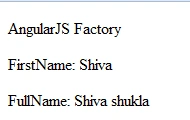
When to use?
It is just a collection of functions like a class. Hence, it can be instantiated in different controllers when you are using it with a constructor function.
Service
Service is a constructor function that creates the object using a new keyword. You can add properties and functions to a service object by using this keyword. Unlike a factory, it doesn’t return anything.
<!DOCTYPE html>
<html>
<head>
    <title>Service Demo</title>
    <script src="https://ajax.googleapis.com/ajax/libs/angularjs/1.3.14/angular.min.js"></script>
    <script>
        var app = angular.module('app', []);
        app.controller('MemberController', function($scope, myService) {
            $scope.FirstName = myService.FirstName();
            $scope.FullName = myService.FullName;
        });
        app.service('myService', function() {
            var myName = "Shiva";
            this.FirstName = function() {
                return myName;
            }
            this.FullName = myName + " " + "shukla";
        });
    </script>
</head>
<body ng-app="app">
    <p>AngularJS Service</p>
    <p ng-controller="MemberController">
        <p>
            FirstName: {{FirstName}}
        </p>
        <p>
            FullName: {{FullName}}
        </p>
    </p>
</body>
</html>
Output
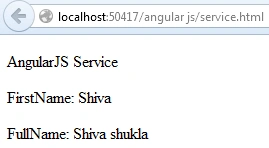
When to use?
It is a singleton object. Use it when you need to share a single object across the application.
Provider
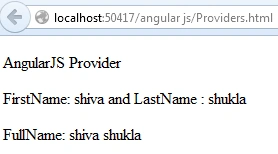
A provider is used to create a configurable service object. It returns value by using the $get () function, $provide service has a number of methods for registering components with the $injector.
Sonu ChaudharyPosted Mar 31, 2016, 11:55 AM
good one
Anil Kumar MurmuPosted Feb 11, 2016, 4:27 AM
Hi Shiva, Could you please help me to understand which is singleton? Service or Provider. The summary section says Provider is singleton whereas in the content part it has been specified that Services can be instantiated only once.
Santhakumar MunuswamyPosted Feb 1, 2016, 1:55 PM
Thanks for nice article
Pankaj Kumar ChoudharyPosted Feb 1, 2016, 2:04 AM
Nice Explain.......