

This article will teach you about Advanced Encryption Standard (AES) in C #. I think I will start a small series using some cryptography with AES in C #. Cryptography and Encryption are used by most developers who work with enterprise applications, especially if you work in the financial services industry. You can try to decrypt C# examples and aes encrypt C# examples at the end of the article step by step.
Cryptography is an interesting subject and the design of this algorithm is very interesting; I do not recommend using an algorithm that you have designed yourself. The algorithm in practice has now been analyzed many times by experts in both private and government industries around the world who are trying to find faults and weaknesses, so you are far better off using this recommended system.
The main algorithms fall into two categories: Symmetric encryption and Asymmetric encryption. Symmetric encryption contains algorithms that are based solely on an encryption key. For example, if you encrypt some plaintext with Key1 you get a cipher text out the other end. If you then decrypt the cipher text with the same key (Key1) you will get back to the original plaintext.
Asymmetric encryption works by having 2 keys, a public and private key. These keys are mathematically derived from each other. The public key can be used by anyone and the private key has to be kept secret. I will talk about asymmetric encryption and more specifically RSA in another post.
For this article I am going to look at the AES symmetric algorithm. AES stands for the Advanced Encryption Standard. This was a competition winner when the National Institute of Standards and Technology ran a contest to replace the already broken DES algorithm.
What I will show in this article is a good practical implementation of AES in .NET. We will start with the following interface. The interface contains 2 methods, Encrypt and Decrypt. They methods take cipher text/plaintext and an encryption key. For example: AES_DECRYPT(fieldname, "yourkey")
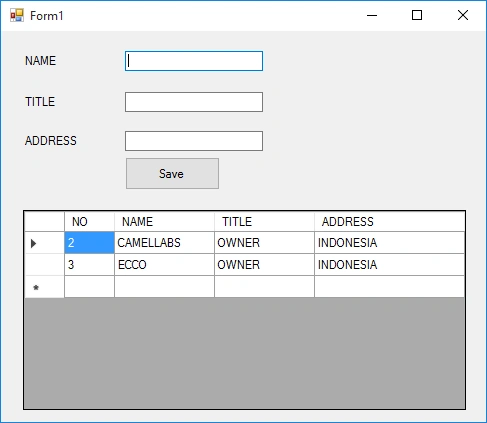
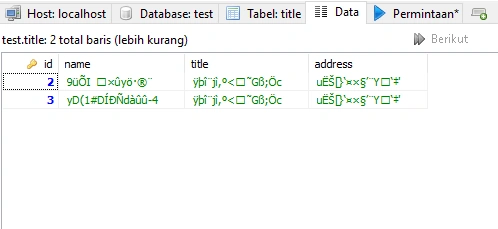
In this tutorial we will practice examples of Decryption and Encryption using inserting and selection methods in Mysql. We will insert data from .Net to Mysql with Encryption and select data from Mysql with decryption.
Let’s following the steps for learning about Encryption and Decryption with AES:
- Create database in mysql with the name “test” and create a table with the name “title”. See below for an example.
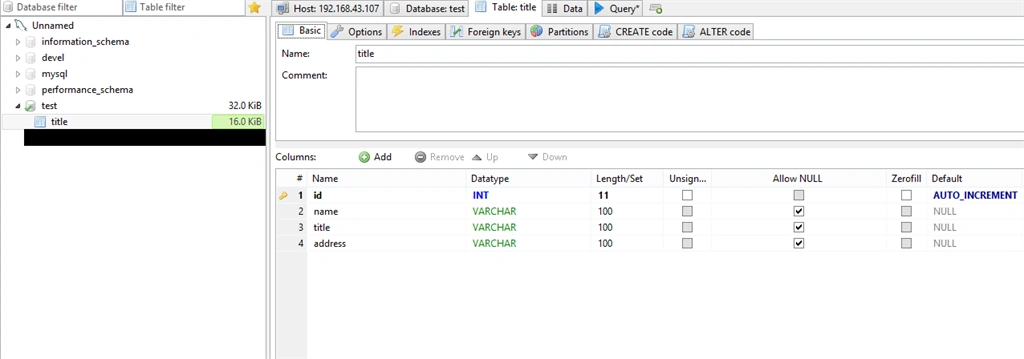
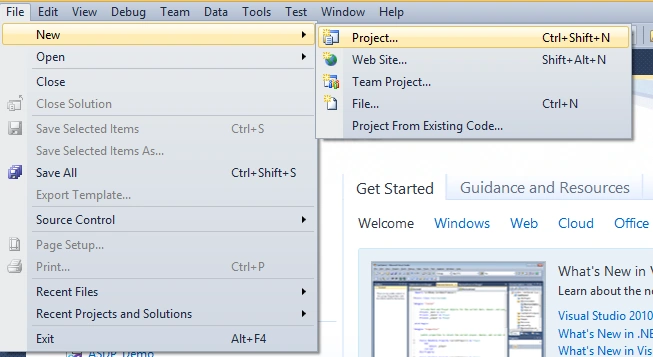
- Create a new application project. In Visual Studio, on the menu click File> New > Project. For more details, see the following menu on the display.
- Then the New Project will appear, as below.
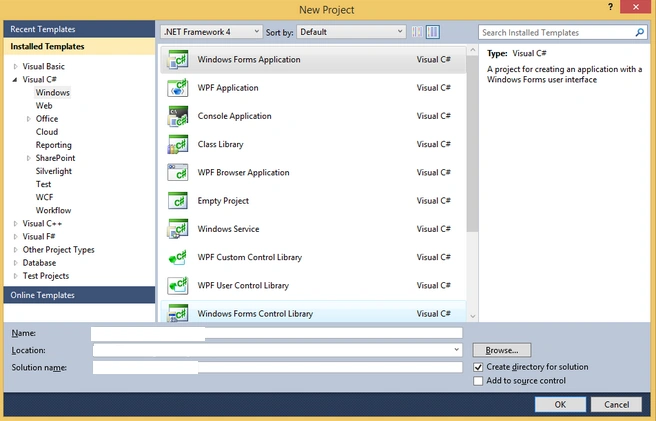
- Write down the name of the project that will be created on a field name. Specify the directory storage project by accessing the field Location. Next, give the name of the solution in the Solution Name. Then click OK.
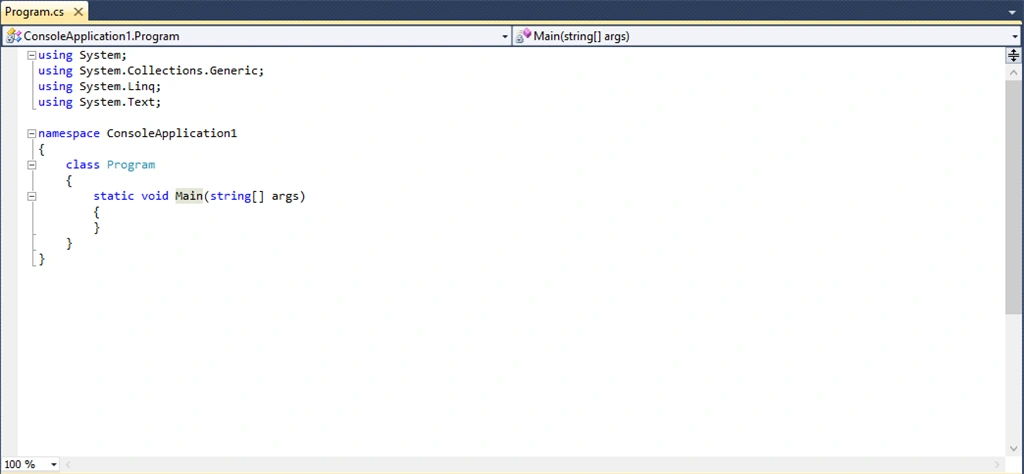
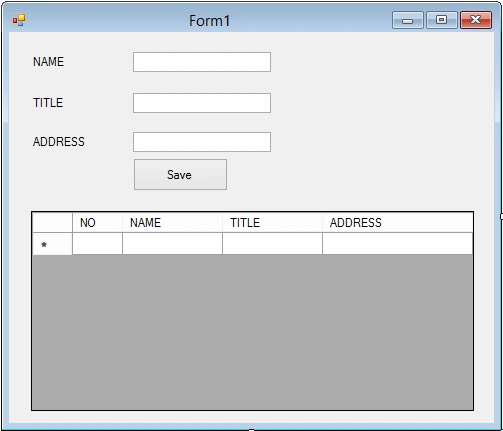
- Create a new windows form like the below.
Create a new class for connecting the database and write the following program listing :
- using System;
- using System.Collections.Generic;
- using System.Linq;
- using System.Text;
- using MySql.Data.MySqlClient;
- using System.Windows.Forms;
- using System.Data;
- namespace Ecnryption_Decryption
- {
- class connection
- {
- MySql.Data.MySqlClient.MySqlConnection conn;
- string myConnectionString;
- static string host = "localhost";
- static string database = "test";
- static string userDB = "root";
- static string password = "password";
- public static string strProvider = "server=" + host + ";Database=" + database + ";User ID=" + userDB + ";Password=" + password;
- public bool Open()
- {
- try
- {
- strProvider = "server=" + host + ";Database=" + database + ";User ID=" + userDB + ";Password=" + password;
- conn = new MySqlConnection(strProvider);
- conn.Open();
- return true;
- }
- catch (Exception er)
- {
- MessageBox.Show("Connection Error ! " + er.Message, "Information");
- }
- return false;
- }
- public void Close()
- {
- conn.Close();
- conn.Dispose();
- }
- public DataSet ExecuteDataSet(string sql)
- {
- try
- {
- DataSet ds = new DataSet();
- MySqlDataAdapter da = new MySqlDataAdapter(sql, conn);
- da.Fill(ds, "result");
- return ds;
- }
- catch (Exception ex)
- {
- MessageBox.Show(ex.Message);
- }
- return null;
- }
- public MySqlDataReader ExecuteReader(string sql)
- {
- try
- {
- MySqlDataReader reader;
- MySqlCommand cmd = new MySqlCommand(sql, conn);
- reader = cmd.ExecuteReader();
- return reader;
- }
- catch (Exception ex)
- {
- MessageBox.Show(ex.Message);
- }
- return null;
- }
- public int ExecuteNonQuery(string sql)
- {
- try
- {
- int affected;
- MySqlTransaction mytransaction = conn.BeginTransaction();
- MySqlCommand cmd = conn.CreateCommand();
- cmd.CommandText = sql;
- affected = cmd.ExecuteNonQuery();
- mytransaction.Commit();
- return affected;
- }
- catch (Exception ex)
- {
- MessageBox.Show(ex.Message);
- }
- return -1;
- }
- }
- }
Join the conversation! Your thoughts help the community grow.