
Introduction
n8n is an open-source, node-based workflow automation platform that enables users to design, execute, and manage event-driven automations using a visual interface.
Workflow in n8n
A workflow in n8n is a collection of connected nodes.
Each node performs a specific task within the automation.
Data flows between nodes in JSON format.
Workflows can be simple or complex depending on requirements.
Execution starts only when a trigger node is activated.
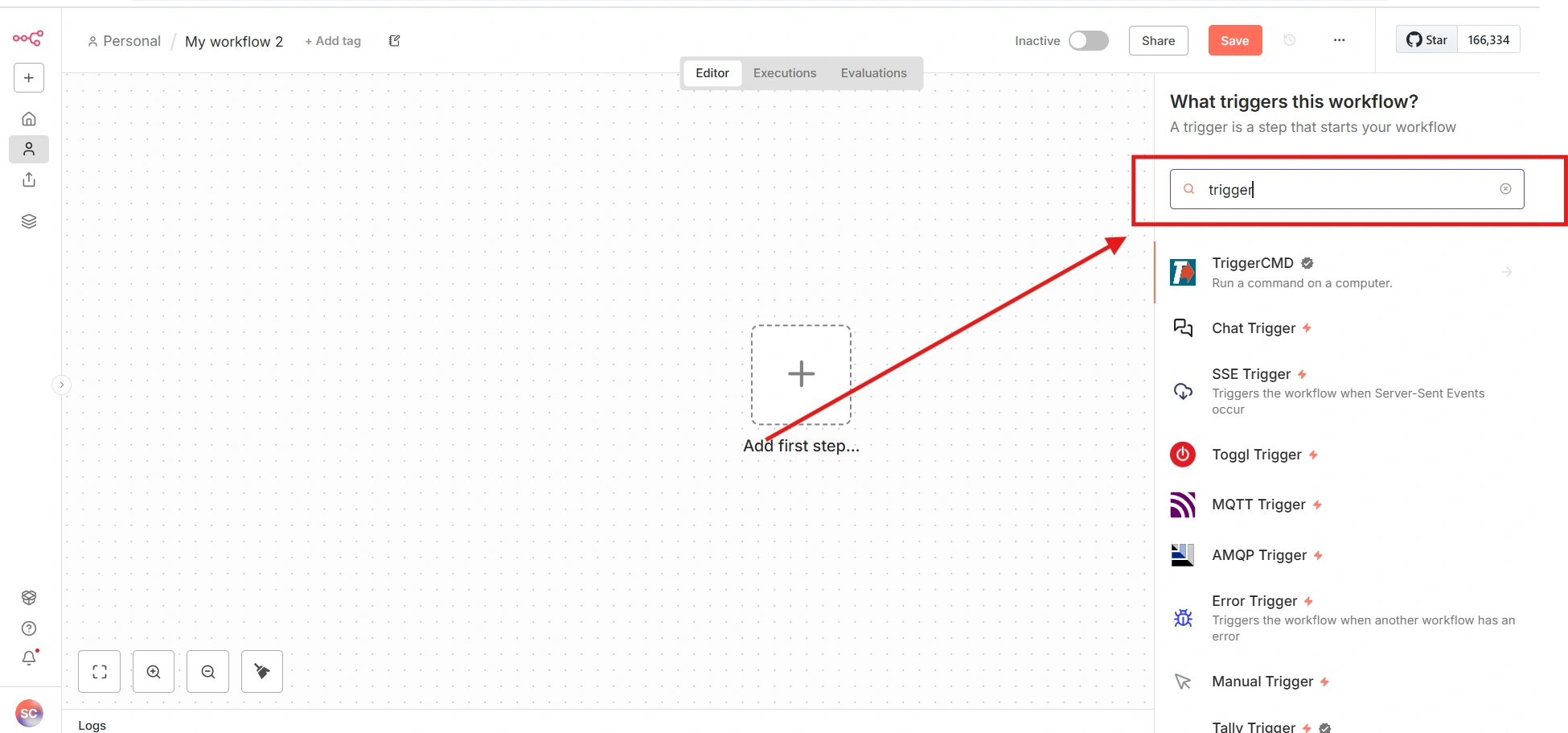
Trigger Nodes
Trigger nodes define how and when a workflow starts.
Every workflow must contain at least one trigger node.
Trigger nodes act as the entry point of execution.
They listen for events or conditions to occur.
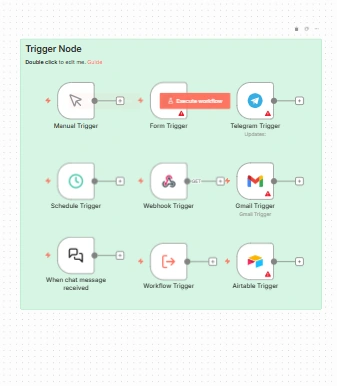
Common trigger types include:
Manual Trigger
Schedule Trigger
Webhook Trigger
Email Triggers
Messaging Triggers
Workflow Trigger
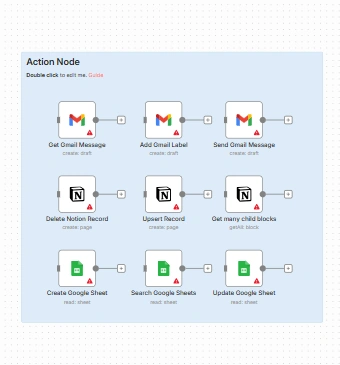
Action Nodes
Action nodes perform operations within the workflow.
They interact with applications, services, or systems.
These nodes modify, create, or send data.
Common actions include:
Sending emails or messages
Creating, updating, or deleting records
Writing data to spreadsheets or files
Posting data to external platforms
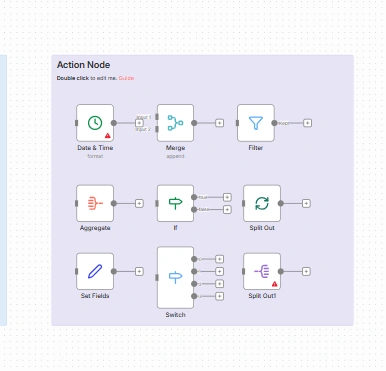
Control Flow Nodes
Control flow nodes manage the execution path of the workflow.
They evaluate conditions based on incoming data.
These nodes determine which path the workflow follows.
Common control flow nodes include:
If
Switch
Filter
They enable conditional logic and rule-based execution.
Looping and Batch Processing
Workflows often need to process multiple records.
n8n provides nodes to handle iteration and batching.
These nodes help process items efficiently.
Common looping nodes include:
Split Out
Split In Batches
They improve performance and control large data processing.
Data Transformation Nodes
Data transformation nodes modify and prepare data.
They ensure data consistency across the workflow.
Common transformation operations include:
Adding or updating fields
Merging multiple data streams
Formatting dates and values
Aggregating data
Integration and API Communication
n8n supports integration with external systems.
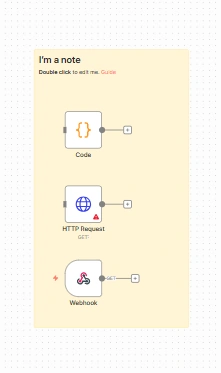
The HTTP Request node enables API communication.
Workflows can send and receive data using REST APIs.
This allows n8n to connect systems that do not have native integrations.
Intelligent Automation
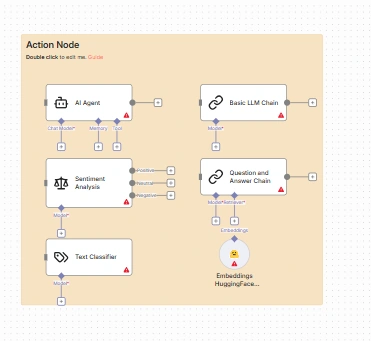
n8n includes AI-related nodes for intelligent processing.
These nodes can analyze and interpret unstructured data.
Common AI capabilities include:
Text classification
Sentiment analysis
Semantic understanding
Intelligent automation enhances decision-making in workflows.
Code Node
The Code node allows custom JavaScript logic.
It is used when visual nodes are not sufficient.
Common use cases include:
Complex data transformations
Custom validations
Advanced calculations
The Code node remains fully integrated within the workflow.
Error Handling and Reliability
n8n provides built-in error handling mechanisms.
Workflows can be configured to handle failures gracefully.
Errors can be logged, retried, or routed to alternate paths.
This ensures workflow reliability and stability.
Conclusion
n8n provides a modular and extensible approach to automation.
Node-based workflows make automation logic easy to understand.
The platform supports integrations, data processing, and intelligence.
Understanding n8n’s workflow structure is essential for building scalable and maintainable automation solutions.
Join the conversation! Your thoughts help the community grow.