
Android Studio
Features of Android Studio
Build tools
Android Studio uses a concept of Gradle for Android development that provides flexibility, customized build flavors, dependency resolution, and much more. This system allows you to build your projects in the IDE as well as on your continuous integration servers.
Code editing
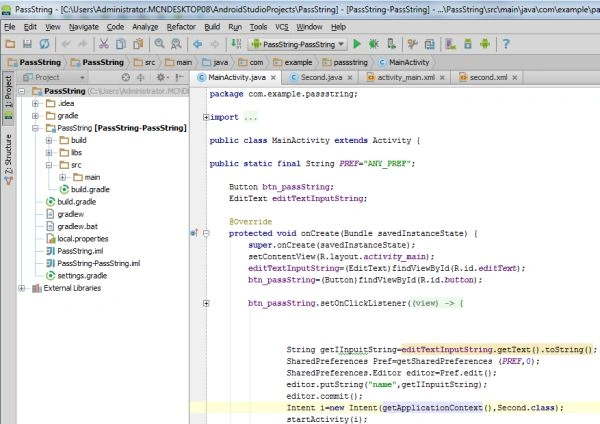
Android Studio includes a powerful code editor based on the IntelliJ Idea Editor that supports features such as smart editing, advanced code refracting and constant static analysis. The smart editing feature makes inline resources lookup easier for reading your code while giving you instant access to edit code the backing resources. Advanced code refactoring gives you the power to transform your code across the scope of the entire project. Android Studio adds static code analysis quickly and safely for Android development, helping you identify bugs faster.
GUI
Android Studio provides a smooth graphical user interface. Android Studio includes some great drag-and-drop UI features that make Android Studio GUI more powerful.
Easy access to Google services within Android Tools
Android Studio provides the ability to access Google services easily from the IDE. You can use services such as a cloud-based backend with integrated Google Cloud Messaging (GCM) to your app, directly from the IDE. Android Studio also includes a new plugin called the ADT translation manager plugin to assist with localizing your apps. We can translate our String on the Google Play Developer Console by exporting using plugins, and we can then download and import our translations back into the project
Difference between Android Studio and Eclipse
There is no need to add a plugin to Android Studio but if we use Eclipse then we do need to.
Eclipse needs many resources to start but Android Studio does not.
Android Studio is based on IntelliJ's Idea Java IDE and Eclipse uses the ADT Plugin to develop Android applications.
Anubhav ChaudharyPosted Jun 5, 2013, 12:30 AM
Nice Article
Sam HobbsPosted Jun 4, 2013, 4:15 PM
Does Android Studio support development of other Java applications? Does it do that well? Does it support other languages and environments very well? I think that the lack of plugins is a disadvantage if it does not support other languages and such very well.