

Introduction
In this article, you will learn how to authenticate SharePoint online and get a context in Azure functions using PnP.Framework.
Steps
- Create an Azure function
- Add PnP.framework and Microsoft.SharePointOnline.CSOM package
- Use AuthenticationManager class to authenticate SharePoint.
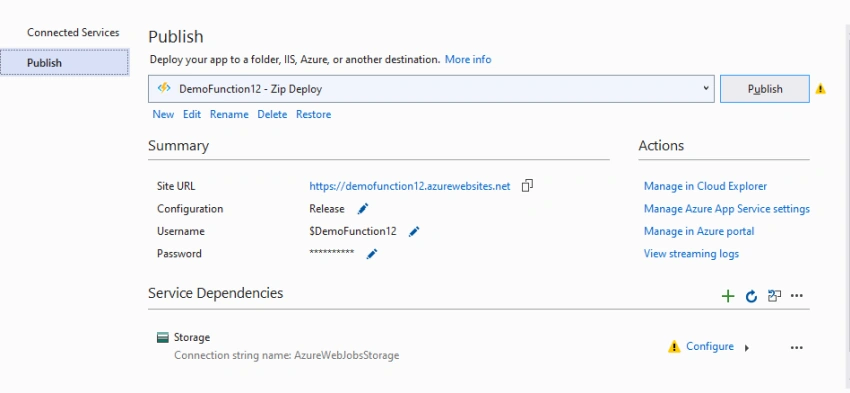
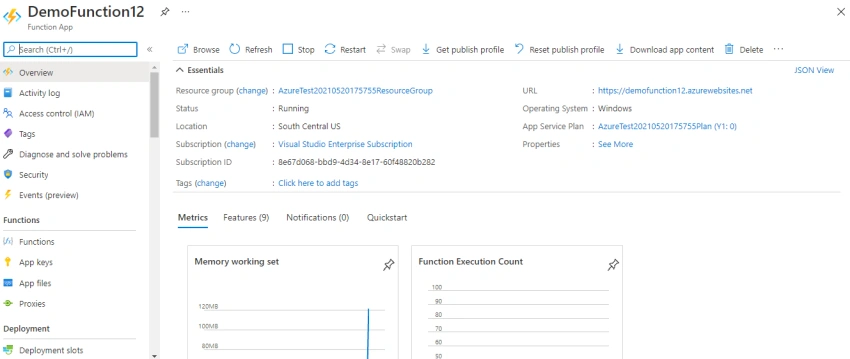
- Publish the Azure functions in Azure Portal ( Need to have an active Azure subscription)
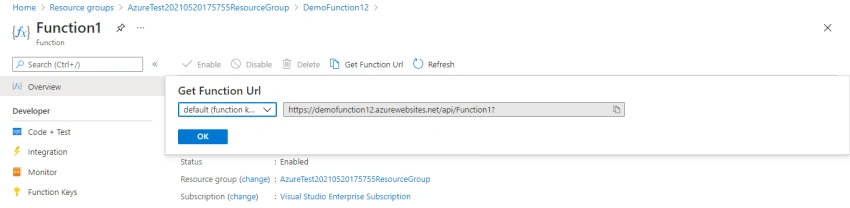
- Test the function
Create an Azure function
Step 1
Login to Visual Studio 2019 and Create a new Project.
Step 2
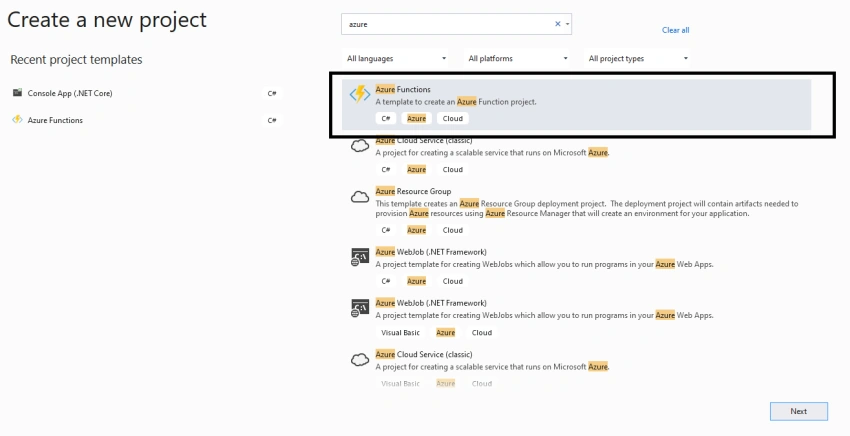
Select the Azure functions and click on Next.
Step 3
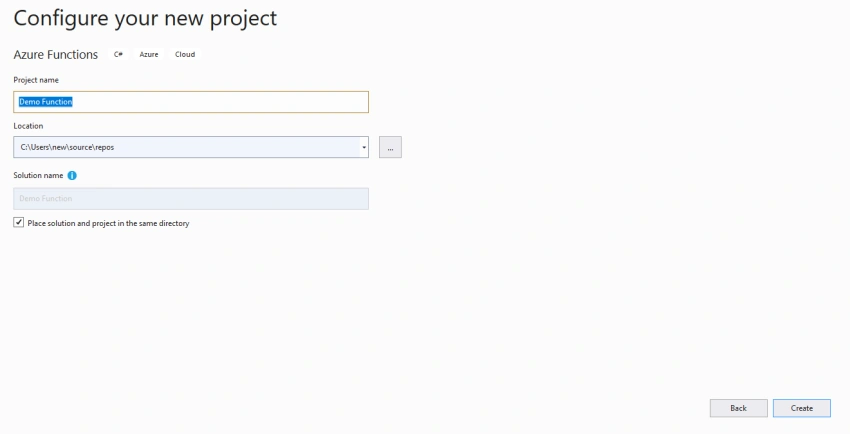
Provide the name and click on Create.
Step 4
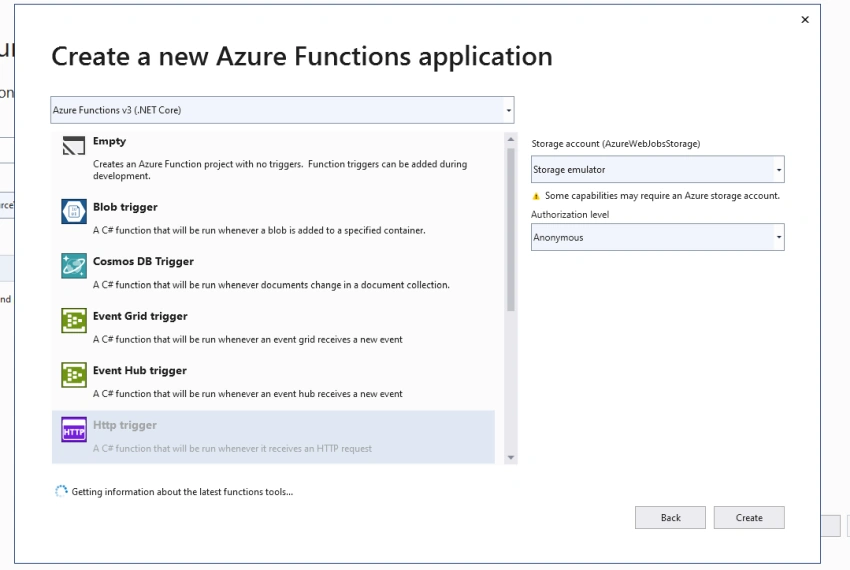
Select the Azure functions v3(.NET Core), select HTTP trigger and select Anonyms and click on Create.
Install NuGet Package
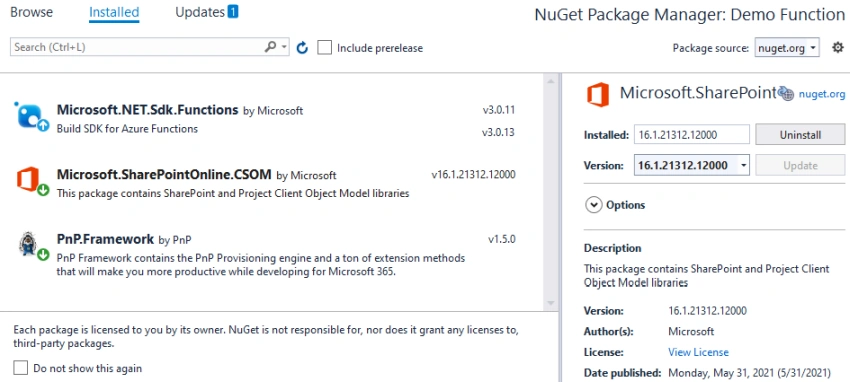
Select solution and right-click on dependencies and NuGet Process.
Install the packages,
- Microsoft.SharePoint online.CSOM
- PnP.Framework
Add AuthenticationManager
This AuthenticationManager is from PnP, the framework which helps to get token and provide the context of the SharePoint.
Copy-paste the below code in the Function,
using System;
using System.IO;
using System.Threading.Tasks;
using Microsoft.AspNetCore.Mvc;
using Microsoft.Azure.WebJobs;
using Microsoft.Azure.WebJobs.Extensions.Http;
using Microsoft.AspNetCore.Http;
using Microsoft.Extensions.Logging;
using Newtonsoft.Json;
using Microsoft.SharePoint.Client;
using PnP.Framework;
using System.Security;

namespace Demo_Function
{
    public static class Function1
    {
        [FunctionName("Function1")]
        public static async Task<IActionResult> Run(
            [HttpTrigger(AuthorizationLevel.Anonymous, "get", "post", Route = null)] HttpRequest req,
            ILogger log)
        {
            Web currentWeb;
            string userLogin = "[email protected]";  //enter your account
            string userPassword = "*****";  //enter your password for account
            string sharePointUrl = "https://sp1226.sharepoint.com/sites/portal";  // enter your site URL here

            var securePassword = new SecureString();
            foreach (char c in userPassword)
            {
                securePassword.AppendChar(c);
            }

            AuthenticationManager auth = new AuthenticationManager(userLogin, securePassword);

            using (ClientContext ctx = await auth.GetContextAsync(sharePointUrl))
            {
                currentWeb = ctx.Web;
                ctx.Load(currentWeb);
                await ctx.ExecuteQueryRetryAsync();
            }

            log.LogInformation($"Web's title : {currentWeb.Title}");
            var myObj = new { Title = currentWeb.Title, Descr = currentWeb.Description };


            //   return new HttpResponse($"Web's title : {currentWeb.Title}" );
            return new JsonResult(myObj);

        }
    }
}
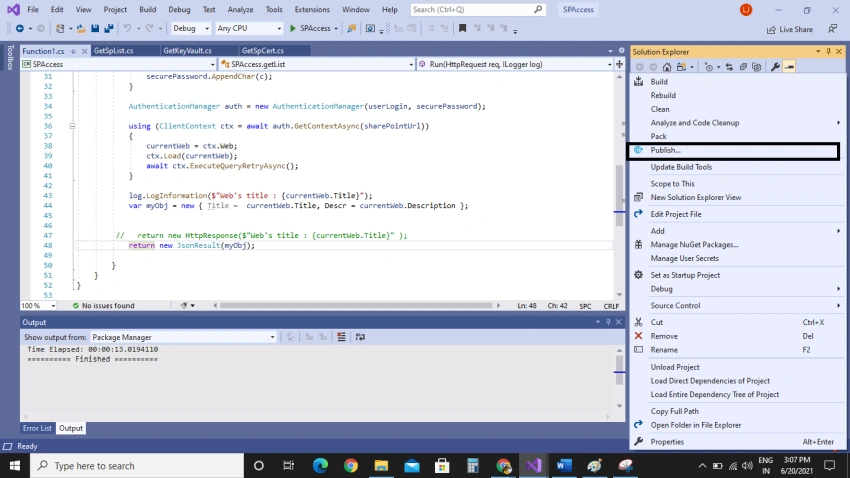


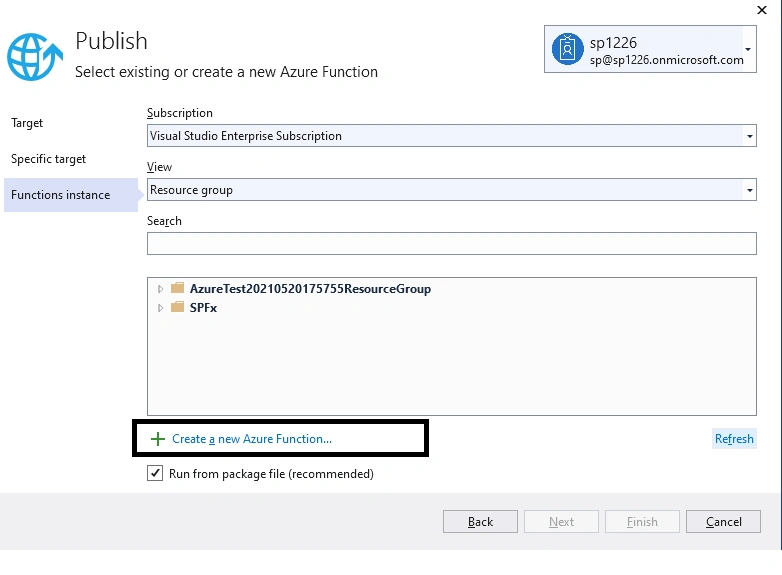
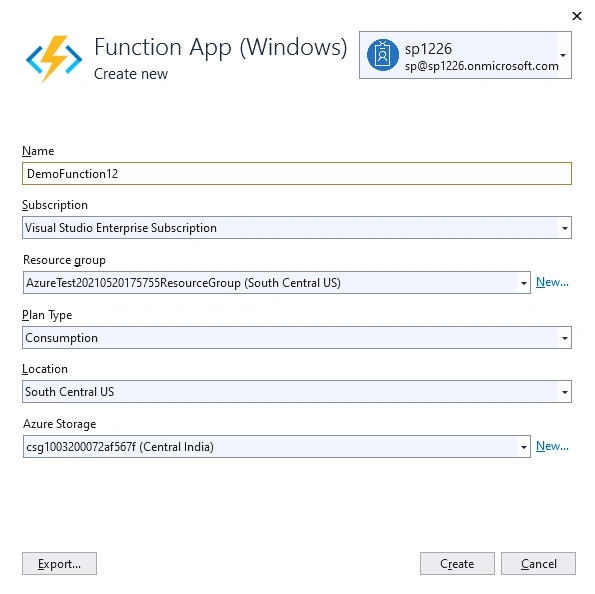
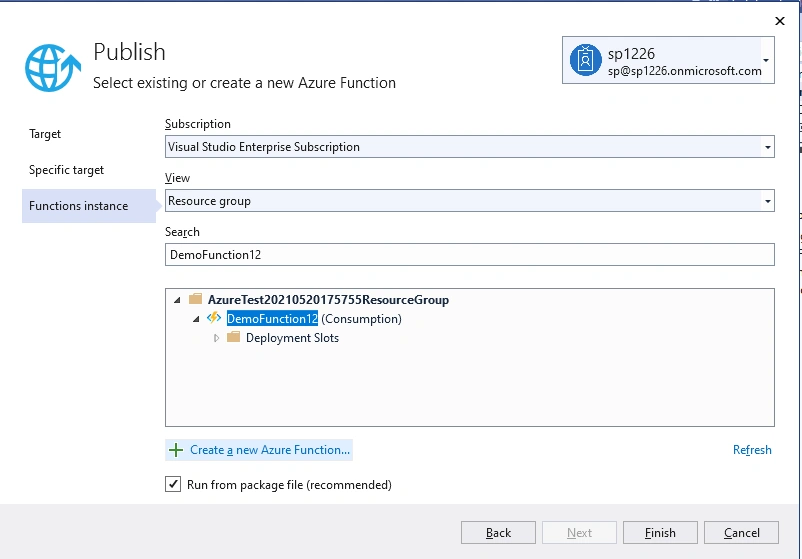

Ninad JoshiPosted Sep 12, 2022, 3:56 AM
Thank you, just wanted to ask will this work for MFA enabled accounts also?
pishpPosted Jul 23, 2021, 3:46 PM
Useful article. But using this authentication manager class needs us to register the PnP Management Shell application in Azure AD and my company does not allow it. Any alternatives?
Pranam BhatPosted Jun 24, 2021, 4:48 AM
Good one. Very useful. Thank you!
Gurpreet AroraPosted Jun 23, 2021, 3:50 PM
Nice article
Vinay AyinapurapuPosted Jun 22, 2021, 5:29 PM
Nice article. Thanks for sharing. i believe using tokenhelper class is a good practice, as this helps in getting access token via refresh token.