

JSON Web Token (JWT) is an open standard (RFC 7519) that defines a compact, self-contained way to securely transmit information between parties as a JSON object. This information can be verified and trusted because it is digitally signed. JWTs can be signed using a secret (with the HMAC algorithm) or a public/private key pair (RSA or ECDSA).
JSON Web Token should be used for the following scenarios
Authorization: This is the most common use case for JWT. Once the user is logged in, each subsequent request will include the JWT, allowing the user to access routes, services, and resources that are permitted with that token. Single Sign-On is widely used nowadays because of its low overhead and ease of use across different domains.
Information Exchange: JSON Web Tokens are a good way of securely transmitting information between parties. Because JWTs can be signed, for example, using public/private key pairs, you can be sure the senders are who they say they are. Additionally, as the signature is calculated using the header and the payload, you can also verify that the content hasn't been tampered with.
JWT Structure
A JWT consists of three parts, separated by dots (.)
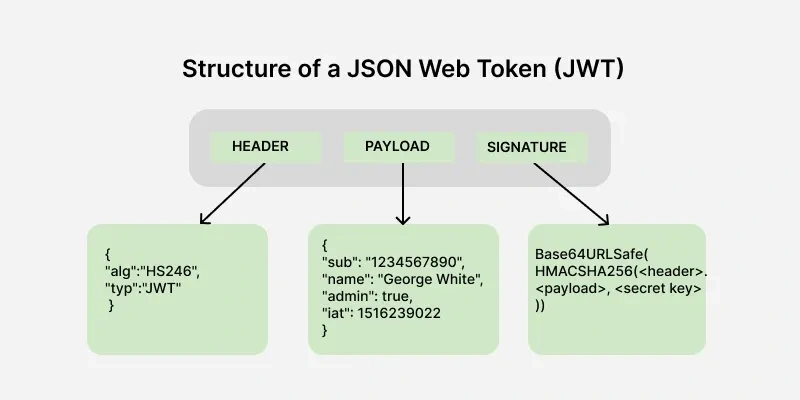
1. Header: Contains metadata about the token, such as the algorithm used for signing.
2. Payload: Stores the claims, i.e., data being transmitted.
3. Signature: Ensures the token's integrity and authenticity.
The output is three Base64-URL strings separated by dots that can be easily passed in HTML and HTTP environments, while being more compact when compared to XML-based standards such as SAML.

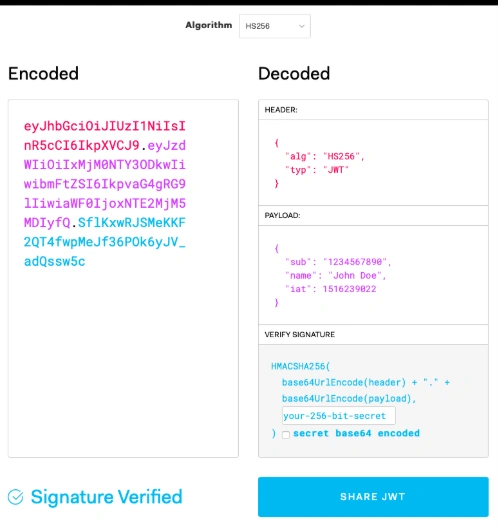
We can pass the generated JWT via jwt.io Debugger to decode, verify, and generate JWTs.
How JWT works with Application?
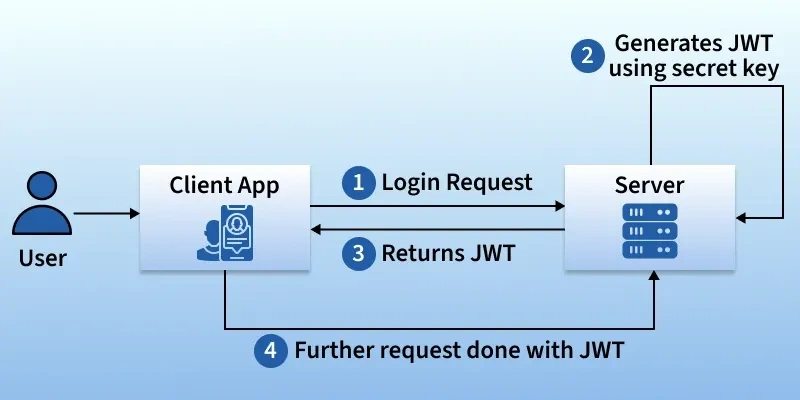
Login Request: The user logs in through the client application (e.g., web or mobile app) by sending their credentials (username & password) to the server.
Server Generates JWT: If the credentials are correct, the server generates a JWT token using a secret key.
Returns JWT: The server sends the JWT back to the client application.
Further Requests with JWT: For any subsequent requests, the client sends the JWT along with the request. The server verifies the JWT before granting access to protected resources.
Let’s try this out in code and understand the functionality with a demonstration of JWT using Web API.
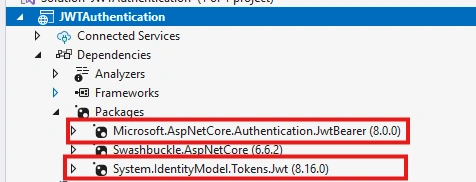
At First, we need to install packages from nugget Manger to implement JWT authentication.
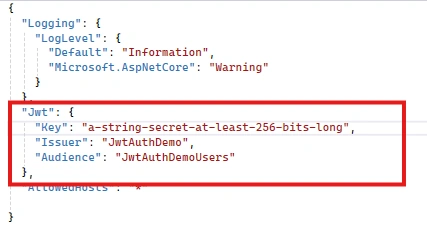
Secondly, declare the JWT keywords in appsetting.json file to refer in application.
Next, in Program.cs file add authentication using JWT Bearer.
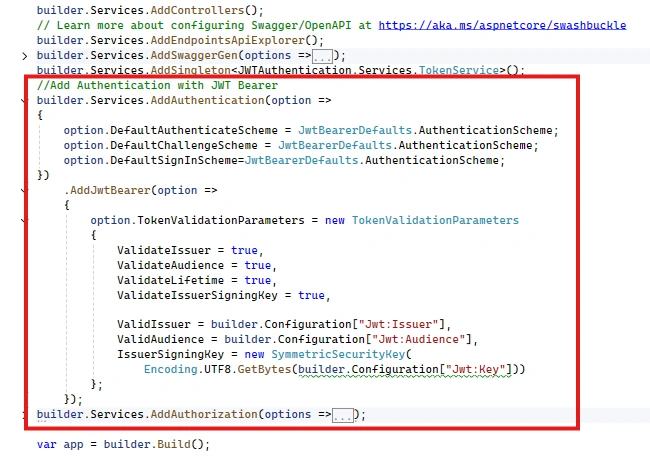
Now for every request, this middleware will check authentication of user based on the token we generate and will let them through.
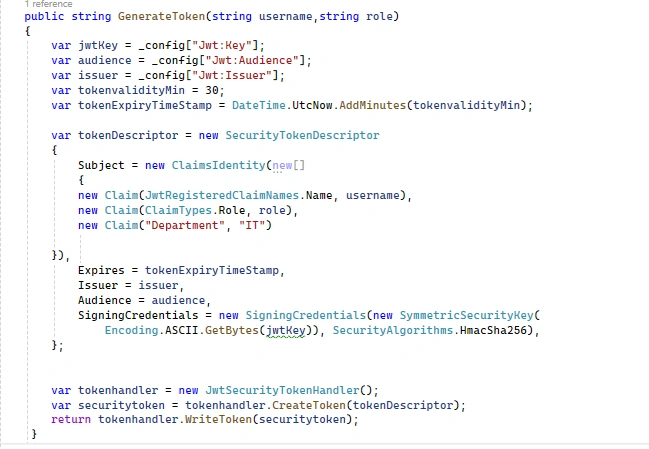
To generate token, we need to configure the token after user’s credential are valid and add that user data in payload as claim data like role, token expire time, username or any other custom data [i.e. Department in below eg.]
Lastly once we have authenticated the user and generate a valid JWT to manage access to controller or methods within that controller using [Authorize] attribute.
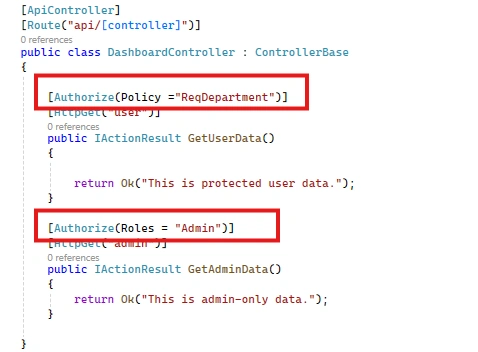
In above snap, we have two methods and we are authorizing them using different policy or criteria. For GetUseData(), user need to belongs from “IT ” department as we have define the custom policy in program.cs file.
 builder.Services.AddAuthorization(options =>
{
    options.AddPolicy("ReqDepartment", policy =>
    {
        policy.RequireClaim("Department", "IT");
    });
});
For getAdminData(), user should have Admin role.
Based on our entered credentials we have created a JWT and verified in JWT.io to check claim data by using defined secret key in appsetting.json file.
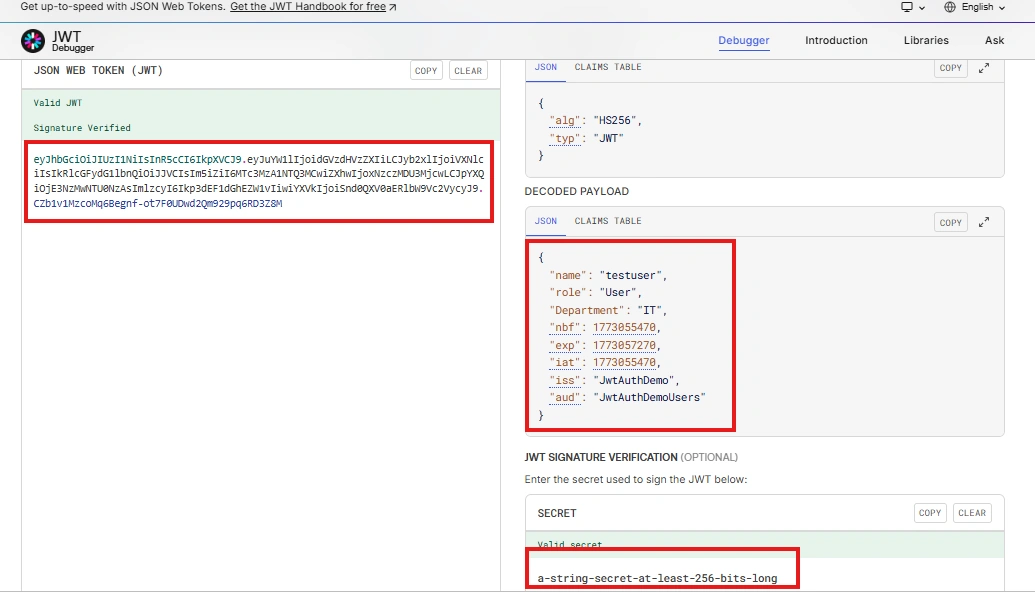
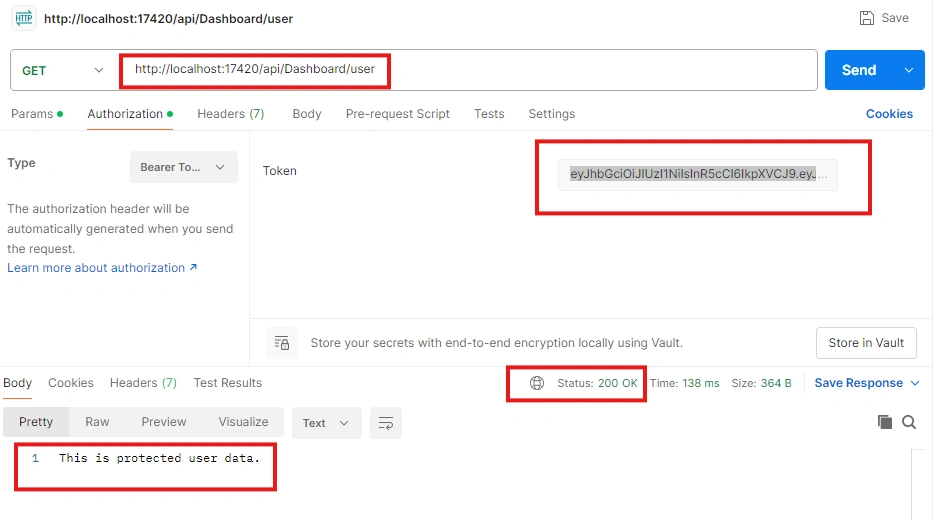
The above jwt state that login user is belongs to “IT” department and have User role. Based on that criteria the user would be able to access only one method i.e. getUserData().
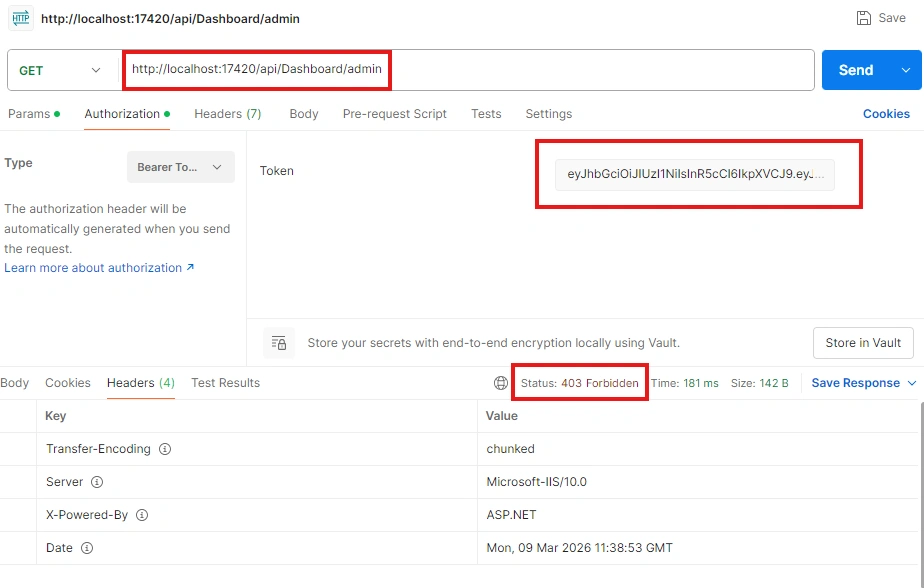
But forbidden to access the Admin’s role method.
Key Points to be consider while using JWT as a best practice to ensure safe and reliable authentication:
Use HTTPS: Prevent man-in-the-middle attacks by transmitting JWTs over HTTPS.
Set Expiration Time: Prevent long-lived tokens that can be exploited.
Use Secure Storage: Store JWTs securely (e.g., HttpOnly cookies instead of local storage).
Verify Signature: Always validate the token's signature before trusting its content
Join the conversation! Your thoughts help the community grow.