

Here are the steps,
Step 1: Create basic project MVC with Controller, Model and View.

Step 2: Include required query libraries.

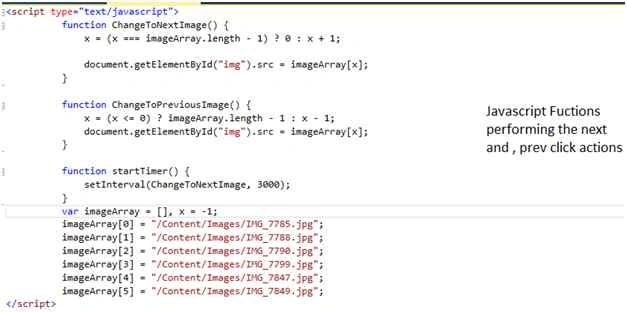
Step 3: Add image, next button and prev button. Also write JavaScript in the following way.
I have set interval as 3 seconds you may change as per your need.
- <script type="text/javascript">
- function ChangeToNextImage()
- {
- x = (x === imageArray.length - 1) ? 0 : x + 1;
- document.getElementById("img")
- .src = imageArray[x];
- }
- function ChangeToPreviousImage()
- {
- x = (x <= 0) ? imageArray.length - 1 : x - 1;
- document.getElementById("img")
- .src = imageArray[x];
- }
- function startTimer()
- {
- setInterval(ChangeToNextImage, 3000);
- }
- var imageArray = [],
- x = -1;
- imageArray[0] = "/Content/Images/IMG_7785.jpg";
- imageArray[1] = "/Content/Images/IMG_7788.jpg";
- imageArray[2] = "/Content/Images/IMG_7790.jpg";
- imageArray[3] = "/Content/Images/IMG_7799.jpg";
- imageArray[4] = "/Content/Images/IMG_7847.jpg";
- imageArray[5] = "/Content/Images/IMG_7849.jpg";
- </script>
- <br>
- <br>
- <br>
- <br>
- <body onload="startTimer()">
- <fieldset style="margin: 8px;border: 1px solid;padding: 8px;border-radius: 4px;width: 430px; height: 230px;">
- <button type="button" onclick="ChangeToPreviousImage()" style="width:80px;height:200px">Previous</button> <img id="img" src="~/Content/Images/IMG_7785.jpg" height="200" width="200" />
- <button type="button" onclick="ChangeToNextImage()" style="width:80px;height:200px">Next</button>
- </fieldset>
- </body>
Controls

Step 4: Run the program and you will find that image automatically change, also it is changing on next and prev button.

Hope you will understand how we can change the image in a specific interval automatically or next and previous button.
Ajay GandhiPosted Jan 6, 2016, 12:59 AM
Thanks
Santhakumar MunuswamyPosted Jan 5, 2016, 11:47 PM
Thanks for nice article
Ajay GandhiPosted Jan 5, 2016, 8:56 AM
Thanks
Muhammad Aqib ShehzadPosted Jan 5, 2016, 7:38 AM
Nice dear
Ajay GandhiPosted Jan 4, 2016, 11:24 PM
Thanks everyone
Gowtham KPosted Jan 3, 2016, 10:25 AM
Good One, Thanks for sharing
Ali AhmedPosted Jan 3, 2016, 12:47 AM
good one
Humayun Kabir MamunPosted Jan 3, 2016, 12:20 AM
Nice...