

Modern organizations handle thousands of documents every day invoices, contracts, forms, receipts, ID proofs, and more. Manually reading, checking, and entering data from these documents is slow, boring, and error-prone. The Document Processing autonomous agent in Microsoft Copilot Studio is designed to solve this problem by using generative AI to automatically extract, validate, and route information from documents, with humans only stepping in when needed
What is the Document Processing Agent?
The Document Processing agent is a prebuilt autonomous agent in Copilot Studio that specializes in handling documents from end to end. It can receive documents from various sources (such as email, SharePoint, or manual upload), extract key data using AI, validate the results, send items for human review when necessary, and finally export clean data to your business systems.
Instead of building every flow from scratch, this agent comes as a managed solution with ready-made components, including Dataverse tables, connection references, and a Validation Station app for monitoring and approvals.
How the End-to-End Flow Works
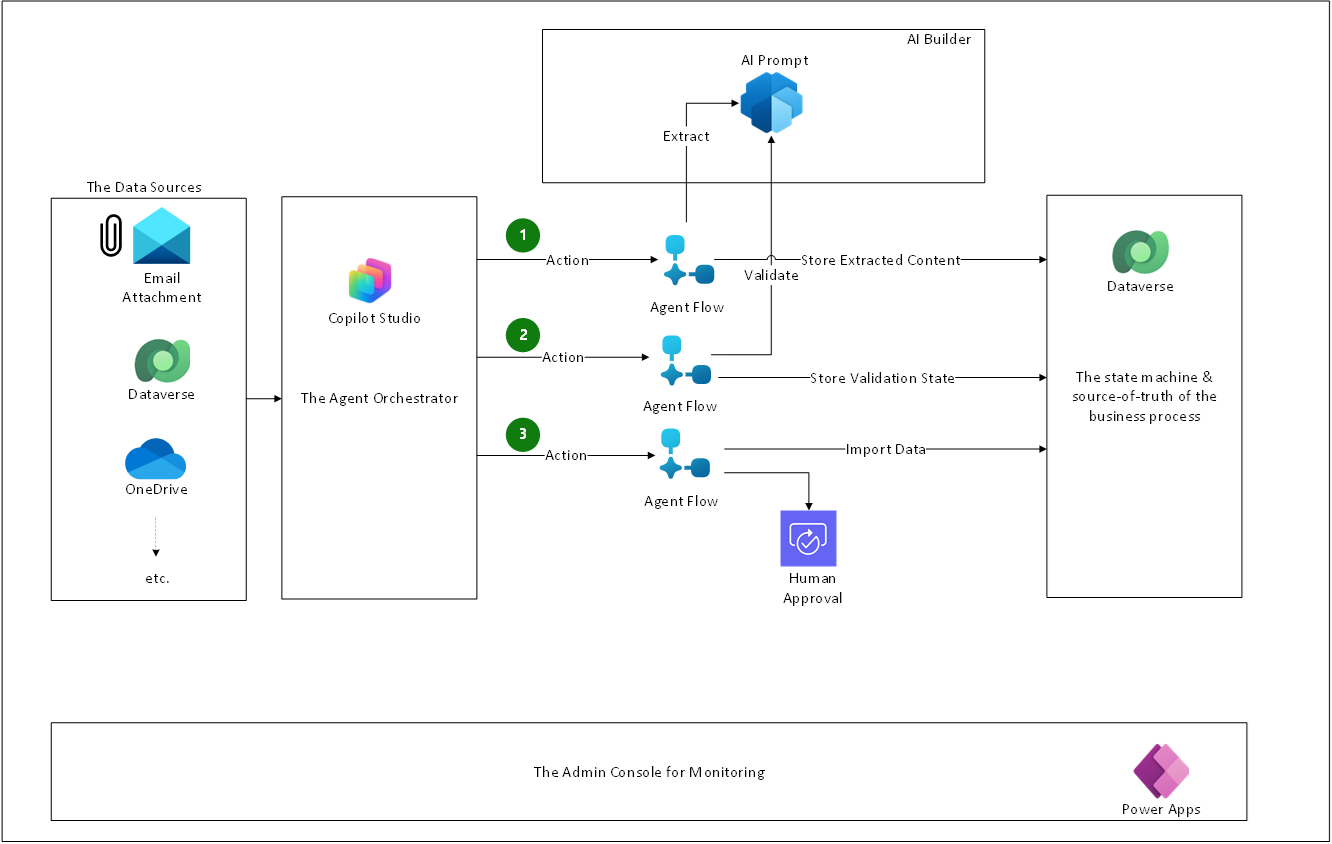
The reference architecture describes a clear, step-by-step workflow for how the autonomous agent processes documents.
A document is submitted
Documents can arrive via email, SharePoint folder, or be uploaded directly through the agent’s chat experience
Each new file is stored in a Dataverse “Data Processing Events” table with a unique event ID and an initial status, such as Imported.
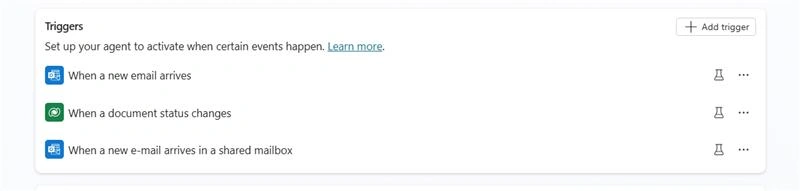
The agent triggers extraction
The agent detects that a new document event has been created and calls a “Document Extraction” agent flow using the event ID.
This flow retrieves the original file from Dataverse and sends it to an AI Builder prompt that uses a model like GPT‑4.0 to read the document, extract relevant fields, and format them as structured JSON.
The extracted data is saved back into the same event record, and the status is updated to Processed.
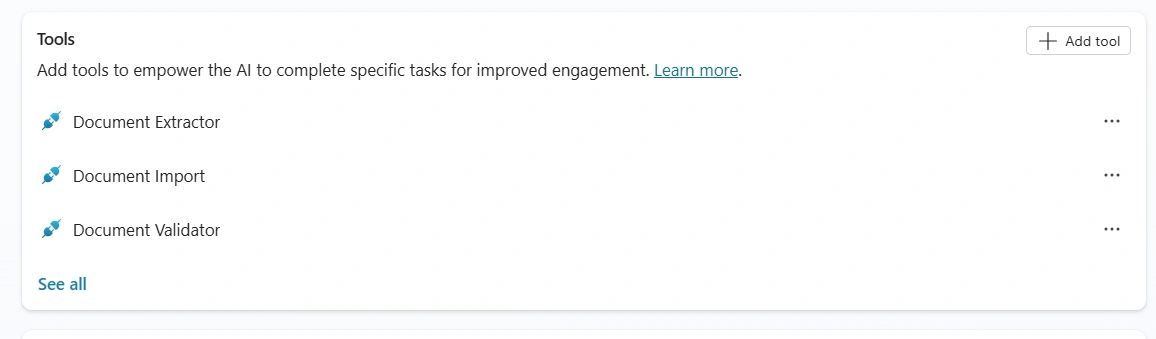
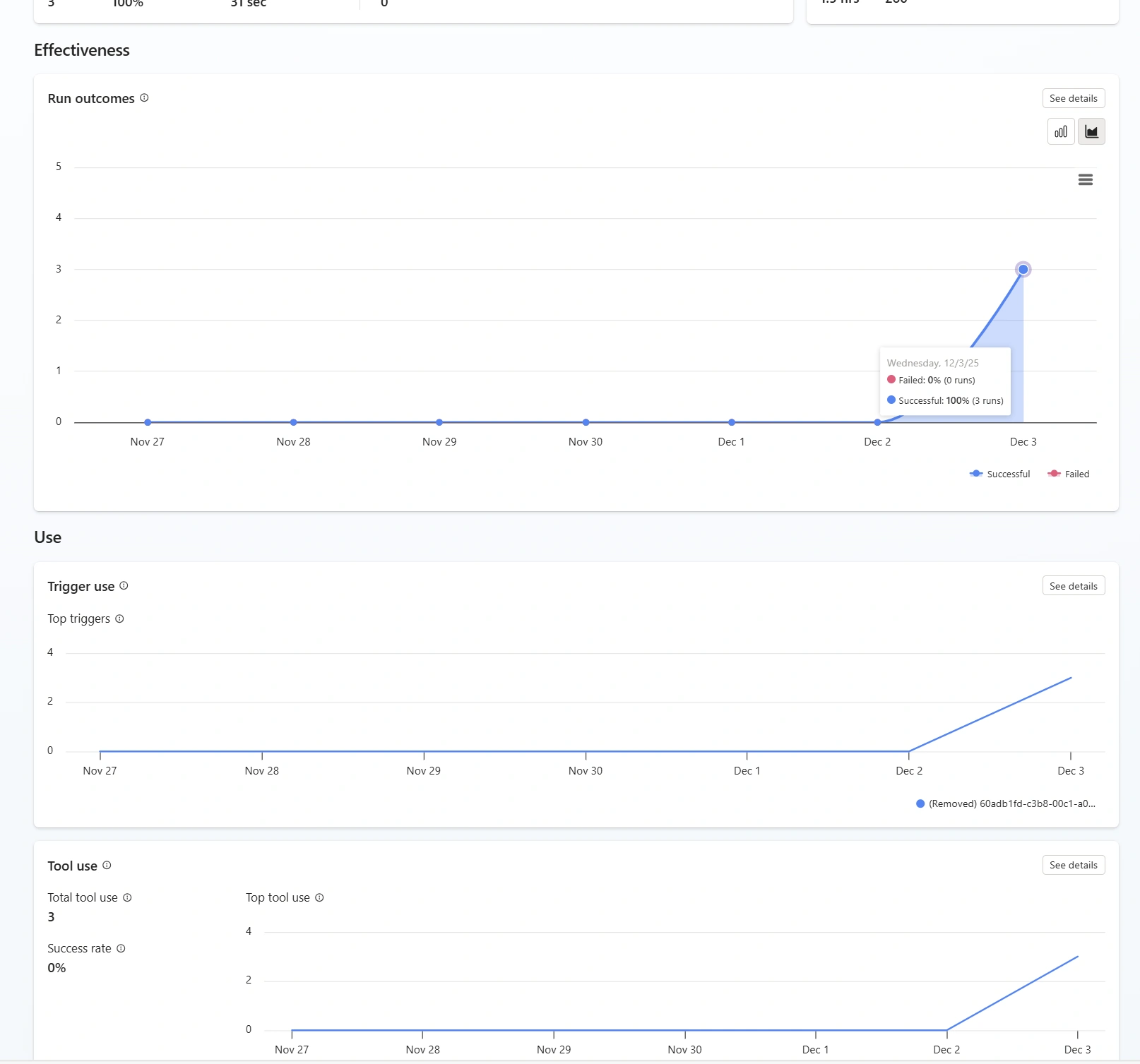
Validation and quality checks
When the status moves to Processed, the agent calls a “Document Validation” flow.
This flow uses another AI Builder prompt to validate the JSON against rules such as required fields, formats (like dates or amounts), and business constraints.
If everything looks good, the status changes to Validated; if there are issues or uncertainty, the status changes to Manual Review.
Human review when needed
For documents in Manual Review, users open the Validation Station Canvas App, which shows the original document side by side with the extracted data.
A human can correct fields, approve or reject the extraction, and confirm whether the document is ready to be exported.
Exporting to downstream systems
When an event reaches Validated, the agent triggers a “Document Export” flow.
Using a mapping schema defined during configuration, the system sends the cleaned data into target applications such as ERP, CRM, or custom line‑of‑business systems.
The event status is updated to Exported or Completed, closing the loop
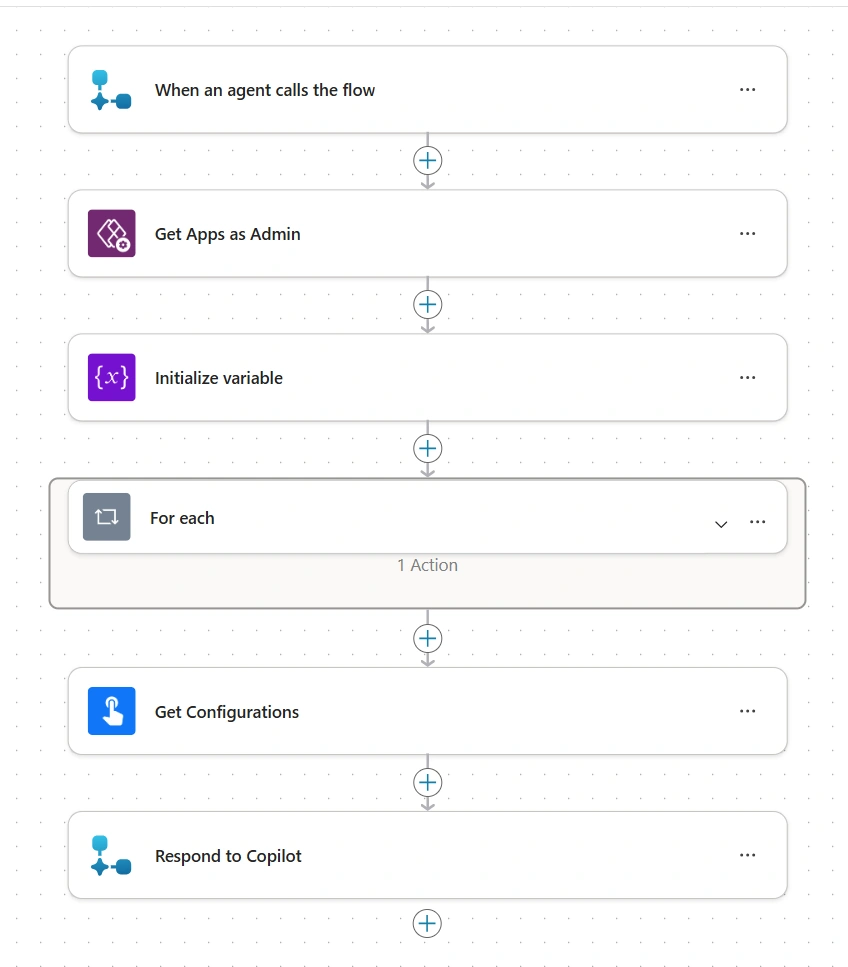
Throughout this process, the autonomous agent keeps track of statuses and calls the right actions at the right time, without constant human intervention.
Key Components Behind the Scenes
The architecture uses several Power Platform building blocks working together.
Copilot Studio autonomous agent
The brain of the process, driven by clear instructions that define what it should do at each status (Imported, Processed, Validated, Manual Review, etc.)
Microsoft Dataverse
Stores the documents, extracted data, processing events, configuration, and export schema in structured tables
AI Builder
Provides generative AI prompts and models to read documents, pull out key information, and validate the extracted JSON against business rules
Power Automate flows
Orchestrate extraction, validation, notifications, and export, connecting the agent to email, SharePoint, business apps, and other services.
Validation Station app
A Power Apps canvas app where users can monitor the queue, review problematic documents, correct data, and approve or reject exports.
Configuration and Setup Experience
Microsoft simplifies setup with a guided configuration experience packaged with the solution.
You install the Document Processing Agent solution in Copilot Studio, which brings in tables, flows, connection references, and the validation app.
You define which document types you want to support (for example, invoices or purchase orders) and run a sample file through extraction to see which fields the AI captures.
You select which extracted fields should be exported and map them to target columns, creating a reusable export schema in a configuration table.
You customize prompts or rules if needed, for example to enforce specific validations or to handle special document layouts.
Finally, you choose document sources like a mailbox, a SharePoint library, or chat upload and the system wires up trigger flows with the right connection references and environment variables.
Once configured, the agent is ready to run autonomously at scale while still allowing humans to step in where judgment is needed.
Business Benefits
By combining Copilot Studio, AI Builder, Dataverse, and Power Automate, the autonomous document processing agent delivers several clear advantages.
Faster processing: What used to take hours or days of manual data entry can be reduced to minutes through automated extraction and validation.
Fewer errors: AI‑driven extraction plus rule‑based validation and controlled human review help improve data quality.
Better visibility: The Validation Station and Dataverse tables provide a complete view of document status, bottlenecks, and throughput.
Reusable architecture: The same pattern can be adapted for invoices, claims, onboarding forms, permits, or any other high‑volume document scenario.
In simple terms, the autonomous document processing agent in Copilot Studio turns a traditionally manual, repetitive task into a smart, scalable workflow. It lets AI do the heavy lifting, keeps humans in control where it matters, and gives organizations a solid, repeatable blueprint for modern document automation.
Join the conversation! Your thoughts help the community grow.