

Introduction to Azure DevTest Labs
DevTest Labs is a fast, easy, and lean development testing environment for testing an application. The advantages of using DevTest Labs are described below:
- Quickly provision the development and test environments.
- Minimizes waste with quotas and policies
- Sets automated shutdowns to cut the costs
- Creates a Virtual Machine just within a few clicks with reusable templates
- Quickly uses Virtual Machines from pre-created images
- Works in both, Windows and Linux environments.
To work with DevTest Labs, you need to have an Azure account. If you're new to Azure, I recommend reading Introduction to Microsoft Azure.
- No upfront cost
- No termination fees
- Pay only for what you use.
- Per hour Billing
Requirements
- Windows Azure
Step 1- Log into Azure portal by providing username and password
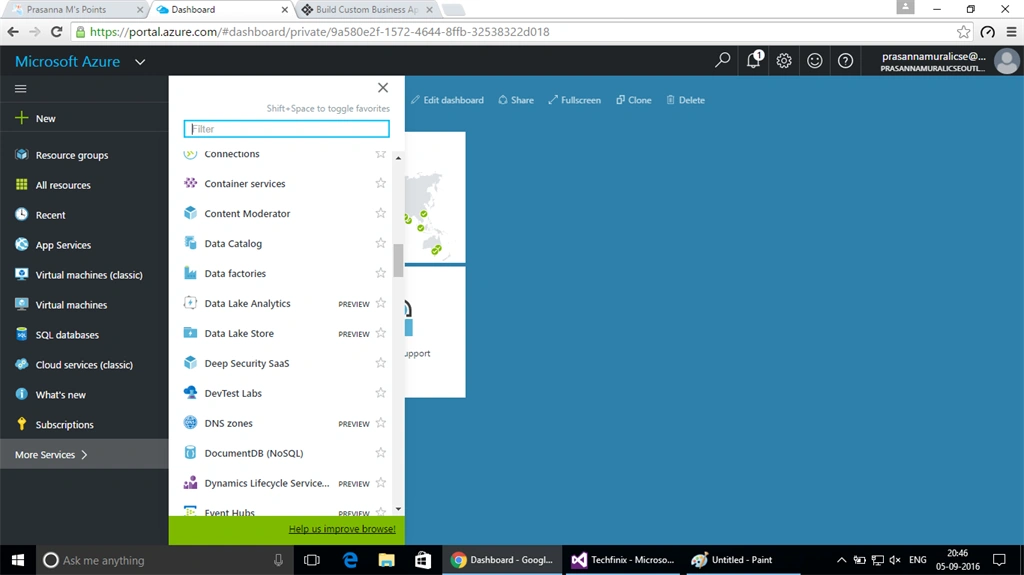
Step 2- Click browse option and find “Azure DevTest Labx” and click OK.
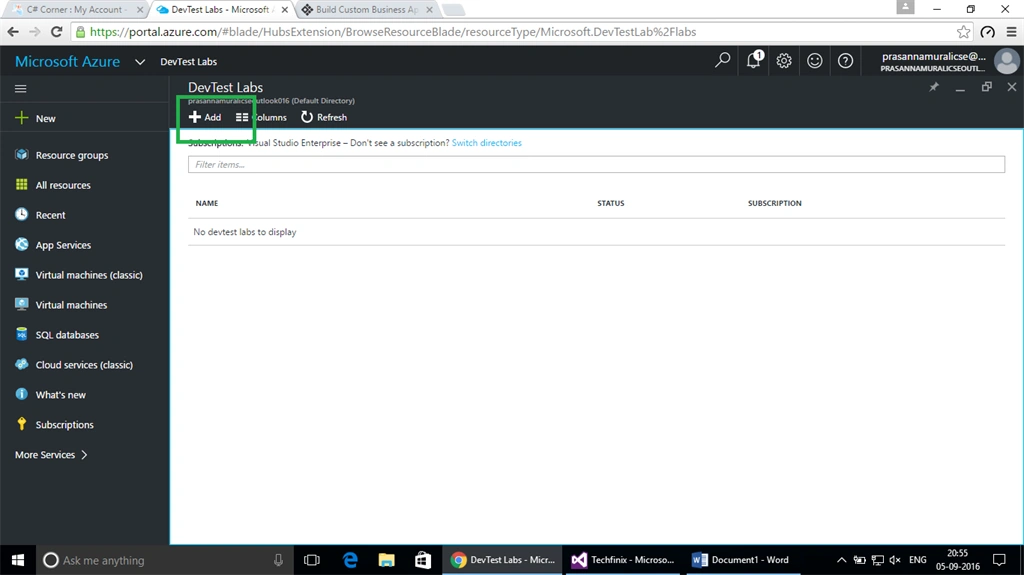
Step 3- Click Add option in DevTest Labs window. If you don’t see your subscription, you can refresh the page by clicking refresh button.
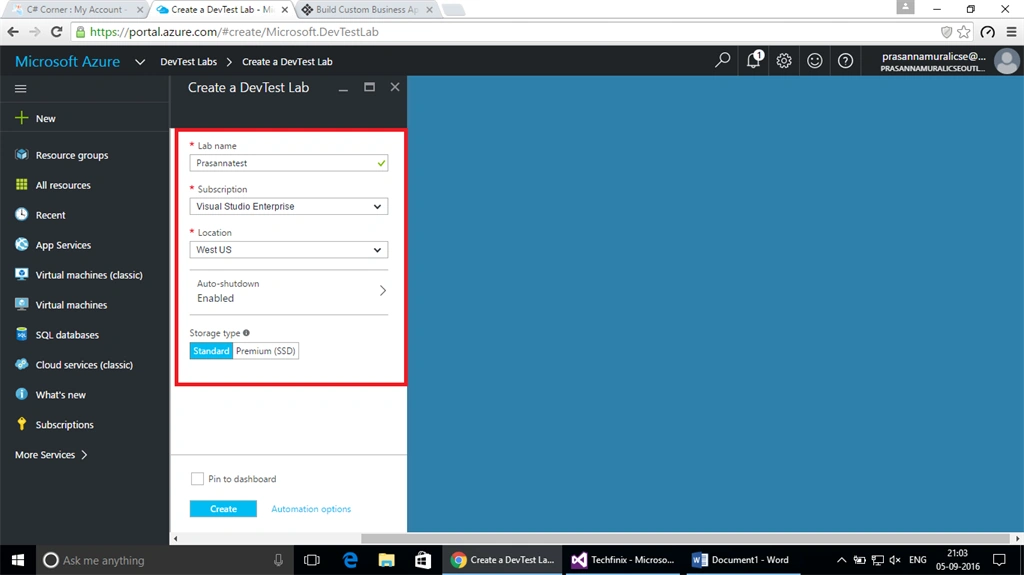
Step 4- In the DevTest Labs creation wizard, provide the following mandatory fields.
- Lab name – Any name for easy identification.
- Select your subscription – Here, my subscription is Visual Studio Enterprise.
- Location and storage type.
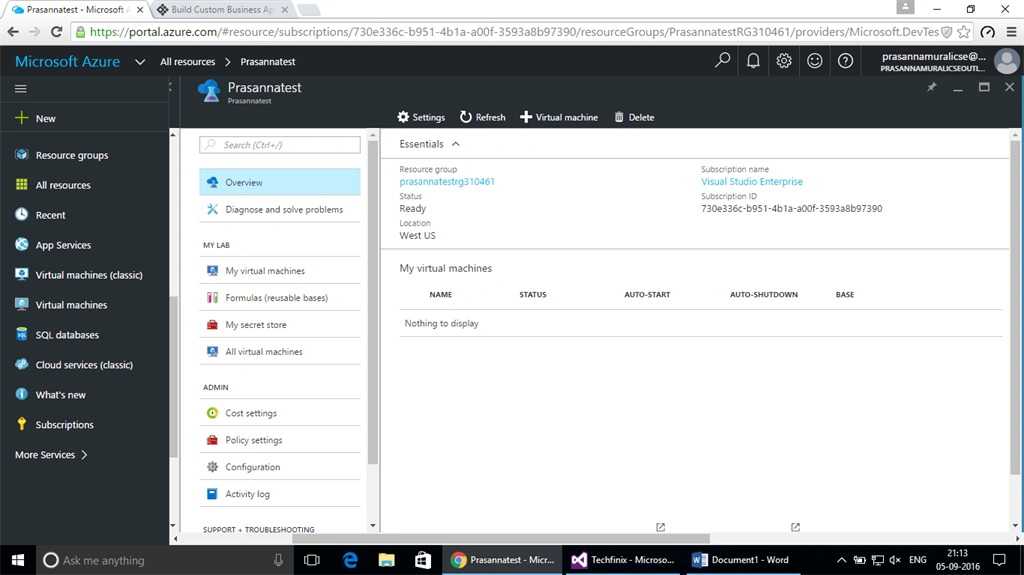
Step 5 - Finally, it takes some time on Azure Management Portal before the message, “Deployed Successfully", is displayed. Now, open the DevTest Labs from Resource Manager. The following window appears.
Alagunila MeganathanPosted Sep 6, 2016, 12:29 PM
Good