

Overview
In this article, we'll delve into the process of creating an Azure Load Testing Service and generating load on an existing App Service—specifically, a Web App. Join me in exploring the steps required to set up and execute load tests effectively to validate the optimal performance and reliability of your web applications.
Whether you're a developer, a QA engineer, or an IT professional, this tutorial provides valuable insights and practical guidance to help you master the art of load testing in Azure.
Let’s get started.
Create Azure Load Test Service
Create an Azure Load Testing Service using the below steps
Basics Tab
- Name: Provide the name of the Azure Load Testing resource
- Location: Choose the Azure Data Center Region
Encryption Tab
- Encryption Type: MMK / CMK (Leave to Microsoft Managed Key – MMK).
All the Load Testing Service artifacts are encrypted using these Keys.
- Optionally provide Tags and Finally review all the inputs and create the Azure Load Testing Resource.
- Once the Azure Load Testing resource is created, we can start creating the Tests using the below options.
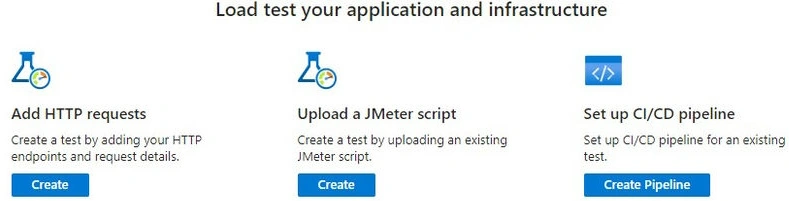
Azure Load Testing supports creating the below two types of tests
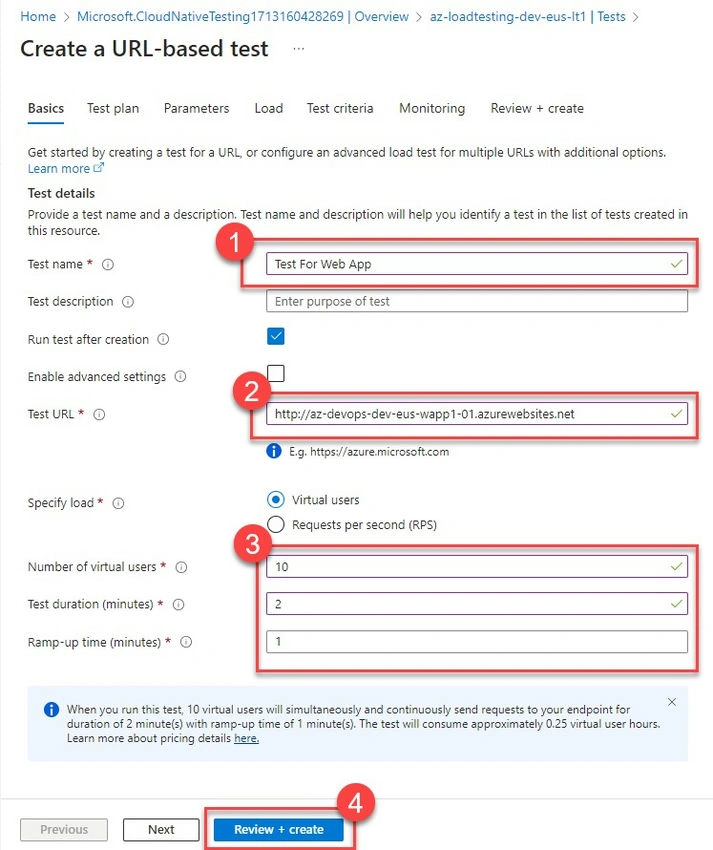
- Http-based Test: Http-based tests are based on Http Endpoints. You can create a Test with up to 5 endpoints as of now by passing the required HTTP verbs, Headers, Body, and other parameters that are required to invoke the HTTP endpoint.
- JMeter Script-based Test: If you already have JMeter scripts created/recorded for the Tests, you can upload them.JMX file (along with supporting files) to the Azure Load Testing Tests and can run the JMeter scripts within the Azure Load Testing resource.
Of course, you can also create a Test using Azure DevOps CI/CD Pipelines & Github Actions as well.
Azure Load Testing Pricing
Azure Load Testing resource pricing has two components
- Load Testing Resource: It costs a flat 10$ per month. The cost also includes 50 Virtual User Hours (VUH) each month (VUH explained in the below section)
- VUH: In addition to the fixed cost, depending on the consumed number of VUH, Azure charges 0.15$ for each additional VUH.
Virtual User Hours
In Azure Load Testing, VUH stands for Virtual User Hour. It's a unit of measurement used to quantify the load-testing resources consumed during a performance test. Essentially, one Virtual User Hour represents the use of one virtual user for one hour during the load test. Azure Load Testing allows users to simulate virtual users (VUs) to generate traffic and stress test web applications. The number of VUs and the duration of the test determine the total Virtual User Hours consumed. This metric helps users understand and manage the cost associated with load testing in Azure.

Join the conversation! Your thoughts help the community grow.