

Introduction
This is an article for beginners who really want to know how to create a very basic WCF application for the first time; here I have explained the step by step process to create a WCF application using Visual Studio.
What is WCF Service
Windows Communication Foundation (WCF) is a framework for building service-oriented applications. Using WCF, you can send data as asynchronous messages from one service endpoint to another. A service endpoint can be part of a continuously available service hosted by IIS, or it can be a service hosted in an application.
Application Creation and Hosting
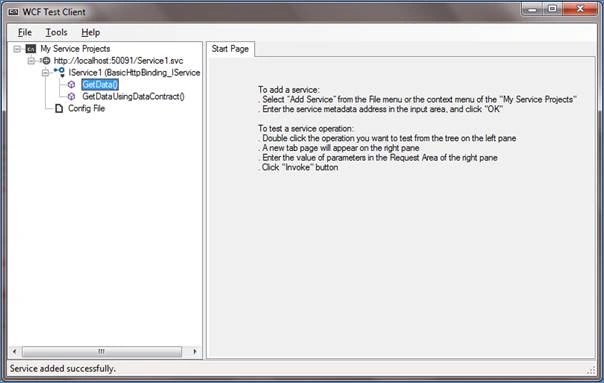
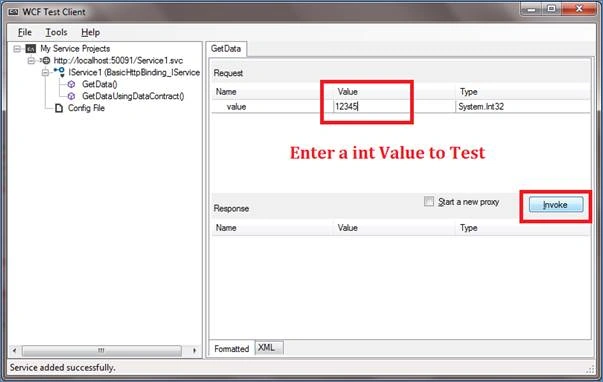
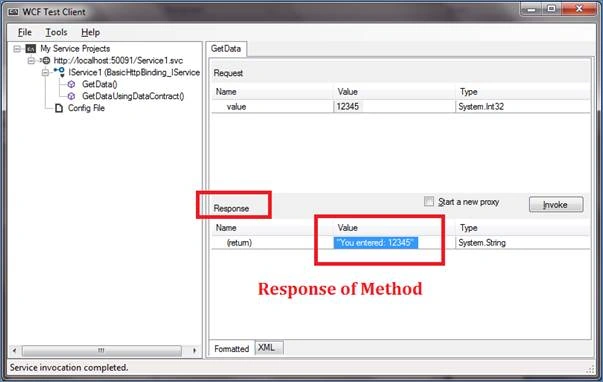
I have provided a step by step procedure to create the WCF application using VS2012 and also WCF service can be hosted and tested in multiples and here I have shown testing the application using the “WCF Test Client” which is built in and available when you install the Visual studio.
WCF Application Creation Procedure
Step 1
Open the Visual Studio and create a “New Project” and select the WCF option where various WCF applications can be created, here I want a service application and select that choice and name the application and click ok.
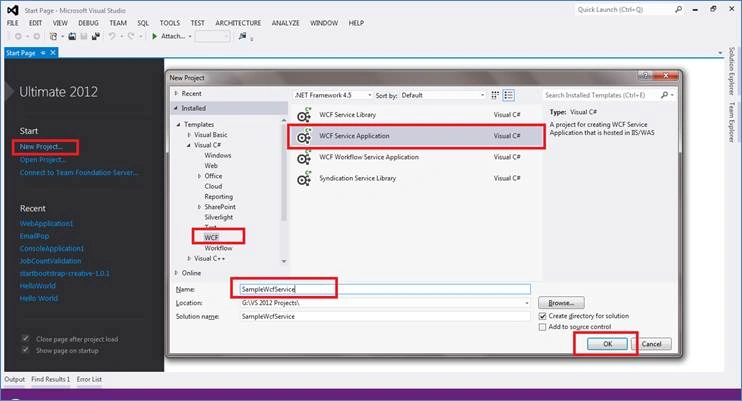
Step 2
On Successful project creation, now Visual studio gives us the option for automatic code sample.
What is automatic code Template in the Visual Studio?
Yes, whenever you create a WCF application using visual studio, it will create the default template as it creates for other applications and this will gives you a very good sample application, let’s see in detail.
The following files are created and also the required assembly files are also added to the solution automatically,
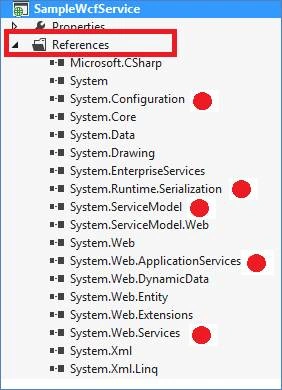
All the references are added and some of the references are highlighted with red points for your visual.
Files Available in the solutions
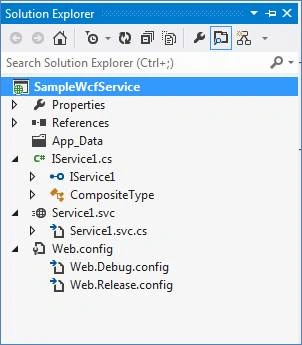
Files
- IService – Service Interface File
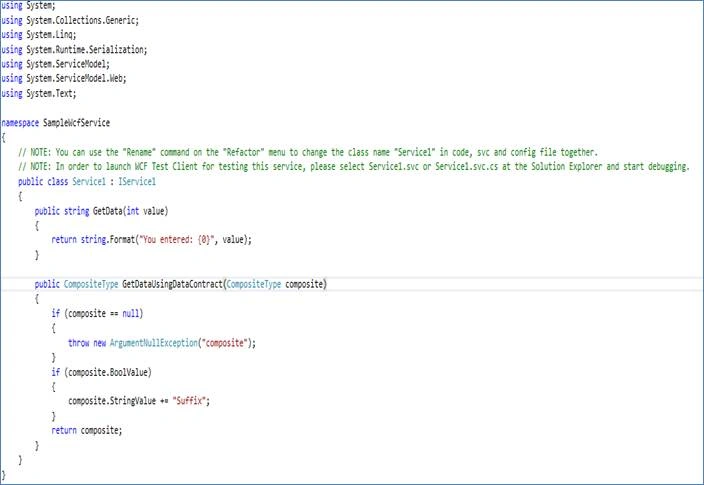
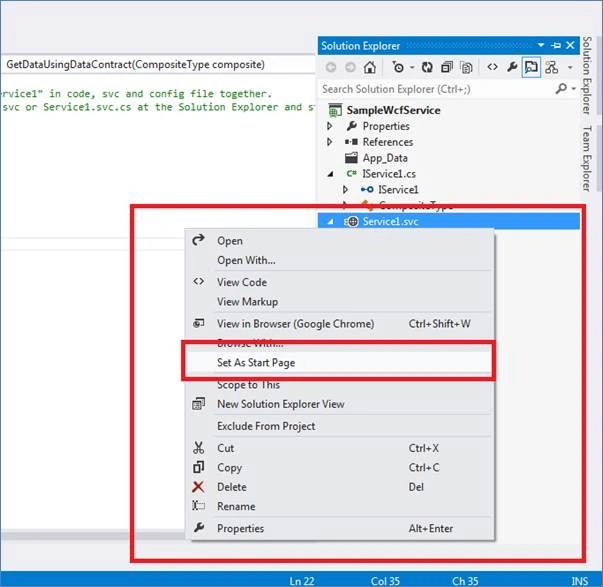
- Service.SVC – It’s the file where Service code is available and similar to .asmx file of web service
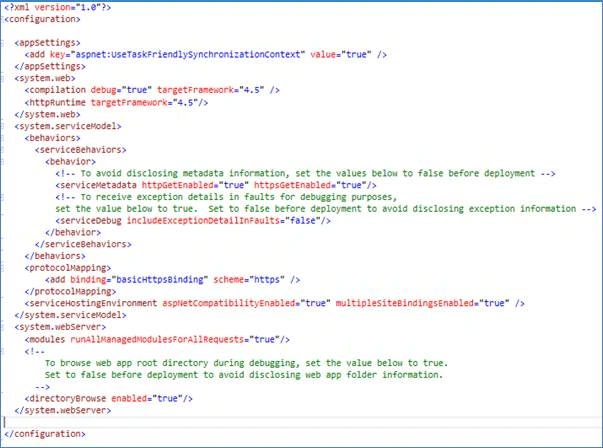
- Web.config – Configuration details where the Endpoint information are stored.
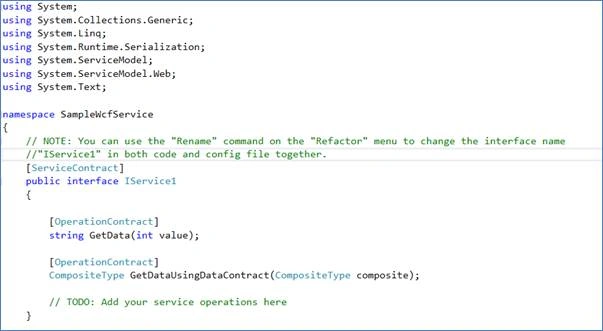
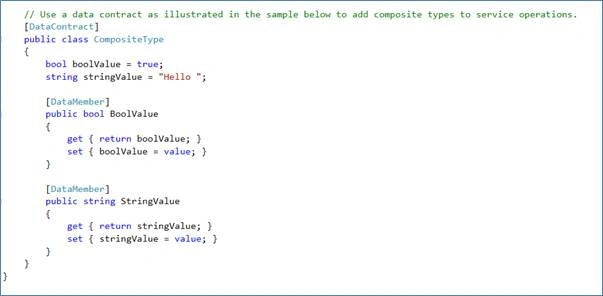
This is the file which has all the declarations rahther than definition of properties, here we call it Contract in WCF and this helps for all the operations that happen with the service named “Operation Contract”.
Operation Contract: The method is declared and where the actual implementation is done in .SVC file, each contact has to be decorated with the appropriate Attribute tags as shown below.
eric martinPosted Mar 22, 2023, 1:28 PM
Nothing more annoying than when someone posts code as print screens.
Mohammad azeem AhmadPosted May 10, 2020, 4:12 PM
Hi, Can you please advise if the WCF service created above is different then SOAP service or both are same?
Alex BeylinPosted Jun 23, 2019, 7:52 PM
Spelling: rahther
VIJAY KUMARPosted Oct 30, 2018, 9:24 AM
Hw can i host on iis
VIJAY KUMARPosted Oct 30, 2018, 9:24 AM
Hello sir,
Ammar ShaukatPosted Aug 28, 2017, 9:14 AM
Good writing and beautiful explanation but article is incomplete without hosting and consuming a service from some other custom client.
Bhuvanesh MohankumarPosted May 14, 2016, 7:04 AM
Thanks Ipsita Sethi
Bhuvanesh MohankumarPosted May 14, 2016, 7:04 AM
Thanks kalu singh rao
Bhuvanesh MohankumarPosted May 14, 2016, 7:04 AM
Thanks Pankaj Kumar Choudhary
Bhuvanesh MohankumarPosted May 14, 2016, 7:04 AM
Thanks Kuppurasu Nagaraj
Bhuvanesh MohankumarPosted May 14, 2016, 7:04 AM
Thanks @kuppar
Bhuvanesh MohankumarPosted May 14, 2016, 7:04 AM
Thanks Humayun Kabir Mamun
Bhuvanesh MohankumarPosted May 14, 2016, 7:03 AM
Thanks Nitin Tyagi
Bhuvanesh MohankumarPosted May 14, 2016, 7:03 AM
Thanks Thiruppathi R
Ipsita SethiPosted May 11, 2016, 1:35 PM
Nice one Bhuvan
kalu singh raoPosted May 9, 2016, 12:35 PM
Nice...
Pankaj Kumar ChoudharyPosted May 9, 2016, 12:28 PM
Nice Article Sir........
Kuppurasu NagarajPosted May 9, 2016, 11:57 AM
Nice Sharing..
Humayun Kabir MamunPosted May 9, 2016, 12:33 AM
Nice...
NitinPosted May 8, 2016, 1:11 PM
good one
Thiruppathi RPosted May 8, 2016, 12:02 PM
Good Info...