

Introduction
This is Part 4 of the Basics of JavaScript tutorial. This part will teach us how to work with strings and numbers.
The following are the topics we have already discussed,
This article discusses the following topics,
- How to concatenate two string values?
- How to concatenate a string and a number?
- How to add two numbers?
- How do you subtract two numbers?
- What happens when we subtract a string from a number?
- Various methods to convert string to number
How to concatenate two string values?
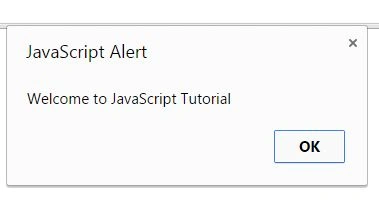
To concatenate a string, we use the "+" operator as in the following,
<html>
    <head>
        <title></title>
    </head>
    <body>
        <script type="text/javascript">
//to create a variable we use var keyword
var firstValue = 'Welcome to ';
var secondValue = 'JavaScript Tutorial';

//to concatenate a variable we use +
alert(firstValue+secondValue);
</script>
    </body>
</html>
How to concatenate strings and numbers?
Example 1
<html>
    <head>
        <title></title>
    </head>
    <body>
        <script type="text/javascript">
            var myFirstValue = 'My age is ';
            var mySeondValue = 33;
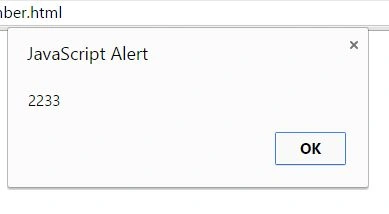
            alert(myFirstValue+mySeondValue);
        </script>
    </body>
</html>
In the preceding HTML, we have two variables, one contains a value of type string, and the other contains a value of type integer.
When we concatenate a string value and a number, the number is converted into a string.

Example 2
In this example, we will prove if an integer value is converted into a string and when we concatenate a number with a string.
<script type="text/javascript">
   var myFirstValue = '22';
   var mySeondValue = 33;
   alert(myFirstValue+mySeondValue);
</script>
So, even after passing a string of numeric values, both values are concatenated.
How to add two numbers?
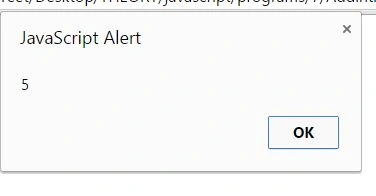
To add a number, we use the "+" operator as in the following,
<html>
    <head>
        <title></title>
    </head>
    <body>
        <script type="text/javascript">
            var fNum = 3;
            var sNum = 2;
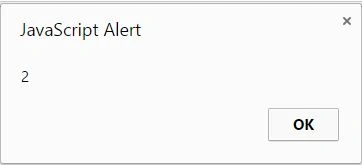
            alert(fNum+sNum);
        </script>
    </body>
</html>
How to subtract two numbers?
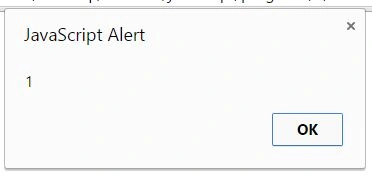
To subtract two numbers, we use the "-" operator as in the following,
<html>
    <head>
        <title></title>
    </head>
    <body>
        <script type="text/javascript">
            var fNum = 3;
            var sNum = 2;
            alert(fNum-sNum);
        </script>
    </body>
</html>
Now you might be wondering, OK, to add two numbers, the value must be numeric, and if we try to add a string value and a number, the number is converted into a string. But what if we try to subtract a string value from an integer or an integer value from a string? Still, the number will be converted into a string, and if the number is converted to a string, how will the number and string be concatenated? We need to use the "+" operator to concatenate two variables or values, but here we use the "–" operator.
So, let's look at an example.
What happens when we subtract a string from a number?
Example 1
In the first example, we will see what happens if we try to subtract a text from a number.
<html>
    <head>
        <title></title>
    </head>
    <body>
        <script type="text/javascript">
            var firstValue = 'Hello';
            var seconValue = 10;
            alert(firstValue - seconValue);
        </script>
    </body>
</html>
In the preceding HTML, we have two variables. One holds a value of type string, and the other holds a value of type integer.
In the alert function, we subtract firstValue by secondValue.
Open the file in a browser.
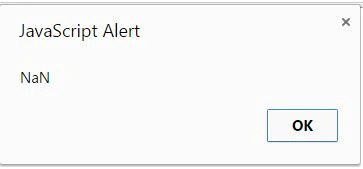
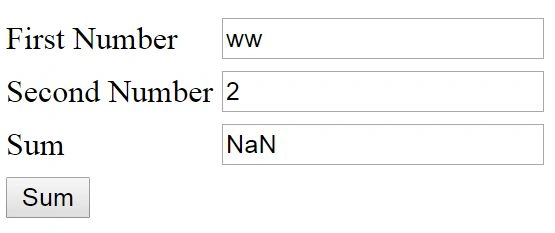
We got the output as NaN.


Karthik Muthu KaruppanPosted May 4, 2015, 2:21 PM
nice
Gopi ChandPosted May 2, 2015, 2:57 PM
Basic building blocks....good for all..
RakeshPosted May 2, 2015, 12:40 AM
nice
Abhishek JaiswalPosted May 1, 2015, 4:27 AM
A good series for JS beginners! :)
NitinPosted May 1, 2015, 3:26 AM
good one
Sanjay SinghPosted May 1, 2015, 1:48 AM
nice one
Santhakumar MunuswamyPosted May 1, 2015, 1:04 AM
Thanks for nice article
Khargesh RajputPosted Apr 30, 2015, 11:51 PM
nice