

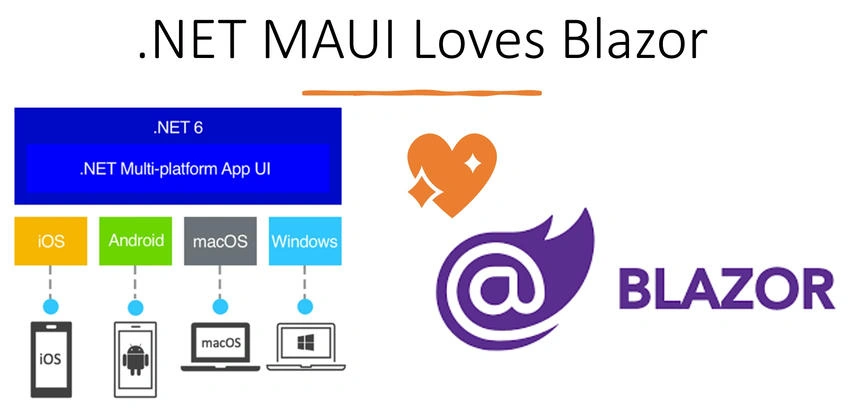
Problem statement
Considering the latest web apps development trends, we split the development into two segments: Front-End and Back-End development. Based on the above two development parts, web apps development requires 2 major roles for developers, and those are Front-End and Back-End developers. Subsequently, the web apps development necessitates various skills on both the front-end and backend sides to build a complete system. Furthermore, there are several front-end frameworks, popularly, Angular, React.js, Vue.js, and JavaScript, which again require different skill sets and developers. However, the most popular choice for backend development, server-side logic is C# and .NET. This creates a complex scenario to build a Web UI with front-end technologies and then again server-side logic with back-end technologies.
On the other hand, we have another problematic situation in building cross-platform and multi-device applications. Subsequently, we need more resources with different skill sets based on platforms. This situation creates the requirements of Android developers for Android devices, iOS developers for iOS devices, Windows developers for Windows devices, and Linux developers for Linux devices. Furthermore, an organization needs to make a huge investment and will require more time to build cross-platform and multi-device applications.
Blazor Hybrid Apps
Let’s not get into a more complicated application development situation, we have a saver, Blazor Hybrid with .net core. Yes, we can easily overcome the above complex scenario by using a Hybrid Blazor app with .NET Core. To be more specific, a Blazor Hybrid App with .NET MAUI is the solution. Blazor will let us develop interactive UI using C# instead of JavaScript or Front-End Frameworks. In other words, we can use back-end or .NET C# skill sets to develop the front-end UI. Blazor can run C# code on the client-side browser.
.NET MAUI
On top of that, .NET MAUI, Multi-platform UI, is a cross-platform framework that allows us to create native mobile and desktop apps using C#. Using Blazor with MAUI, we can develop native Android, iOS, and Desktop applications using the same code and .NET platform with C#.
.NET MAUI, together with Blazor, can enable a single code base of Web UI components for native mobile, desktop, and web applications.
.NET MAUI is an open source, intended to use a reusable single code base UI layout for cross-platform mobile to desktop developments, and have the same application logic. Obviously, this will make the developer’s life easy and reduce the development cost significantly for an organization. Furthermore, we use the same .NET and C# skill sets to develop any kind of app.
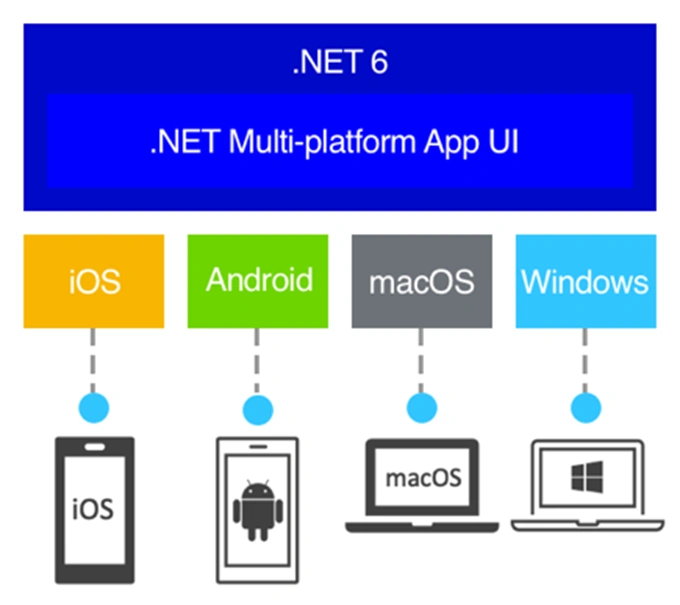
Source: Microsoft.com
To know more about .NET MAUI, please refer to the article below.
https://rijsat.com/2022/07/25/getting-started-with-net-maui-cross-platform-application-development/
In this article, we will learn and build a hybrid Blazor app, .NET MAUI Blazor App step by step. I will go through the subsequent points in this write-up.
What is a Hybrid Blazor App
What is .NET MAUI
.NET MAUI Blazor app
Getting started with .NET MAUI Blazor App
Prerequisites of .NET MAUI Blazor App
Create a .NET MAUI Blazor app using Visual Studio
Run and test the .NET MAUI Blazor app in Windows
Run and test the .NET MAUI Blazor app in the Android Emulator
Why to use a .NET MAUI Blazor app
Let’s commence. :)
Prerequisites
First, we need a preview version of Visual Studio, which you can download from https://visualstudio.microsoft.com/vs/preview/ . This preview version includes the MAUI workload and project templates.
Install .NET MAUI Workload as shown below.

Alternatively, you can enable the preview version in the existing Visual Studio 2022. Please check the article below.
https://rijsat.com/2022/03/03/how-to-enable-preview-version-in-visual-studio/
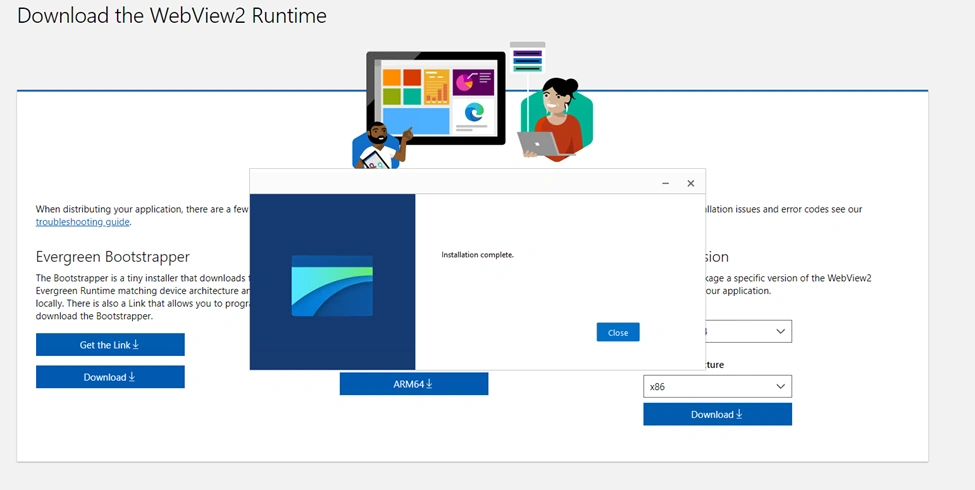
Additionally, we need Microsoft Edge WebView2, which can be downloaded from the link below.
https://developer.microsoft.com/en-us/microsoft-edge/webview2/
This is required to facilitate web content in our native applications; however, if you are using Visual Studio Emulators, then you don’t need this tool.
Important Note
.NET MAUI Blazor Apps support the following platforms:
iOS 14 or Higher
Android 7.0 (API 24) or higher
macOS 11 or Higher, using Mac Catalyst
However, .NET MAUI app supports more platforms as portrayed below:
iOS 10 or higher
Android 5.0 (API 21) or higher
macOS 10.15 or higher, using Mac Catalyst
Windows 11 and Windows 10 version 1809 or higher
https://docs.microsoft.com/en-us/dotnet/maui/supported-platforms
Create a .NET MAUI Blazor app using Visual Studio
Now we will create a complete .NET MAUI Blazor App solution. Let’s begin by launching the Visual Studio 2022 Preview Version as shown below.
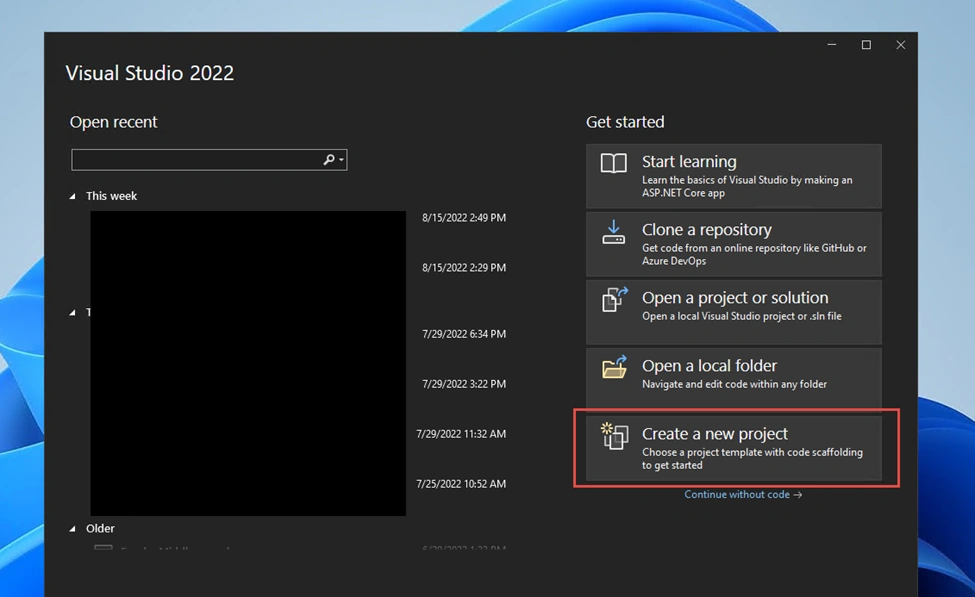
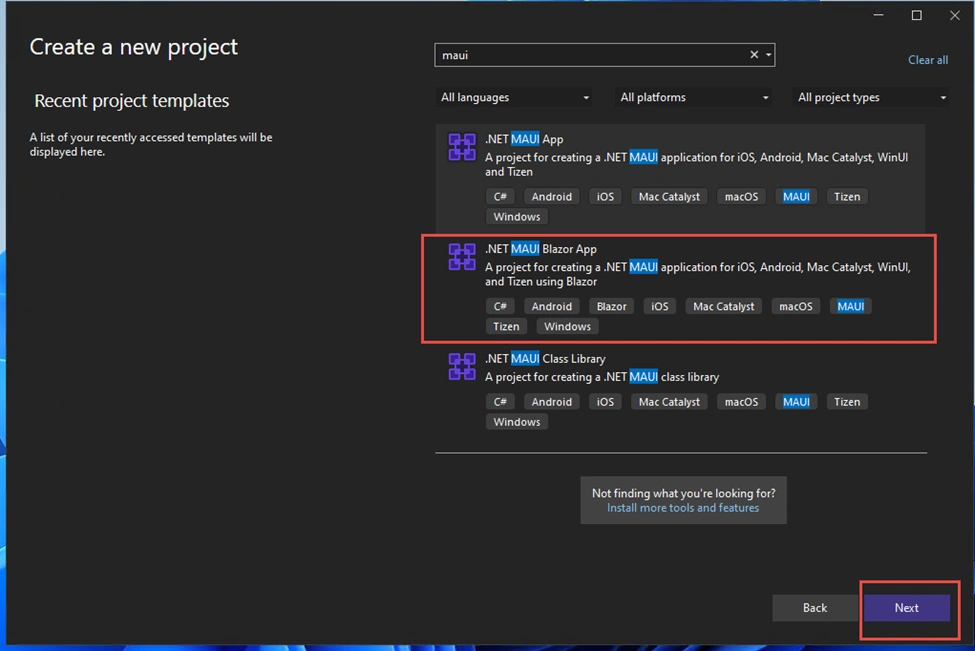
We will create a new project screen. Then we will search the MAUI project templates and choose the .NET MAUI Blazor App as portrayed below.
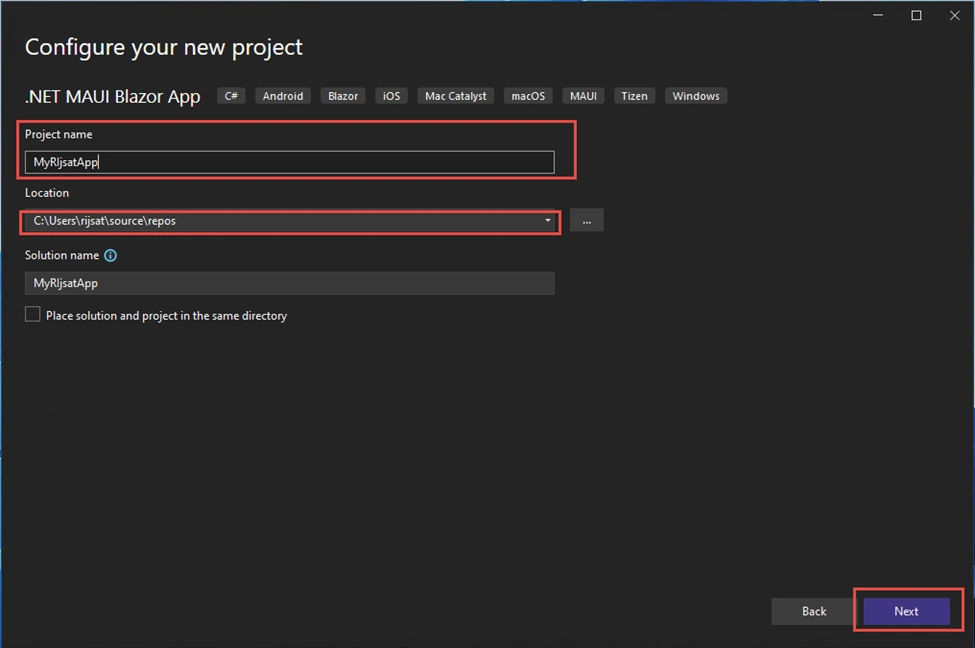
We will give a project name and choose a location.
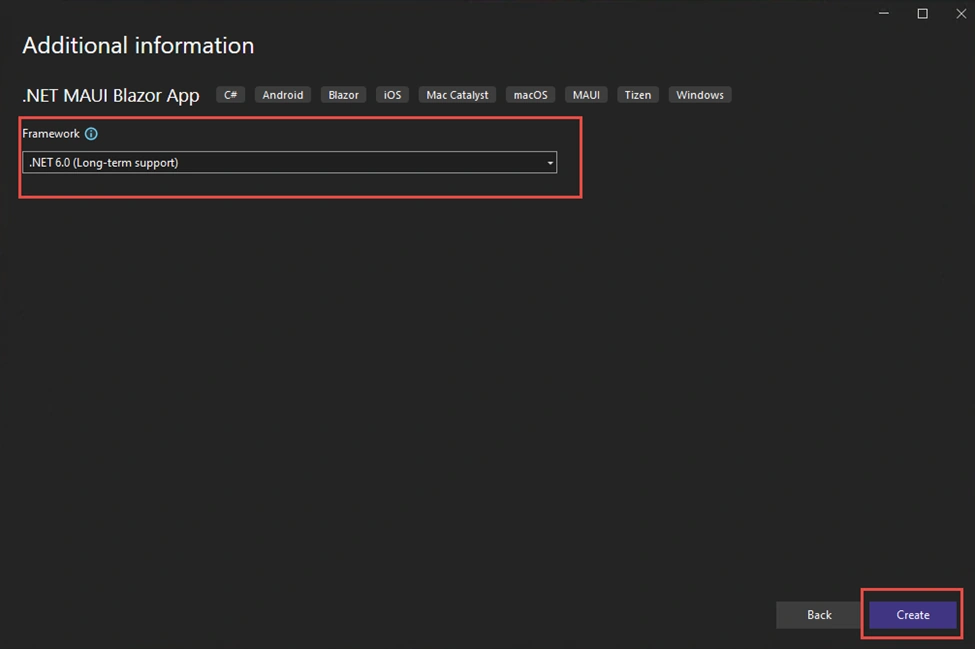
Choose .NET 6 as the target framework.
At this point, our .NET MAUI Blazor app project has been created successfully.
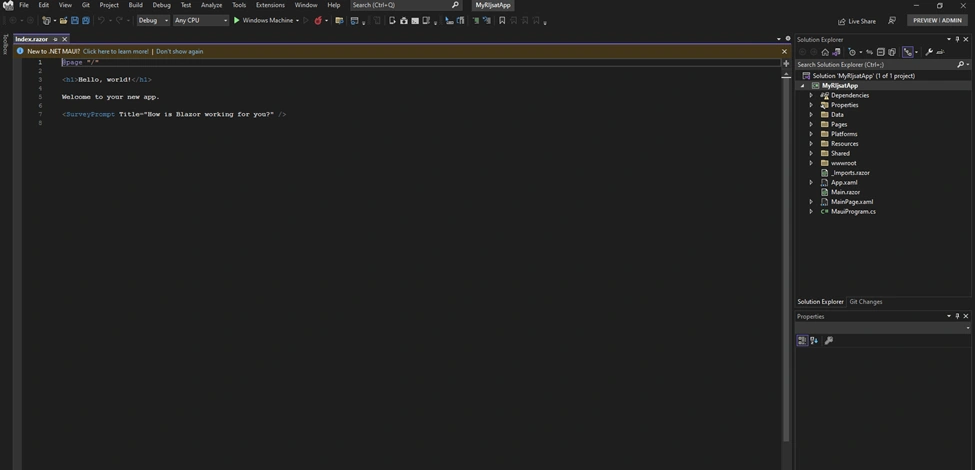
If we expand the platforms folder of the project, we will find all the platforms that .NET MAUI supports, as shown below.
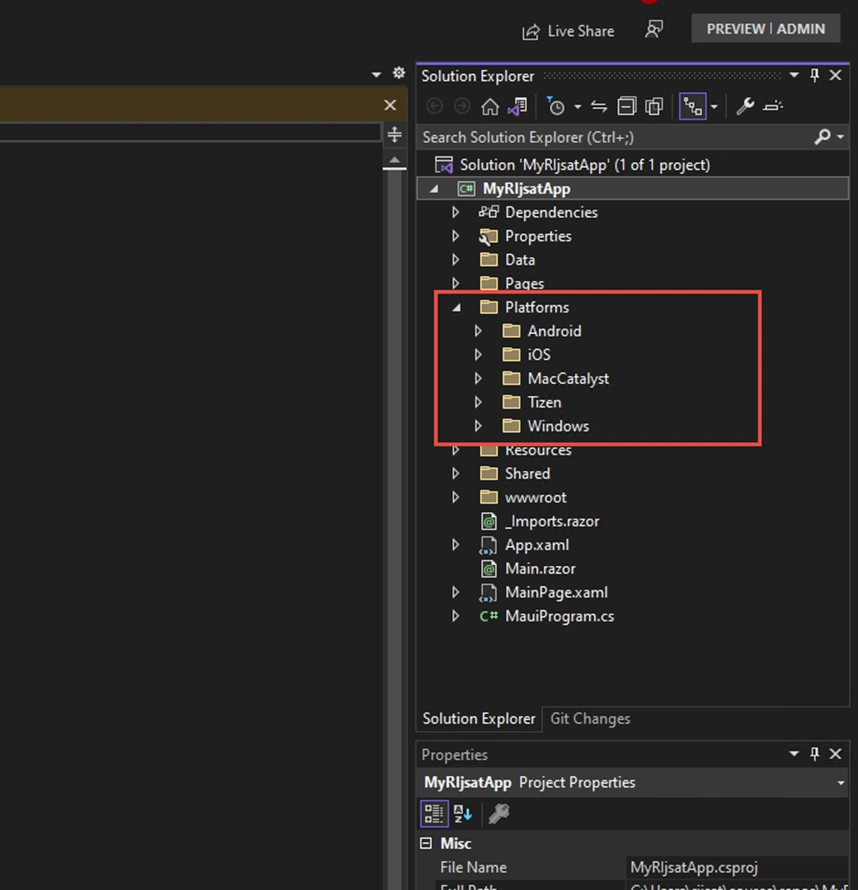
Let’s build and run the solution. While running the solution, we will have a choice to select which platform we want to debug.
While building the project, we will get the license agreement screen only for the first time, as shown below.
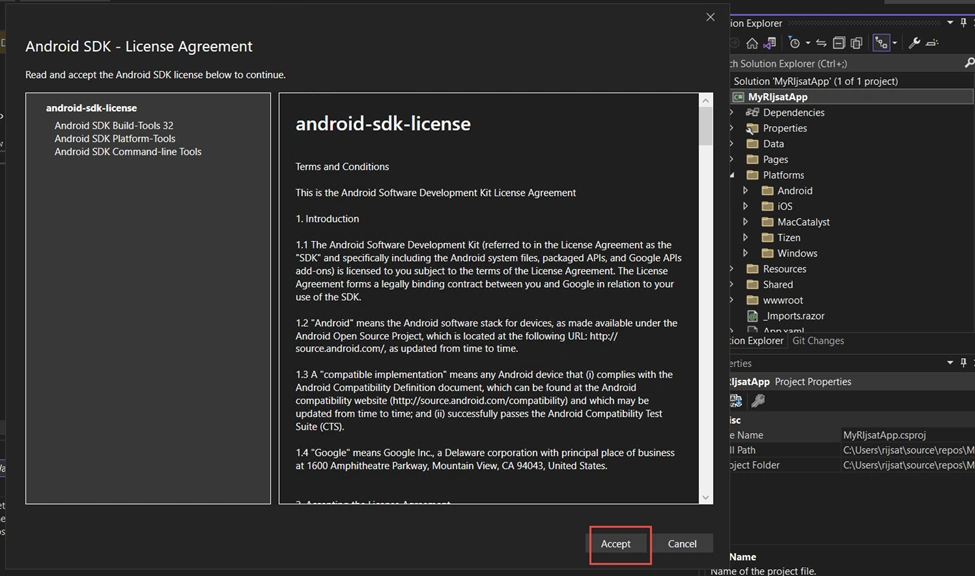
Additionally, we will see various options to debug and execute.
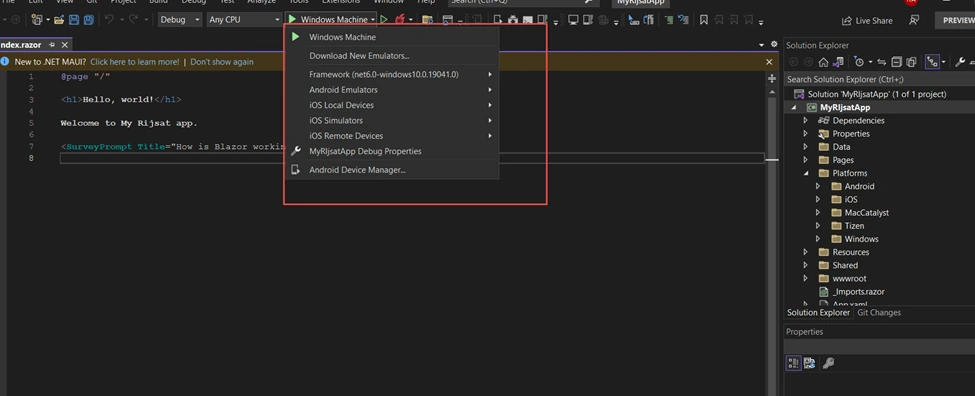
Which means, we can emulate and run on Windows machines, Android Emulators, iOS Simulators, and so on, as shown above.
Initially, we will run the solution on a Windows Machine.
Oops!! We might get this window if we have not enabled developer mode in Windows.
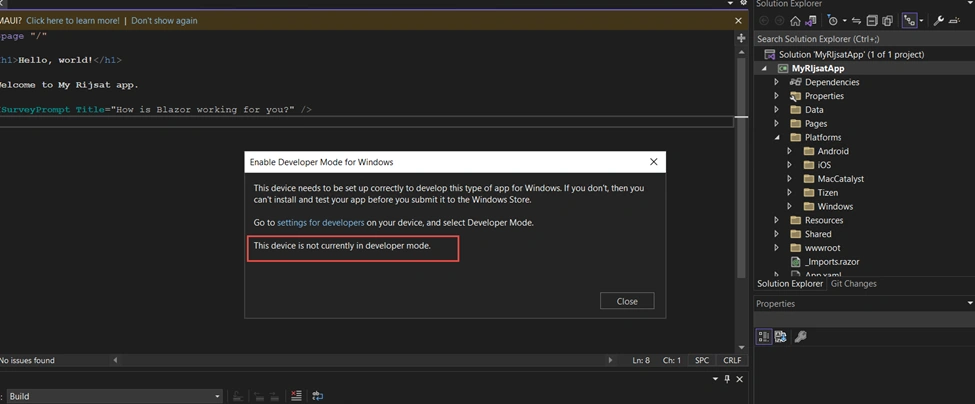
In such a case, we need to enable developer mode to run the application on a Windows Machine.
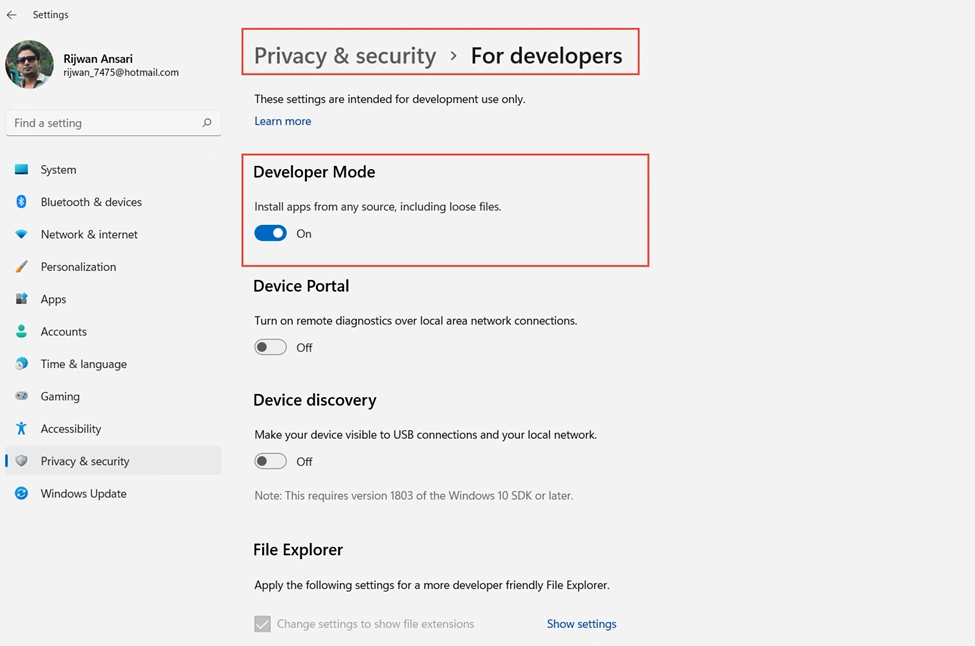
Now, we will run the application again on the Windows Machine and see that the app is running successfully.
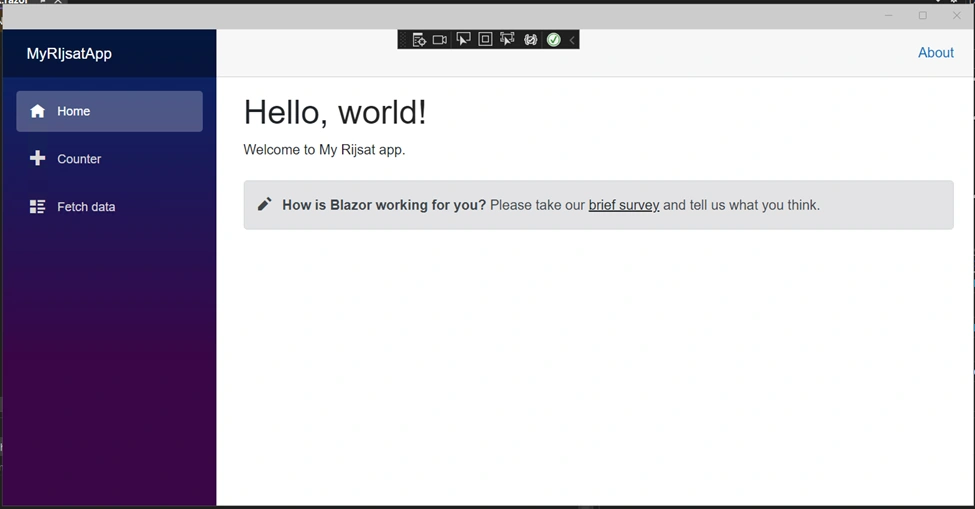
Our application runs successfully in a Windows Machine as a Windows app.
Furthermore, we will proceed with the Android Emulator and run the application with the Android Emulator. You will see an error as shown below. We will double-click and move to the next.
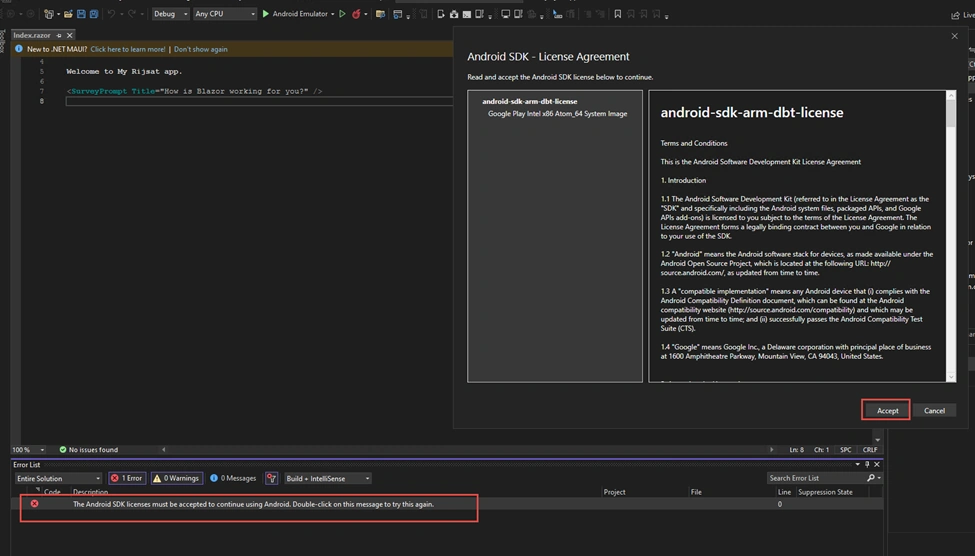
After that, there will be a screen to create a default Android Device as portrayed.
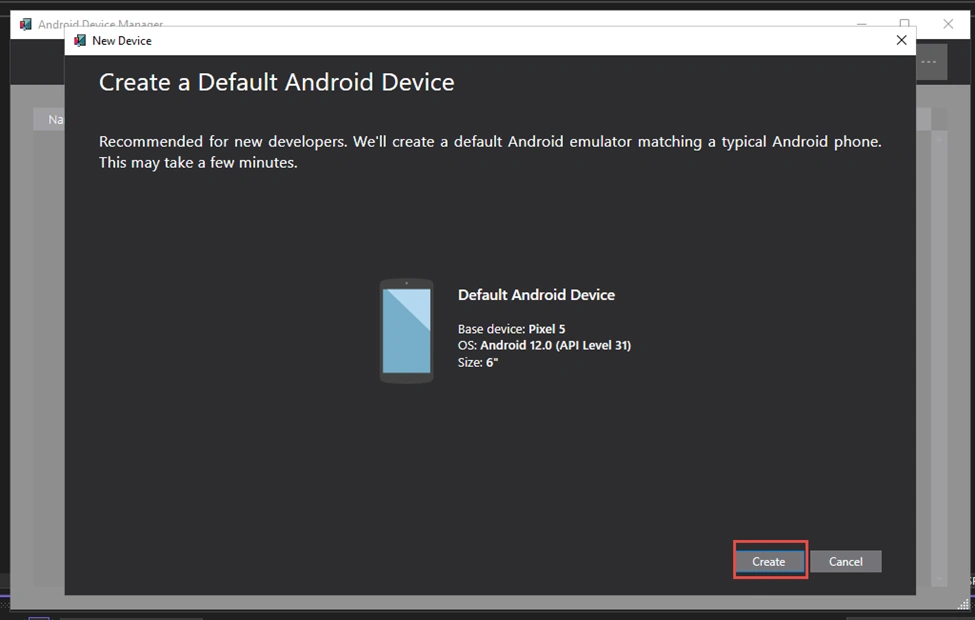
It will add an Android device to the emulator; however, we can have multiple Android versions and devices based on our needs.
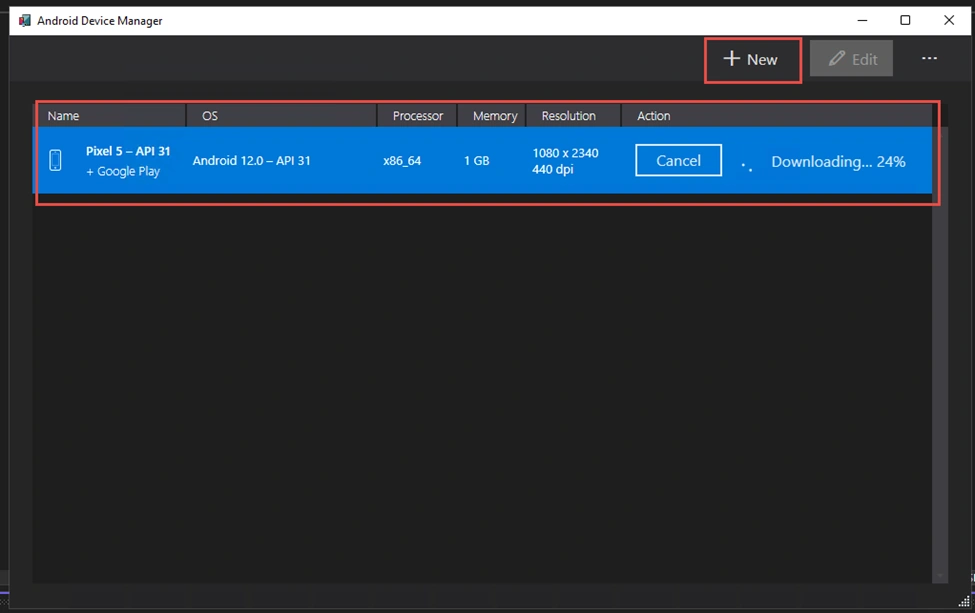
After completion of the download, we will have the option to run the emulator. However, there will be a warning about performance as shown.
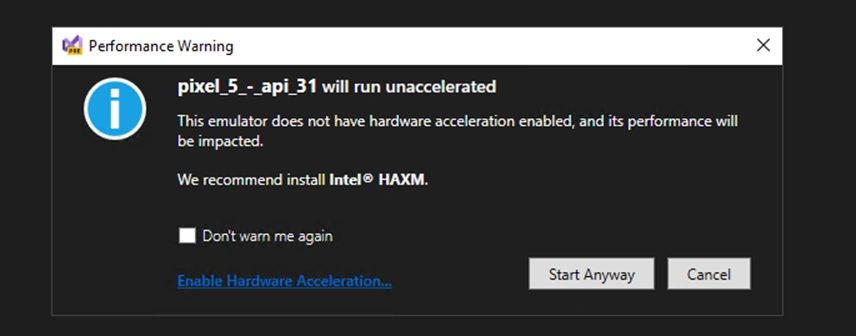
Click start anyway.
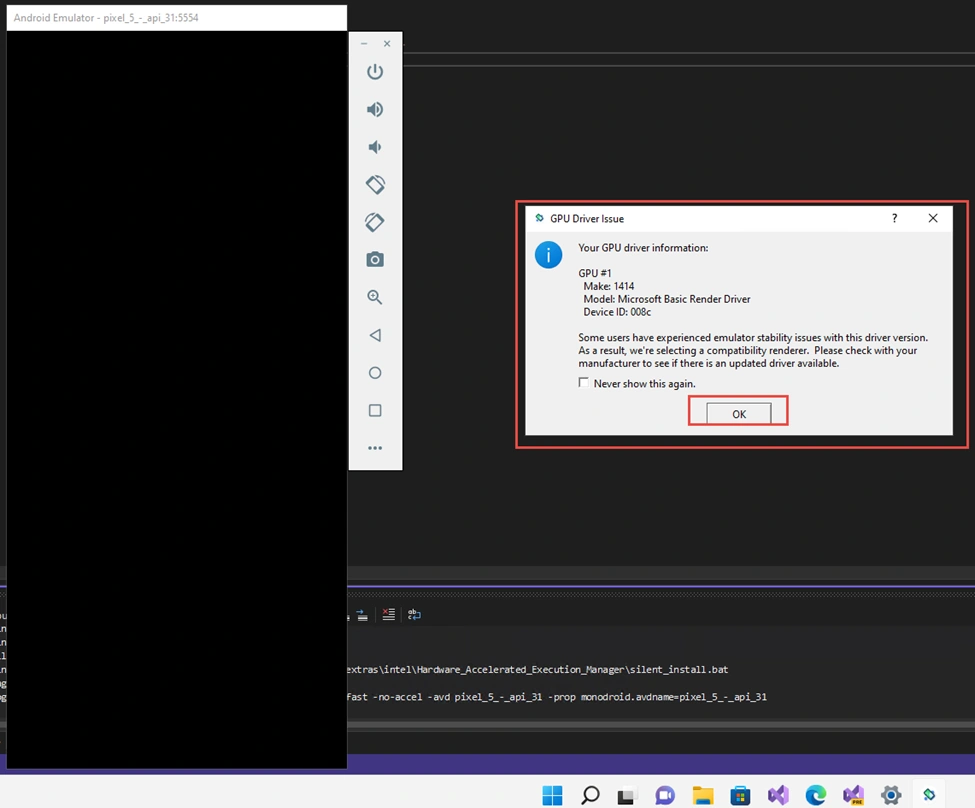
Click OK.
Then again, we will get the explicit option to debug or run with the Android emulator, Pixel 5 – API 31 (Android 12.0 – API 31).
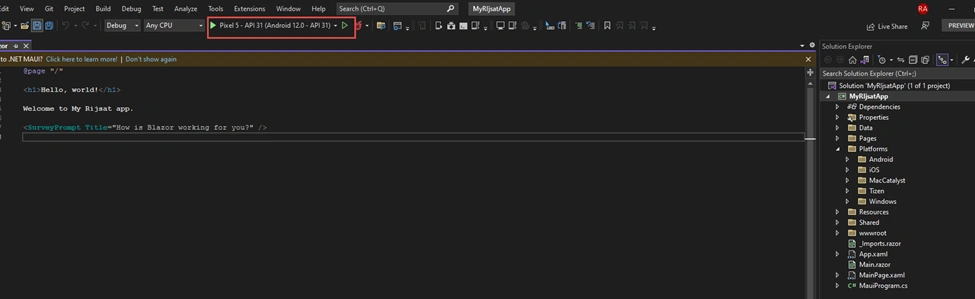
Our app will open on an Android device added to the emulator, as depicted below.
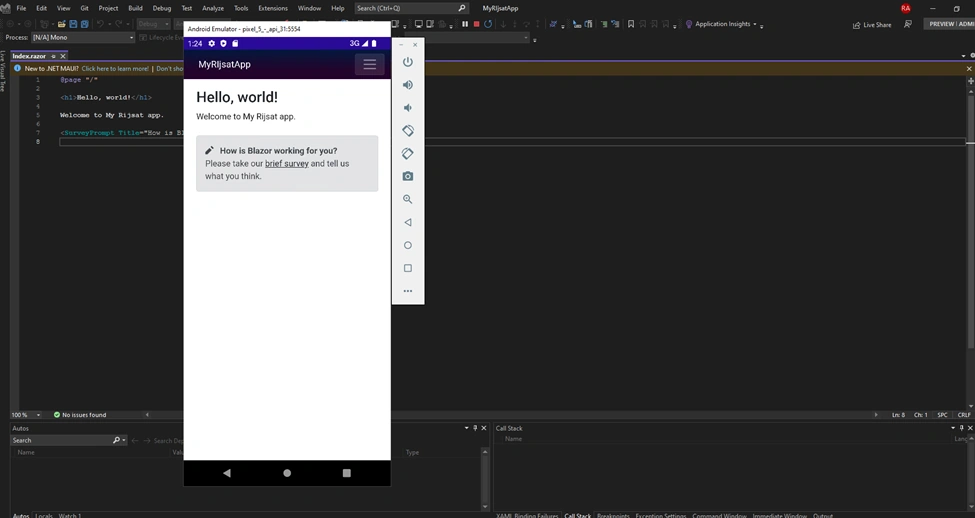
We successfully created a .NET MAUI Blazor App and debug it in an Android emulator.
Now, the .NET MAUI Blazor App is ready, which we can use in cross-platform Windows, Android, iOS, macOS, and multiple devices.
However, we will experience slowness, and it will take significantly more time to load and run in the emulator. Furthermore, we can enhance the performance of Android emulators by enabling hardware acceleration on a Windows machine, as shown below.
Enable Window Features: Hyper-V and Windows Hypervisor Platform.
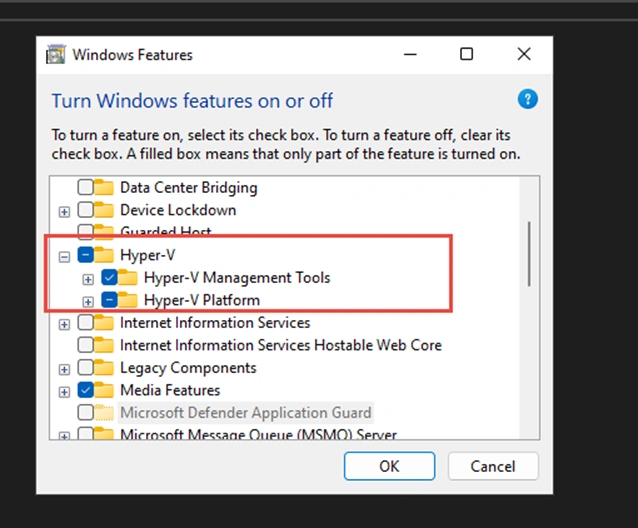
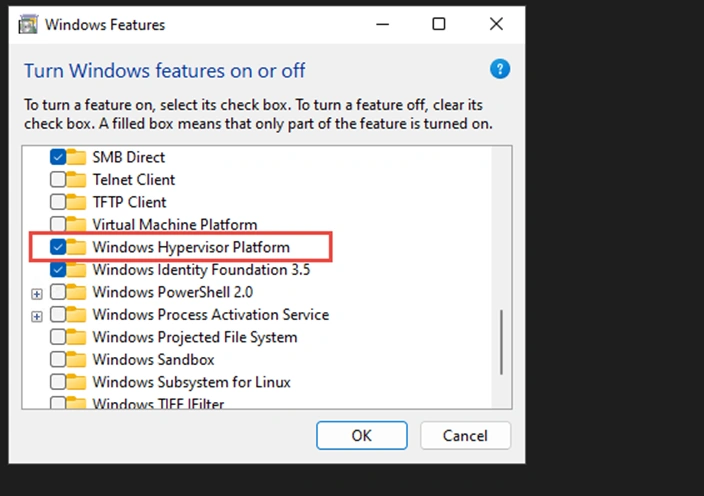
https://docs.microsoft.com/en-us/dotnet/maui/android/emulator/hardware-acceleration
Then we run the solution again; however, the above Windows features will improve the loading of the Android emulator considerably.
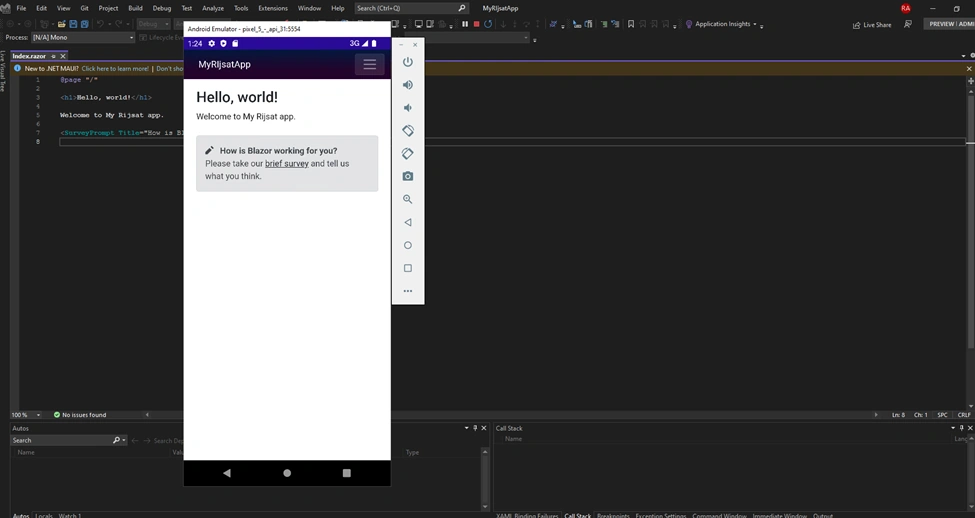
This is how we can develop a cross-platform application with Blazor Hybrid apps, .NET MAUI.
Why do we use .NET MAUI Blazor App or Blazor Hybrid apps?
Well, understanding the complex situation explained in the beginning of this article, it is reasonable, and we have several valid reasons for using Blazor hybrid apps.
With Blazor, we can use .NET and C# to build both front-end Web UI and back-end logic
We can use the same C# skill set for both UI and back-end logic, which will accelerate the development and reduce the cost.
We don’t need to get confused about which front-end frameworks to use.
We can develop cross-platform applications with .NET MAUI for Windows, Android, iOS, macOS, Web.
Same C# and .NET for cross-platform apps
Shared code and UI layout
Shared Design and consistent UI
Share the same logic, test
Native apps for all platforms
It can be developed with Windows or Mac PC and can run across every device
We can use a single project, which will be easy to maintain and work with
We can use all the .NET libraries and C# features
Latest technology and Strong Community Support
Support for Production Workload
Although we use Visual Studio 2022 preview to develop .NET MAUI Blazor apps, Blazor hybrid apps, .NET MAUI is generally available and is supported for production workload.
Conclusion
Software development is getting complex and costly day by day because of separate front-end and back-end frameworks, technologies, skill sets, and resources. On top of that, there is always a demand for cross-platform applications like Windows, Android, iOS, macOS, and so on. This leads to huge investment in terms of cost, resources, time, projects for different platforms, and maintaining separate teams. To overcome this complicated scenario, we have a way out: Hybrid Blazor apps with .NET MAUI. Using a .NET MAUI Blazor app, we can develop cross-platform applications for Windows, Android, iOS, and macOS, and both front-end UI and back-end using C# and .NET. We can use the same project, share the same codebase for logic, share UI and layout, which ultimately improves the development and reduces the cost. In this write-up, I have explained the Blazor apps, .NET MAUI, and Blazor hybrid apps. Additionally, I have delved into .NET MAUI Blazor apps and built a complete solution using Visual Studio preview. At last, I have explained the advantages of Blazor hybrid apps.
References
https://rijsat.com/2022/08/20/build-a-blazor-hybrid-app-with-net-maui-for-cross-platform-application/
https://docs.microsoft.com/en-us/aspnet/core/blazor/hybrid/tutorials/maui?WT.mc_id=dotnet-35129-website&view=aspnetcore-6.0
Mohamed HanifaPosted Nov 2, 2022, 5:53 AM
Thanks for your article. So, can we host into IIS and open as web app from browser?
Miguel TeheranPosted Sep 6, 2022, 2:00 PM
Well explanied