

Barcodes are less glamorous than they used to be, but more embedded. Every shipping label, medical wristband, event ticket, inventory tag, and industrial part marker in your pipeline starts and ends as a barcode. If you build .NET applications that have to generate barcodes, read them, or both, the ecosystem offers a bigger and messier set of options than it did five years ago. Open-source libraries, commercial SDKs, UI controls, mobile-specific scanners, and cloud APIs all compete for the same decision.
This article compares eleven C# barcode libraries that .NET developers shortlist in 2026. We ran each one against a common set of real-world inputs: clean generated barcodes, skewed scans from phone cameras, damaged or partially occluded shipping labels, and multi-page scanned PDFs containing multiple barcodes per page. I will tell you where each library earns its place, where it does not, and which two I would pick over IronBarcode for specific jobs.
Why C# Barcode Library Selection Matters
Barcode work splits into three categorically different problems: generating barcodes for output (labels, tickets, printed QR codes), reading barcodes from images and PDFs in server-side pipelines, and scanning barcodes from a phone camera in a mobile app. A library that excels at one of these can be weak at the other two. In my experience, teams underestimate how different the three workloads are until they have shipped one and tried to extend it into another. ZXing.Net is a classic example. It is widely used for camera-based scanning through its mobile ports, but less convincing when you need a one-call API to generate a styled QR code onto a commercial invoice PDF. Conversely, many commercial generators are server-side-first and offer only a thin mobile story.
The second axis is what you are willing to pay in three currencies: licensing fees, runtime deployment size, and integration complexity. Open-source libraries cost nothing in dollars but ask for more code on your side. Commercial SDKs are faster to integrate but carry licensing costs, sometimes steep. Cloud APIs eliminate the deployment footprint but ship your data to a third party and charge per request. In our testing, the right pick depended more on the use case and deployment model than on raw recognition accuracy on clean inputs, where most options now score within a few percentage points of each other.
1. ZXing.Net
ZXing.Net is the baseline. It is the .NET port of the Java ZXing ("Zebra Crossing") library Google released in 2008, maintained on GitHub by Michael Jahn at micjahn/ZXing.Net. The decoder handles UPC-A, UPC-E, EAN-8, EAN-13, Code 39, Code 93, Code 128, ITF, Codabar, MSI, RSS-14 variants, QR Code, Data Matrix, Aztec, and PDF417. The current NuGet package is v0.16.11; licensing is Apache 2.0 and has not changed.
Basic reading: You create a BarcodeReader, feed it a bitmap, and call Decode(). The result carries the detected format and text value.
using System.Drawing;
using ZXing;

IBarcodeReader reader = new BarcodeReader();

var barcodeBitmap = (Bitmap)Image.FromFile(@"./samples/barcode.png");

var result = reader.Decode(barcodeBitmap);

if (result != null)
{
    Console.WriteLine($"Format: {result.BarcodeFormat}");
    Console.WriteLine($"Text: {result.Text}");
}
ZXing.Net Read Barcode Format Output
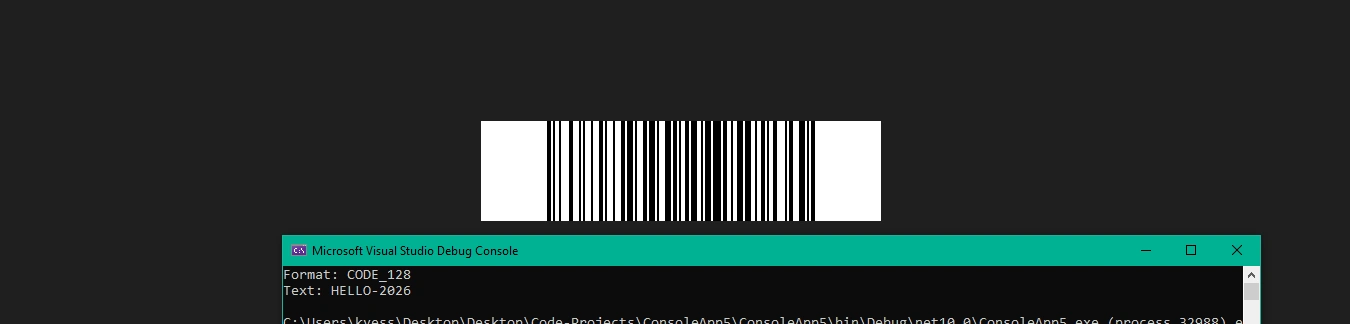
ZXing.Net's strength is that it is free, it works for basic barcode functionality, and developers have been using it in production for over a decade. In our testing, it read clean barcodes without incident but missed roughly one in six damaged thermal-print labels. Its weakness beyond accuracy is the deployment friction on modern .NET targets. Since .NET Core 3.x, the main ZXing.Net package contains only the core classes. For image input and output you install one of the platform-specific ZXing.Bindings packages (SkiaSharp, ImageSharp, System.Drawing) on top. That layering trips newcomers on their first pull request, and the image library you pick cascades into your deployment footprint. I would still reach for ZXing.Net first if I were prototyping on a tight budget or building into a fully open-source stack.
2. IronBarcode
IronBarcode is Iron Software's commercial .NET barcode library. The API surface is intentionally narrow: a BarcodeWriter static class for basic barcode generation and styling, and a BarcodeReader static class for reading. Both are one-call where you need them to be and extend through an options class when you need tuning. It targets .NET 10, 9, 8, 7, 6, 5, .NET Core 3.1, .NET Standard 2.0, and .NET Framework 4.6.2 and later, with runtime coverage on Windows, Linux, macOS, Docker, and Azure.
Create barcode images with just a few lines of code: You pass text and an encoding enum to BarcodeWriter.CreateBarcode to create the barcode from your chosen data format, chain any sizing or styling on the returned GeneratedBarcode, and call SaveAsImage to write the image to disk.
using IronBarCode;

var myBarcode = BarcodeWriter.CreateBarcode("ORDER-12345", BarcodeWriterEncoding.QRCode);

myBarcode.ResizeTo(400, 400);

myBarcode.SaveAsImage("order-qr.png");
IronBarcode Generate QR Code Output

Reading with PDF document input and tuning options: The reader accepts image formats or PDFs directly with no rasterization step to write yourself. For scanned documents that contain multiple barcodes per page, you configure a PdfBarcodeReaderOptions instance with the barcode types you expect, the DPI at which to render each PDF page for scanning, and a scaling factor for the rendered image.
using IronBarCode;

var options = new PdfBarcodeReaderOptions
{
    ExpectBarcodeTypes = BarcodeEncoding.AllOneDimensional | BarcodeEncoding.QRCode,
    DPI = 150,
    Scale = 4
};

BarcodeResults results = BarcodeReader.ReadPdf(@"./samples/shipping-manifest.pdf", options);

foreach (var barcode in results)
{
    Console.WriteLine($"Page {barcode.PageNumber}: [{barcode.BarcodeType}] {barcode.Value}");
}
IronBarcode Output
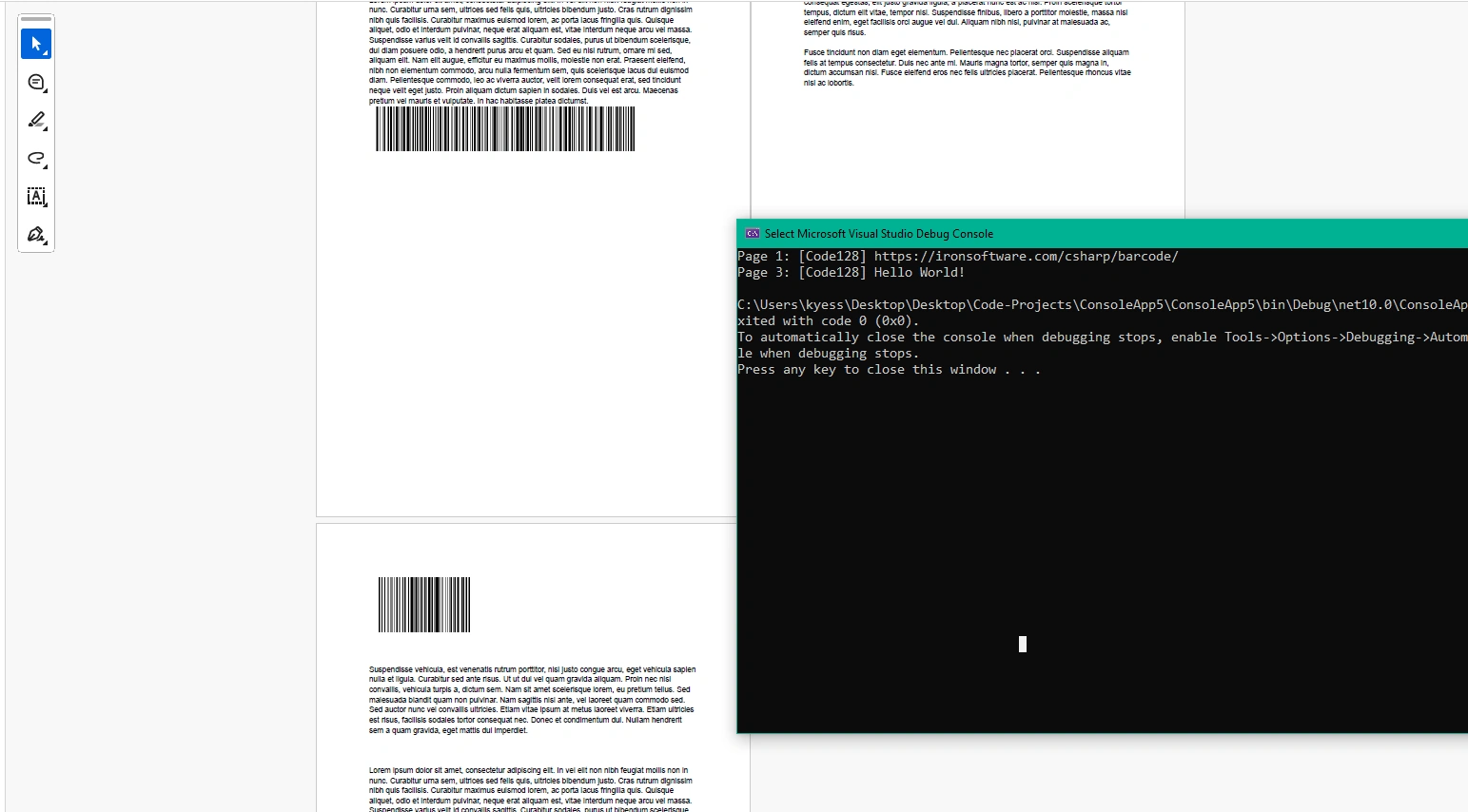
Beyond the two surfaces above, IronBarcode includes image correction filters (sharpen, contrast, binarization, crop-area support), output formats that cover PNG, JPEG, GIF, and PDF, and multithreaded batch scanning for high-volume pipelines. Beyond the supported barcode types, IronBarcode supports QR code generation and reading.
What I appreciate about this API surface is its intentional narrowness: two static classes and an options type cover roughly 90 percent of real-world needs, and the rest is progressive disclosure. Licensing is commercial: perpetual per-developer licenses start at $749 per Iron Software's published pricing page, and cover both development and production deployment with no separate runtime royalty. Trial mode returns complete decoded values on reading; watermarks are applied only on generated images.
To try IronBarcode for yourself, simply run the following command:
Install-Package BarCode3. Dynamsoft Barcode Reader
Dynamsoft Barcode Reader (DBR) is an enterprise commercial barcode reader SDK. As of version 10, it is delivered under the Dynamsoft Capture Vision architecture, which unifies barcode reading, label recognition, and document normalization behind a single CaptureVisionRouter API. The current NuGet package is Dynamsoft.DotNet.BarcodeReader.Bundle (v3.4.1000 at time of writing). Dynamsoft's older Dynamic .NET TWAIN Barcode Add-on was retired December 31, 2025; the Barcode Reader product itself is supported and actively developed.
Reading with the Capture Vision Router: You create a router, run Capture with the barcode preset template, and pull the decoded items off the returned CapturedResult. Each item exposes the detected text and symbology format through getter methods.
using Dynamsoft.CVR;
using Dynamsoft.DBR;

using var cvr = new CaptureVisionRouter();

CapturedResult result = cvr.Capture(@"./samples/damaged-barcode.png", PresetTemplate.PT_READ_BARCODES);

DecodedBarcodesResult barcodesResult = result.GetDecodedBarcodesResult();

BarcodeResultItem[] items = barcodesResult?.GetItems();

if (items != null)
{
    foreach (var item in items)
    {
        Console.WriteLine($"Format: {item.GetFormatString()}");
        Console.WriteLine($"Text: {item.GetText()}");
    }
}
Dynamsoft Output
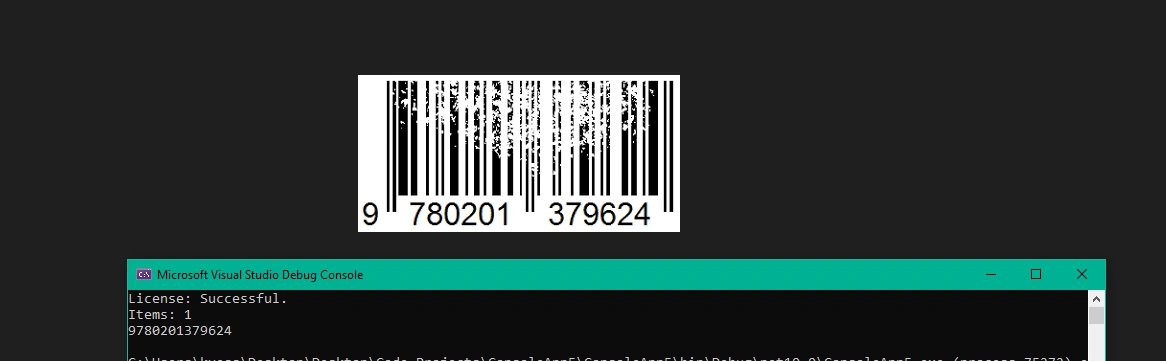
Where Dynamsoft earns its price tag is in the cases that defeat a general-purpose library: damaged thermal-printed barcodes on shipping labels, direct-part-marked (DPM) barcodes on engine components, curved or perspective-distorted codes, and high-density PDF417 symbols on the back of state-issued ID cards. The mobile and embedded variants extend the same decoder onto iOS, Android, and Linux edge devices. Licensing is commercial with per-developer and runtime components, quote-based, and requires an explicit LicenseManager.InitLicense call at application start. I have watched teams argue themselves out of a Dynamsoft purchase on paper, then buy it anyway when their ZXing.Net deployment fails on a damaged pallet label for the third time.
4. LEADTOOLS Barcode
LEADTOOLS is a long-running commercial imaging SDK, now published by Apryse Software Corp following their acquisition of LEAD Technologies. The Barcode module sits alongside LEADTOOLS's OCR, forms, DICOM, and media SDKs, and reuses the same RasterImage pipeline as the rest of the library.
Strengths: Over 100 barcode symbology types supported, covering common 1D and QR Code through to Intelligent Mail, PostNet, Aztec, and MaxiCode. BarcodeEngine, BarcodeData, QRBarcodeData, and the BarcodeSymbology enum give a clean object model. Broad .NET coverage (.NET 6 and later, Framework, MAUI, Xamarin, UWP). Good fit if you are already paying for LEADTOOLS's imaging or OCR modules.
Limitations: Heavy to install. The barcode module comes with the rest of LEADTOOLS's dependencies even if you only need barcodes. The Leadtools.Barcode.BarcodeEngine API is less direct than a purpose-built barcode library. If your project needs nothing else from LEADTOOLS, the engine overhead is real. My advice: buy LEADTOOLS when you are already using at least one other LEADTOOLS module, not for the barcode engine alone.
Licensing: Commercial enterprise. Per-developer seats plus runtime royalties, quote-based. No free or community tier.
5. Aspose.BarCode for .NET
Aspose.BarCode is the barcode generation library from Aspose, part of their broader document-processing suite. The API surface is split cleanly: Aspose.BarCode.Generation.BarcodeGenerator for writing (with support for many data formats), Aspose.BarCode.BarCodeRecognition.BarCodeReader for reading. The current NuGet release is v26.3.0. The most recent documented version is 25.9 (September 2025), which added GS1 composite barcode recognition improvements and Aztec Code accuracy enhancements.
Generating and reading in one pipeline: The generator writes a barcode image file to disk; the reader then decodes it back into the source text and symbology name. Treat this as a full round-trip verification pattern you can use in your integration tests.
using Aspose.BarCode.Generation;
using Aspose.BarCode.BarCodeRecognition;

// Generate a Code 128 barcode
using (var generator = new BarcodeGenerator(EncodeTypes.Code128, "ASSET-74219"))
{
    generator.Parameters.Barcode.XDimension.Pixels = 2;
    generator.Save("asset-label.png", BarCodeImageFormat.Png);
}

// Read it back to verify
using (var reader = new BarCodeReader("asset-label.png", DecodeType.AllSupportedTypes))
{
    foreach (BarCodeResult result in reader.ReadBarCodes())
    {
        Console.WriteLine($"{result.CodeTypeName}: {result.CodeText}");
    }
}
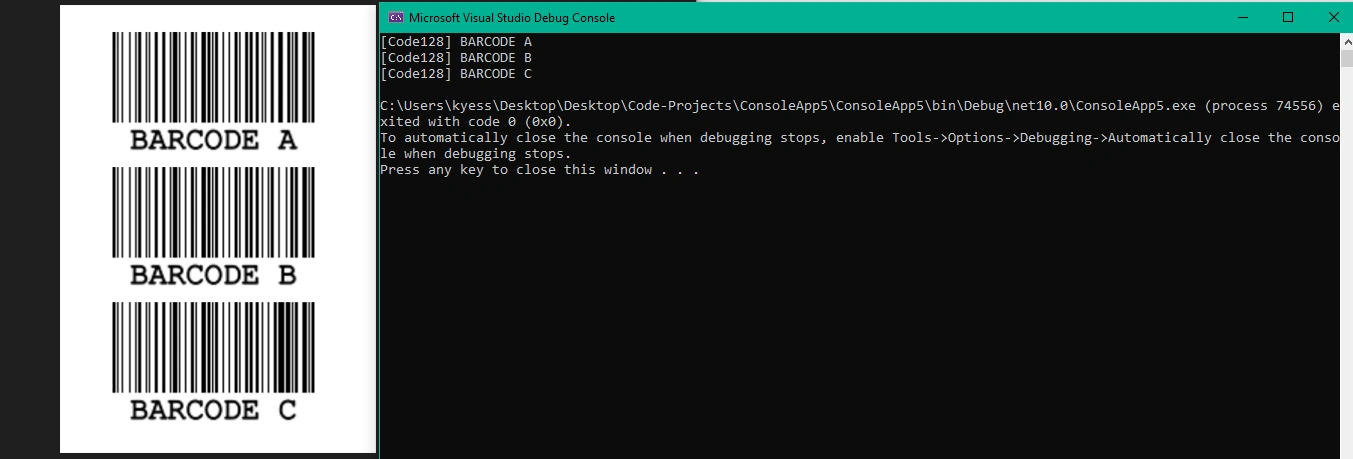
Reading and Creating Barcodes Aspose.BarCode Output
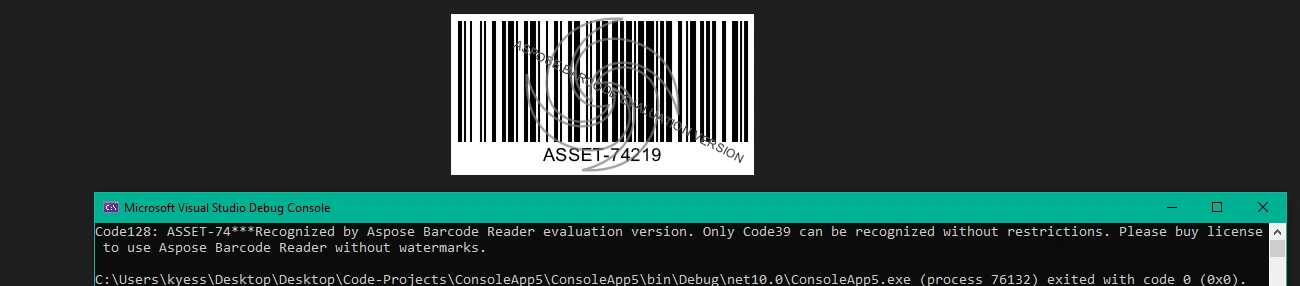
Aspose.BarCode supports over 60 symbologies for writing and a similar count for reading, with decent damaged-barcode recovery through its filter-based recognition pipeline. In our testing, its filters handled Gaussian noise and perspective tilt well enough to read labels that ZXing.Net could not. Entry-level developer small-business licensing starts around $99 per Aspose's published pricing. The library is a natural fit if you already have Aspose.Words, Aspose.PDF, or Aspose.Cells in your project; if you do not, you are buying into an ecosystem rather than a single-purpose component. I have seen this suite-first pattern work well for teams already running Aspose.Words or Aspose.Cells, and less well for teams shopping for barcode capability alone.
6. Spire.Barcode
Spire.Barcode is E-iceblue's commercial barcode library, and one of the few commercial options that also ships a genuine free community edition. The programming model is config-object based: you populate a BarcodeSettings instance (type, data, dimensions, 2D-specific options) and pass it to BarCodeGenerator.GenerateImage() to get a rendered image, with suport for various image formats.
Strengths: A free community edition (FreeSpire.Barcode) exists for common symbologies, which is a rare combination in the commercial barcode space. The commercial edition adds extended symbology coverage and faster scanning. Development is active, with 2025 releases still shipping.
Limitations: The free edition has narrower symbology support than the paid version, and applies evaluation warnings to some outputs. The API is a touch more ceremonious than IronBarcode's one-liner or ZXing.Net's direct decode, which matters on simple use cases.
Licensing: Dual. Free Spire.Barcode for common symbologies. Commercial Spire.Barcode for the full surface, per-developer.
7. BarcodeLib
BarcodeLib here refers to Brad Barnhill's open-source library at barnhill/barcodelib on GitHub, published as the BarcodeLib NuGet package (v3.1.5 at time of writing). It is a distinct project from the commercial BarcodeLib.com product, which uses a separate code base and licensing; the two are often confused.
Strengths: Tiny footprint, Apache License 2.0, easy API (Barcode.Encode(TYPE, data, ...)). Widely used where a project needs to generate basic 1D barcodes with no commercial entanglements. Integrates cleanly into WinForms and server-side apps alike.
Limitations: Generation only, with no reading surface. 1D barcodes only: no QR Code, no Data Matrix, no PDF417, no Aztec. If your requirements grow beyond Code 39, Code 128, UPC, EAN, and similar linear symbologies, you will have to pair it with a second library. My rule when someone asks about BarcodeLib is to confirm they need to write barcodes and not read them.
Licensing: Apache License 2.0 (the Barnhill version; the unrelated commercial BarcodeLib.com product has separate terms).
8. Syncfusion Barcode
Syncfusion Barcode is a UI-first barcode generator control, packaged for WPF, WinForms, UWP, MAUI, and Xamarin. The MAUI edition ships the SfBarcodeGenerator control, which you set a Value on and Syncfusion renders the corresponding barcode. It supports 1D symbologies (Code 128, EAN-8, EAN-13, UPC-A, UPC-E, Code 39, Code 39 Extended, Code 93, Codabar) and QR Code versions 1 through 40.
Strengths: A drag-into-XAML control, idiomatic for MAUI and WPF developers. Integrates naturally with the rest of Syncfusion's 1,800-plus control library. Active 2025 releases across all target platforms.
Limitations: This is a generator, not a reader. If you need to decode barcodes you will pair it with another library. The control-first model makes programmatic server-side use less ergonomic than IronBarcode or Aspose.BarCode.
Licensing: Commercial, with a free Syncfusion Community License available to individuals and organizations with less than $1 million USD in annual gross revenue, five or fewer developers, ten or fewer total employees, and no more than $3 million USD in outside capital per Syncfusion's published terms.
9. ZXing.Net.MAUI
ZXing.Net.MAUI is Redth's .NET MAUI wrapper around ZXing.Net, delivering camera-based barcode scanning through a CameraBarcodeReaderView XAML control. It supports Android, iOS, and Windows (generation only on Windows), which makes it the widest-platform MAUI barcode option.
Strengths: True cross-platform coverage including Windows. A large community and a long history of use in Xamarin and MAUI apps. Inherits ZXing's broad symbology coverage for reading.
Join the conversation! Your thoughts help the community grow.