

Introduction

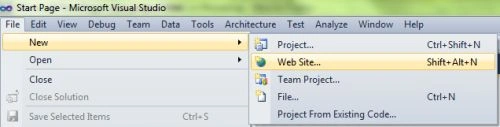
- Go to Solution Explorer
- Right-click on the Application name
- Select Add-->add new item
- Now in the window that opens, select an HTML page or a new Webform
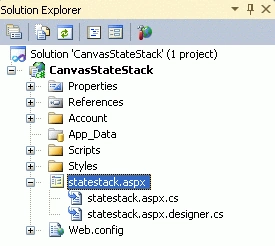
- Rename it to statestack.aspx
- <style>
- body
- {
- margin: 0px;
- padding: 0px;
- }
- Canvas
- {
- border: 2px solid #9C9898;
- margin-top: 50px;
- margin-left: 50px;
- background-color: #009999;
- box-shadow: 5px 5px 8px #222;
- }
- .title
- {
- text-align: center;
- font-family: Segoe UI Light, Arial, Helvetica;
- font-size: 2.2em;
- margin: 1em;
- }
- .info
- {
- text-align: center;
- font-family: Segoe UI Light, Arial, Helvetica;
- font-size: 1.2em;
- margin: 0.25em;
- }
- </style>
- <script>
- window.onload = function ()
- {
- var canvas = document.getElementById("myCanvas");
- var context = canvas.getContext("2d");
- var rectWidth = 150;
- var rectHeight = 75;
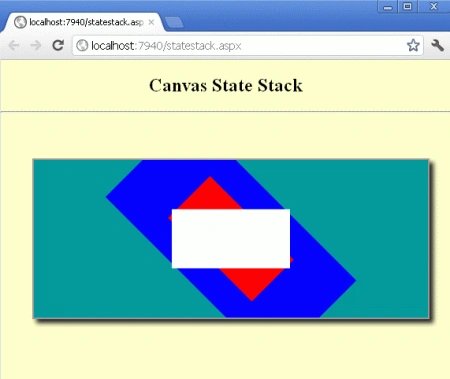
- context.save();
- context.translate(canvas.width / 2, canvas.height / 2);
- context.save();
- context.rotate(Math.PI / 4);
- context.save();
- context.scale(2, 2);
- context.fillStyle = "blue";
- context.fillRect(-rectWidth / 2, -rectHeight / 2, rectWidth, rectHeight);
- context.restore();
- context.fillStyle = "red";
- context.fillRect(-rectWidth / 2, -rectHeight / 2, rectWidth, rectHeight);
- context.restore();
- context.fillStyle = "white";
- context.fillRect(-rectWidth / 2, -rectHeight / 2, rectWidth, rectHeight);
- context.restore();
- };
- </script>
Join the conversation! Your thoughts help the community grow.