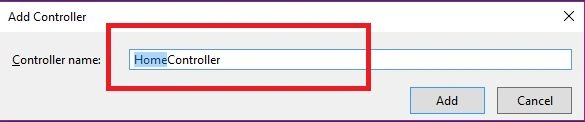
Add code for
HomeController,
- public class HomeController: Controller
- {
- private List < Courtry > Con;
- private List < State > Sta;
- public HomeController()
- {
- Con = new List < Courtry > ()
- {
- new Courtry()
- {
- CountryId = 1, CountryName = "INDIA"
- },
- new Courtry()
- {
- CountryId = 2, CountryName = "USA"
- }
- };
-
-
- Sta = new List < State > ()
- {
- new State()
- {
- StateId = 1, StateName = "Telangana", CountryId = 1
- },
- new State()
- {
- StateId = 2, StateName = "Delhi", CountryId = 1
- },
- new State()
- {
- StateId = 3, StateName = "New Jersy", CountryId = 2
- },
- new State()
- {
- StateId = 3, StateName = "Washington D.C", CountryId = 3
- }
- };
- }
-
- public ActionResult Index()
- {
- ViewBag.Country = new SelectList(Con, "CountryId", "CountryName");
- return View();
- }
-
- public JsonResult GetState(int CountryId)
- {
- return Json(Sta.Where(s => s.CountryId == CountryId), JsonRequestBehavior.AllowGet);
- }
- }
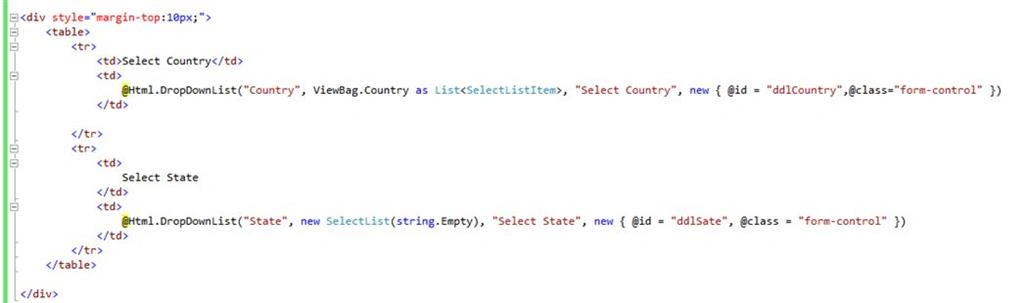
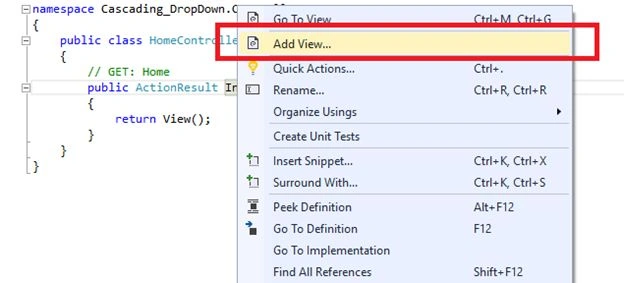
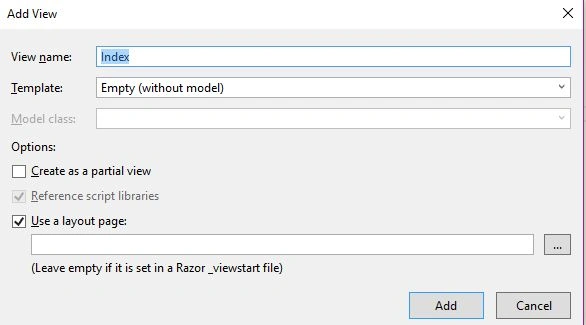
The View Code looks like the following,
- @{
-
- ViewBag.Title = "Index";
- }
-
- < div style = "margin-top:10px;" >
- < table >
- < tr >
- < td > Select Country < /td> < td >
- @Html.DropDownList("Country", ViewBag.Country as List < SelectListItem > , "Select Country", new
- {
- @id = "ddlCountry", @class = "form-control"
- }) < /td>
-
- < /tr> < tr >
- < td >
- Select State < /td> < td >
- @Html.DropDownList("State", new SelectList(string.Empty), "Select State", new
- {
- @id = "ddlSate", @class = "form-control"
- }) < /td> < /tr> < /table>
-
- < /div> < script src = "~/scripts/jquery-1.10.2.js" > < /script> < script type = "text/javascript" >
- $(document).ready(function()
- {
-
- $("#ddlCountry").change(function()
- {
- var SelecedVal = $(this).val();
- $("#ddlSate").html('');
- $("#ddlSate").append($("<option></option>").attr("value", '')
- .text('Select State'));
- if (SelecedVal != '')
- {
-
- $.get('/Home/GetState/',
- {
- "CountryId": SelecedVal
- }).success(function(data)
- {
- $.each(data, function(index, item)
- {
- $("#ddlSate").append($("<option></option>").attr("value", item.StateId)
- .text(item.StateName));
- });
-
- })
- }
- });
- })
- < /script>
 JQuery Code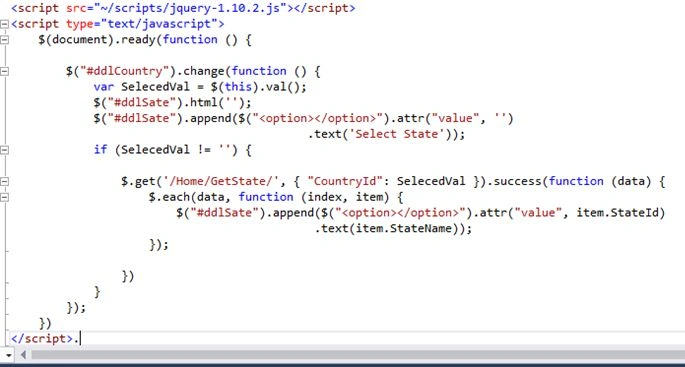
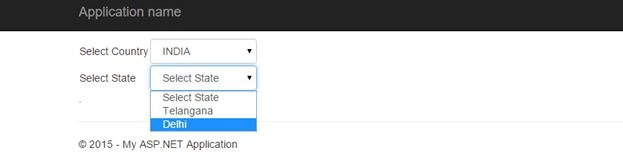
The output should be like the following,


Santhakumar MunuswamyPosted Dec 21, 2015, 11:27 PM
Can you upload source code it will be helpful for the beginner
Santhakumar MunuswamyPosted Dec 21, 2015, 11:27 PM
Thanks for nice share.
Rakesh KalluriPosted Dec 21, 2015, 1:28 PM
Thanks Ankur Mistry
Rakesh KalluriPosted Dec 21, 2015, 1:27 PM
Thanks Raja T
Ankur MistryPosted Dec 21, 2015, 6:48 AM
Nice Share
Raja TPosted Dec 21, 2015, 5:00 AM
Nice, Thanks for sharing