

Introduction
This article demonstrates how to create a circular fill loader to an android application using the Android studio. This is an Android project allowing us to realize a beautiful circular fillable loader to be used for splash screen.
Let's start
Step 1
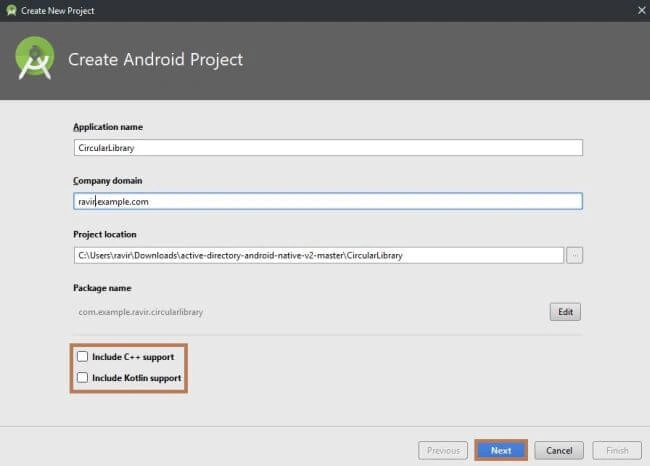
Open, Android studio creates a new project in Android studio. When it prompts you to select the default activity, select Empty Activity and proceed.
Step 2
Next, go to Gradle Scripts >> build. gradle (Module: app),
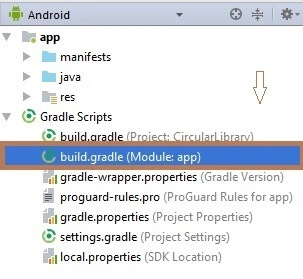
Select build.gradle (Module: app). The app Gradle compile code and build types will appear. Just replace that the following code. To make a circular fillable loader add Circular Fillable Loader in your layout XML and add Circular Fillable Loader library in your project or you can also grab it via Gradle.
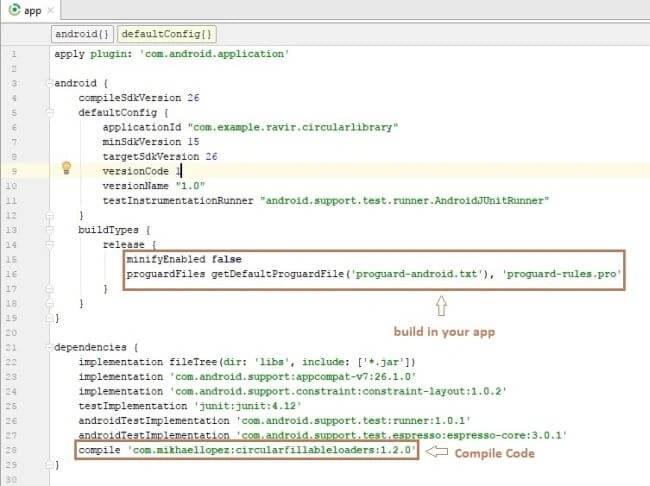
Compile Code
- compile 'com.mikhaellopez:circularfillableloaders:1.2.0'
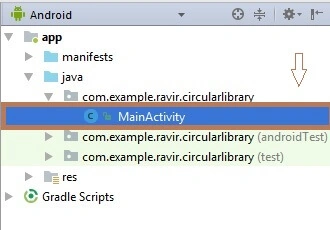
Next, go to app >> res >> layout >> activity_main.xml. Select activity_main.xml page. The xml code will appear, Just the following code.
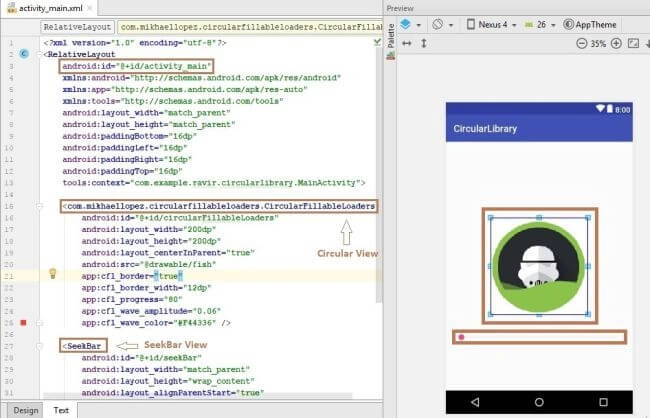
Circular Fillable Loader
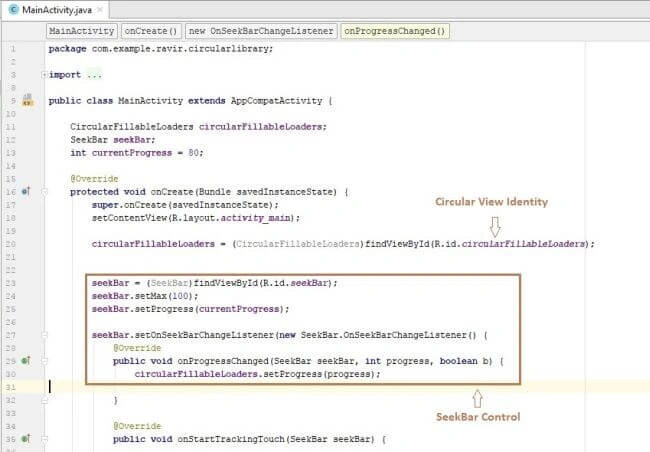

com.mikhaellopez.circularfillableloaders.CircularFillableLoaders this code applied to Circular Loader shape will appear.
SeekBar Controller
CircularImageView Properties
- app:cfl_border="true" --> default true
- app:cfl_border_width="12dp" --> default 4dp
- app:cfl_progress="80" --> default 0
- app:cfl_wave_amplitude="0.06" --> default 0.05f(between 0.00f and 0.10f)
- app:cfl_wave_color="#F44336" --> default Back color
XML Code
- <?xml version="1.0" encoding="utf-8"?>
- <RelativeLayout
- android:id="@+id/activity_main"
- xmlns:android="http://schemas.android.com/apk/res/android"
- xmlns:app="http://schemas.android.com/apk/res-auto"
- xmlns:tools="http://schemas.android.com/tools"
- android:layout_width="match_parent"
- android:layout_height="match_parent"
- android:paddingBottom="16dp"
- android:paddingLeft="16dp"
- android:paddingRight="16dp"
- android:paddingTop="16dp"
- tools:context="com.example.ravir.circularlibrary.MainActivity">
- <com.mikhaellopez.circularfillableloaders.CircularFillableLoaders
- android:id="@+id/circularFillableLoaders"
- android:layout_width="200dp"
- android:layout_height="200dp"
- android:layout_centerInParent="true"
- android:src="@drawable/alien" // import ur image png format
- app:cfl_border="true"
- app:cfl_border_width="12dp"
- app:cfl_progress="80"
- app:cfl_wave_amplitude="0.06"
- app:cfl_wave_color="#F44336" />
- <SeekBar
- android:id="@+id/seekBar"
- android:layout_width="match_parent"
- android:layout_height="wrap_content"
- android:layout_alignParentStart="true"
- android:layout_below="@+id/circularFillableLoaders"
- android:layout_marginTop="37dp"
- android:layout_alignParentLeft="true" />
- </RelativeLayout>
Rachit AgarwalPosted Jan 4, 2018, 1:46 AM
I need similar in iOS. Pls help
Gaurav KumarPosted Dec 15, 2017, 6:03 AM
Nice article Thanks for sharing ..