

Introduction
In Windows 8 there is no Start Menu button on the desktop. The Start button has been removed from Windows 8. But sometimes the user wants it back with the classic style Start Menu.
In Windows 8 you can restore the functionality of the classic Start Menu that exists in Windows 7 and previous versions. In my previous article, we saw how the user can create a new toolbar in the taskbar that displays all the programs when clicked, like the Start button in Windows 8.
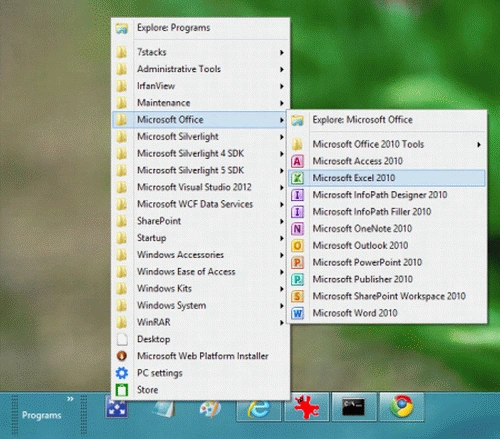
Now, we will discuss the creation of a classic Start Menu in Windows 8 like in Windows 7 with the help of the 7stacks program. You need to download a program named 7stacks that gives you the functionality of a list of stacks on the taskbar that looks like the Windows 7 classic menu.
You can download 7stacks from the following link:
http://alastria.com/software/7stacks/.
Step 1
Steps to do to make a classic menu in Windows 8 using the 7stacks program.
Download the 7stack program and unzip the folder.
Step 2
Step 2
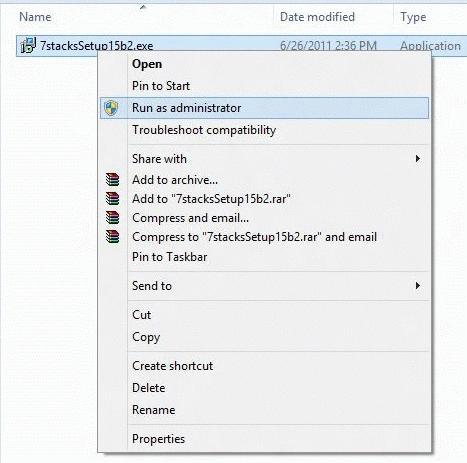
Right-click on the 7stacksSetup15b2.exe file and select Run as Administrator to install the program.
 Step 3
Follow the instructions that appear during the installation.
Step 4
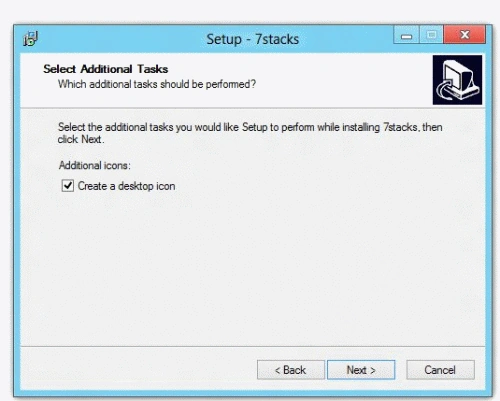
In the Select Additional Tasks window check, the icon Create a desktop icon check box. It will create a shortcut on the desktop.
 Step 5
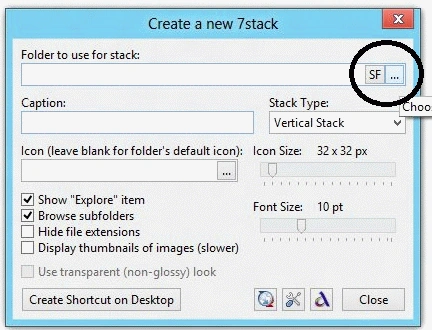
When programs start, it displays a window with many formatting options.
Step 6
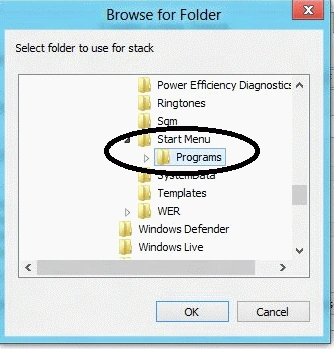
Click on the right side of the folder to select the folder that the stack uses to display.
 Step 7
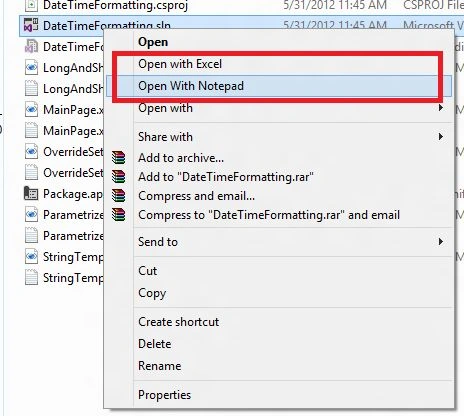
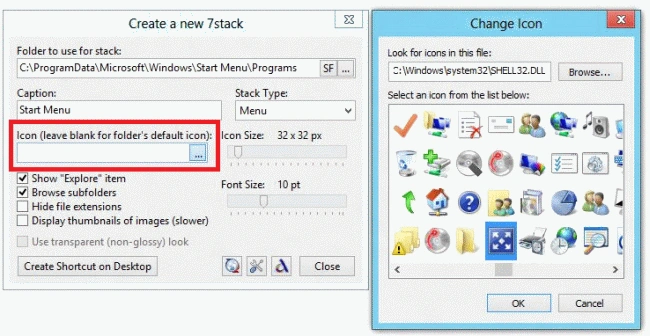
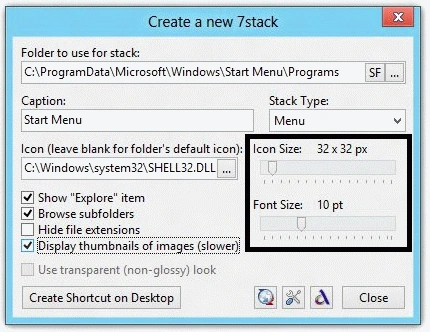
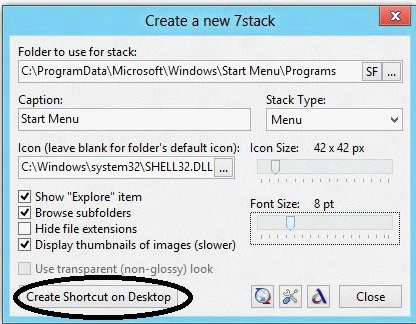
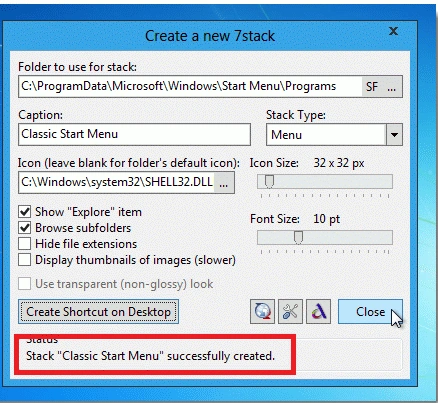
![old-start-menu-in-windows8].gif](https://cdn.c-sharpcorner.com/uploadfile/99bb20/classic-start-menu-in-windows-8/images/old-start-menu-in-windows8-.webp)
Abhimanyu K VatsaPosted Jul 7, 2012, 1:34 PM
Very nice Gaurav #JustLearned :) thanks
Josh WilcoxPosted Jul 6, 2012, 1:24 PM
I've adapted to the new UI quite rapidly. I think they tossed the start menu so that users will be able to use touch gestures to easily access the OS, such as on the Surface tablet.
Mahesh ChandPosted Jul 6, 2012, 1:13 PM
I hope Microsoft puts back the Start menu in final Windows 8. It is annoying without it.
Ibrahim ErsoyPosted Jul 5, 2012, 5:53 PM
Finally a solution.Thank you in the name of those who is not get used to new style.