

Look at given the following points:
1. Open Visual Studio and seelct "File" -> "New" -> "Project...".
Image 1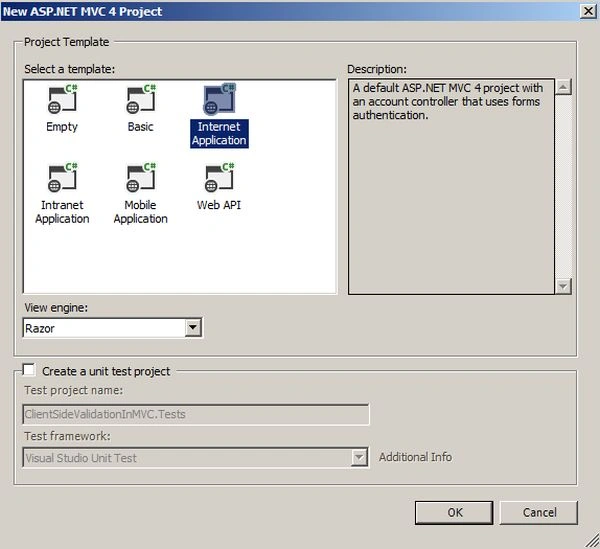
Image 2
2. After creating the application, go to the web.config file. Here you can see two keys already added to enable validation.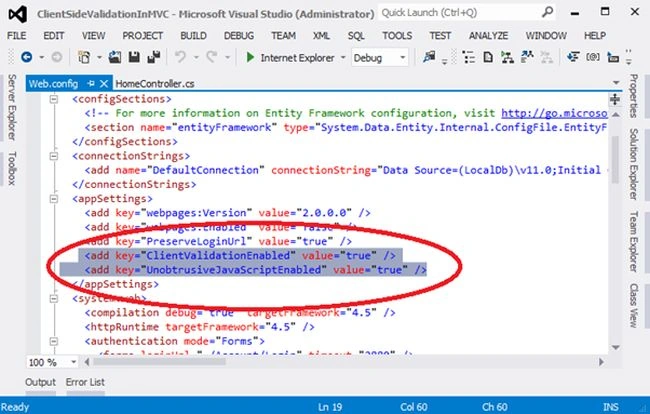
Image 3
3. Now go to Model -> Add New Item -> Add New Class with the name Employee and do the following coding. Here we need to add using System.ComponentModel.DataAnnotations.
Namespace
- using System;
- using System.Collections.Generic;
- using System.Linq;
- using System.Web;
- using System.ComponentModel.DataAnnotations;
- namespace ClientSideValidationInMVC.Models
- {
- public class Employee
- {
- [Required (ErrorMessage="Name is Required")]
- public string Name { get; set; }
- [Required(ErrorMessage = "Email is Required")]
- [RegularExpression(@"^([a-zA-Z0-9_\-\.]+)@((\[[0-9]{1,3}" +
- @"\.[0-9]{1,3}\.[0-9]{1,3}\.)|(([a-zA-Z0-9\-]+\" +
- @".)+))([a-zA-Z]{2,4}|[0-9]{1,3})(\]?)$",
- ErrorMessage = "Email is not valid")]
- public string Email { get; set; }
- [Required(ErrorMessage = "Password is Required")]
- public string Password { get; set; }
- }
- }
- using System;
- using System.Collections.Generic;
- using System.Linq;
- using System.Web;
- using System.Web.Mvc;
- using ClientSideValidationInMVC.Models;
- namespace ClientSideValidationInMVC.Controllers
- {
- public class EmployeeRegFormController : Controller
- {
- //
- // GET: /EmployeeRegForm/
- public ActionResult Index()
- {
- return View();
- }
- [AcceptVerbs(HttpVerbs.Post)]
- public ActionResult Index(Employee model)
- {
- if (ModelState.IsValid)
- {
- ViewBag.Name = model.Name;
- ViewBag.Email = model.Email;
- ViewBag.Password = model.Password;
- }
- return View(model);
- }
- }
- }
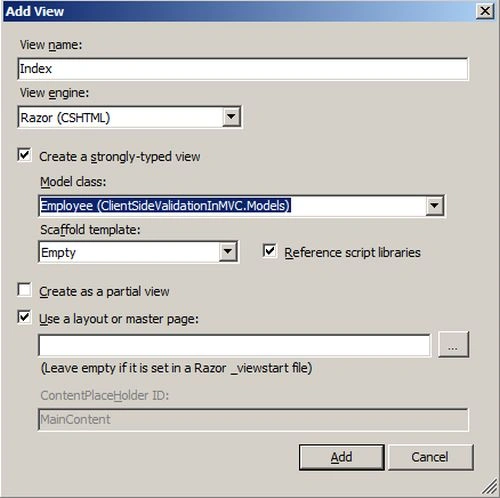
Image 4
6. Open the view (Index.cshtml).
- @model ClientSideValidationInMVC.Models.Employee
- @{
- ViewBag.Title = "Employee Registration Form";
- }
- @if (ViewData.ModelState.IsValid)
- {
- if (@ViewBag.Name != null)
- {
- <b><span style="font-family: Verdana; font-size: 10pt;">Name : @ViewBag.Name<br />
- Email : @ViewBag.Email<br />
- </span>
- </b>
- }
- }
- <br />
- <br />
- @using (Html.BeginForm())
- {
- @Html.ValidationSummary(true)
- <fieldset>
- <legend>Employee</legend>
- <div class="editor-label">
- @Html.LabelFor(model => model.Name)
- </div>
- <div class="editor-field">
- @Html.EditorFor(model => model.Name)
- @Html.ValidationMessageFor(model => model.Name)
- </div>
- <div class="editor-label">
- @Html.LabelFor(model => model.Email)
- </div>
- <div class="editor-field">
- @Html.EditorFor(model => model.Email)
- @Html.ValidationMessageFor(model => model.Email)
- </div>
- <div class="editor-label">
- @Html.LabelFor(model => model.Password)
- </div>
- <div class="editor-field">
- @Html.PasswordFor(model => model.Password)
- @Html.ValidationMessageFor(model => model.Password)
- </div>
- <p>
- <input type="submit" value="Register" />
- </p>
- </fieldset>
- }
- @section Scripts {
- @Scripts.Render("~/bundles/jqueryval")
- }
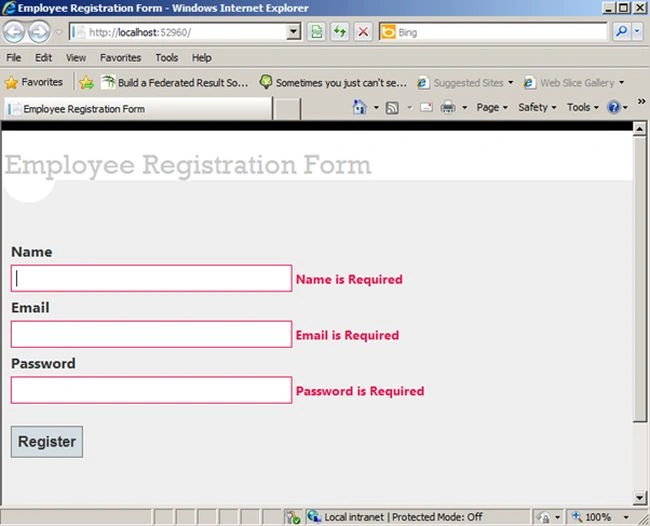
Image 5
8. Type Name, Email and Password.
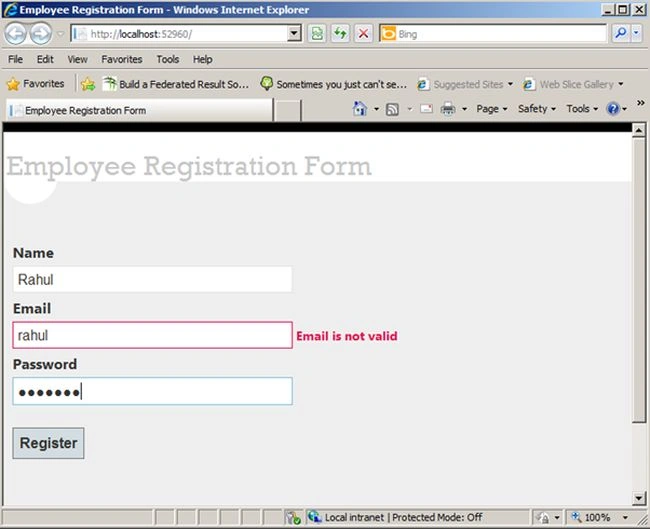
Image 6
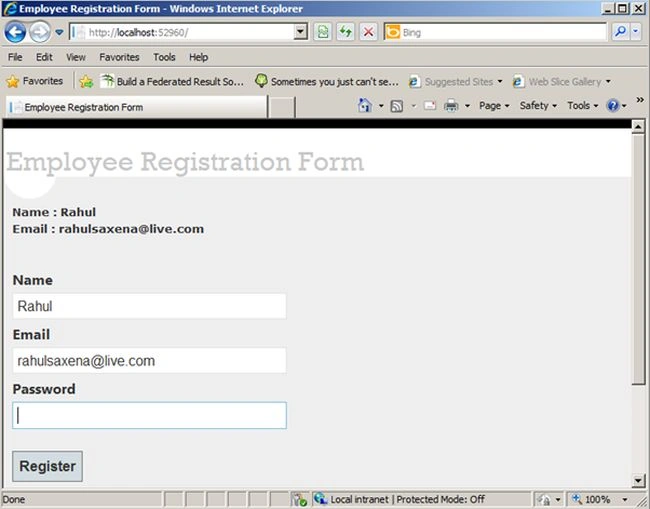
Image 7
Rahul Kumar SaxenaPosted Feb 27, 2015, 11:50 PM
Thanks Sandeep...
Rahul Kumar SaxenaPosted Feb 26, 2015, 12:57 PM
Thanks..
sandeep kumarPosted Nov 21, 2014, 12:14 AM
hi...its nice but in my application post back occurring after validation..how to stop that.