

Configuring a node in Intellij IDEA is a very easy process, the following steps will help you to configure a node in the Intellij IDEA.
Step 1: Install node plugins in Intellij IDEA
Click the "File" menu and open the "Settings" box and select the "Plugins" option as in the following:
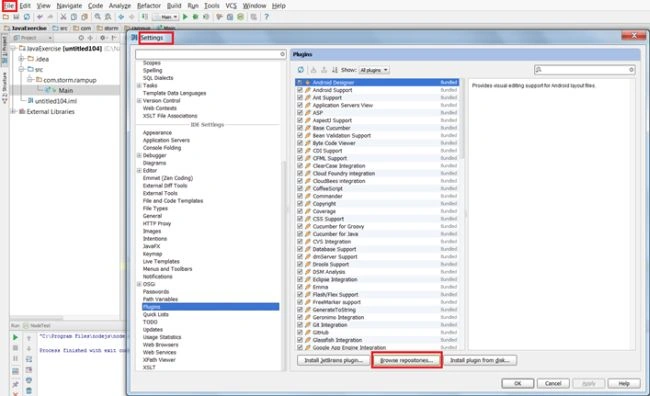
Click on the "Browser repository..." button and use the following image:
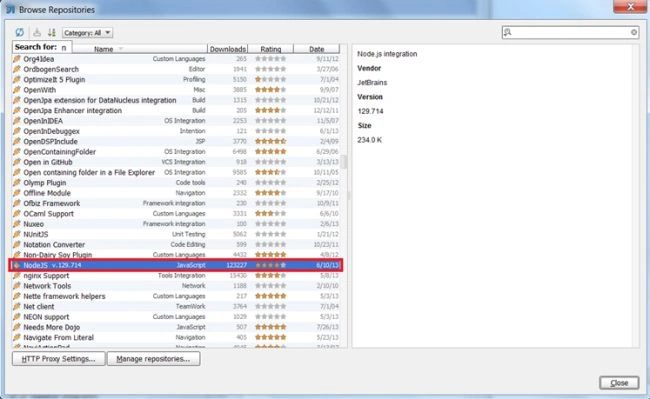
Download and install Node JS by double-clickiing on the Node JS row. If you are unable to download the NodeJS plugin then please set the proxy server setting and try again. Intellij IDE will restart once the Node JS plugin is installed successfully.
Step 2: Attach node (core) library in any Java Project
- Create a new project in inellij (I am using a web module as an example).
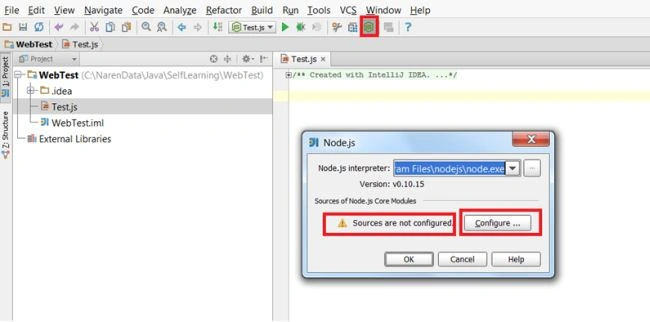
- Click on the Node JS icon. Once you hit the JS icon it will popup a small window that will show "Source are not configured". Click on the configure button in order to download all nodejs core modules. Look at the following image:
- Intellij will automatically redirect you to the source URL of nodejs modules. Check all details and check "Associate with project" and click again the "Configure" button.
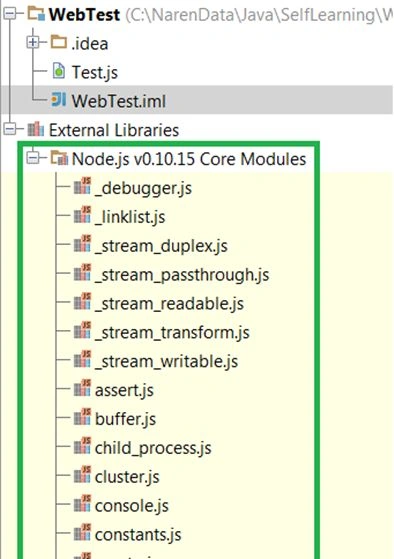
Note: If you uncheck the "Associate with project" option then the node source code is configured in intellij but not added to your current project. If you want to add it manually then see the last step.
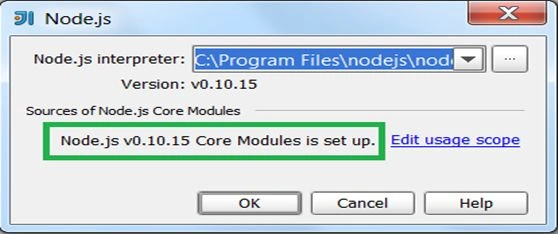
Downloading take few minute to download all modules. Once it finish you will see that "Core modules is set up".
- Verify attached source modules
Join the conversation! Your thoughts help the community grow.