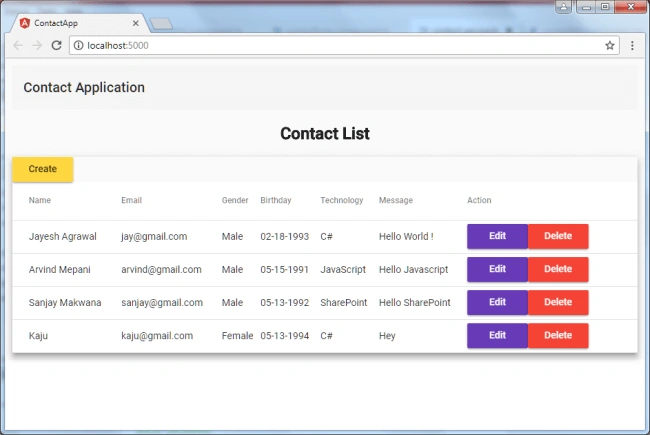
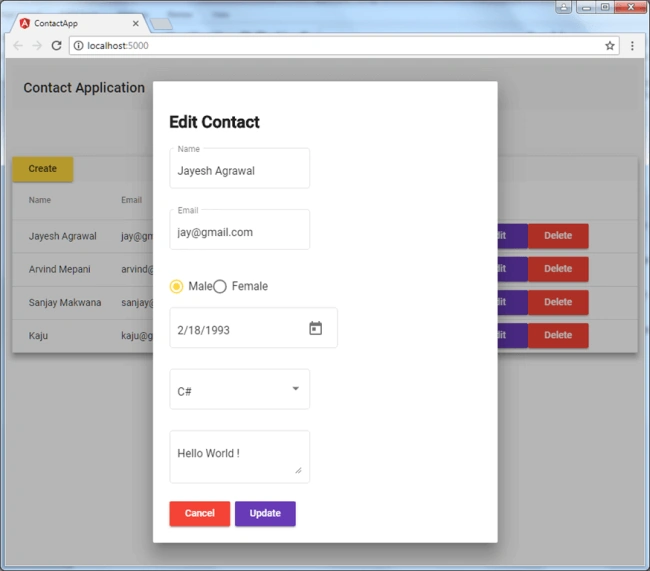
We will develop a contact application using ASP.NET Core Web API, Angular 6.0, and Angular Material UI as shown in the below screenshots.
We will use Visual Studio code (VS code) for the development editor.
I have divided contact application development into two articles,
So, starting with this article, first, we will see how we can create ASP.Net Core Web API Project.
We have the following prerequisites,
- Visual Studio Code (VS code) editor
Please see this article to see how we can setup Visual Studio code.
- .Net Core
I have used .Net Core version 2.0.3 for this contact application. Please see this link from where we can download .Net Core SDK.
When .Net Core SDK is installed, we can check version from the console as shown in the screenshot:
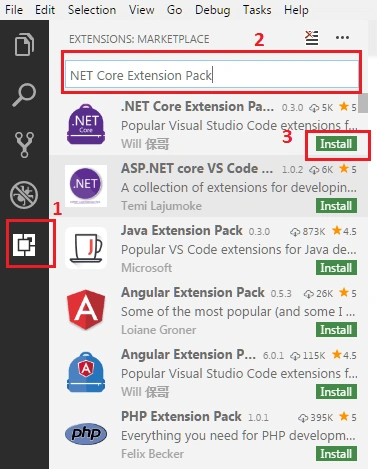
After this, we require VS code extensions that adds languages, debuggers, and tools to support our development workflow. Please see this article to see how we can manage extension in VS code.
We have added these extensions in VS code,
Now, we are ready for setup ASP.Net Core Web API project.
- Open Command Prompt and enter the following commands,
- mkdir contact-app
- cd contact-app
- dotnet new webapi
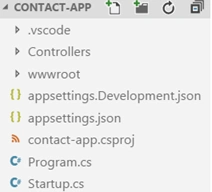
- Web API project has been created in the contact-app folder. Then go to the VS code, and open contact-app folder.
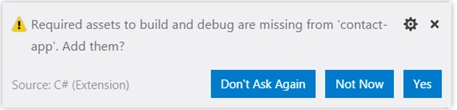
- We can see one notification in the VS code's right end corner.
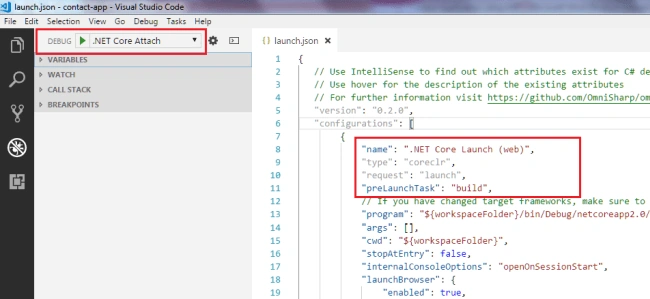
- Build and debugger tool has been set up in VS Code.
Here now we are going to create the following API for the contact application,
| API | Description | Request body | Response body |
| GET /api/contact/getAllContact | Get all contacts | None | Array of to-do items |
| GET /api/contact/getContact | Get contact Item | Contact Item | Contact Item |
| POST /api/contact/addContact | Add a new contact | Contact Item | Contact Item |
| PUT /api/contact/updateContact{id} | Update an existing contact item | Contact item | None |
| DELETE /api/contact/deleteContact{id} | Delete an contact item | None | None |
Create contact model
In this, we are creating a contact class that has getter-setter property as shown in snippet,
- public class Contact {
- public long ? id {
- get;
- set;
- }
- public string name {
- get;
- set;
- }
- public string email {
- get;
- set;
- }
- public byte gender {
- get;
- set;
- }
- public DateTime ? birth {
- get;
- set;
- }
- public string techno {
- get;
- set;
- }
- public string message {
- get;
- set;
- }
- }
Create the database context for contact model
Here we are using a code-first approach to develop the contact application. So we have created ‘ContactAppContext’ class to communicate contact model to contact table.
- public class ContactAppContext: DbContext {
- public ContactAppContext(DbContextOptions < ContactAppContext > options): base(options) {}
- public DbSet < Contact > Contact {
- get;
- set;
- }
- }
Register database context in startup:
To register database context we have followed these steps:
- Go to ‘startup.cs ‘ and update this code for SQL server connection in ‘ConfigureServices’ method,
- services.AddDbContext<ContactAppContext>(options =>
- options.UseSqlServer(Configuration.GetConnectionString("ContactDb")));
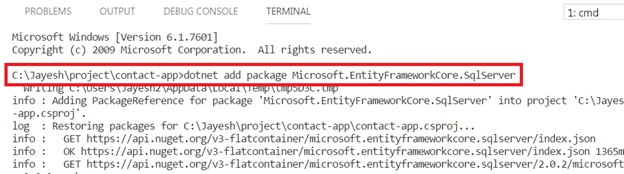
Then added ‘Microsoft.EntityFrameworkCore.SqlServer’ Package in this project to support SQL server connection.
Here we need to configure connection string in appsettings.json file as shown in the snippet.
- "ConnectionStrings": {
- "ContactDb": "Data Source=JAYESH-PC\\SQLEXPRESS;Initial Catalog=ContactDb;Integrated Security=True"
- }
Initiate Database Migration
To create Initial migration script as per model, we enter ‘dotnet ef migrations add InitialCreate’ command in VS code terminal and we get this issue:
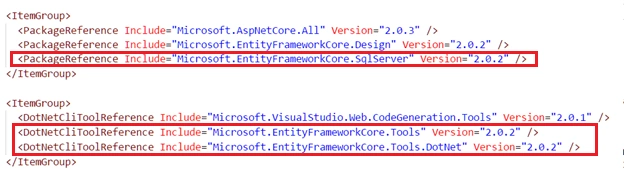
To solve the issue we have to add this .Net Core CLI tool package in ‘contact-app.csproj’ file and then enter ‘dotnet restore’ in VS code terminal to restore these packages to create initial migration script:
- Microsoft.EntityFrameworkCore.Tools
- Microsoft.EntityFrameworkCore.Tools.DotNet
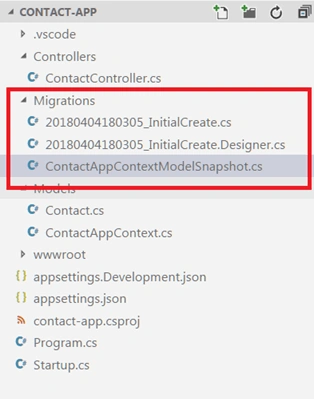
Now we enter ‘dotnet of migrations add InitialCreate’ in VS code terminal and we can see that it will create migration folder and script ‘InitialCreate’ in the project as shown in the screenshot:
Now update the database by entering ‘dotnet of database update’ command in VS code terminal and it will create a database in SQL server:
Please see this article regarding .Net Core Migration.
Create contact API controller
After the database is ready, we have created API controller for CRUD operations as in the below snippet:
-
- [Route("api/[controller]")]
- public class ContactController: Controller {
- private readonly ContactAppContext _context;
-
- public ContactController(ContactAppContext context) {
- _context = context;
- }
- [HttpGet]
- [Route("getAllContact")]
- public IEnumerable < Contact > GetAll() {
-
- return _context.Contact.ToList();
- }
- [HttpGet("{id}")]
- [Route("getContact")]
- public IActionResult GetById(long id) {
-
- var item = _context.Contact.FirstOrDefault(t => t.id == id);
- if (item == null) {
- return NotFound();
- }
- return new ObjectResult(item);
- }
- [HttpPost]
- [Route("addContact")]
- public IActionResult Create([FromBody] Contact item) {
-
- if (item == null) {
- return BadRequest();
- }
- _context.Contact.Add(new Contact {
- name = item.name,
- email = item.email,
- gender = item.gender,
- birth = item.birth,
- techno = item.techno,
- message = item.message
- });
- _context.SaveChanges();
- return Ok(new {
- message = "Contact is added successfully."
- });
- }
- [HttpPut("{id}")]
- [Route("updateContact")]
- public IActionResult Update(long id, [FromBody] Contact item) {
-
- if (item == null || id == 0) {
- return BadRequest();
- }
- var contact = _context.Contact.FirstOrDefault(t => t.id == id);
- if (contact == null) {
- return NotFound();
- }
- contact.name = item.name;
- contact.email = item.email;
- contact.gender = item.gender;
- contact.birth = item.birth;
- contact.techno = item.techno;
- contact.message = item.message;
- _context.Contact.Update(contact);
- _context.SaveChanges();
- return Ok(new {
- message = "Contact is updated successfully."
- });
- }
- [HttpDelete("{id}")]
- [Route("deleteContact")]
- public IActionResult Delete(long id) {
- var contact = _context.Contact.FirstOrDefault(t => t.id == id);
- if (contact == null) {
- return NotFound();
- }
- _context.Contact.Remove(contact);
- _context.SaveChanges();
- return Ok(new {
- message = "Contact is deleted successfully."
- });
- }
- }
- }
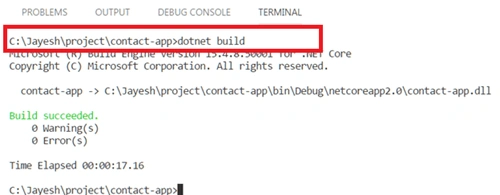
Build and run contact application projectTo build contact application project we have entered ‘dotnet build’ command VS code terminal,
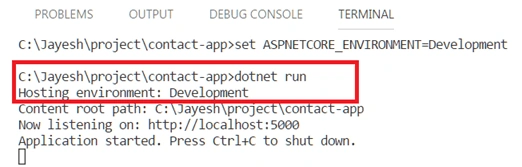
Setup development variable and URL for project in terminal:
- set ASPNETCORE_ENVIRONMENT=Development
- set ASPNETCORE_URLS=http://localhost:5000
Then, to run project we have to enter ‘dotnet run’,
Please see this article for more information regarding .Net Core 2x commands.
Test API
To test API we have installed ChromeRestClient.
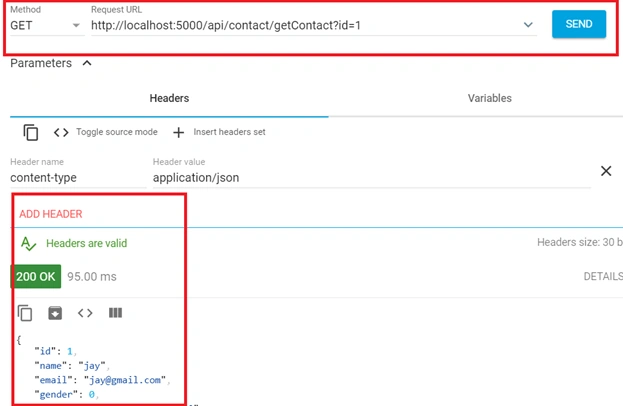
Then we have to open Rest Client, to get contact item by id we set HTTP parameter to get and request URL as shown in the below screenshot:
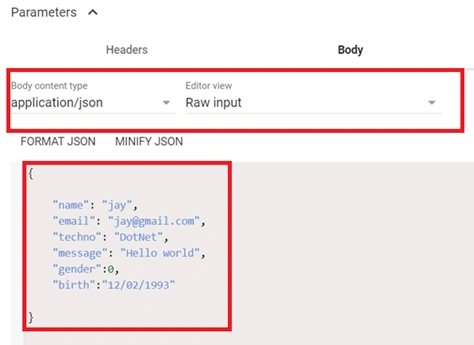
For adding contact item, we have set the body to contact JSON object:
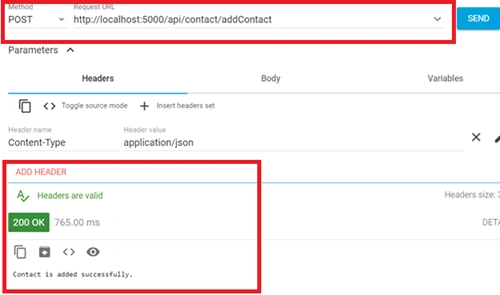
Then, we request add contact URL and set HTTP parameter to post.
Conclusion
In this article, we learned about how we can develop ASP.Net Core Web API using VS code.
In the next article, we will learn about how we can set up Angular 6 in Web API Project and develop the contact list & contact form component using Angular Material UI. Please see this link of the Part-2 article.
Please see entire code in this GitHub link.
Please share your feedback.





Chittaranjan SwainPosted Aug 4, 2019, 10:16 PM
Nice article.
Rangita RPosted Aug 29, 2018, 11:26 AM
Hello, I'm getting 404 error while testing the api.
Alfred KutengulePosted Aug 1, 2018, 3:17 AM
Hi Jayesh, I am getting the following error in my controlller: "'DataContext' does not contain a definition for 'Customer' and no extension method 'Customer' accepting a first argument of type 'DataContext' could be found (are you missing a using directive or an assembly reference?) [KhaasLogisticsBMS]"
Tridip BhattacharjeePosted Jun 18, 2018, 3:39 AM
Can we open visual studio code project with visual studio IDE version 2013 or 2015 or 2017 ?
Angel CaballeroPosted Jun 5, 2018, 7:11 PM
Sorry, i dont get it, i downloaded the project and change the connection string to my private sql server empty database... since this is model first it should generate the tables right? But im getting this errors:
Tridip BhattacharjeePosted May 17, 2018, 4:48 AM
How to setup angular 6 with Visual Studio 2017 for a asp.net core project?