

So our agenda for the discussion is:
- What are the Content Types
- Problem with Content Types in MOSS 2007
- Content Type Hub in SharePoint 2010
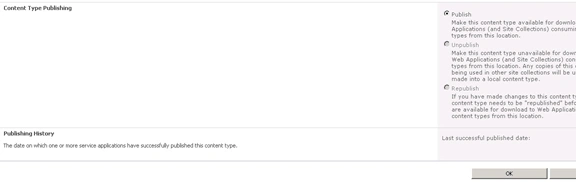
- How to publish content types on Content Type hub
- How to expose published content types for the web applications (How to subscribe the published content types)
What are the Content Types?
- Content Types are very important and powerful features in SharePoint.
- A Content type is a group of site columns (or metadata), workflows and other settings for the item in the list or document in document library or for SharePoint page.
- Content types are reusable component, they are not specific to any list or library or page layout.
- Content Type represents group of information with common properties. For example, you are maintaining the list of the employees for your company, but there are different details for the employees who are onsite. So here you can create two different content types; one for onsite employees and another for local employees. You can associate these content types with the Employee list. So whenever you enter the details for an onsite employee you will create the list item from onsite content type. Also by going one more step ahead we can create base content type with common fields (site columns) and derive two content types from base content type.
Some More Details:
- We can create content types in SharePoint by the following 3 ways:
a. From UI
b. Using CAML (Collaborative Application Markup Language)
c. Using SharePoint Object Model (i.e. Programmatically)
- We can associate one content types to multiple lists and libraries
- SharePoint comes with several OOB content types.
- Content types are always inherited; content types are never created from scratch. So an existing content type is always selected as a base content type for creating a new content type. So we automatically get all the columns from the base content type for the new one.
- Content Types are stored in the SharePoint database. Databases are created for the web application. We can view all the content types from content type gallery (Site Action >> Site Settings >>Galleries>>Site Content Types). Content Type gallery is the document library.
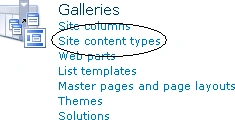
Figure. Content Type Gallery option
Problem with Content Types in MOSS
- Now suppose I have created a few content types for my site collection in WebApplication1. And now I want to use some of the content types created in webApplication1 for WebApplication2. But I don't have such an option to share the content types in multiple web applications. I need to copy and paste all the content types with code and separately deployment on the WebApplication2.
- Also then there is no synchronization mechanism between the content types. If I do some modifications in content types for web application1 then I need to do these changes also content types available for web application2.

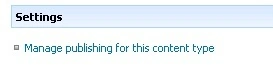
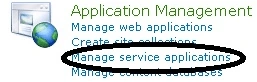


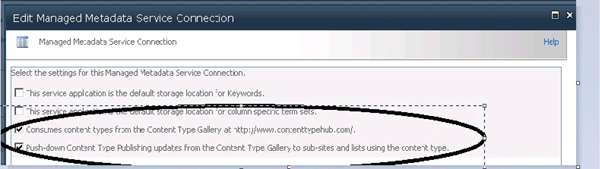
Sr KarthigaPosted Apr 3, 2016, 12:01 AM
good one
Sr KarthigaPosted Apr 3, 2016, 12:00 AM
nice explanation
Ulhas MorbalePosted Jan 3, 2014, 7:42 AM
Great one.
Kiran Kumar TalikotiPosted Dec 2, 2013, 5:16 AM
Thanks Yar..