

Introduction
This article provides an overview of the Controller in MVC. As you know, MVC stands for Model , View and Controller; so, Controller plays a very important role in MVC. We'll learn the controller actions and action results in here and how the controllers are used to interact with the MVC applications.
Overview
The controller in MVC is responsible for responding the request made against the ASP.NET MVC Web Application. Each browser request is mapped to a specific controller that is defined in the MVC application.
Suppose you are entering the following URL in the browser:
http://localhost:1234/Sample
It means that the Controller is called SampleController. The browser is making a request to the controller so now the SampleController is responsible for providing the response to the browser. It might be possible that the controller returns a specific view back to the browser or the controller might redirect the user to another controller.
Getting Started
Let us create a Controller in a MVC application. To create a controller you must have the MVC application so at first we'll create the MVC application and then controller. Just follow the procedure below.
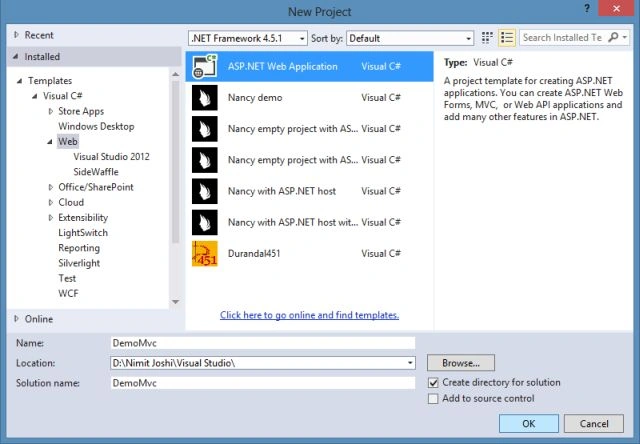
Step 1: Create an ASP.NET Web Application and enter the name as in the following:
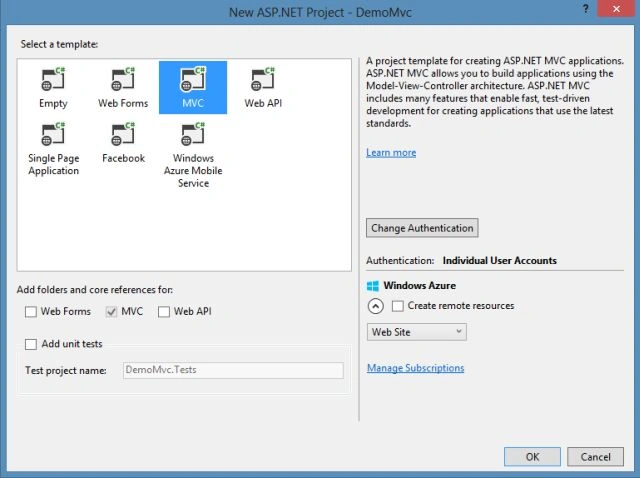
Step 2: Select MVC Project Template in the One ASP.NET Wizard.
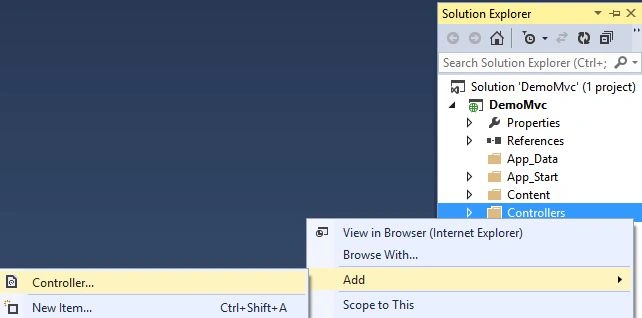
Step 3: In the Solution Explorer, right-click on the Controllers folder then click on "Add" -> "Controller...".
Step 4: Now select the MVC Empty Controller.
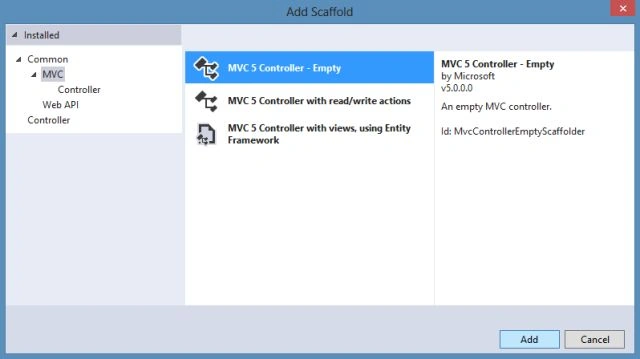
And enter the name as Sample as in the following:
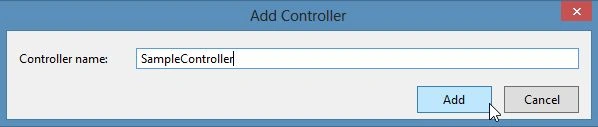
After entering the controller name, using scaffolding there is a folder named Sample (the same name as the newly added controller) will be added automatically in the Views folder. Have a look:

Step 5: You can see the newly added controller has code as in the following:
- using System;
- using System.Collections.Generic;
- using System.Linq;
- using System.Web;
- using System.Web.Mvc;
- namespace DemoMvc.Controllers
- {
- public class SampleController : Controller
- {
- // GET: Sample
- public ActionResult Index()
- {
- return View();
- }
- }
- }
In the code above, you can see that the controller is created in the form of a class so you can say that it is just a class that is derived from the Controller class. This class inherits the Controller class (base class). In the next section, we'll understand the actions.
Overview of Actions in Controller
The actions are disclosed by the controller. An action is a method on a controller that is called when you enter a specific URL in the browser. Suppose you enter the following URL in the browser:
http://localhost:1234/Sample/Index
The Index() method is called through the preceding URL. This Index() method is stored in the SampleController. It is necessary that the access modifier of the action method must be public. This action method of any controller cannot be overloaded further and also cannot be a static method.
Overview of Action Results
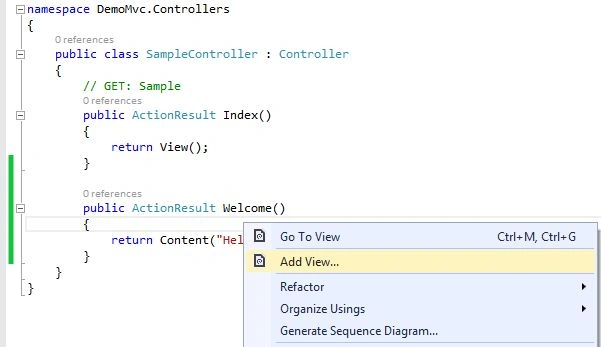
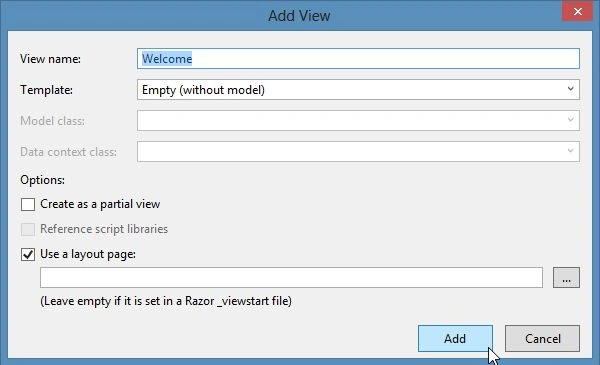
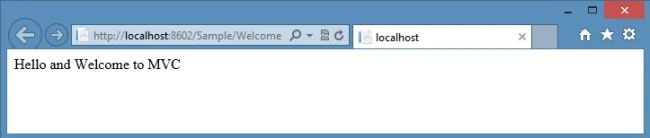
Munesh SharmaPosted May 28, 2016, 4:40 AM
nce