

The ControlTemplate contains the tree of elements that define the desired look. After you define a ControlTemplate you can attach it to any Control or Page by setting it's TemplateProperty.
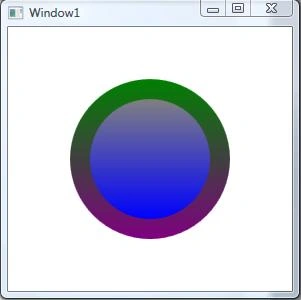
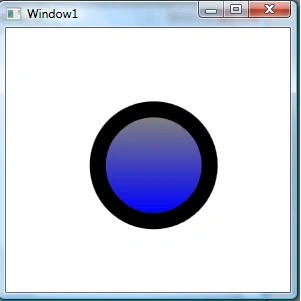
In this example I am also showing you how to use Triggers with ControlTemplate. I am using Triggers on ButtonClick and MouseOver.
<Window x:Class="WpfApplication4.Window1"
xmlns="http://schemas.microsoft.com/winfx/2006/xaml/presentation"
xmlns:x="http://schemas.microsoft.com/winfx/2006/xaml"
Title="Window1" Height="300" Width="300">
<Grid>
<Grid.Resources>
<ControlTemplate x:Key="buttonTemplate">
<Grid>
<Ellipse Width="160" Height="160" x:Name="outerCircle">
<Ellipse.Fill>
<LinearGradientBrush StartPoint="0,0" EndPoint="0,1">
<GradientStop Offset="0" Color="Green"></GradientStop>
<GradientStop Offset="1" Color="Purple"></GradientStop>
</LinearGradientBrush>
</Ellipse.Fill>
</Ellipse>
<Ellipse Width="120" Height="120">
<Ellipse.Fill>
<LinearGradientBrush StartPoint="0,0" EndPoint="0,1">
<GradientStop Offset="0" Color="Gray"></GradientStop>

Join the conversation! Your thoughts help the community grow.