

Working with dates in PySpark can feel deceptively simple — until you realize your “dates” are actually strings pretending to be dates. This happens all the time when ingesting CSVs, reading from APIs, or converting pandas DataFrames into Spark DataFrames.
If you’ve ever run printSchema() and seen something like:
|-- OrderDate: string (nullable = true)…you already know the pain. Sorting breaks. Filtering becomes unreliable. And any downstream transformations that expect a real date type start throwing errors.
The good news? Converting string dates into proper date or timestamp types in PySpark is straightforward once you know the right functions.
Let’s walk through it in a clean, human way
Why PySpark Treats Dates as Strings
PySpark doesn’t guess. When you create a DataFrame from a pandas DataFrame:
spark_df = spark.createDataFrame(sales_df)Spark plays it safe and imports everything as strings unless it can confidently infer the type. Dates rarely pass that test, especially when formats vary.
That’s why explicit conversion is essential.
The Tools: to_date() and to_timestamp()
PySpark gives you two reliable functions:
to_date()→ converts a string into adateto_timestamp()→ converts a string into atimestamp(date + time)
Both allow you to specify the exact format of your incoming string — and that’s the key to getting clean, predictable results.
Convert String Date to Date Column
If the screenshot below, I displayed the content of spark dataFrame with several columns. The OrderDate column is returned as a string which is not a proper data type. The goal is to convert it to proper data column
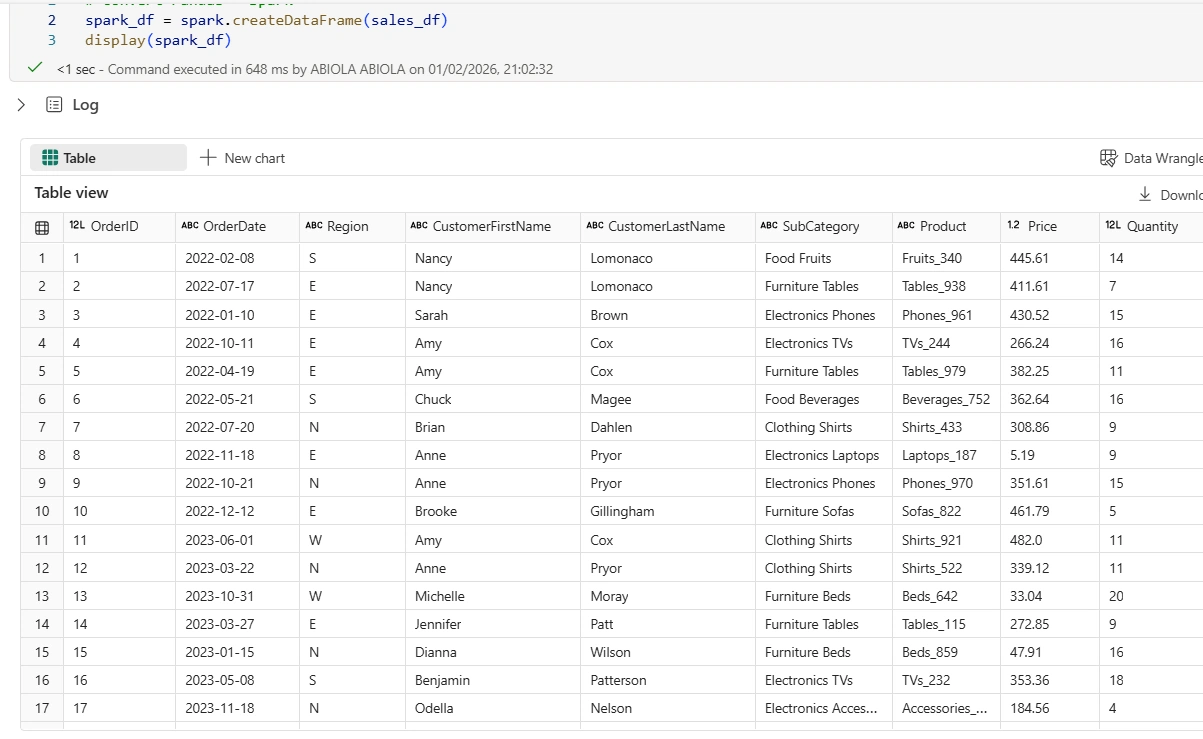
To convert it to proper data type, I issued the pyspark transformation code below:
from pyspark.sql.functions import to_date

spark_dfnew = spark_df.withColumn(
    "OrderDate",
    to_date("OrderDate", "yyyy-MM-dd")
)
display(spark_dfnew)
From the result of the spark_dfnew as seen below, the OrderDate column is now returned as a proper date column
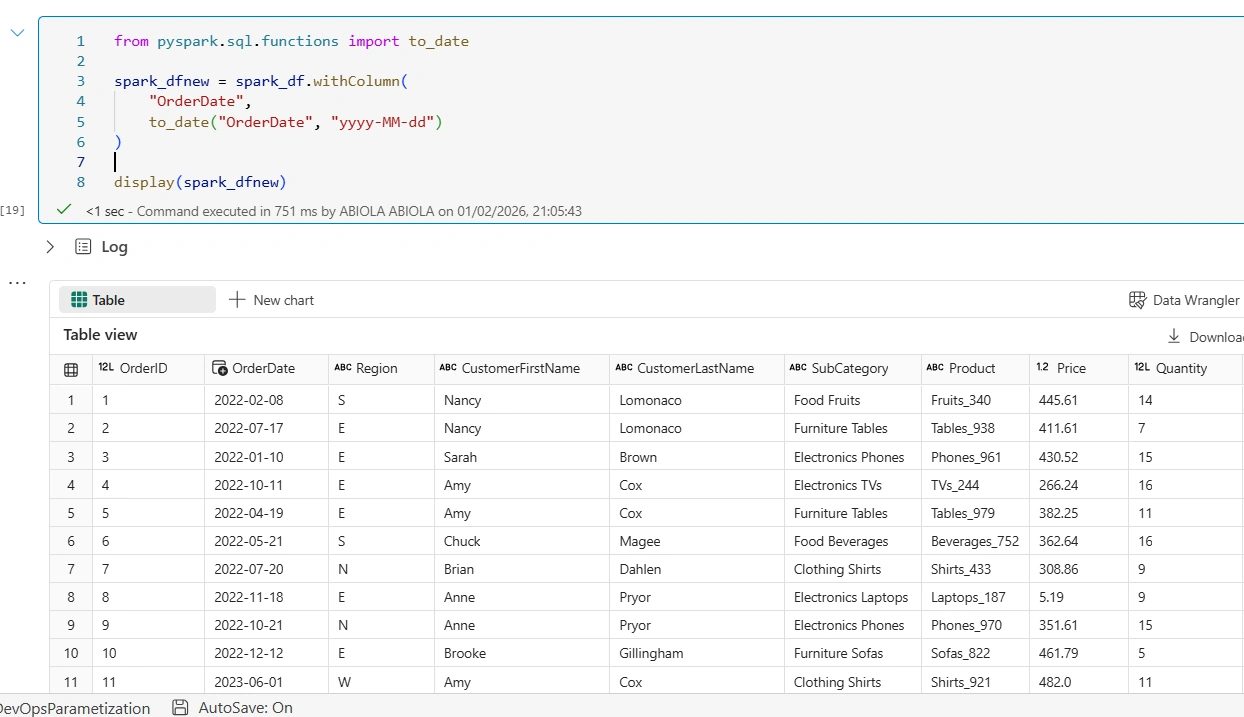
In conclusion, cleaning date columns is one of those small but essential steps that separates brittle pipelines from reliable ones. Once your dates are in proper Spark types, everything downstream becomes easier — filtering, grouping, windowing, and even joining.
If you’re working in Microsoft Fabric, Databricks, or any PySpark environment, making this conversion early in your pipeline is a best practice worth adopting.
Join the conversation! Your thoughts help the community grow.