

In this article, we will discuss the concept of Azure Static Apps and how to host any Angular App with the help of Azure Static Apps. Azure Static Apps is one of the best web app services provided by Azure which helps us to deploy any type of application in the Azure platform. Azure Static Apps is more useful due to the streamlined process from the source code to the deployment with the high availability. Azure Static Web app service is also very useful because it maintains the entire CI/CD process on its own and we do not require to do anything manually. Whenever we move the code changes in the linked GIT repository, the deployment pipeline automatically started, and once the build is successful, the application is updated in the cloud environment.
What is Azure Static App?
Azure Static Web Apps is one of the important services provided by the Azure platform which solves many problems for developers and companies to develop source code and deploy it so that it can be available globally. By using this, we need to only focus on the development work, and the rest is automatically taken care of by the Azure Static Web Apps related to build and hosting in the cloud environment by using either GitHub or Azure DevOps.
Azure Static Web Apps mainly act as a service that is majorly built with the help of different frameworks and libraries like Angular, React, Vue, or Svelte. Azure Static Apps always contain HTML, JavaScript, CSS, and images or other assets which are primarily required by the application. As per the traditional web server architecture concept, these static files always served from the same server along with the API Endpoints. But in the case of Azure Static Web Apps, these static elements are separated from the traditional web server and it provides from the globally distributed points. So that these files can be accessed by the user in a much faster way. For API Endpoints, it can be hosted by using a serverless architecture and that’s why it does not require the support of the full back-end server anymore.
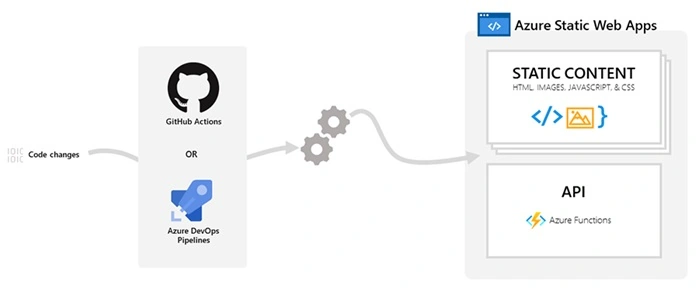
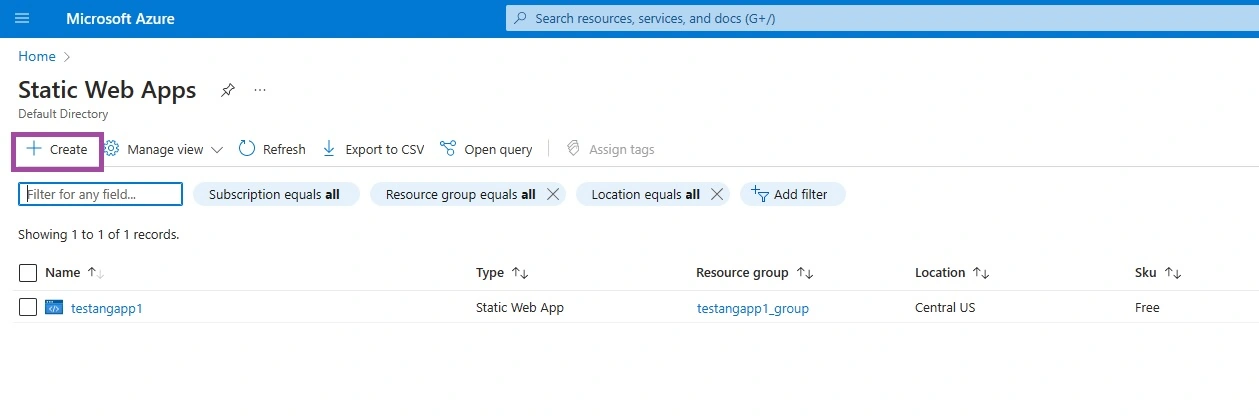
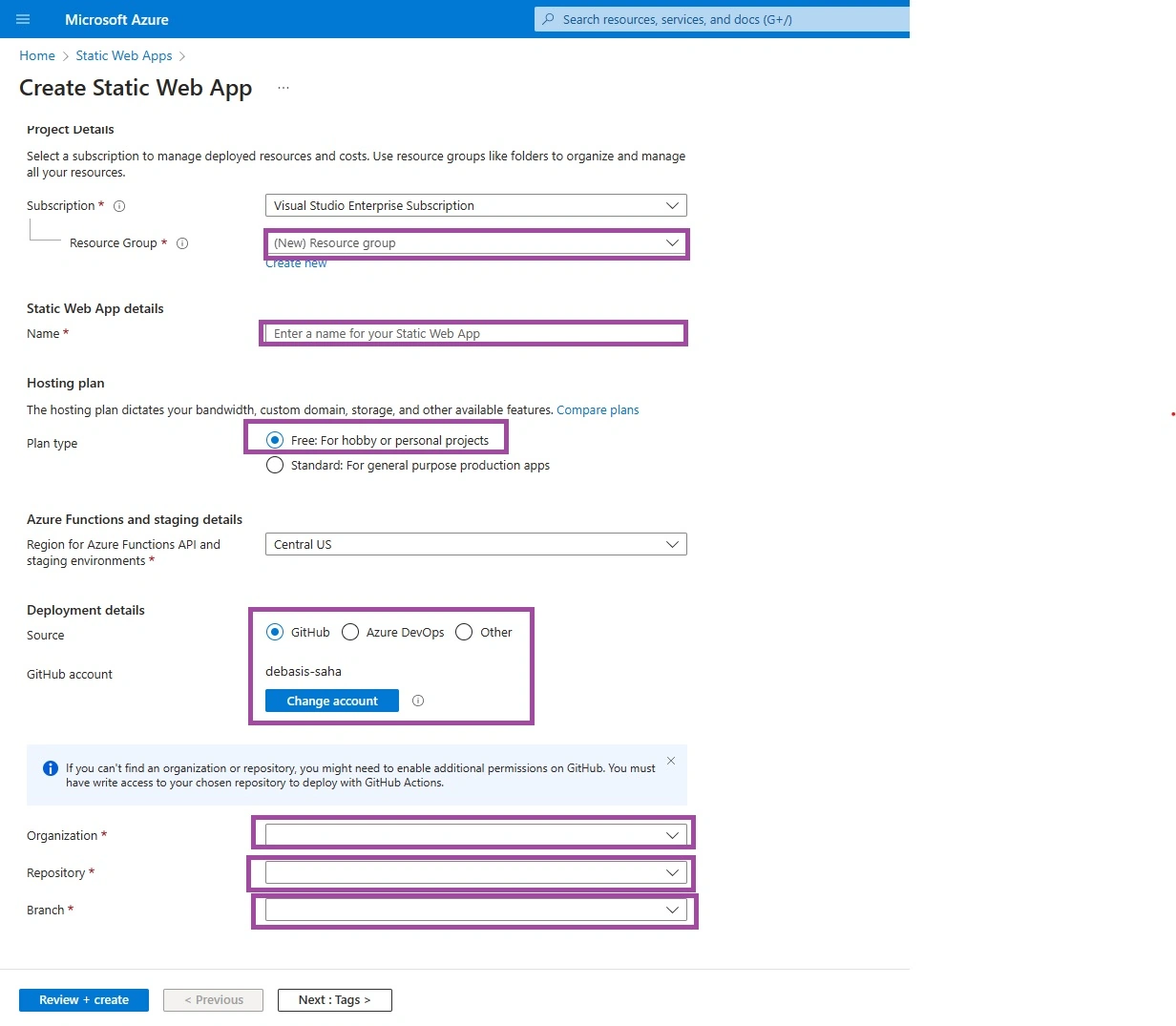
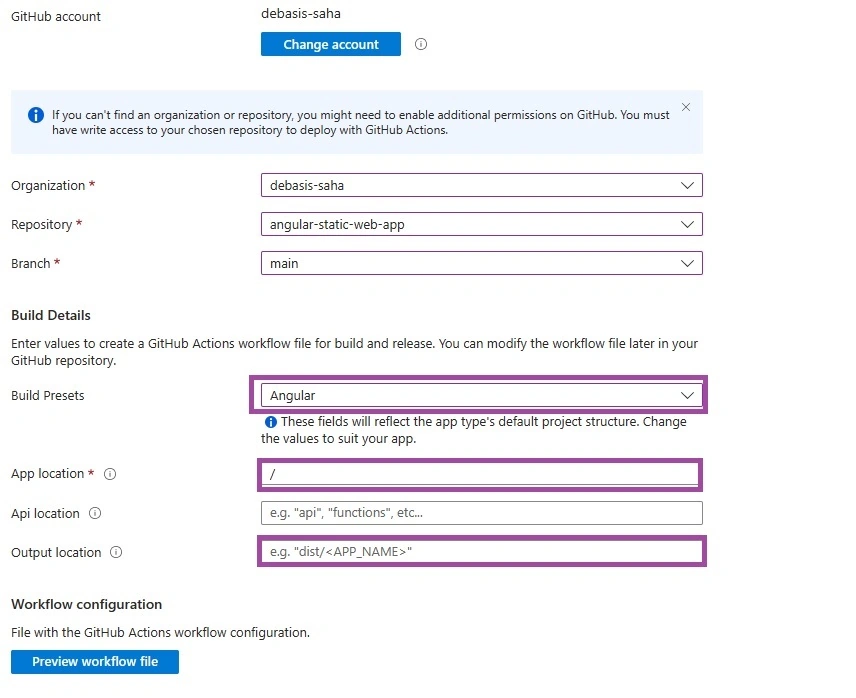
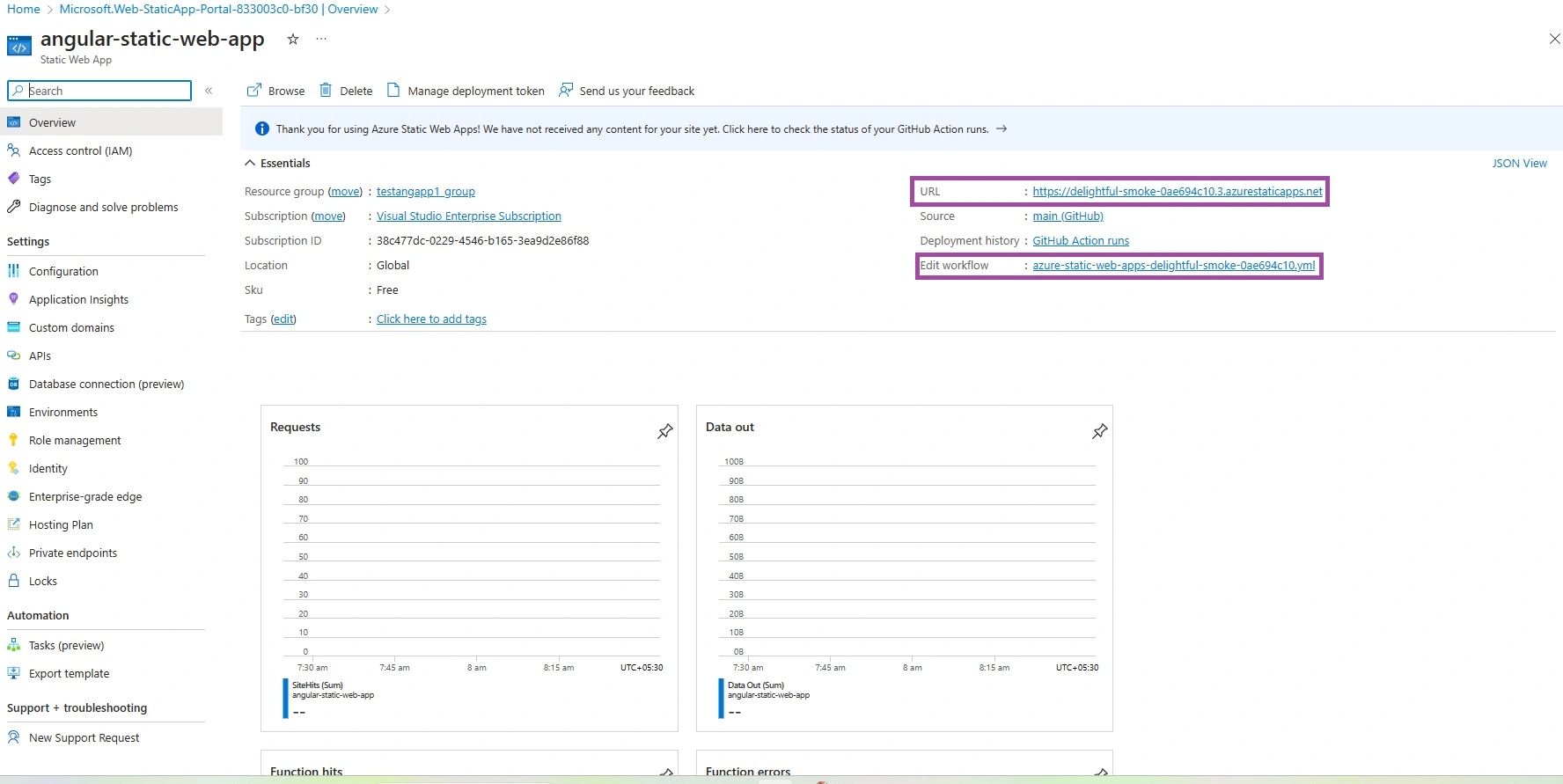
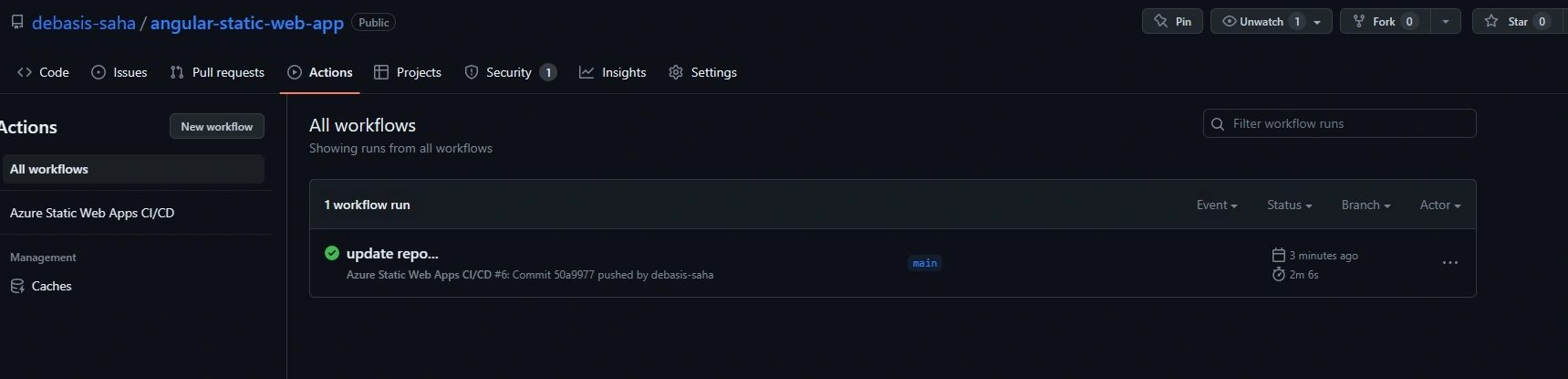
So, we create any Azure Statis App resource in Azure Portal, Azure automatically enables a setup on the basis of GitHub Actions or Azure DevOps workflow against the application source code repository. This workflow always monitors the source branch. Once we push any changes or create any Pull Requests into the mentioned branch, the workflow automatically starts the build pipelines against the application source code and deploys the application in Azure.
Benefits of Azure Statis Apps
Azure Static web apps have some great benefits related to hosting static web applications. Also, it provides some more advantages over the Azure App Service. Some of the most important benefits and features of using Azure Statis Web Apps are –
- It provides a globally distributed web hosting platform that puts static content of the applications like HTML, JavaScript, CSS, Images, etc in a separate server so that users can access it much quicker.
- It provides by default GitHub and Azure DevOps Integration pipeline which automatically triggers the build and deployment process. It makes the entire process much more faster and streamlined.
- During hosting the application, it provides Fee SSL certificates which will be renewed automatically.
- We can define the custom domain URL for the application as per user or customer requirements.
- Also, it provides a Seamless security model with the help of reverse proxy when we try to call APIs and it does not require any CORS configuration for this.
- Also, we can use the Authentication provider integration in Azure Web Static Apps like Azure Active Directory, GitHub, and Twitter.
- Also, one major benefit of Azure Static Web Apps is cost. As it is much cheaper compared to using Azure App Service.
Steps to Create Angular App
Step 1
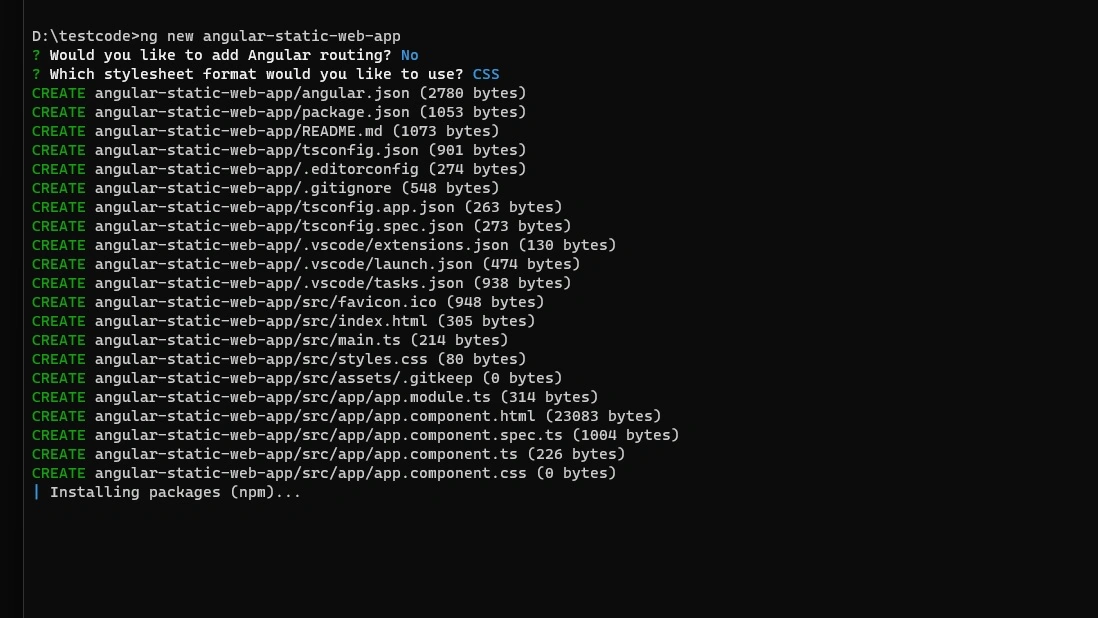
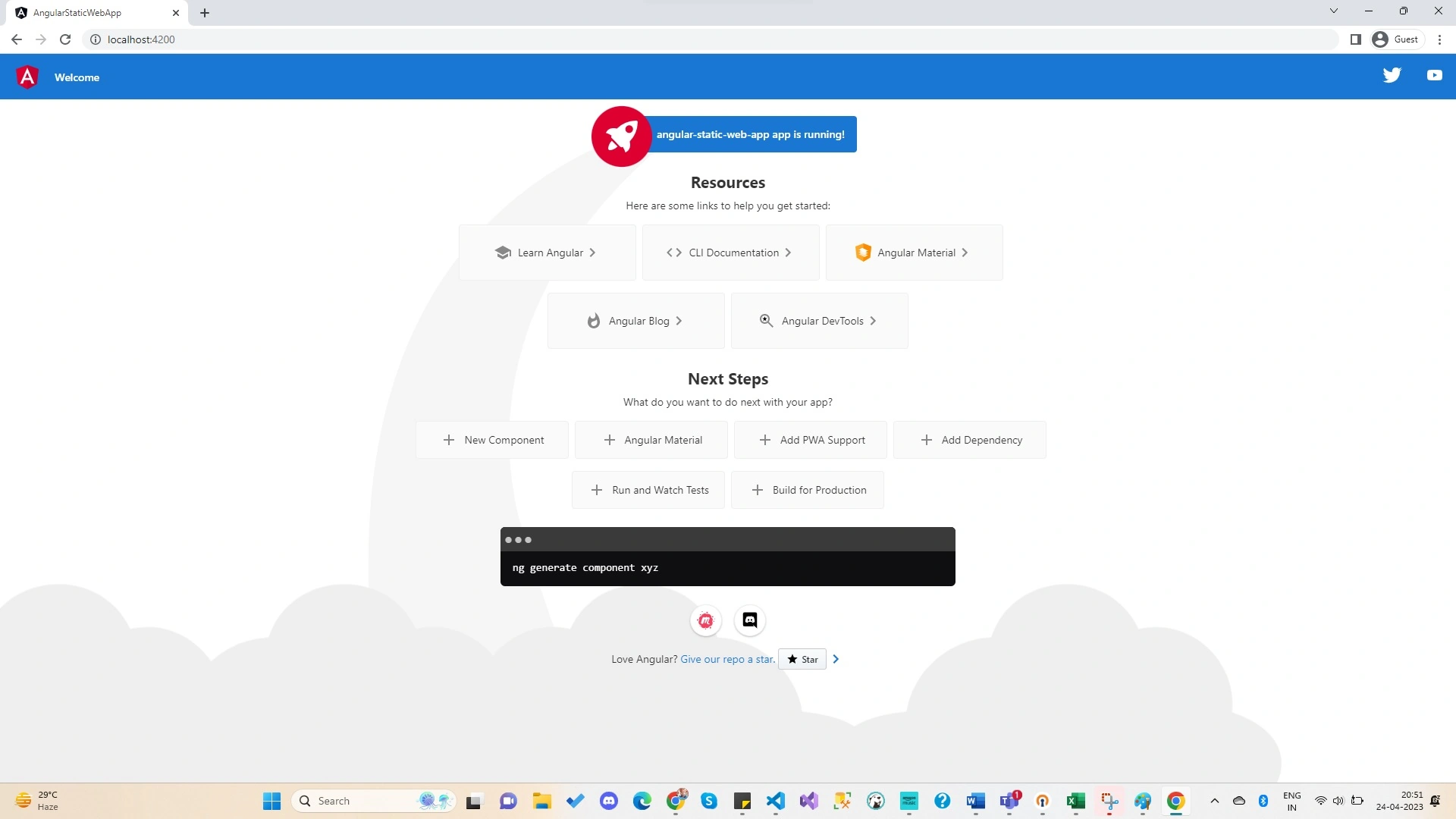
For the demo purpose, first, we need to create the Angular App. For this purpose, we are using the Angular CLI tool to create new Angular Projects. For that purpose, we need to run the below commands in the command editor to create new Angular CLI Projects –
ng new angular-static-web-apps
Step 2

Rajdeep SahaPosted May 10, 2023, 2:11 AM
Thank you for sharing the article...can you please share one article that how we can deploy any Angular Application where we need to consume web API as well.