

Scenario
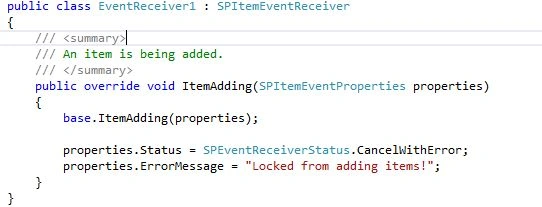
We are using an existing content type of template type Contact. We are adding an event receiver that operates on the Item Add event. For the moment, we are just using the event receiver to block the item from being added with an error message.
Procedure
- Open Visual Studio and create a SharePoint 2013 Farm Solution.
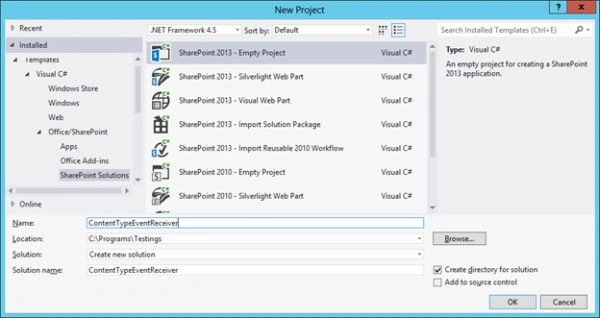
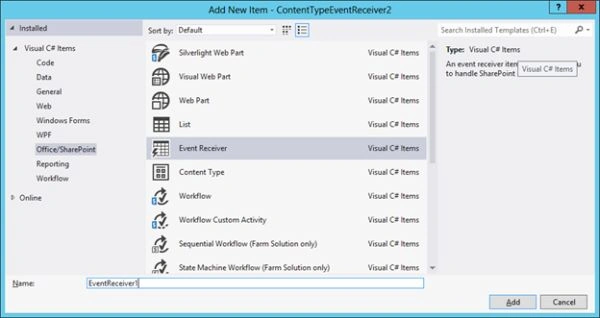
- Add a new Event Receiver as shown below.
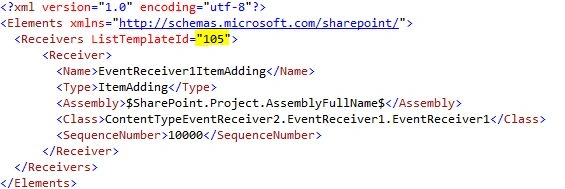
- Open the XML file and choose the template id as 105.
- In the event handler code, use the following statements.
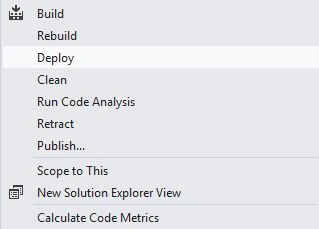
- Now you are ready with the event receiver. Build and deploy the project.
Testing the Event Receiver
- Create a new Contacts list in SharePoint.
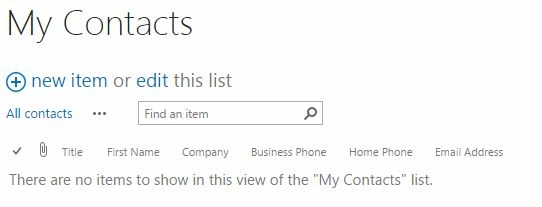
- Try adding a new item and save it. You should get the following error.
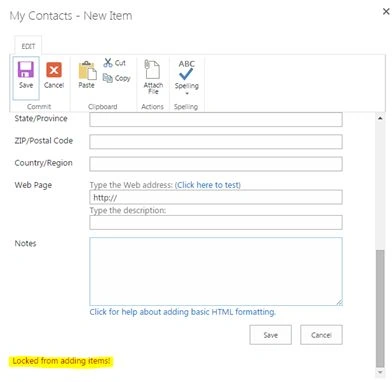
This concludes our simple example of using event receiver against content types. The preceding event receiver will fire for all the Contact content type instances.
You may wish to use advanced property manipulation based on your business scenario.
You can use SharePoint Manager, a free tool for examining events for a content type. The tool is downloadable from: SharePoint Manager 2013.
References
How to: Create an Event Receiver.
Summary
In this article we explored how to create an event receiver for a content type. The source code is attached along with the article.
Join the conversation! Your thoughts help the community grow.