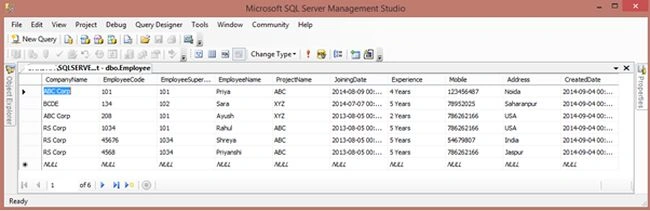
The following is my Employee Table, of which the data I will show as a report in ASP.NET using Crystal Reports.
Image 1.
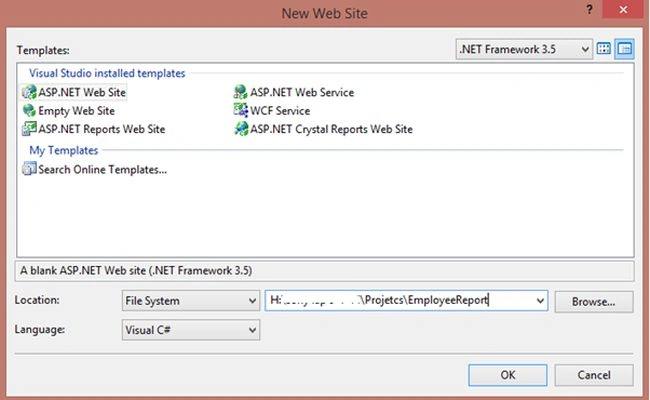
Now open Visual Studio then select File -> New -> Web Site.
Image 2.
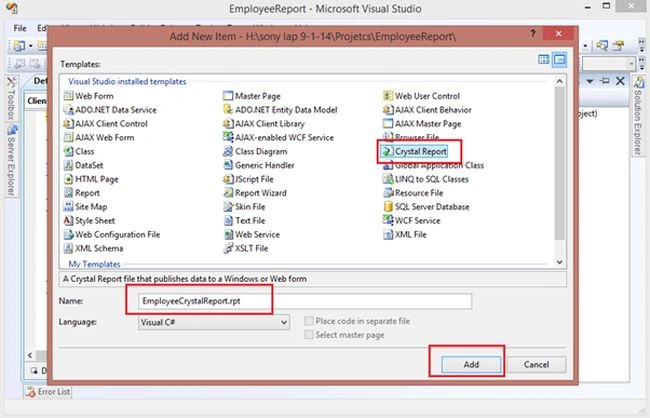
Then right-click on the Solution Explorer then select Add New Item then select Crystal Reports then click Add.
Image 3.
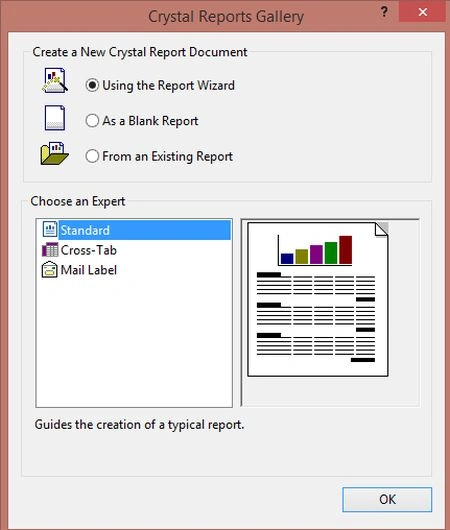
Image 4.
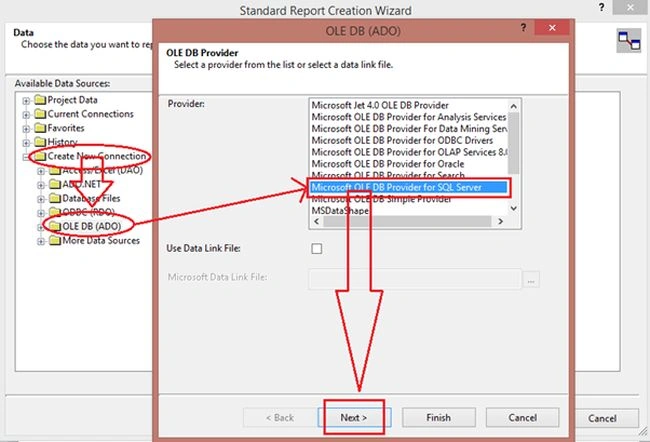
Here expand something then select Create New Connection then select OLE DB (ADO) then a pop-up window will open. Select Microsoft OLE DB Provider for SQL Server then click Next.
Image 5.
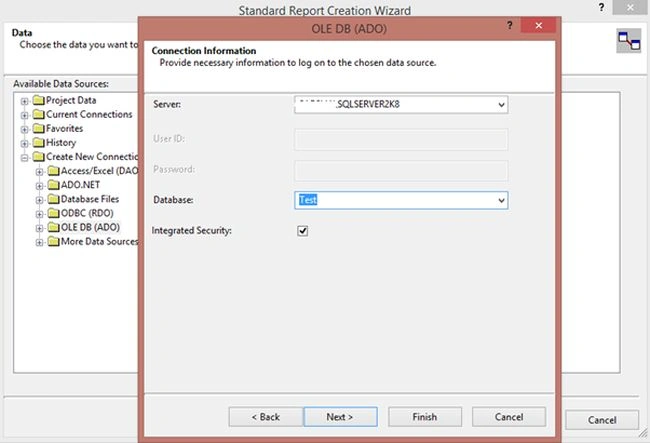
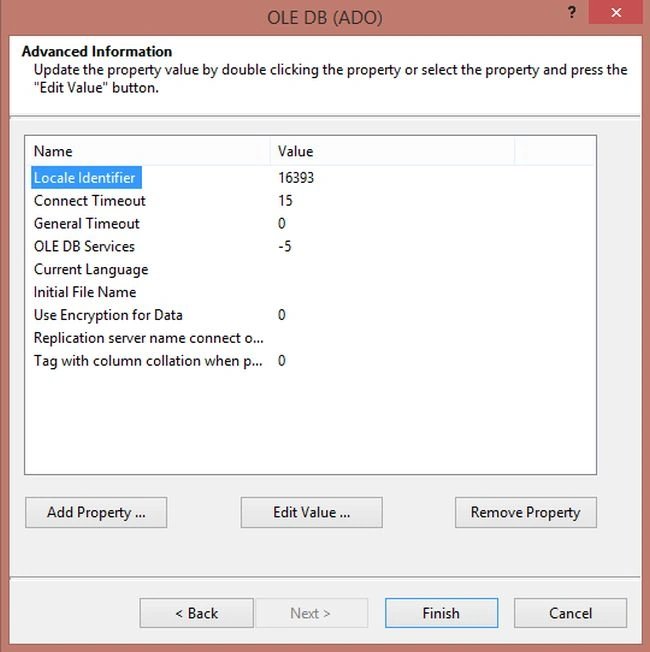
Now enter your SQL Server details.
Image 6.
Image 7.
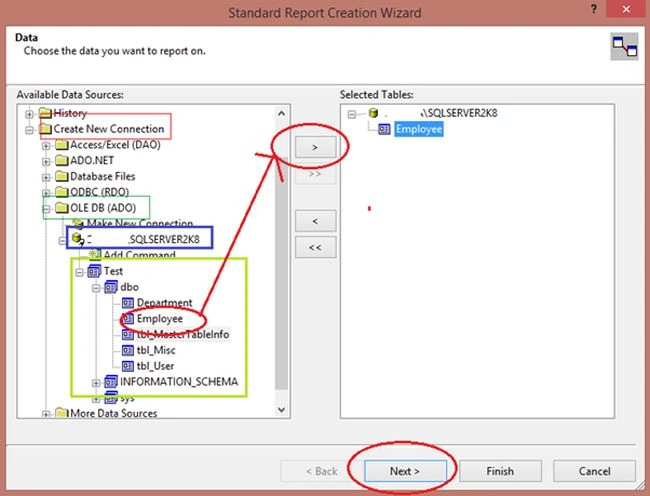
Now select your database then select your table and Move.
Image 8.
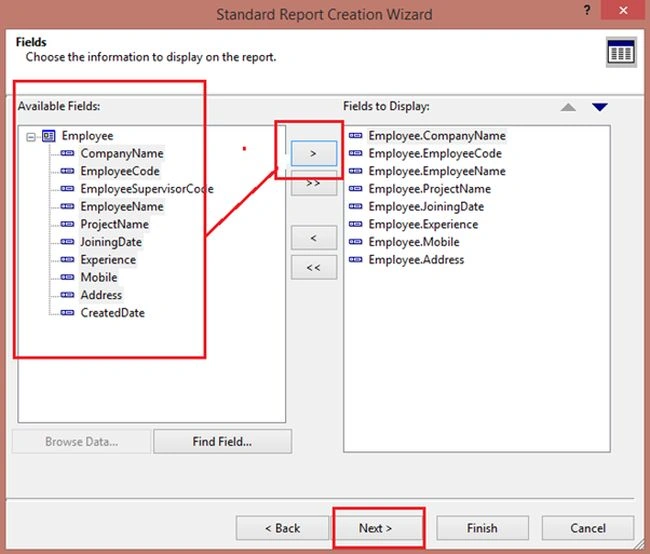
Now select the columns to be shown in the reports. Then click Finish.
Image 9.
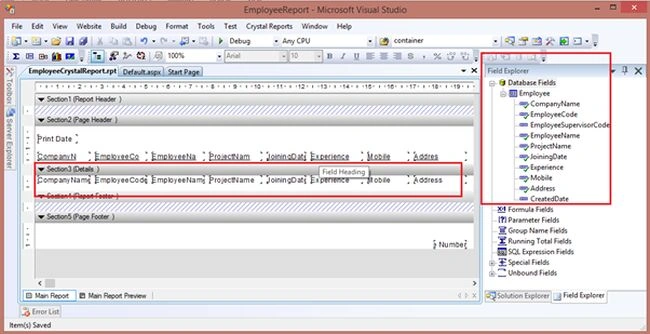
Now you can see your report is ready. All the columns are already in the Details sections. You can remove any column or you can add a new column by drag and drop from the fields explorer to the report.
Image 10.
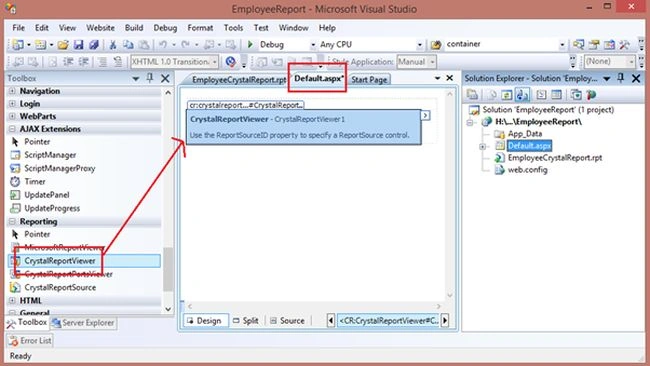
Now to add a Report Viewer for showing this Crystal Reports report. In the Default.aspx page drag and drop a CrystalReportViewer from the toolbox like the following.
Image 11.
Now for the Page_Load event write the following code:
- using System;
- using System.Configuration;
- using System.Data;
- using System.Linq;
- using System.Web;
- using System.Web.Security;
- using System.Web.UI;
- using System.Web.UI.HtmlControls;
- using System.Web.UI.WebControls;
- using System.Web.UI.WebControls.WebParts;
- using System.Xml.Linq;
- using CrystalDecisions.CrystalReports.Engine;
-
- public partial class _Default : System.Web.UI.Page
- {
- protected void Page_Load(object sender, EventArgs e)
- {
- ReportDocument cryRpt = new ReportDocument();
- cryRpt.Load(Server.MapPath("EmployeeCrystalReport.rpt"));
- CrystalReportViewer1.ReportSource = cryRpt;
- }
- }
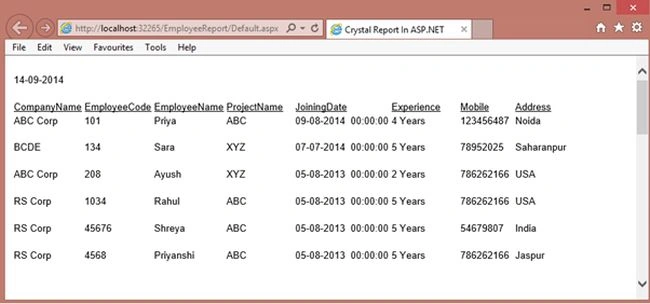
Now run your application:
Image 12.


salman AhmedPosted Jul 26, 2021, 7:45 AM
How to set credential login?
Ritwik SahasrabuddhePosted Sep 15, 2018, 12:42 PM
It shows blank output in VS2015 using these Steps
Pankaj KhairnarPosted Sep 8, 2018, 3:45 AM
It shows blank output
Jyothi AugustinePosted Apr 25, 2018, 11:53 PM
Unable to create crystal report using above instruction for vs 2015
amjad s rPosted Dec 22, 2017, 6:10 AM
Thanks..... Nice article.......
Sandeep SinghPosted Sep 13, 2016, 8:02 AM
How to set header height and width of crystal report
Sandeep KumarPosted Jun 26, 2016, 6:09 AM
unable to create crystal report using above instruction for vs 2012
Pradeep SahooPosted May 27, 2016, 7:56 PM
Nice article...Thanks for sharing
Uzair AnsariPosted Apr 5, 2016, 3:42 AM
i am working on visual studio 2015 is there any version issue
Uzair AnsariPosted Apr 5, 2016, 3:41 AM
unable to create crystal report on using above instruction,
Rahul Kumar SaxenaPosted Apr 1, 2016, 5:18 AM
Thanks 2 All
Rahul Kumar SaxenaPosted Apr 1, 2016, 5:18 AM
I will write soon on your requirement Veera Muthu & hothorasman panjaitan
Rahul Kumar SaxenaPosted Apr 1, 2016, 5:17 AM
Thanks Sonu Chaudhary
Sonu ChaudharyPosted Mar 31, 2016, 12:04 PM
good one article
hothorasman panjaitanPosted Nov 28, 2015, 1:01 PM
how to display image from path, in crystal report asp.net
veera muthuPosted Nov 5, 2015, 3:43 PM
how to create crystal report without using sqlconnection ? then i need static image inside the crystal report...Help me Sir??????
Rahul Kumar SaxenaPosted Sep 22, 2015, 4:03 AM
Thanks Aappasaheb Tawale
Rahul Kumar SaxenaPosted Sep 22, 2015, 4:02 AM
Are you talking any object ...chaitanya kumar
chaitanya kumarPosted Sep 22, 2015, 3:06 AM
I am getting bobj is undefined.How to resolve this issue
Aappasaheb TawalePosted Sep 18, 2015, 6:46 AM
Really helpful me. Thank you
mustafa essoufiPosted Jul 21, 2015, 9:28 AM
hi, I followed the steps and whene i execute no data display (i'm working with vs 2012)
Rahul Kumar SaxenaPosted May 5, 2015, 3:27 AM
Thanks Santhakumar Munuswamy...
Santhakumar MunuswamyPosted May 4, 2015, 2:38 PM
Good work
Rahul Kumar SaxenaPosted Mar 1, 2015, 12:46 AM
Thanks 2 All..
Rahul Kumar SaxenaPosted Mar 1, 2015, 12:46 AM
Thanks Rakesh..
RakeshPosted Feb 28, 2015, 11:33 PM
it's nice demo.
RakeshPosted Feb 28, 2015, 11:33 PM
Thank you.
Saineshwar BageriPosted Dec 15, 2014, 11:17 PM
nice start
Praveen KumarPosted Dec 15, 2014, 10:54 PM
good...