

Create your own shortcuts in Netbeans
Here is the tutorial of how to create your own shortcuts in Netbeans. So let’s take an example to show.
Let’s create a shortcut for an Even Odd Program:
- java.util.Scanner s = new java.util.Scanner(System.in);
- int num;
- System.out.println("Enter a number");
- um = s.nextInt();
- if (num % 2 == 0) {
- System.out.println("Even number");
- } else {
- System.out.println("Odd number");
- }
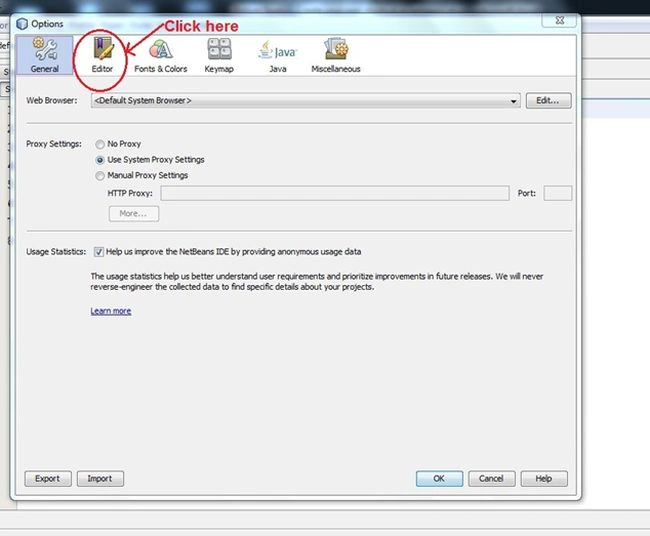
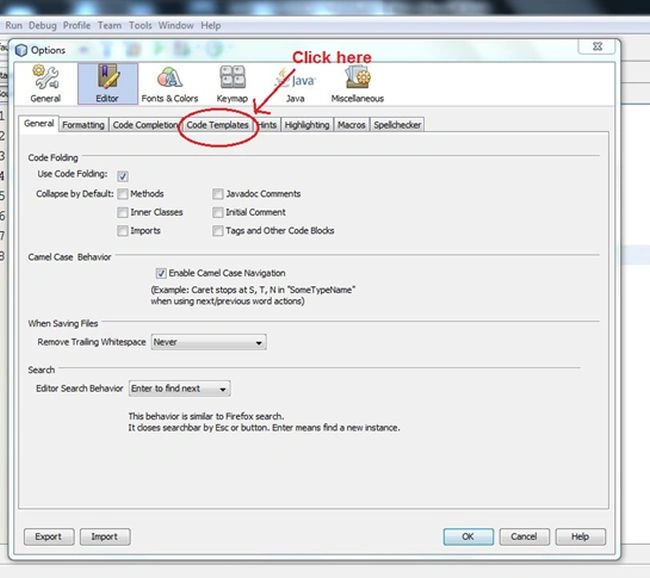
"Tools" -> "Options". That will show a window like this:
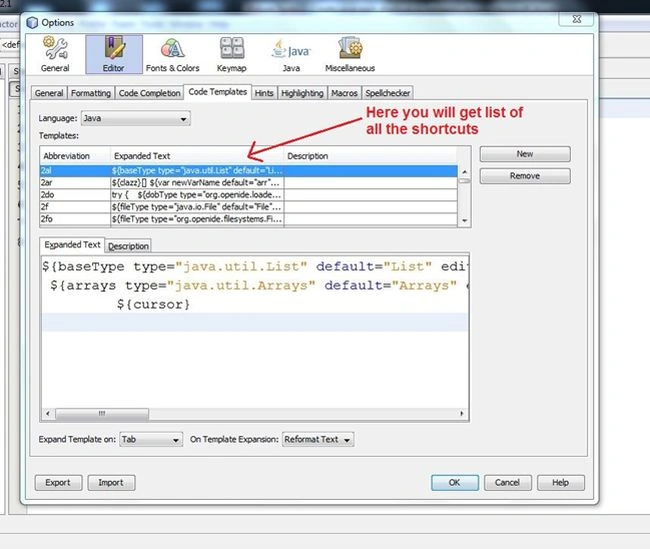
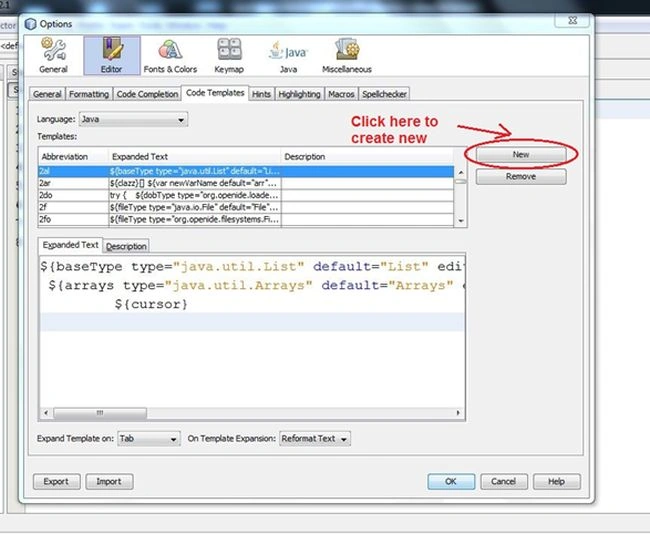
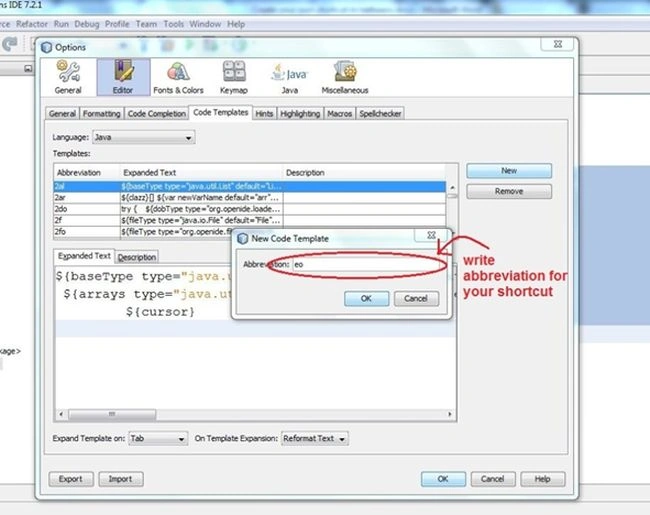
Here I have used eo as an abbreviation.
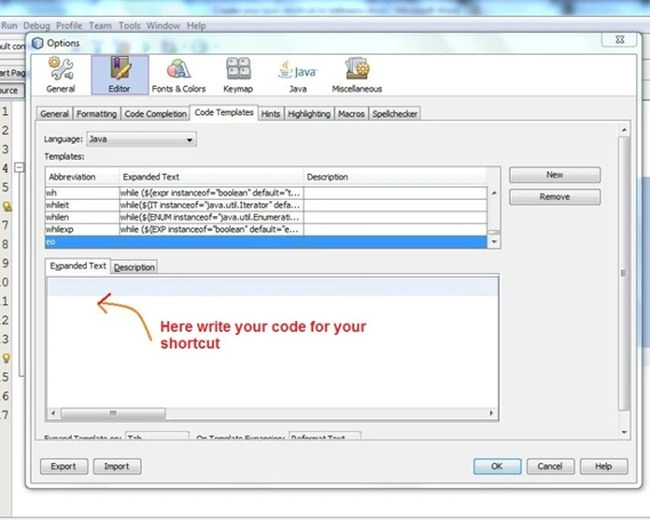
Put the following code here:
- java.util.Scanner s = new java.util.Scanner(System.in);
- int num;
- System.out.println("Enter a number");
- num = s.nextInt();
- if (num % 2 == 0) {
- System.out.println("Even number");
- } else {
- System.out.println("Odd number");
- }
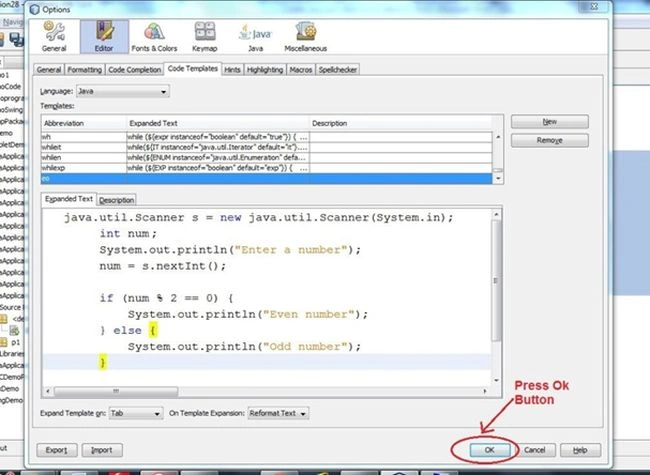
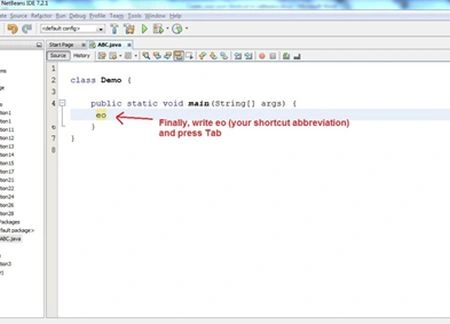
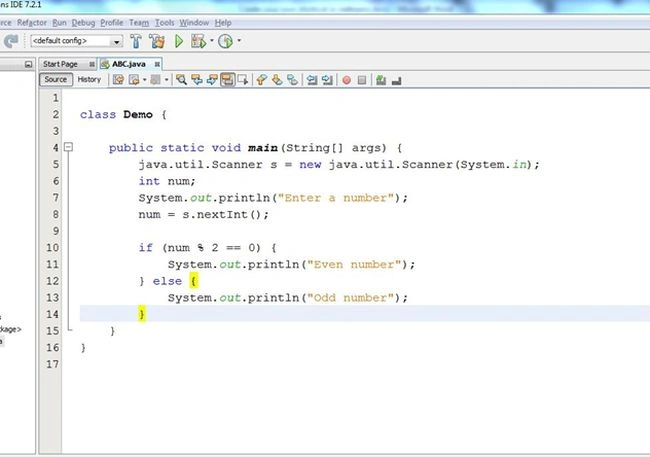
Finally, run it.
Gowtham RajamanickamPosted May 19, 2015, 12:49 AM
good one
Ehtesham MehmoodPosted Mar 2, 2014, 5:08 AM
Interesting