

For this I will create a new MVC 4 application.
Open Visual Studio 2012 then select "File" -> "New" -> "Project..."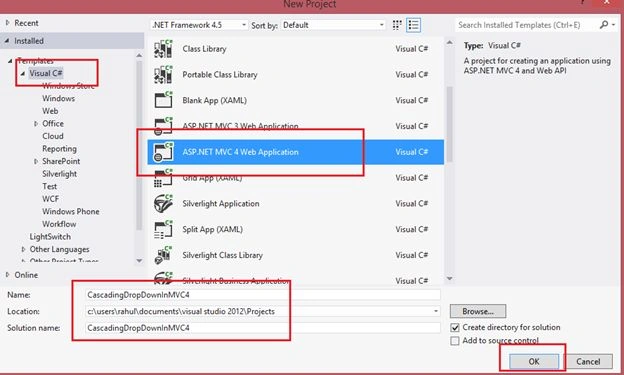

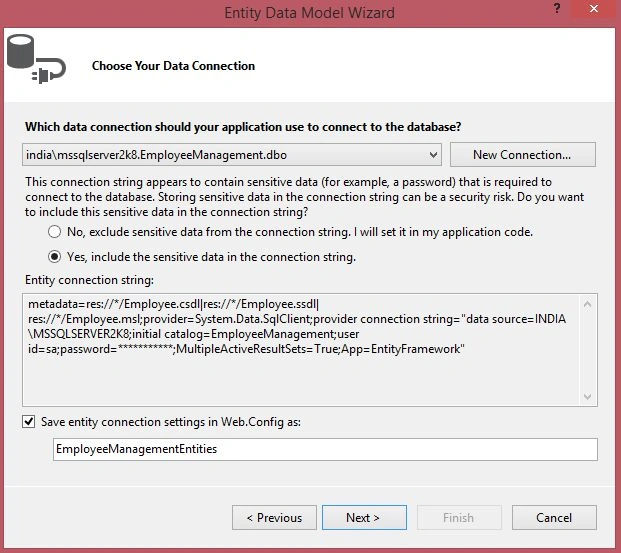
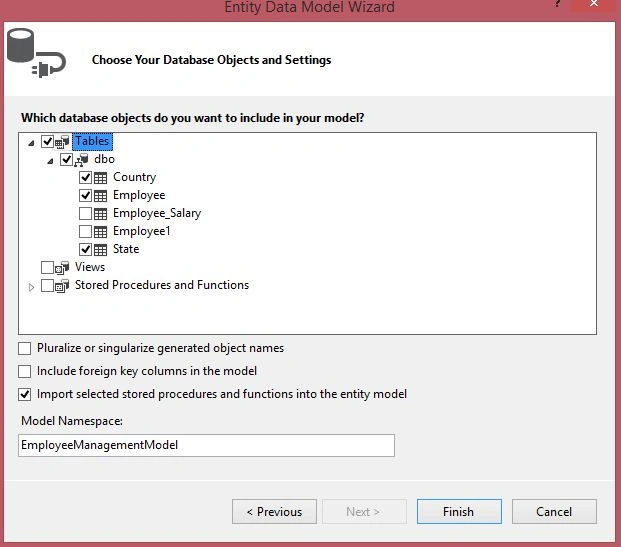
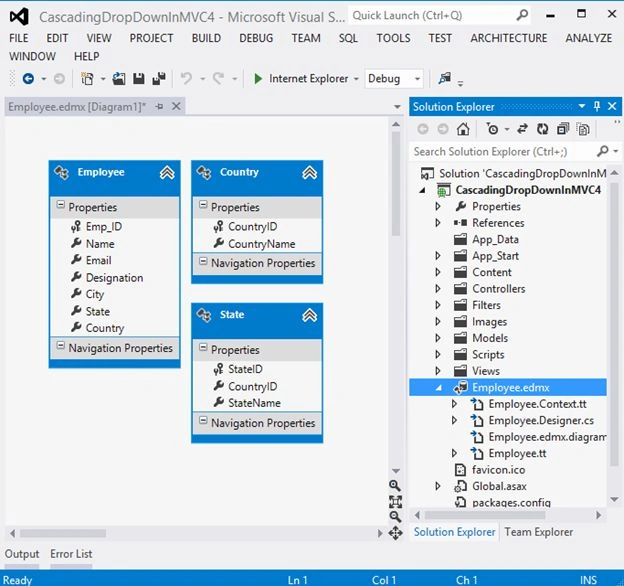
Now add a new ADO.NET Entity data model.
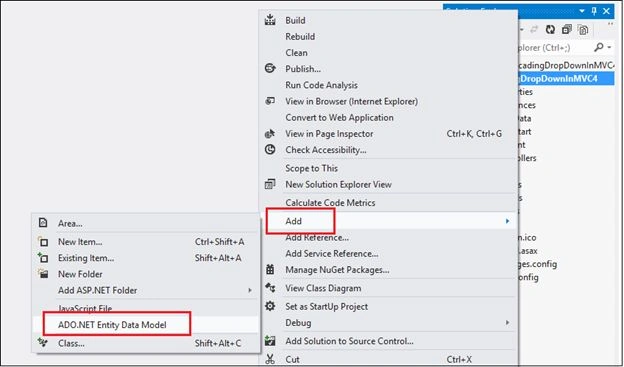
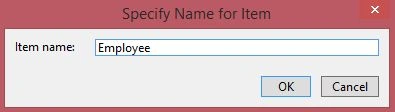
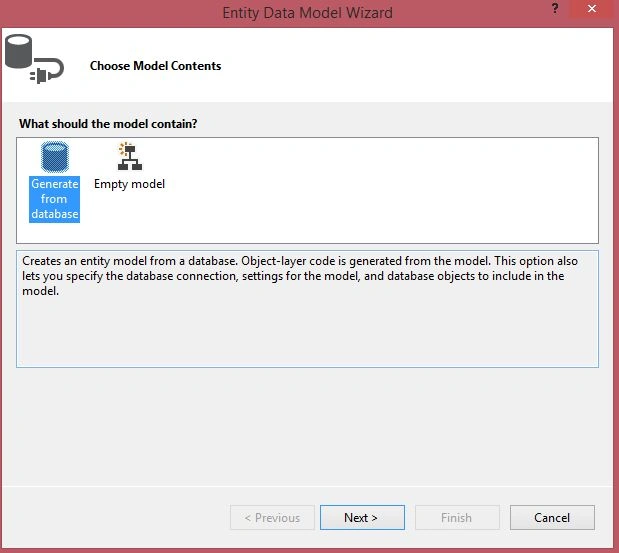
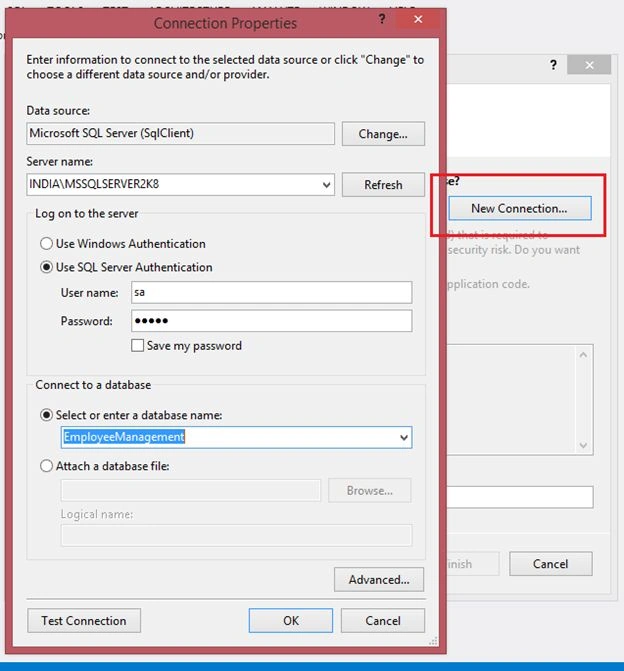
Enter your SQL Server credentials here.
Now add a new Controller.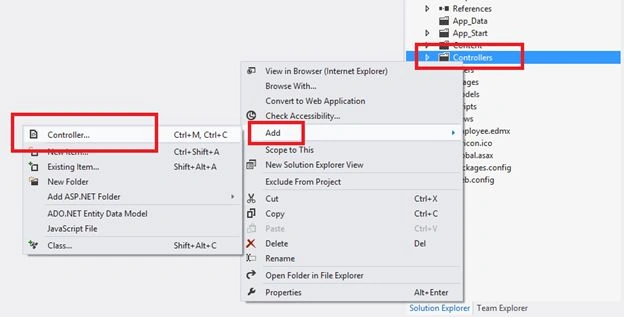
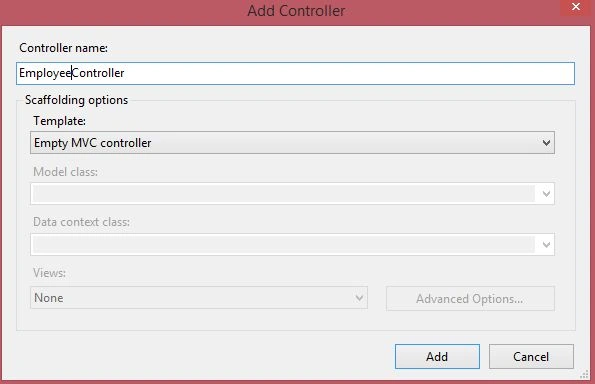
Now do the following code here in Employee Controller:
- using System;
- using System.Collections.Generic;
- using System.Linq;
- using System.Web;
- using System.Web.Mvc;
- using CascadingDropDownInMVC4.Models;
- namespace CascadingDropDownInMVC4.Controllers
- {
- public class EmployeeController : Controller
- {
- public ActionResult Index()
- {
- EmployeeManagementEntities db = new EmployeeManagementEntities();
- ViewBag.Country = new SelectList(db.Country, "CountryID", "CountryName");
- return View();
- }
- // Json Call to get state
- public JsonResult GetStates(string id)
- {
- List<SelectListItem> states = new List<SelectListItem>();
- var stateList = this.Getstate(Convert.ToInt32(id));
- var stateData = stateList.Select(m => new SelectListItem()
- {
- Text = m.StateName,
- Value = m.StateID.ToString(),
- });
- return Json(stateData, JsonRequestBehavior.AllowGet);
- }
- // Get State from DB by country ID
- public IList<State> Getstate(int CountryId)
- {
- EmployeeManagementEntities db = new EmployeeManagementEntities();
- return db.State.Where(m => m.CountryID == CountryId).ToList();
- }
- [HttpPost]
- public ActionResult Index(FormCollection formdata)
- {
- // Get Employee informaiton to insert into Data Base
- return RedirectToAction("Index", "Home");
- }
- }
- }
- @model CascadingDropDownInMVC4.Models.EmployeeData
- @{
- ViewBag.Title = "Index";
- }
- <h2>Index</h2>
- @using (Html.BeginForm())
- {
- @Html.ValidationSummary(true)
- <fieldset>
- <legend>EmployeeData</legend>
- <div class="editor-label">
- @Html.LabelFor(model => model.Name)
- </div>
- <div class="editor-field">
- @Html.EditorFor(model => model.Name)
- @Html.ValidationMessageFor(model => model.Name)
- </div>
- <div class="editor-label">
- @Html.LabelFor(model => model.Email)
- </div>
- <div class="editor-field">
- @Html.EditorFor(model => model.Email)
- @Html.ValidationMessageFor(model => model.Email)
- </div>
- <div class="editor-label">
- @Html.LabelFor(model => model.Designation)
- </div>
- <div class="editor-field">
- @Html.EditorFor(model => model.Designation)
- @Html.ValidationMessageFor(model => model.Designation)
- </div>
- <div class="editor-label">
- @Html.Label("Country")<br />
- </div>
- <div>
- @Html.DropDownList("Country", ViewBag.Country as SelectList, "-- Please Select a Country --", new { style="width:250px"})
- </div>
- <div class="editor-label"><br />
- @Html.Label("State")<br />
- </div>
- <div>
- @Html.DropDownList("State", new SelectList(string.Empty, "Value", "Text"), "-- Please select a State --", new { style = "width:250px", @class = "dropdown1" })
- </div>
- <p>
- <input type="submit" value="Create" />
- </p>
- </fieldset>
- }
- <script src="~/Scripts/jquery-1.7.1.js"></script>
- <script src="~/Scripts/jquery-1.7.1.min.js"></script>
- <script type="text/javascript">
- $(document).ready(function () {
- //Country Dropdown Selectedchange event
- $("#Country").change(function () {
- $("#State").empty();
- $.ajax({
- type: 'POST',
- url: '@Url.Action("GetStates")', // Calling json method
- dataType: 'json',
- data: { id: $("#Country").val() },
- // Get Selected Country ID.
- success: function (states) {
- $.each(states, function (i, state) {
- $("#State").append('<option value="' + state.Value + '">' +
- state.Text + '</option>');
- });
- },
- error: function (ex) {
- alert('Failed to retrieve states.' + ex);
- }
- });
- return false;
- })
- });
- </script>
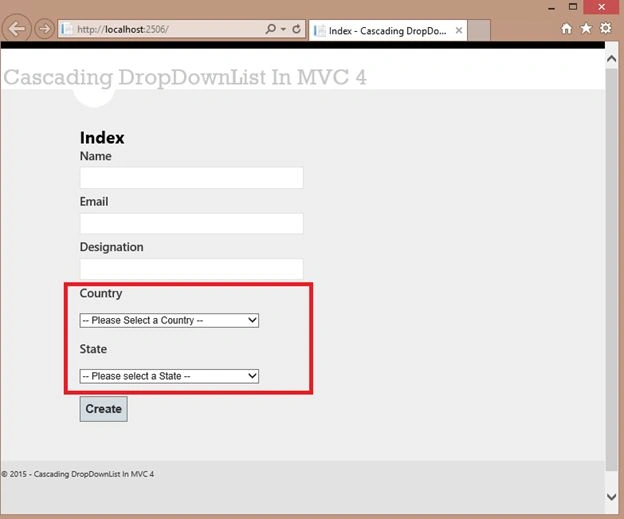
Now select a country as in the following: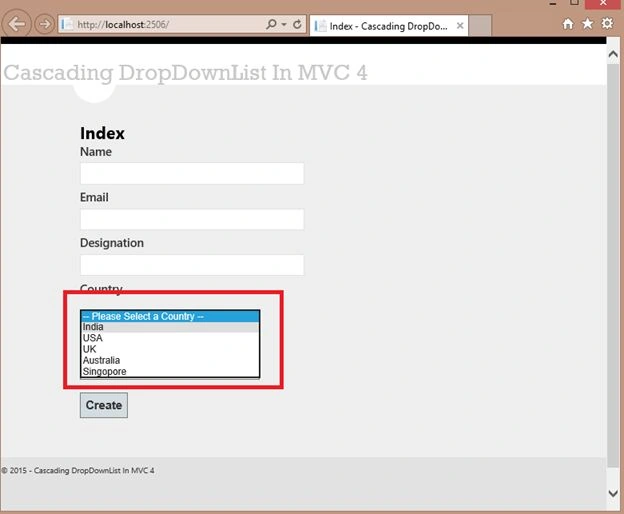
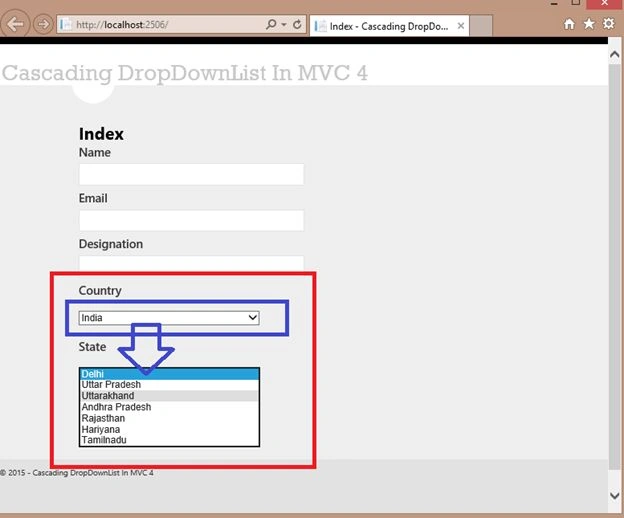
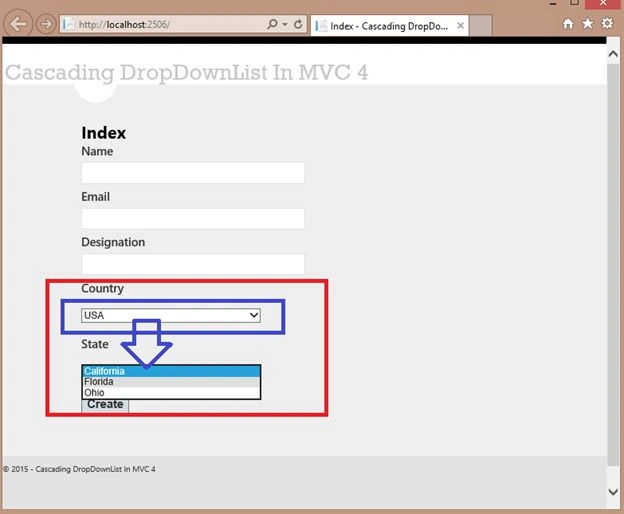
Now I have 2 tables for Country & State.
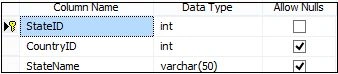
The following is the data in my Country table: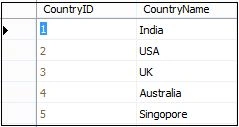
The following is the data in my State table: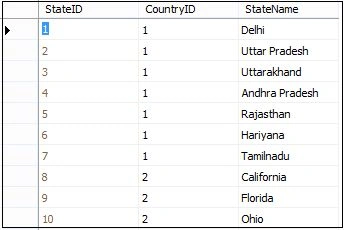
Ashwini TandePosted Feb 25, 2019, 4:27 AM
I did this in my project. now I have requirement to edit the view. but while editing it does not show value of casade drop down. so ho to return it
Rahul Kumar SaxenaPosted Aug 16, 2015, 3:02 AM
Thank u Gowtham Rajamanickam
Gowtham RajamanickamPosted May 19, 2015, 12:22 AM
keep writitng
Gowtham RajamanickamPosted May 19, 2015, 12:22 AM
good one..
Rahul Kumar SaxenaPosted Mar 12, 2015, 12:46 AM
Welcome Khargesh Rajput...
Khargesh RajputPosted Mar 11, 2015, 11:54 PM
Thanks for sharing sir