

Introduction
Xamarin is a platform to develop the cross-platform and multi-platform apps. (Ex. Windows phone, Android, iOS) in Xamarin platform, where code sharing concept is used. In Xamarin Studio, Visual Studio is also available.
Spinner is a widget similar to a dropdown list to select the items.
Xamarin is a platform to develop the cross-platform and multi-platform apps. (Ex. Windows phone, Android, iOS) in Xamarin platform, where code sharing concept is used. In Xamarin Studio, Visual Studio is also available.
Spinner is a widget similar to a dropdown list to select the items.
Prerequisites
- Visual Studio 2015 Update 3
The steps, given below are required to be followed in order to create a DropDown list, using Spinner in Android app, using Visual Studio 2015.
Step1
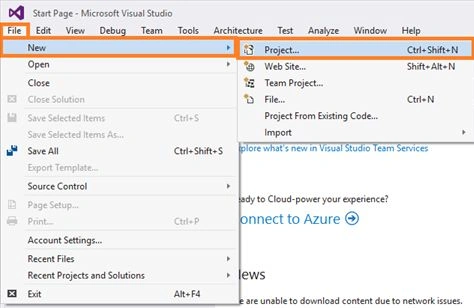
Click File--> select New--> select Project. The project needs to be clicked after opening all the types of projects in Visual Studio or click (Ctrl+Shift+N).
Step1
Click File--> select New--> select Project. The project needs to be clicked after opening all the types of projects in Visual Studio or click (Ctrl+Shift+N).
Step 2
After opening the New project, select Installed-->Templates-->Visual C#-->Android-->choose the Blank app (Android).
Now, give your Android app; a name (Ex:sample) and give path of your project. Click OK.
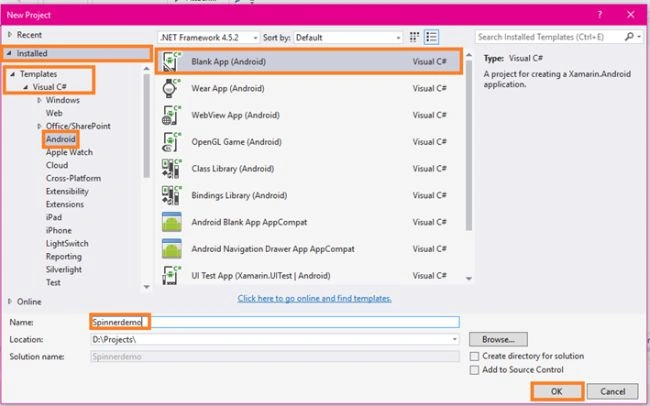
After opening the New project, select Installed-->Templates-->Visual C#-->Android-->choose the Blank app (Android).
Now, give your Android app; a name (Ex:sample) and give path of your project. Click OK.
Step 3
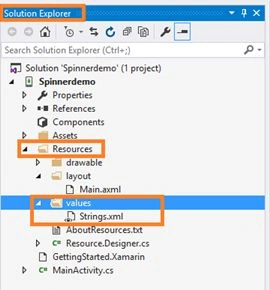
Now, go to Solution Explorer. In Solution Explorer, get all the files and source in your project.
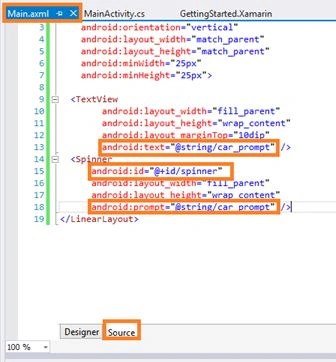
Now, select Resource-->Layout-->double click to open main.axml page. You need to select the source to write XAML code.
If you want design, choose the designer Window and you can design your app.
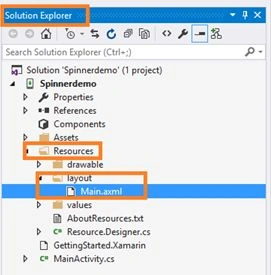
Now, go to Solution Explorer. In Solution Explorer, get all the files and source in your project.
Now, select Resource-->Layout-->double click to open main.axml page. You need to select the source to write XAML code.
If you want design, choose the designer Window and you can design your app.
Step 4
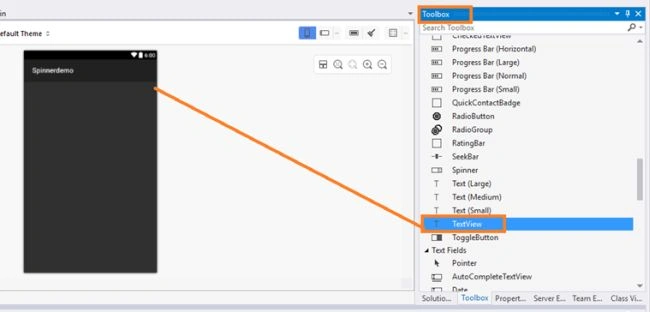
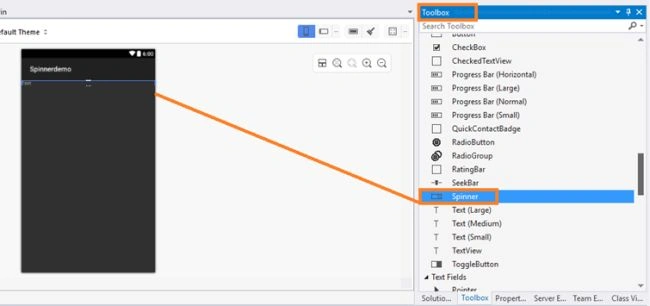
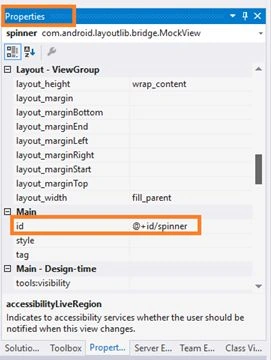
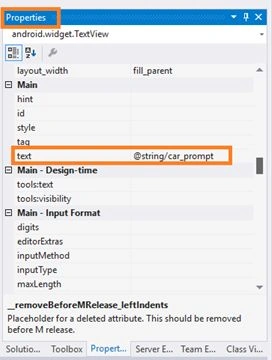
Afterwards, open the main.axml file and it will open the main page designer. In this page, you can design, as per the page type you want.
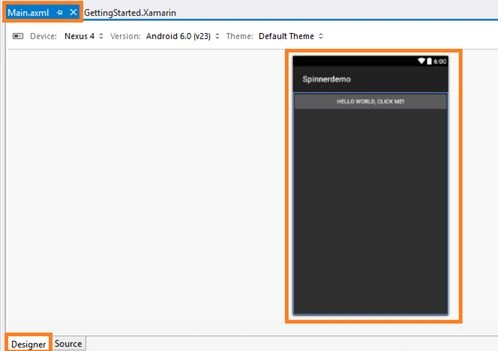
Afterwards, open the main.axml file and it will open the main page designer. In this page, you can design, as per the page type you want.
Ryan CardosoPosted Jun 6, 2020, 10:42 AM
Mine is giving this error: System.MemberAccessException Message=Cannot create an instance of Android.Widget.ArrayAdapter`1[T] because Type.ContainsGenericParameters is true.
Nurul HudaPosted Mar 19, 2018, 3:07 AM
If i want to set height on the spinner prompt,how it work.i already set android:dropDownHeight but it not work
Vaibhav PatilPosted Jul 14, 2017, 5:09 AM
Thumbs up Bro......