

Introduction
This article is written to provide an overview and samples for creating your own Web Service for letting your devices connect and communicate over a network (including the internet) with each other, store the data in one place, access and manage the entire database in one place and do various tasks.
The Internet of Things is a concept and phenomenon used to connect the hardware of your house or office over a beloved communication connection, including the nework called the "Internet". This article will provide an overview for you of how to create your own Web Service and create and manage clients that would be the devices sending the data to your service. Allow them to send the data to your service, then manage the data and then save it or perform any other service depending on the data.
By the end, you will be able to create a simple (or even the enterprise level; if you get the understanding and are willing to create a system of) web service that can run devices connected to it through the Internet and ohter networks. No matter what device is calling the service and in which protocol the service is being called, the server would respond and your services would be invoked and ran.
Internet of Things Service
The Internet of Things provides us with some services that can be used in managing and performing various tasks, depending on the data that was sent to us. You can think of a service like, "start the bulb when it is 6:00AM". Seems fair?
Similar as well as different tasks are done using the Internet of Things. The Internet of Things itself is a concept of connecting devices, more like household appliances, to each other through a common network, the "Internet". From where, they send/receive data from each other and perform the tasks assigned to them. In the preceding example, if the clock ticks 6:00 in the morning, the message is sent to the bulb for lighting up. I agree this is a bit of an exaggeration.
Creating a service
You create a service where you tell the devices to perform a task when a command is ed down to them. Usually a common hub or host takes a control and each device sends the data to the hub and then the hub decides what to do and from which devices to take the work. A hub acts like a server; it accepts requests, sends responses and then the clients (devices) perform their tasks. Thus, everything seems to work "magically".
Since only one hub is acting as the server, the service is installed on the hub. Each device connects to it to transmit the data and the hub manipulates the data and executes a service. The service is connected to any device connected and thus that device gets a trigger for its job.
Web Service
A Web Service is a service (a service can be a method) defined to be executed among more than one devices connected to each other using the internet. This is a method, to control the working of the devices connected to the network.
Not only houses, offices but many giants are also using this service to control their data from each and every device. This provides a better methodology to control the data and the functions being performed by each and every device. You can think of a security service in companies. "If the thumb fingerprint pattern is OK, open the door". This is a service, it depends how people apply it.
Interacting
Interaction of the devices among each other can be done using many protocols and mechanisms. You can use SOAP, HTML and many more for sending the data and commands to the devices. You can send the data in the format of XML too.
WCF is a new technology provided by Microsoft that allows the devices to communicate and send the Metadata over HTML, SOAP, WSDL, XML Schema and WS-Policy. REST services, JSON is also usable.
Security
It is of a good importance that the Web Service must be made secure so that anything unauthorized can be made invalid and only authorized devices and clients can communicate with the hub. SSL and some other standards can be used to set up the security for the devices.
Customization
A best software service is the one that you can always change and make suitable for your needs. If the software cannot be changed and customized to make it more secure and more efficient then the software is of no good.
Responses
A Web Service must respond to each and every request that has been sent to it.
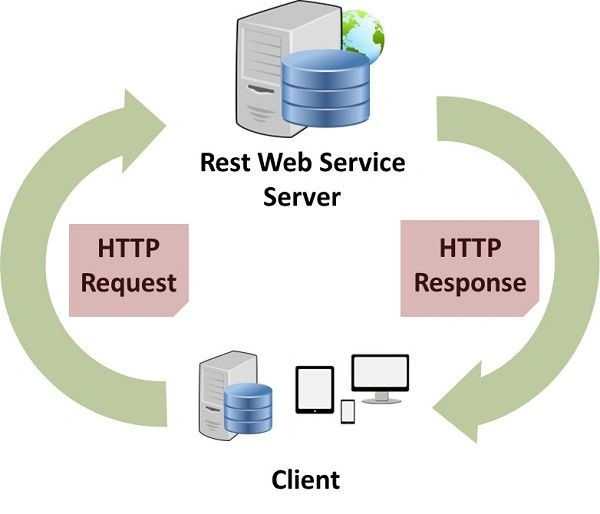
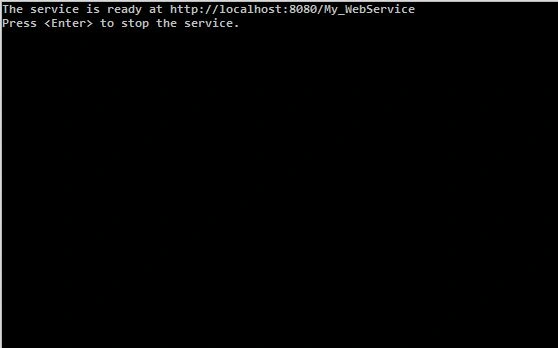
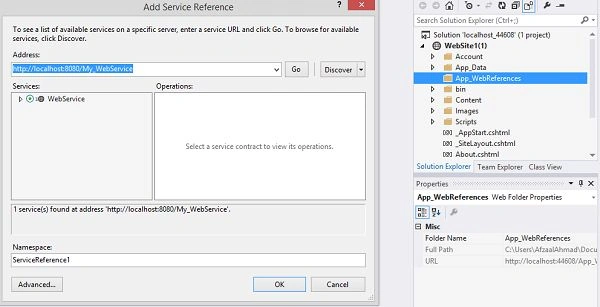
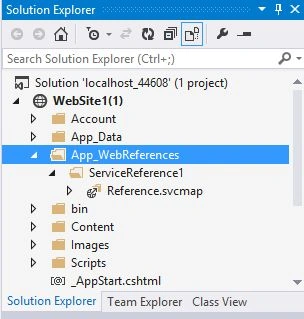
WCF is one of the new foundations in the Web Services world and was introduced by Microsoft. It can be hosted in a console application or in IIS and can be accessed using Console applications, WPF applications or even websites. This makes it a good fit for today's needs. In this article we will be creating a Web Service that will be hosted in a Console Application and we will use that service using a website to provide an overview of the concept "Internet" connection.
Creating a Web Service
The first step is to create a web service. A Web Service is actually just a bunch of methods and functions that are executed whenever a client visits and asks the services to do something or get something. Don't get accustomed to the fancy name "Web Service", it is just a bunch of methods. Similar to a website or other software, you will be able to create functions, create properties, classes and objects.
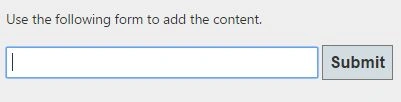
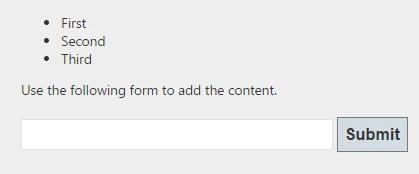
Our Web Service: A service that provides an interface to the user to enter a data in the service and the service saves that data. The service also looks in for any present data, if the data is present it is shown otherwise nothing is shown instead of a form to enter the data.
You can make it more complex and add more functionalities to it to create an enterprise-level Web Service to be fully capable of performing the tasks.
Template of the Service
A Service needs to be an interface, why? Because when you need to be calling the service from the client, you don't need to tell him each and every step you're going through and every task you perform. Take an example of going to your fortune company and giving them an application, the company would just tell you "Application under review", the underlying processes like, "Boss waiting for Application", "Boss reviewing it", "Boss calling secretory to call the employee" and so on.
This is why, you will just create a signature of the actual service so that once ing it down to the client, the client only asks you to "I want to get a job" and then expects a result "Job given" or "Not qualified enough" only.
Create a Class Library in Visual Studio and name it WebServices_Interfaces and add references to the libraries required. Once done, add the following code to it. The ISaveData is an interface.
- // Add the references; must also be added to the Project
- using System;
- using System.Collections.Generic;
- using System.Linq;
- using System.Text;
- using System.Threading.Tasks;
- // Required and added
- using System.ServiceModel;
- using System.Runtime.Serialization;
- // Name of this Class Library Project = WebServices_Interfaces
- namespace WebServices_Interfaces
- {
- // Following are the ServiceContracts
- [ServiceContract]
- public interface ISaveData
- {
- [OperationContract]
- void AddData(Data s);
- [OperationContract]
- Data[] GetCurrentData();
- }
- // DataContracts for the Web Service
- [DataContract]
- public class Data
- {
- private string text;
- [DataMember]
- public string DataLabel
- {
- set { this.text = value; }
- get { return this.text; }
- }
- }
- }
Creating a source for the Data
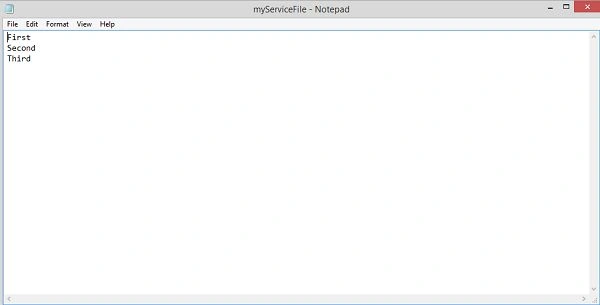
You can however, if you want, continue running the service in its environment for ever and keep the data that is attached to it in the memory or if you want, you can use your storage device to store the data coming to the service and that goes from the service in one place.
Create a new library and this time, name it WebServices_DataSources. Add the references to the libraries and add a new Class file called "DataSource". Once done, the following would be the code inside your file.
Implementing the Service in your Application
- using System;
- using System.Collections.Generic;
- using System.Linq;
- using System.Text;
- using System.Threading.Tasks;
- // Add this reference, for working with Files
- using System.IO;
- namespace WebServices_DataSources
- {
- public class DataSource
- {
- // Get the current users MyDocuments folder
- static string directory = System.Environment.GetFolderPath(Environment.SpecialFolder.MyDocuments);
- // Our File Name. You can change it in your project.
- static string fileName = "/myServiceFile.txt";
- // static variable
- // Will contain the content, for accessing and saving the data
- static List<string> currentData = File.ReadAllLines(directory + fileName).ToList();
- // This method saves the Data sent
- public void Save(string dataLabel)
- {
- currentData.Add(dataLabel);
- Directory.CreateDirectory(directory);
- File.Create(directory + fileName).Close();
- File.WriteAllLines(directory + fileName, currentData);
- }
- // Gets the current list.
- public List<string> GetDataList()
- {
- return currentData;
- }
- }
- }
The next step is to implement the service in an application that can be used and would contain the methods for your actual Web Service. You can see the Interface however only contains the signatures for your web service. This would serve as the actual web service and will be reached our by the devices each time they need to save the data.
Create a new library, add references to your WebServices_Interfaces and WebServices_DataSources that are required by your web service to use. Name this library project to be WebServices_Service and this class would implement the ISaveData interface, so that you can add the body to the signatures the interface has.
You can see, this code has the actual job of the service, when you call AddData you can see that it actually adds the data in the DataSource and upon GetCurrentData it gets the data from the DataSource and returns it to the user. The user can then use it to perform other tasks.
- using System;
- using System.Collections.Generic;
- using System.Linq;
- using System.Text;
- using System.Threading.Tasks;
- // add the projects in this project
- using WebServices_DataSources;
- using WebServices_Interfaces;
- namespace WebServices_Service
- {
- // Implements the ISaveData
- public class WebService : ISaveData
- {
- // Adds the Body to the methods
- public void AddData(Data d)
- {
- DataSource ds = new DataSource();
- ds.Save(d.DataLabel);
- }
- public Data[] GetCurrentData()
- {
- DataSource sd = new DataSource();
- List<string> dataList = sd.GetDataList();
- Data[] dataArray = new Data[dataList.Count];
- for (int i = 0; i < dataList.Count; i++)
- {
- Data s = new Data();
- s.DataLabel = dataList[i];
- dataArray[i] = s;
- }
- return dataArray;
- }
- }
- }
Sr KarthigaPosted Feb 14, 2016, 7:58 AM
Good one sir
ali asadPosted Feb 6, 2016, 11:01 AM
Nice.
Pintoo YadavPosted Nov 2, 2015, 6:19 AM
good one
DhanasekarPosted Mar 20, 2015, 8:30 AM
Good one.keep sharing
Gowtham RajamanickamPosted Mar 16, 2015, 2:29 AM
nice...
Humayun Kabir MamunPosted Mar 4, 2015, 2:50 AM
Nice...
Sourabh SomaniPosted Feb 27, 2015, 9:36 AM
Nicely Explained thanks for sharing :)
Suthish NairPosted Feb 27, 2015, 5:13 AM
Keep coming.. Good work !
RakeshPosted Feb 25, 2015, 11:23 PM
good work
Manish Kumar ChoudharyPosted Feb 25, 2015, 8:02 AM
Nice one.
Dinesh BeniwalPosted Feb 25, 2015, 6:52 AM
Thanks for sharing.
Sibeesh VenuPosted Feb 25, 2015, 5:14 AM
Good one.
Rahul Kumar SaxenaPosted Feb 24, 2015, 11:27 PM
Nice Explanation .... Afzaal Ahmad Zeeshan.... :)