

Introduction
Microsoft Foundry Workflows empower organizations to build intelligent, automated solutions by combining AI agents with business processes in a visual, no-code environment. Whether you are a business user, analyst, or operations professional, Workflows allow you to design, orchestrate, and monitor multi-agent processes efficiently. From simple prompt-based agents to complex multi-step workflows and group collaboration scenarios, Foundry provides the tools and flexibility to accelerate a wide range of use cases, including approvals, case management, and multi-stage analysis.
In this article, we explore the types of agents and workflows in Microsoft Foundry, the prerequisites for getting started, the comprehensive toolbox for building workflows, and the observability features that help teams monitor and optimize their end-to-end processes.
Workflows in Microsoft Foundry
Workflows in Microsoft Foundry are UI-driven tools that let you design declarative, predefined sequences of actions, including agents such as those in the Microsoft Agent Framework.
They allow you to visually build intelligent automation solutions by seamlessly combining AI agents with business processes.
Types of Agents
Prompt-based: A prompt-based agent is a declaratively defined single agent that integrates model settings, instructions, tools, and natural-language prompts to guide its behavior. These agents can be created, edited, versioned, tested, evaluated, monitored, and published directly from the agent playground in the Foundry portal.
Workflow: For building more sophisticated agentic solutions that involve a sequence of actions or coordination across multiple agents, workflows are the right choice. Workflows provide a dedicated development interface within the portal while following the same lifecycle as other agents.
Hosted: Hosted agents are containerized, code-first agents built using supported agent frameworks or custom implementations. Although they cannot be modified through Foundry’s visual agent-building interface, they can still be viewed, invoked, evaluated, monitored, and published in the same way as prompt-based agents and workflows.
Pre-requisites for creating Workflow
Azure Subscription
Microsoft Foundry Resource Deployment
Enabled New Foundry Feature toggle
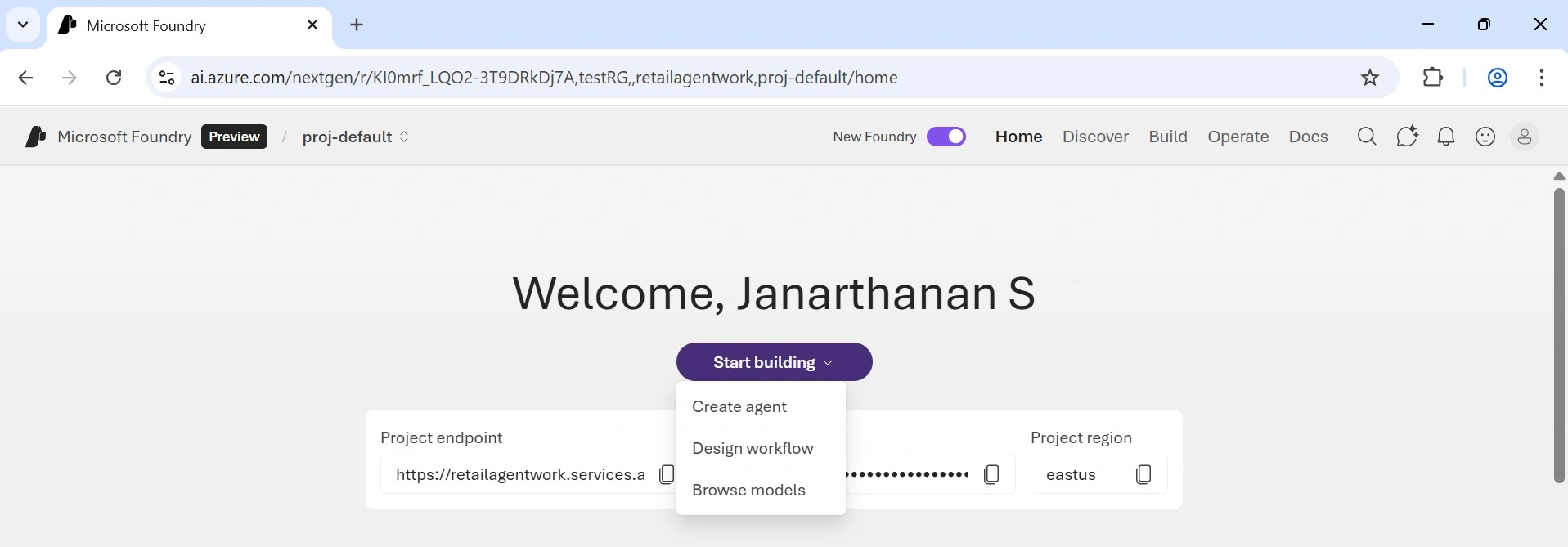
Types of Microsoft Foundry Workflow
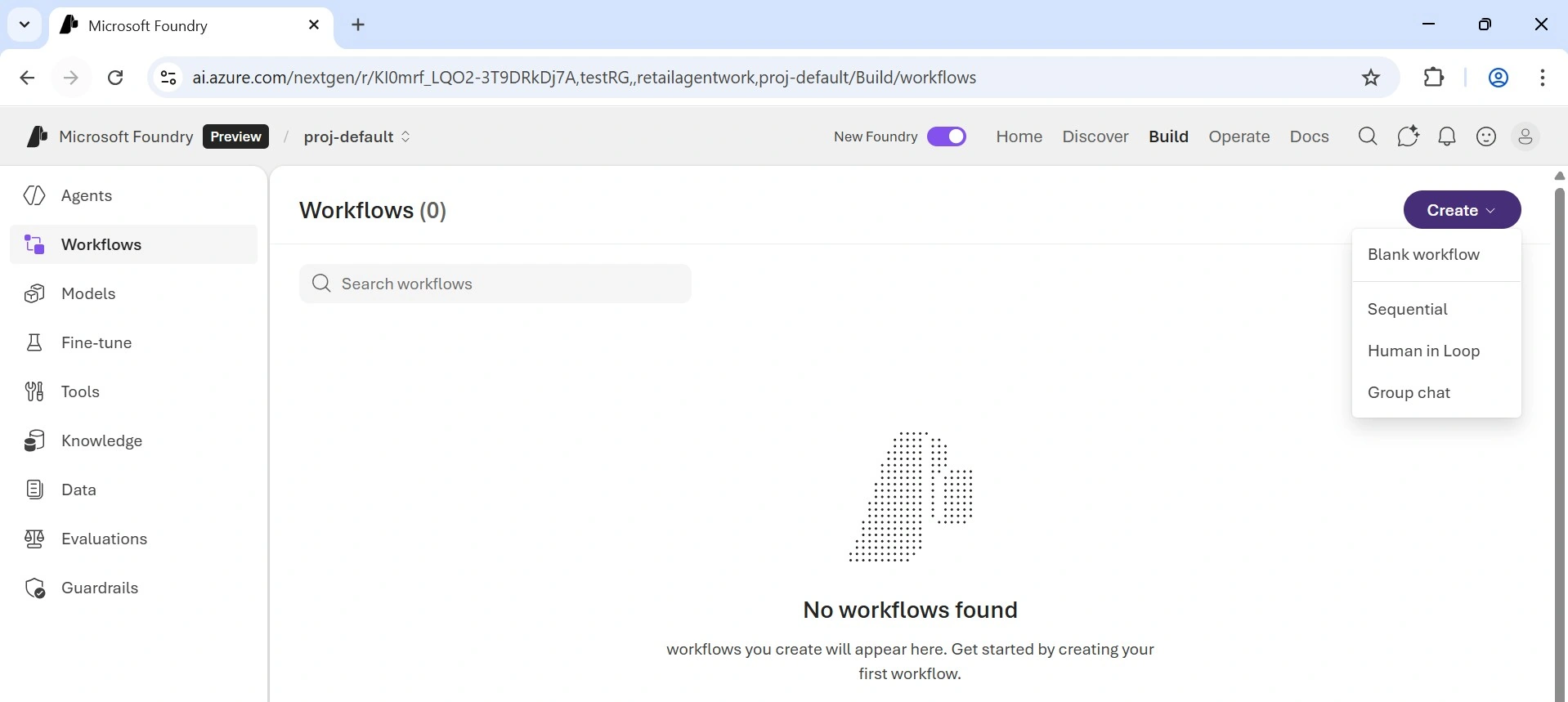
Blank Workflow - It begins with a blank canvas, allowing you to design a fully custom workflow from the ground up.
Sequential Workflow - In this workflow type, results flow from one agent to another in a predefined sequence, well suited for structured pipelines.
Human in the Loop Workflow - This type prompts the user with a question and waits for their response before continuing, making it ideal for approvals or information collection during workflow execution.
Group Chat Workflow - Allows several agents to work together in a common conversational context, each adding input based on their responsibilities.
Complete Toolbox for building Workflows
Workflows provides a comprehensive set of tools to design, automate, and monitor multi-agent processes.
Visual Workflow Builder: Design multi-step workflows on a drag-and-drop canvas using nodes and edges no orchestration code required. Instantly create new agents from the canvas or leverage existing agents from your Foundry project. Ideal for business users, operations teams, analysts, and solution accelerators.
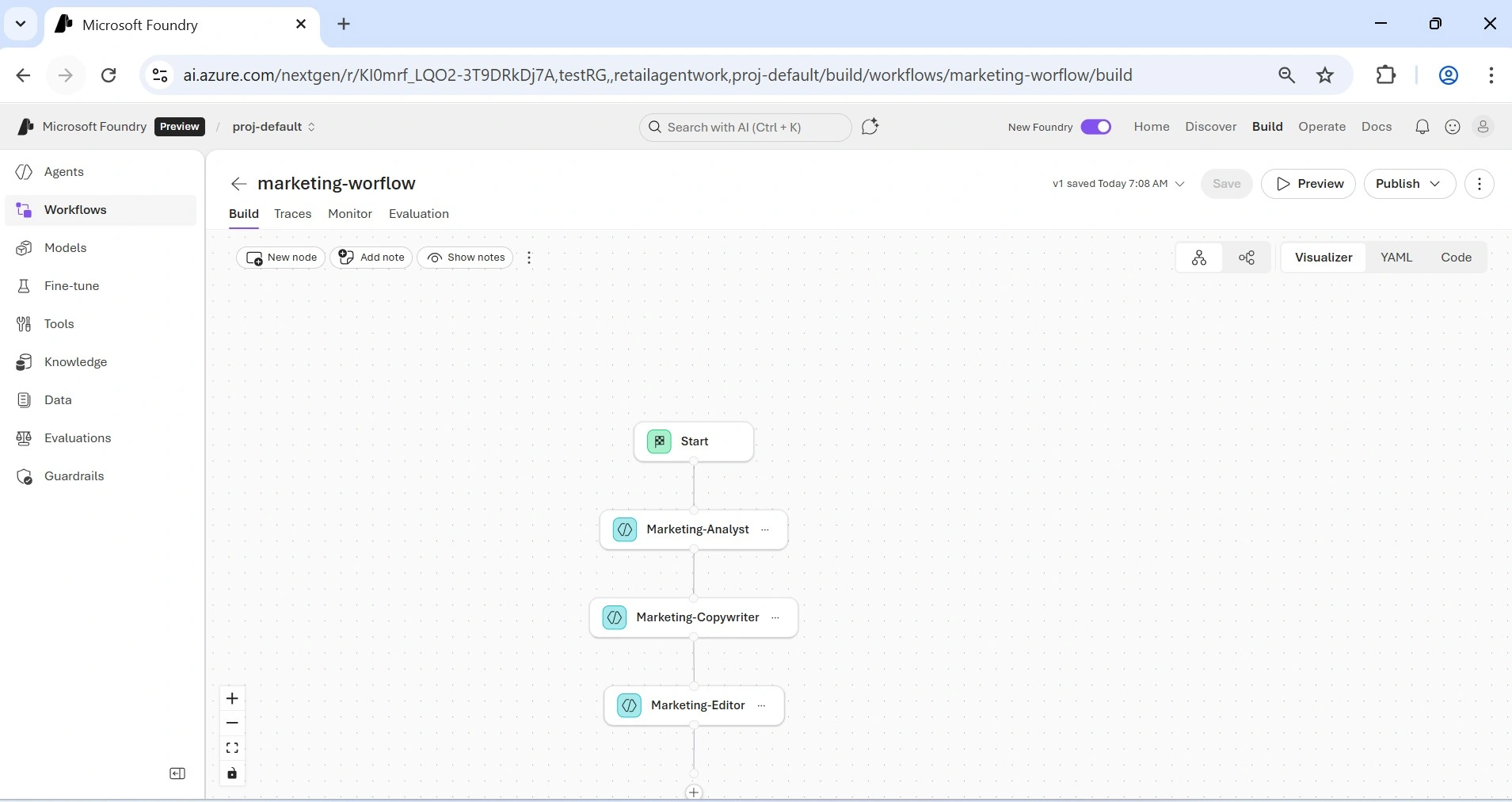
YAML Workflow Definition: Toggle seamlessly between Visual and YAML views any update in one view automatically reflects in the other, enabling business and engineering teams to collaborate without losing context.
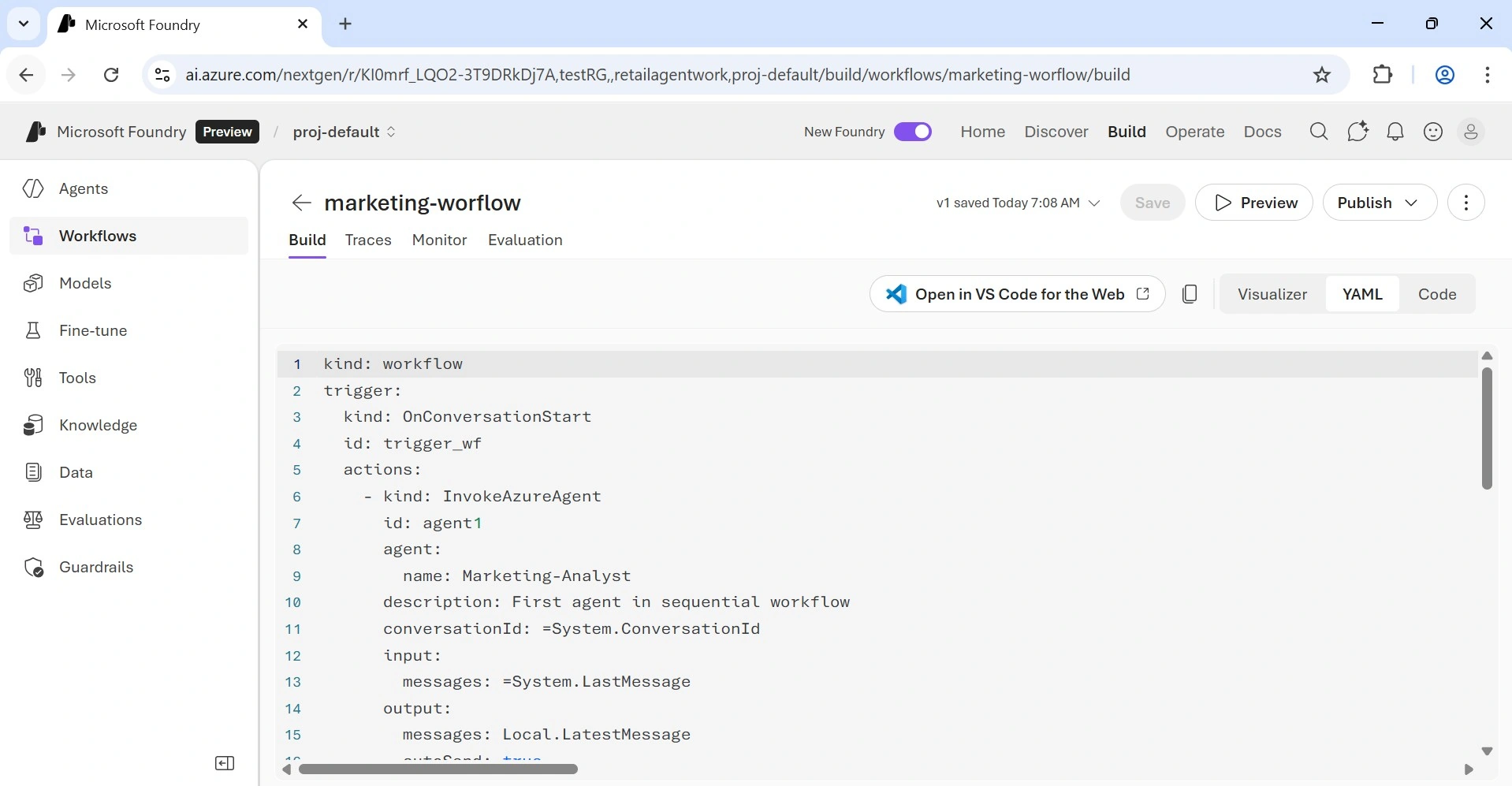
Yellow Notes: The yellow notes provide useful guidance for each step. You can hide them at any time using “Hide Notes” for a cleaner workspace.
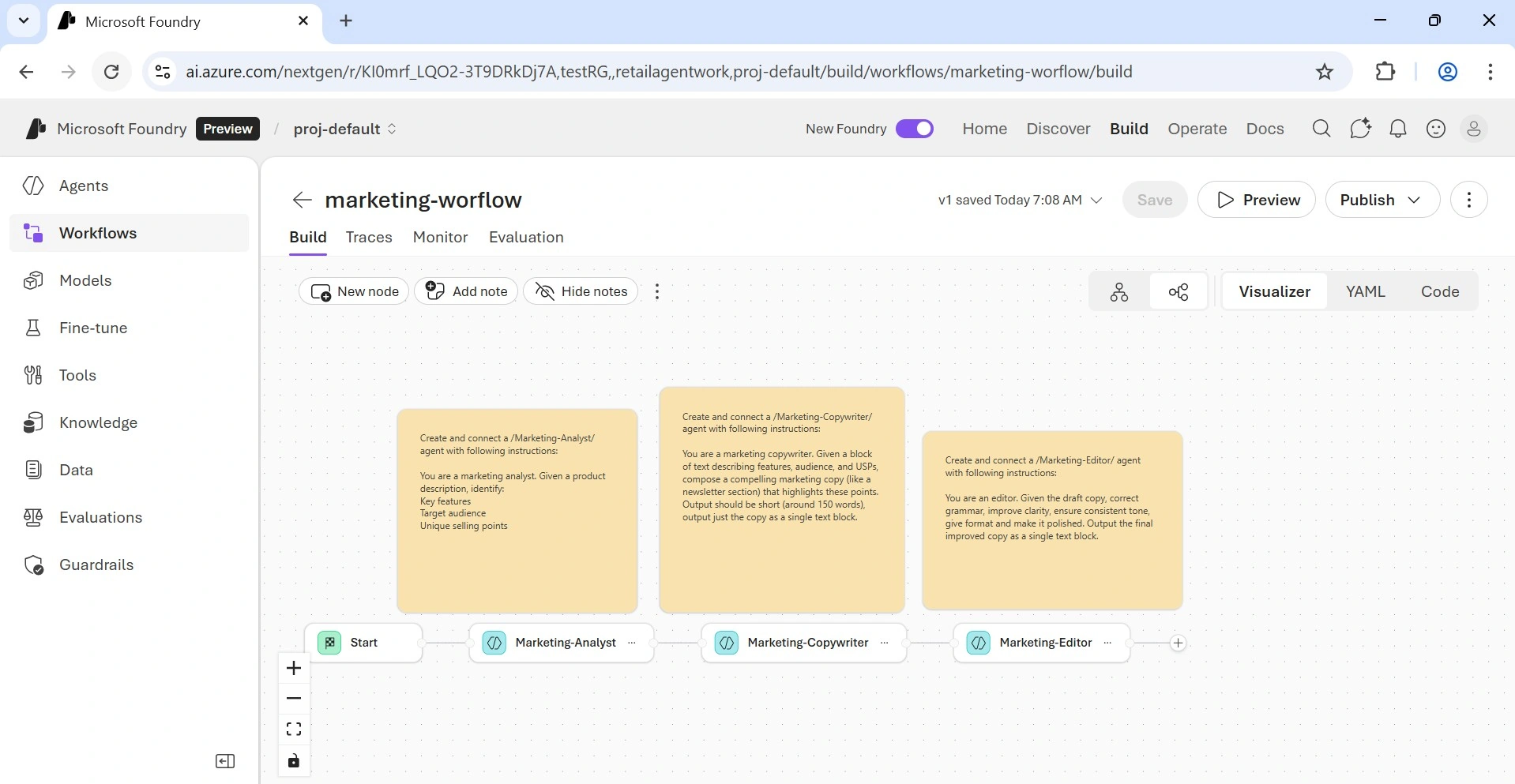
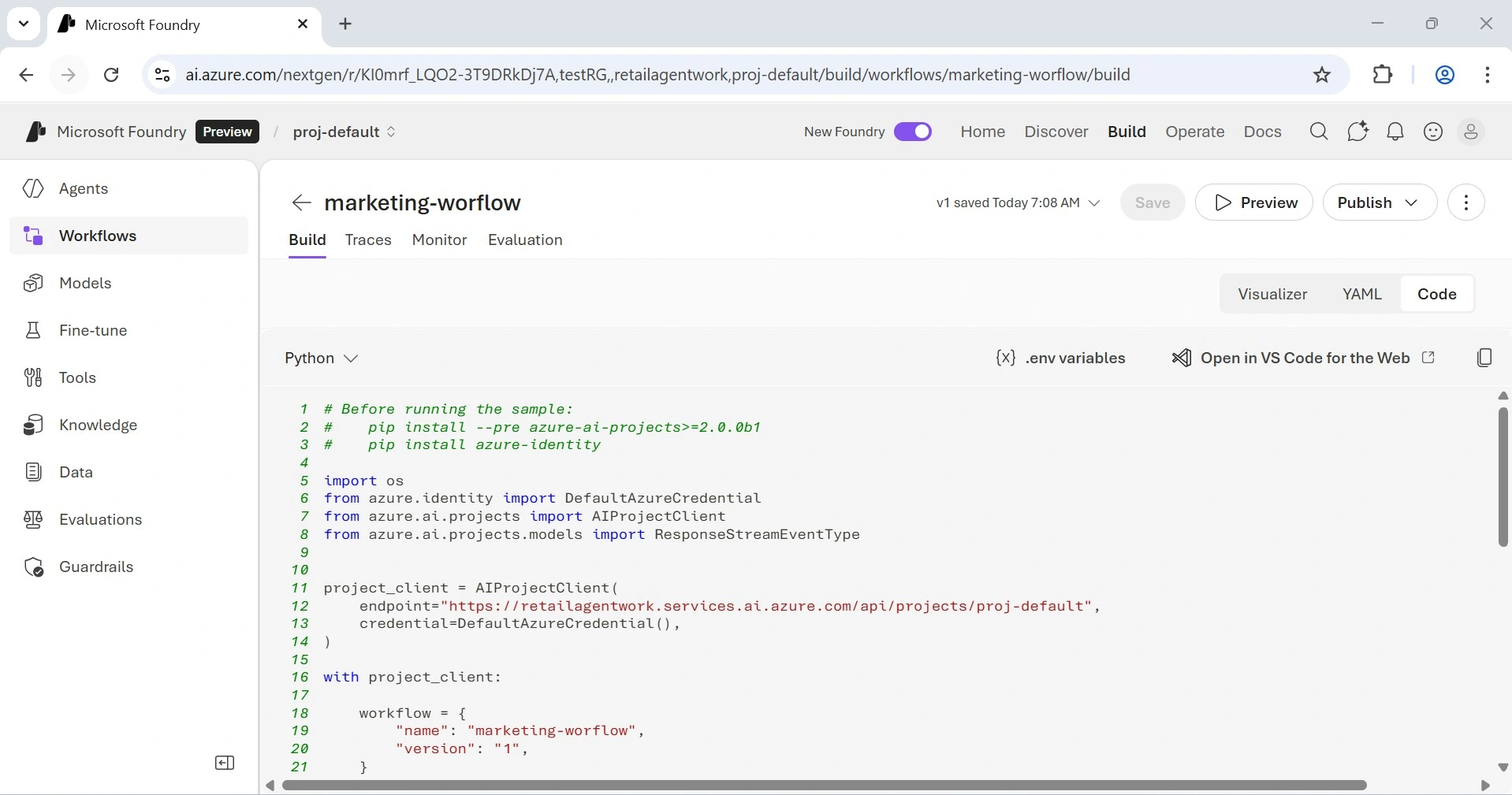
Code: Displays the workflow in a Python-style format.
Orchestration Templates: Get started with workflow patterns inspired by the Microsoft Agent Framework Sequential, Human-in-the-loop, and Group Chat. Ideal for first-time workflow trials and accelerating use cases such as approvals, case management, and multi-stage analysis.
Variables and JSON Schema Output: Store agent outputs as local variables, reference them in subsequent steps, and leverage structured JSON schemas to ensure consistent results.
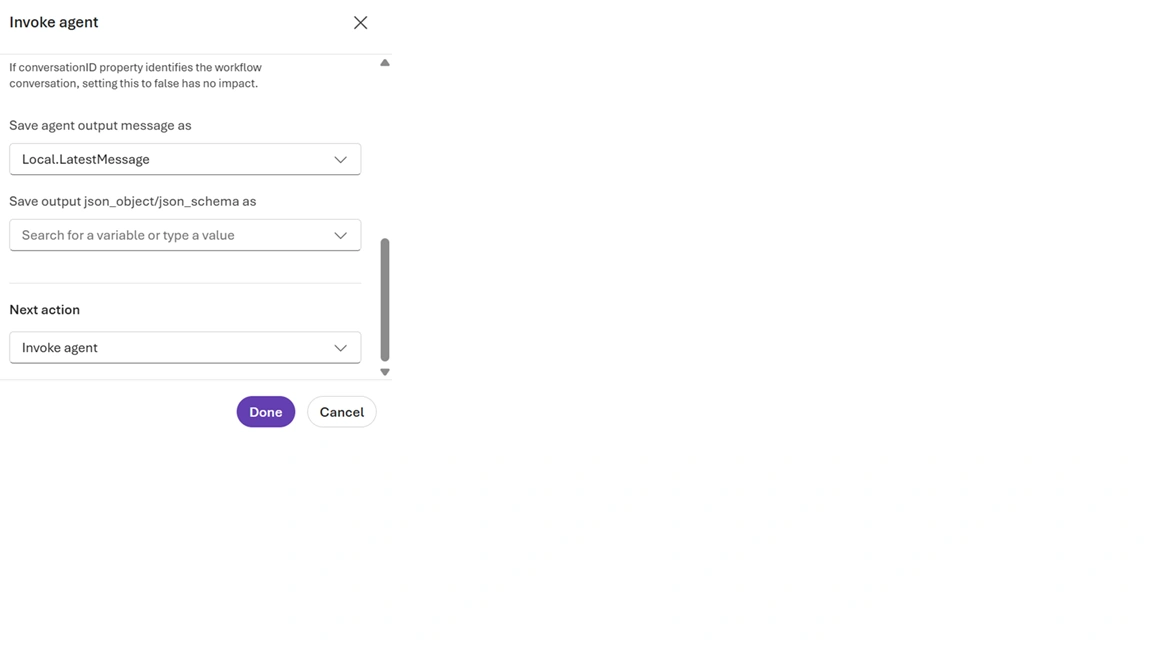
Power Fx Expressions: Apply familiar, Excel-like formulas to define conditions, perform transformations, or calculate values within your workflow.
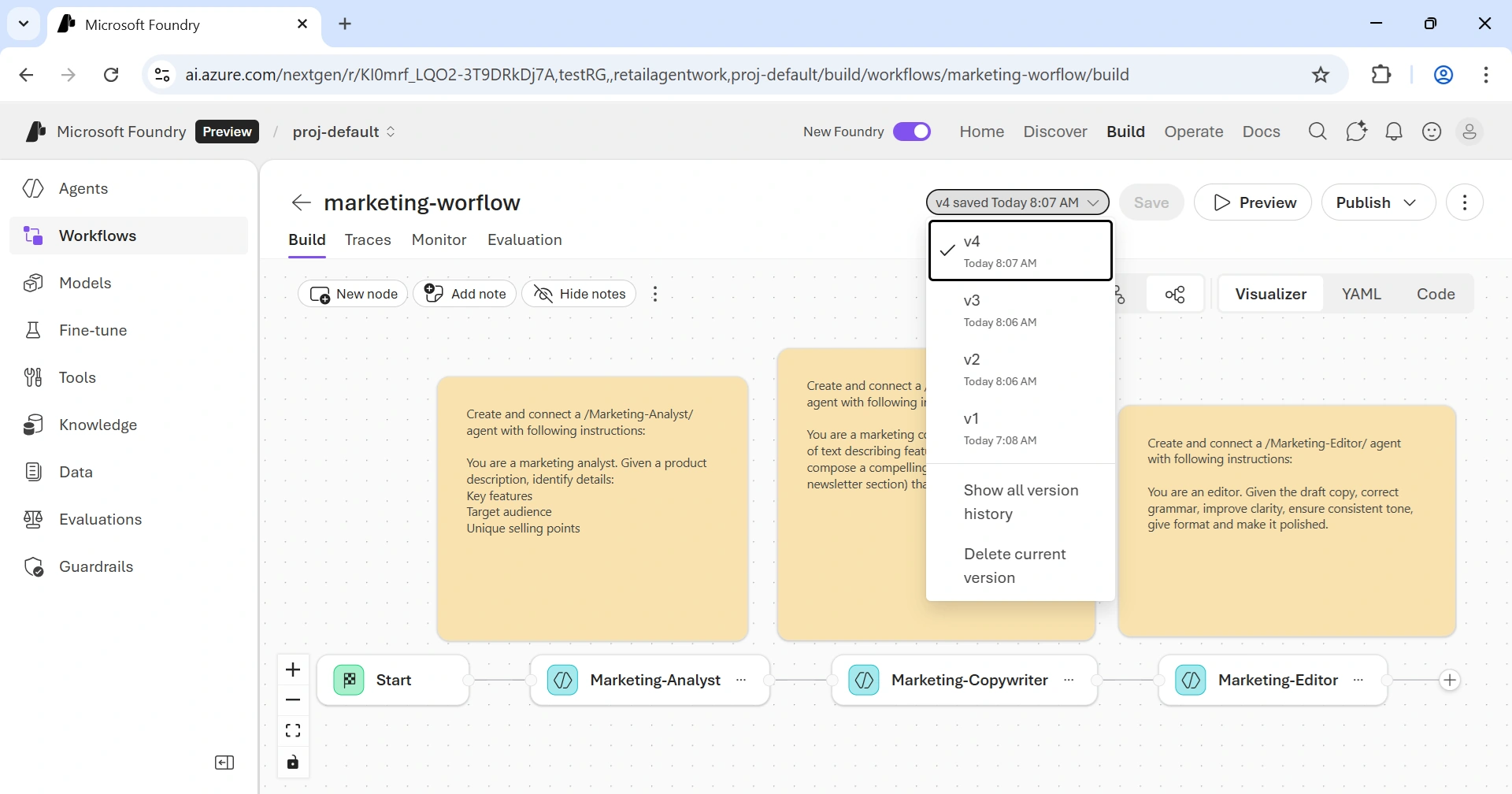
Versioning and Notes: Each save generates an immutable version. Add notes on the canvas to document workflow intent or design decisions.
Traces & Monitor Tab
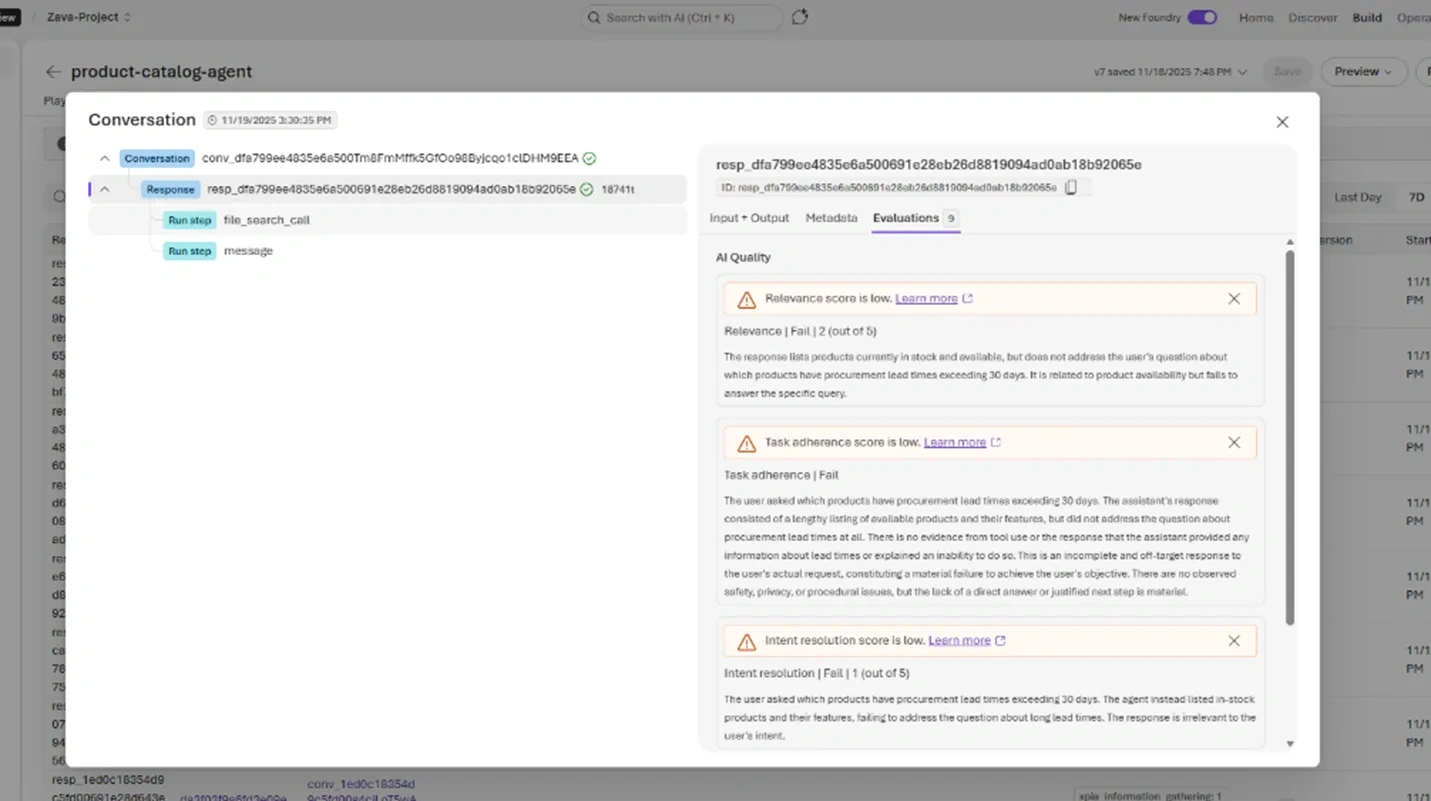
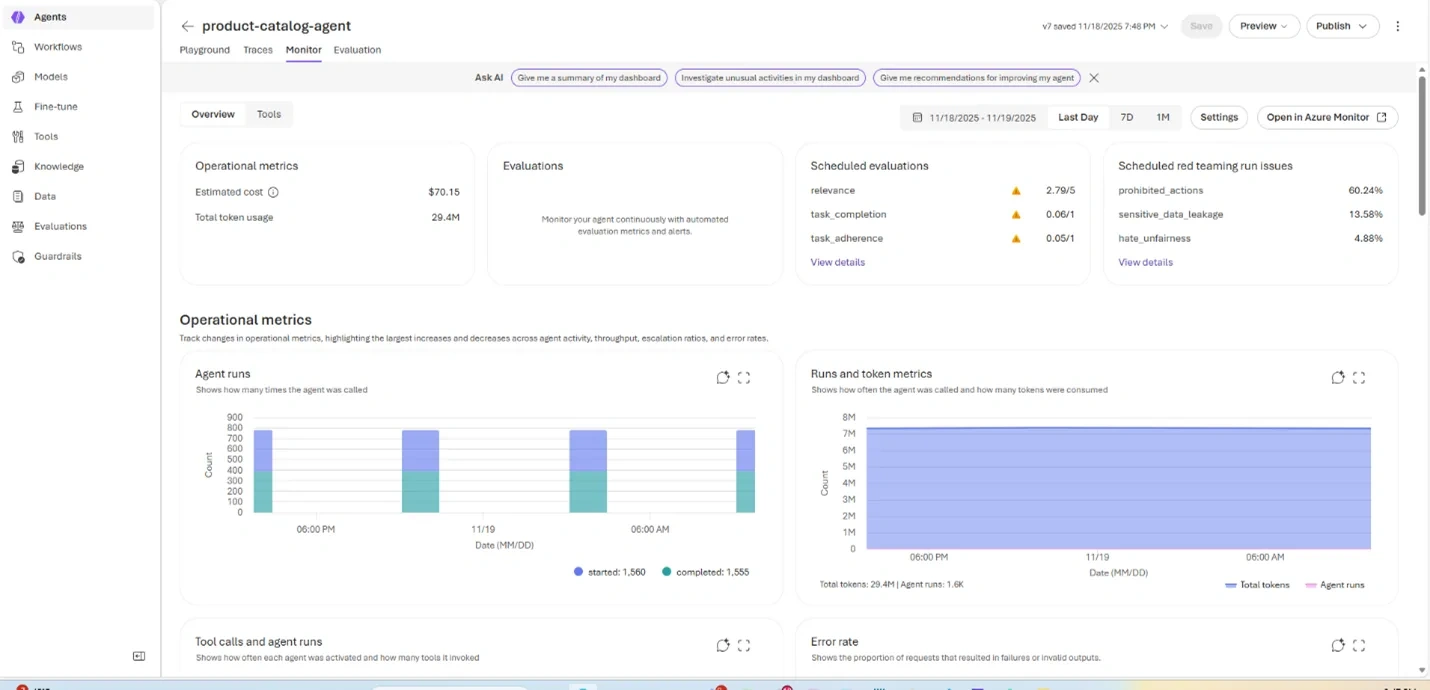
Although the initial release emphasizes observability for individual Microsoft Foundry agents within a workflow, teams can already explore the full end-to-end experience by examining traces and metrics for every node in the flow.
Summary
Microsoft Foundry Workflows provide a powerful, user-friendly platform to design, automate, and monitor multi-agent processes, helping teams accelerate business solutions and streamline operations. From visual workflow building to YAML definitions, orchestration templates, and observability tools, Foundry equips both business and engineering teams with everything they need to create intelligent automation solutions.
We hope this article helped you explore the capabilities and workflow possibilities in Microsoft Foundry. Wishing you happy reading, happy learning, and see you in the next article!
Join the conversation! Your thoughts help the community grow.