

This article demonstrates how to create and deploy the Apache Hadoop on Azure HDInsight on the Azure portal. The purpose of this article is to provide the knowledge of the process of creating and running the Hadoop clusters controlled by the HDInsight on Linux Virtual Machines. Once our Hadoop cluster is executed, most of the operations you perform on it are independent of the ones we present on hardware clusters running Hadoop.
Prerequisites
Prerequisites
- An Azure Subscription.
- Putty
Overview of Hadoop
The most popular and influential tool for analyzing Big Data is Apache Hadoop. It is a framework that enables the distributed processing of massive volume of datasets across clusters of computers using natural programming methods. Nowadays, it is combined with other open source frameworks, like Apache Spark, Apache HBase, and Apache Storm for increasing the capacity and performance.
Azure HDInsights is the Azure implementation of Hadoop, Spark, HBase, and Storm with the help of other tools, like Pig & Apache Hive that provide a comprehensive and high-performance advanced analytics. Hadoop clusters in the HDInsight use either Windows or Linux as the working platforms and that integrates with favorite business-intelligence tools, like Excel, SQL Server Analytics etc.
Follow the steps to create the HDInsight on Azure portal.
The most popular and influential tool for analyzing Big Data is Apache Hadoop. It is a framework that enables the distributed processing of massive volume of datasets across clusters of computers using natural programming methods. Nowadays, it is combined with other open source frameworks, like Apache Spark, Apache HBase, and Apache Storm for increasing the capacity and performance.
Azure HDInsights is the Azure implementation of Hadoop, Spark, HBase, and Storm with the help of other tools, like Pig & Apache Hive that provide a comprehensive and high-performance advanced analytics. Hadoop clusters in the HDInsight use either Windows or Linux as the working platforms and that integrates with favorite business-intelligence tools, like Excel, SQL Server Analytics etc.
Follow the steps to create the HDInsight on Azure portal.
Step 1
Sign in to the Azure portal.
Step 2
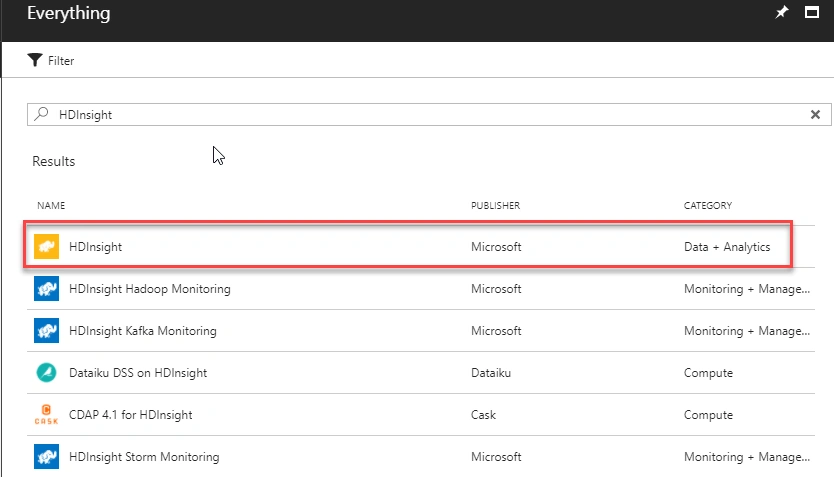
Click "+New" in the Azure portal. Then, in the search bar, search for HDInsight and select it to open the HDInsight.
Step 3
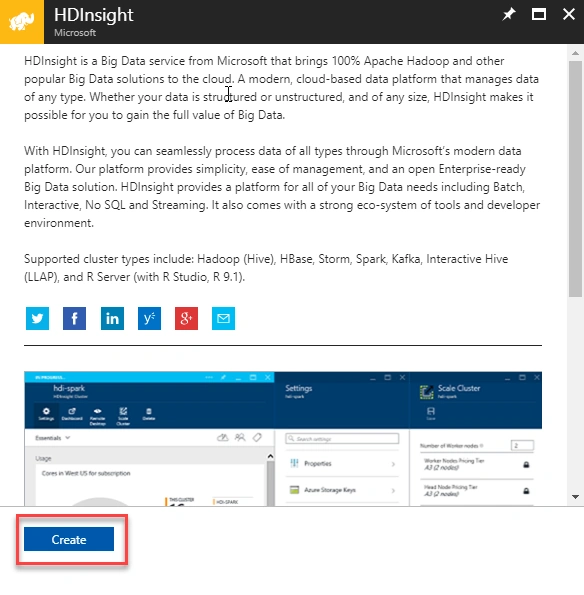
It opens the description of the HDInsight. Read the details of the HDInsight and press "Create".
Step 4
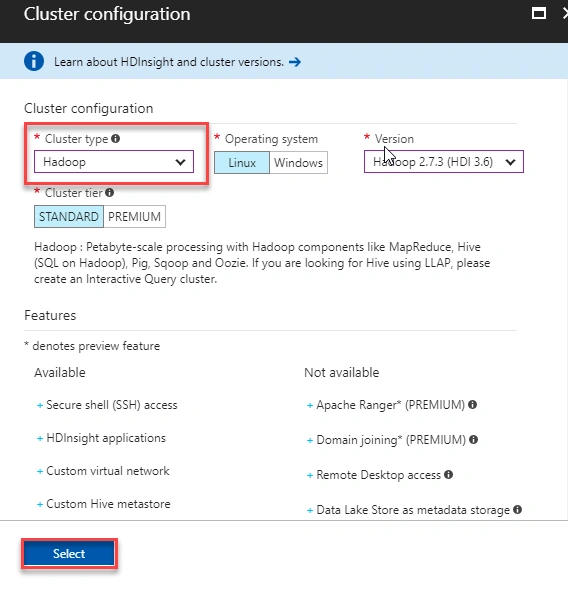
In the "Cluster Name" box, enter a unique DNS name for the cluster and choose the desired subscription for the HDInsight and then enter the cluster login name. And also, for the Login password too. Then, create a new Resource group for our HDInsight. After all of this, click Cluster type to open the "Cluster configuration" blade. (Note: Don't forget the password that you entered here).
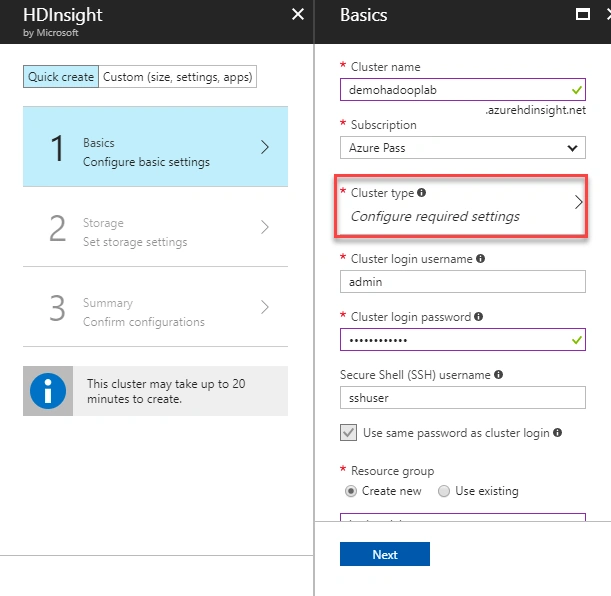
In the "Cluster Name" box, enter a unique DNS name for the cluster and choose the desired subscription for the HDInsight and then enter the cluster login name. And also, for the Login password too. Then, create a new Resource group for our HDInsight. After all of this, click Cluster type to open the "Cluster configuration" blade. (Note: Don't forget the password that you entered here).
Join the conversation! Your thoughts help the community grow.