

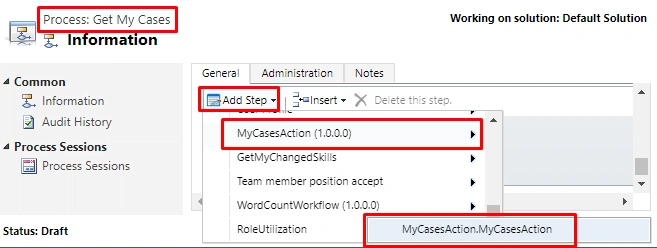
Custom Actions are lesser used processes than Workflows and Plugins in Dynamics 365, but very useful also at the same time. For people who have already have an idea of Custom Workflow Activity (or read my previous article), it’s going to be very easy. The coding part is the same, only "how we consume the code in Dynamics 365 process" is different, and use cases too, obviously. Custom Actions can be created with or without writing code, but they can be triggered only by the code. Here, we will write custom code to retrieve the case records assigned to calling users.
Step 1 - Create New ProjectIn Visual Studio, create a new project of type Class Library & select framework version 4.5.2. This might change for future versions. I have given the name as MyCasesAction, which tells the purpose of the workflow.
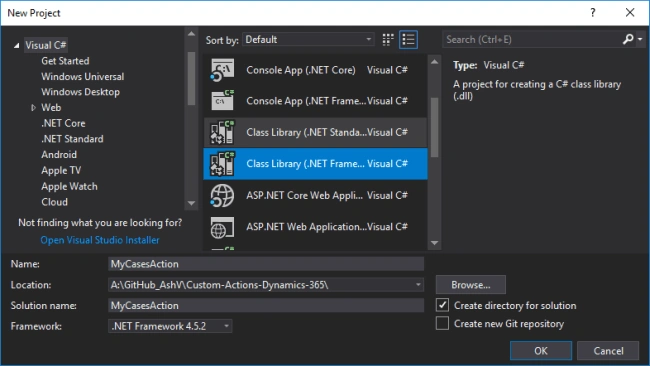
Step 2 - Add Required Packags
Go to Manage NuGet Packages and install Microssoft.CrmSdk.CoreAssemblies (for Microsoft.Xrm.Sdk namespace) & Microssoft.CrmSdk.Workflow (for Microsoft.Xrm.Sdk.Workflow namespace).
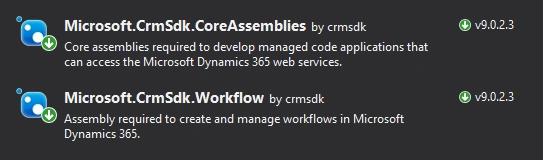
Step 3 - Create MyCasesAction Class
Create a class MyCasesAction inherited from CodeActivity. It will need to add System.Activities namespace.
- using System.Activities;
- namespace MyCasesAction {
- public class MyCasesAction: CodeActivity {
- protected override void Execute(CodeActivityContext context) {}
- }
- }
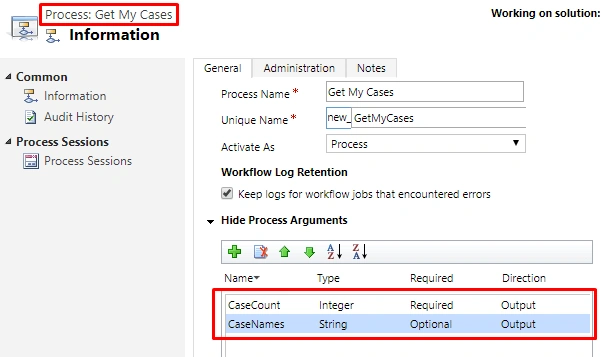
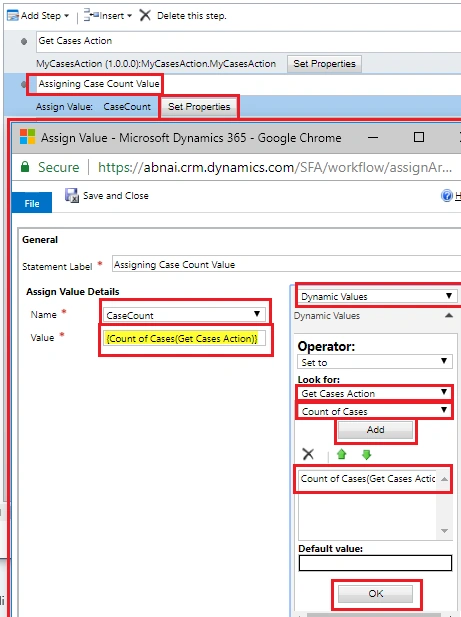
We will have 2 output parameters - one containing count of cases, the other having the name of cases separated by commas. We will take the user’s GUID from context.
- using Microsoft.Xrm.Sdk.Workflow;
- using System.Activities;
- namespace MyCasesAction {
- public class MyCasesAction: CodeActivity {
- [Output("Count of Cases")]
- public OutArgument < int > CaseCount {
- get;
- set;
- }
- [Output("Name of Cases")]
- public OutArgument < string > CaseNames {
- get;
- set;
- }
- protected override void Execute(CodeActivityContext context) {}
- }
- }
- using Microsoft.Xrm.Sdk;
- using Microsoft.Xrm.Sdk.Query;
- using Microsoft.Xrm.Sdk.Workflow;
- using System.Activities;
- using System.Collections.Generic;
- namespace MyCasesAction {
- public class MyCasesAction: CodeActivity {
- [Output("Count of Cases")]
- public OutArgument < int > CaseCount {
- get;
- set;
- }
- [Output("Name of Cases")]
- public OutArgument < string > CaseNames {
- get;
- set;
- }
- protected override void Execute(CodeActivityContext context) {
- // Getting OrganizationService from Context
- var workflowContext = context.GetExtension < IWorkflowContext > ();
- var serviceFactory = context.GetExtension < IOrganizationServiceFactory > ();
- var orgService = serviceFactory.CreateOrganizationService(workflowContext.UserId);
- // fetchXml to retrieve cases for current user
- var fetchXmlCurrentUserCases = @ " < fetch version = '1.0'
- output - format = 'xml-platform'
- mapping = 'logical'
- distinct = 'false' > < entity name = 'incident' > < attribute name = 'title' / > < filter type = 'and' > < condition attribute = 'ownerid'
- operator = 'eq-userid' / > < /filter> < /entity> < /fetch>";
- // Retrieving cases using fetchXml
- var cases = orgService.RetrieveMultiple(new FetchExpression(fetchXmlCurrentUserCases));
- // Null check
- if (cases == null || cases ? .Entities == null) return;
- // Adding Case names/titles to list
- var allCases = new List < string > ();
- foreach(var cs in cases.Entities)
- allCases.Add(cs["title"].ToString());
- // Set Count of cases to CaseCount
- CaseCount.Set(context, cases.Entities.Count);
- // Set comma separated Case Titles to CaseNames
- CaseNames.Set(context, string.Join(",", allCases.ToArray()));
- }
- }
- }
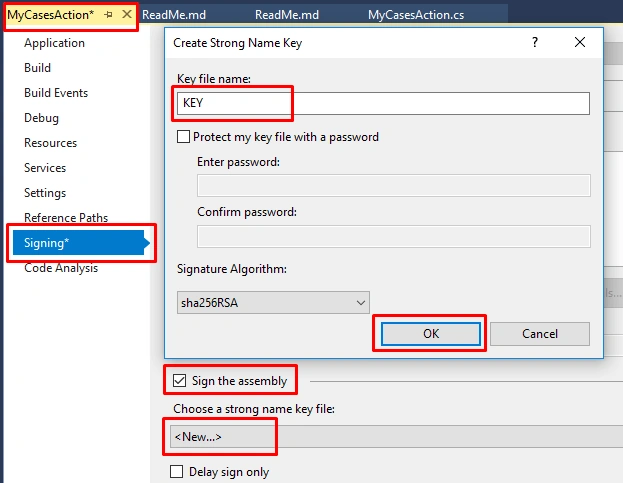
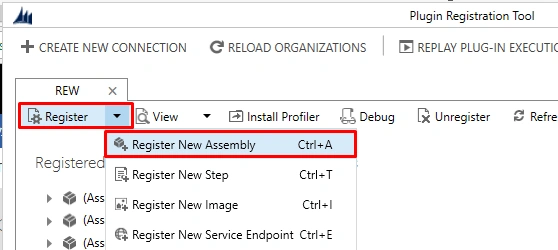
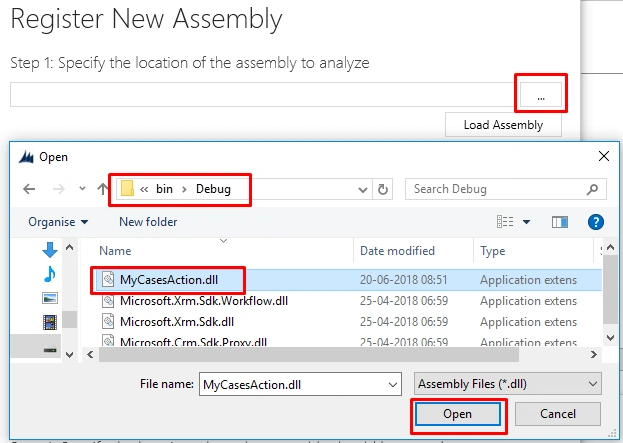

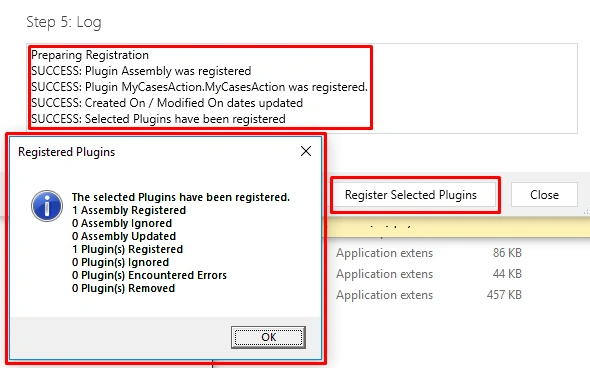
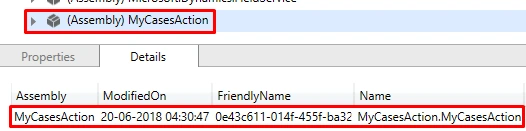
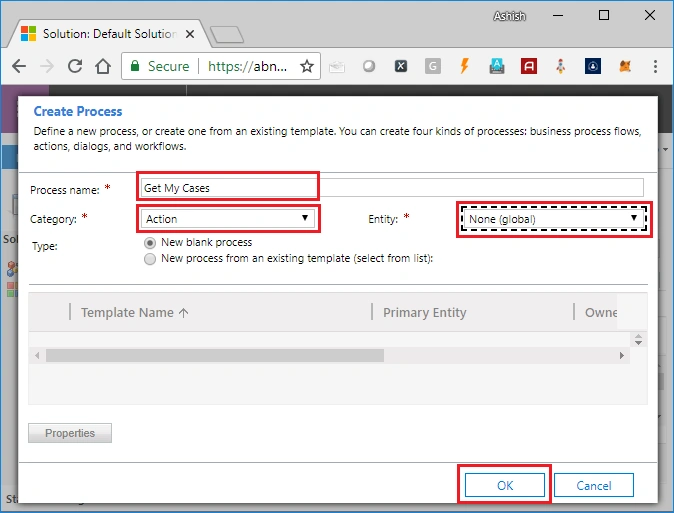
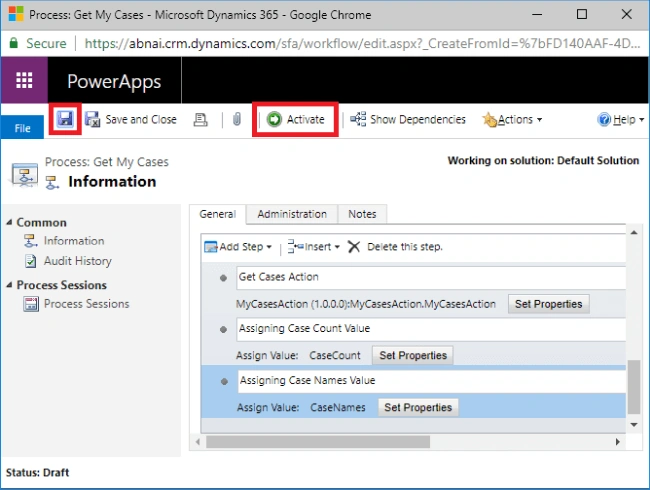
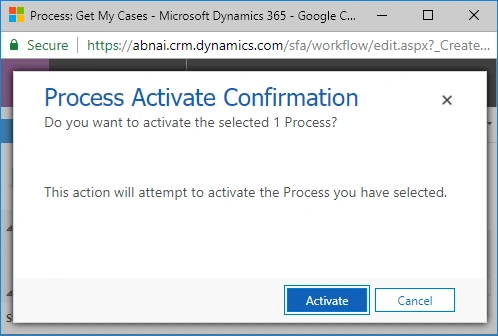
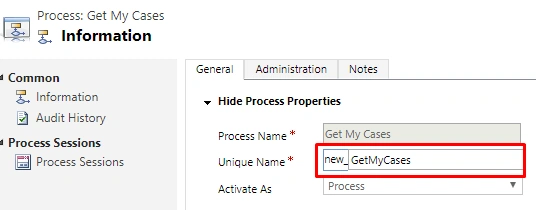
Joe SeidelPosted Mar 24, 2023, 11:33 AM
I tried your solution and I like it pretty much. But I have an issue: When I'm trying to create a record my unbound action receives an "Internal Server Error". I just read records, there is no problem. Do you have any idea? Cheers Joe
SandyPosted Aug 18, 2020, 8:04 AM
Can I use the latest version of dot net framework like 4.6 or later?
Biju KrishnanPosted Apr 22, 2020, 8:47 AM
Does it provide support for ASP.NET Core 3.0. I want to integrate the Dynamic 365 Work Flow with asp.net core web api
Nandhini MPosted Feb 24, 2020, 5:18 AM
How to debug custom action? I tried using plugin-profiler like custom workflow but dont see the custom action listed in the workflow dropdown
Guillermo Lopez EscalonaPosted Oct 9, 2019, 12:49 PM
Shouldn't we use the Connect's CallAction method to test the plugin? In that case what would be the target entity if the plugin was define as a global plugin?
Bhargav BennalliPosted Jun 19, 2019, 6:11 AM
Nice Bhai... Post more scenarios of plugins, Custom Workflows and Custom Web API and Integration stuff please
Ewerton willamsPosted Feb 11, 2019, 8:23 AM
How would I use the tracing service in that code?