

Introduction
I am introducing ASP.NET Web Project development using the Facebook Template. As I described in my earlier article that there are various types of project templates defined in Visual Studio 2013 Preview. These project templates introduce you to the cutting-edge web standards and leverage the power to use ASP.NET technologies as well as give you a start on your own application.
Visual Studio 2013 Preview provides the following types of web project templates that target the .NET Framework 4.5 or later versions:
- Empty template
- Web Forms template
- MVC template
- Web API template
- SPA template
- Facebook template
- Mobile template
To go through this article, make sure that you have the following software which must be installed:
- Visual Studio 2013 Preview
- ASP.NET and Web Tools
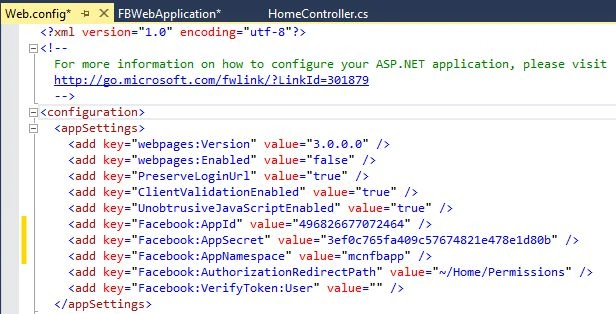
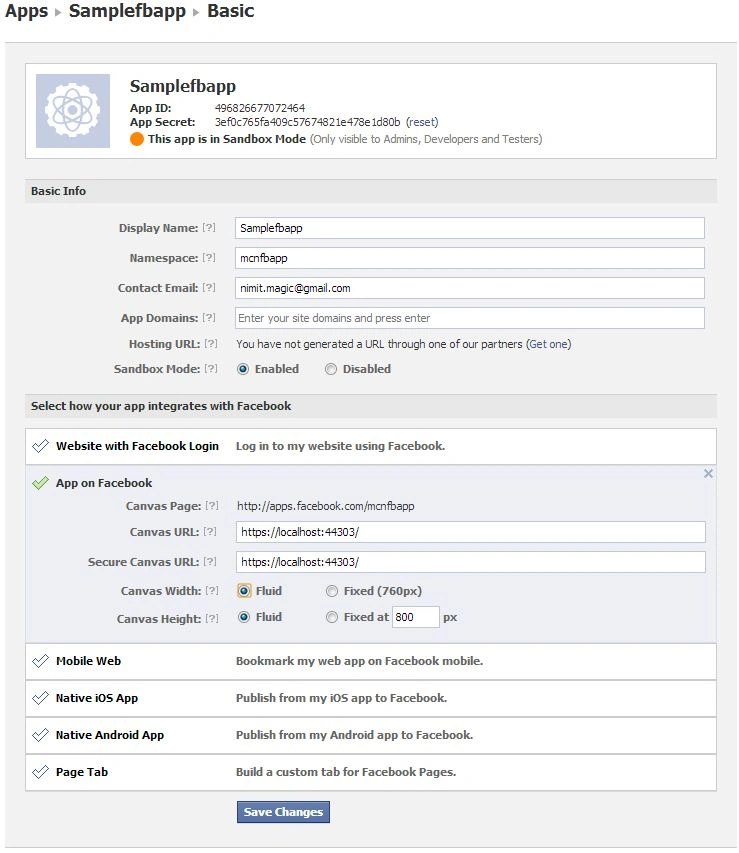
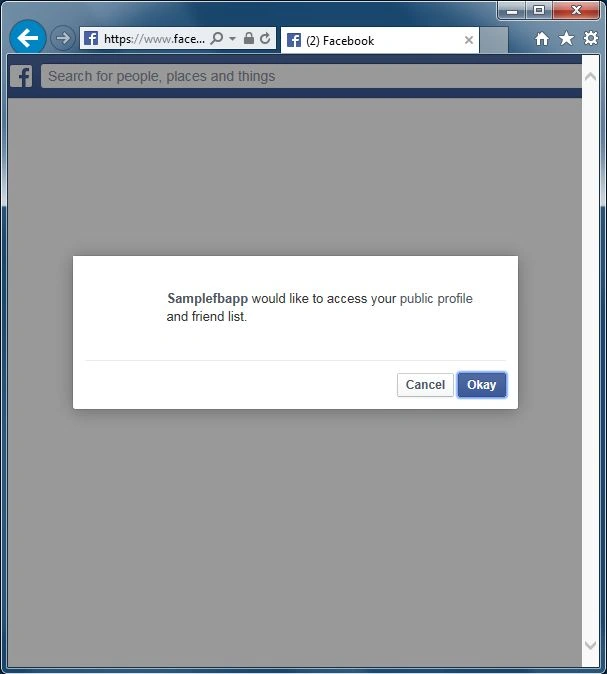
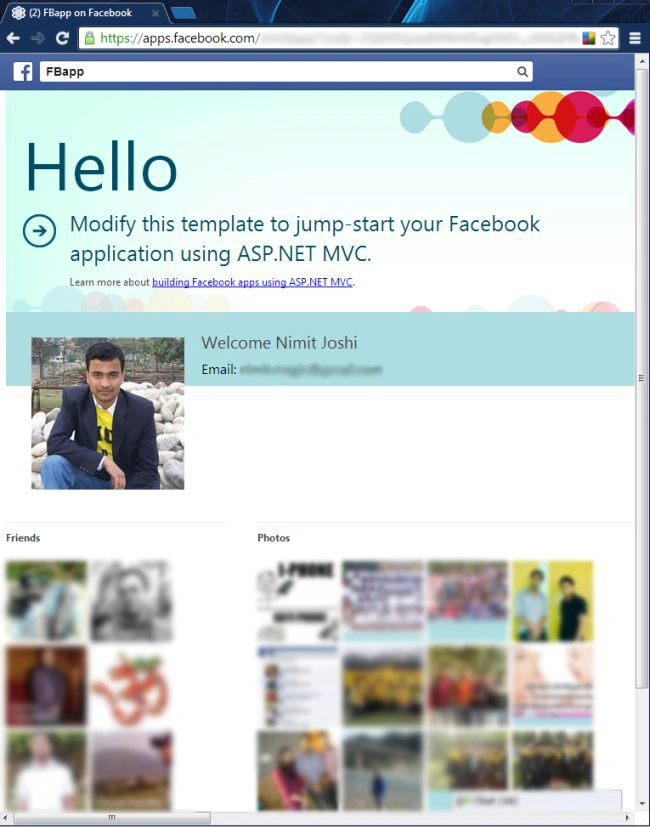
In this article, I am describing the way to create your web application using the Facebook Project Template. The functionality used in this Facebook template will help you with authentication, permissions and accessing Facebook data. This article helps you to build your web application using the Facebook template in Visual Studio 2013 Preview. When you use the Facebook template, it includes a new library to take care of all major things that are involved for building your Facebook app.
When you want to host your application, the host needs to follow the following important steps.
Project Creation
- Open your Visual Studio 2013 Preview.
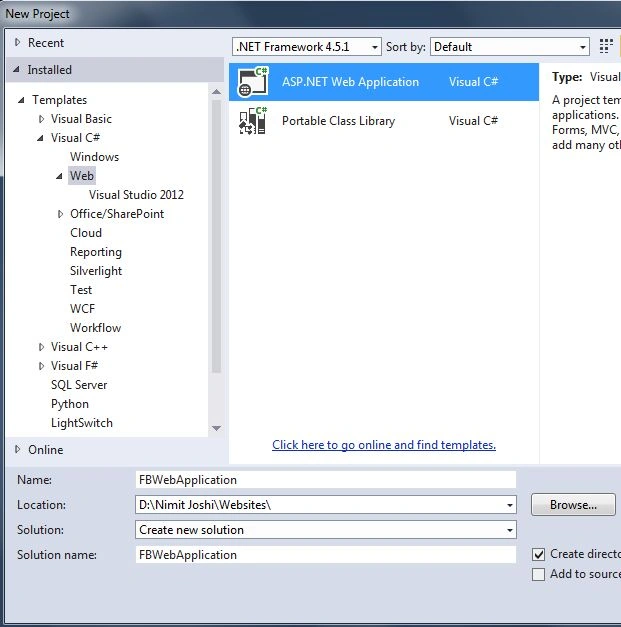
- In the New Project, choose "Web" and then select "ASP.NET Web Application".
- Select your .NET Framework.
- Enter your application name, choose location (optional) and click "OK".
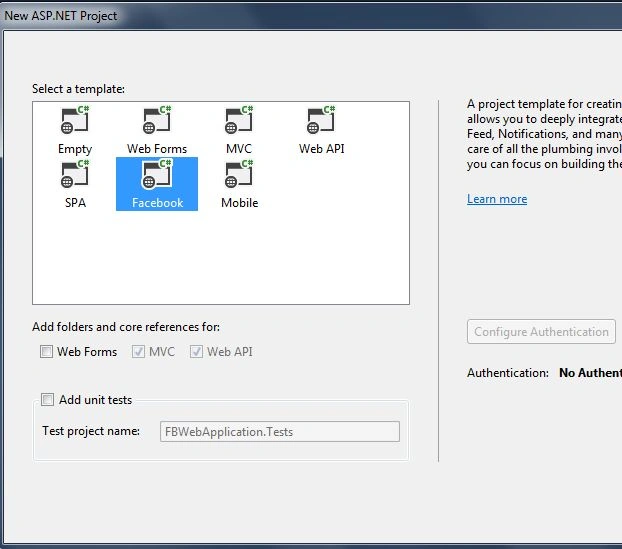
- Select "Facebook Template". There is no authentication required for creating this template.
SSL Settings
- Select your application in the Solution Explorer.

- Open the Properties Window.
- By default your SSL Enable is false, change it to true.
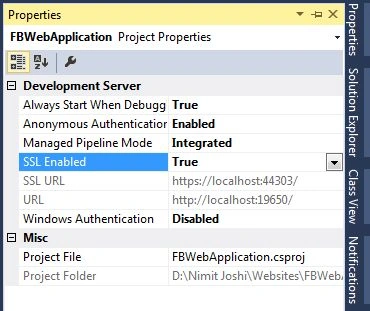
- Copy your SSL URL.
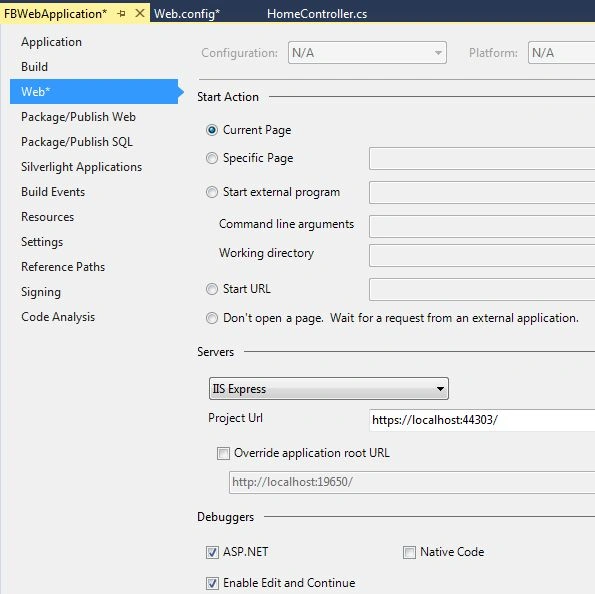
- Right-click on your app in Solution Explorer and click Properties.
- Select the "Web" Tab.
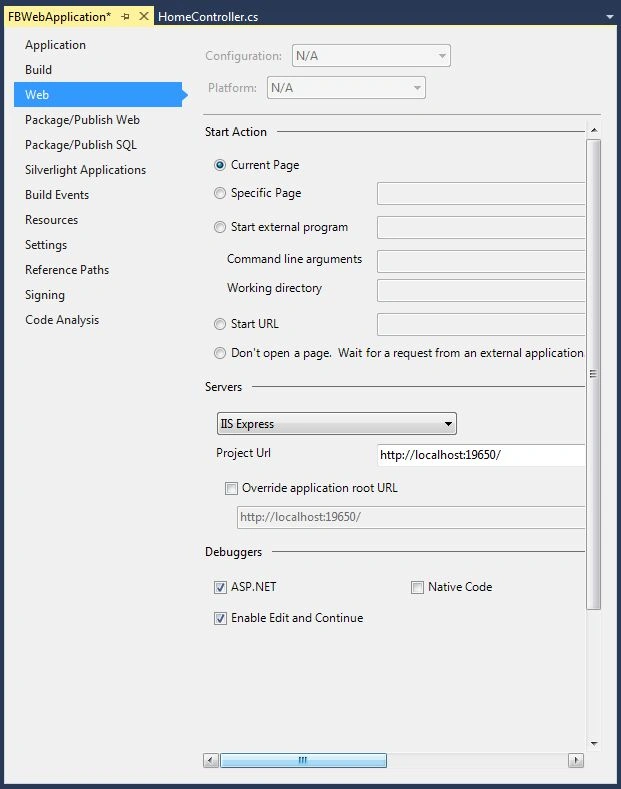
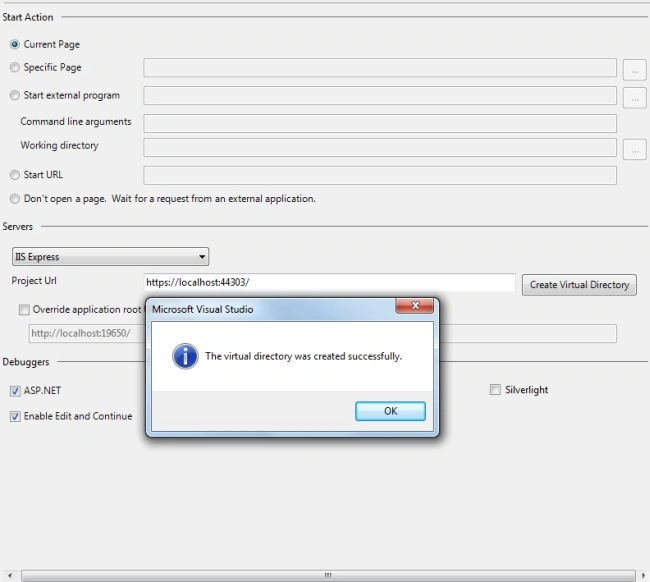
- In the Project URL option, paste your SSL URL and click "Create Virtual Directory".
Saravanakumar SekaranPosted Sep 27, 2014, 10:39 PM
Thanks for the great tutorial
Ismail Hakki SenPosted Sep 24, 2014, 8:25 AM
good example.
Ricardo PaivaPosted Mar 25, 2014, 7:07 PM
http://www.thenighthunter.com.br/facebook My app has to face is giving this error and not even appearing
Ajith JosephPosted Oct 28, 2013, 5:02 AM
Thanks for the great tutorial. I am new in MVC. Could you please tell me how to add an option to upload image(Imageuploader) and store these data to database from this facebook app, Thanks in advance.
Ravi KumarPosted Aug 5, 2013, 2:06 AM
It really good nimit..