Introduction

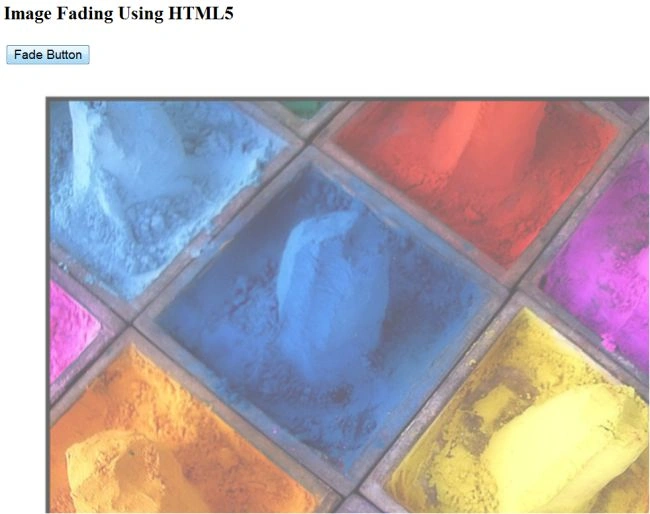
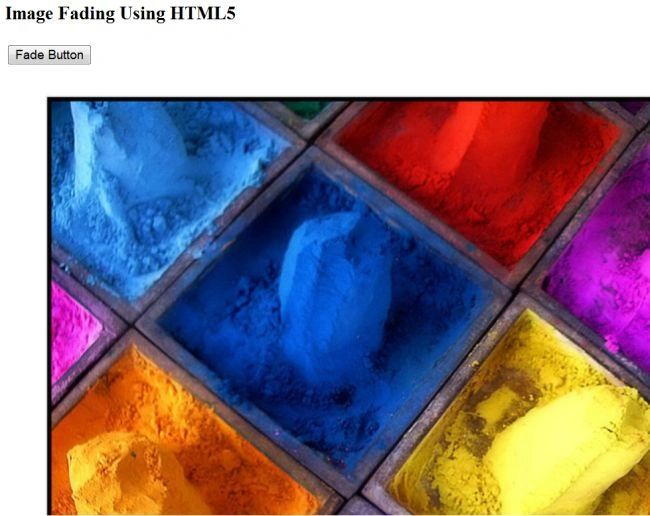
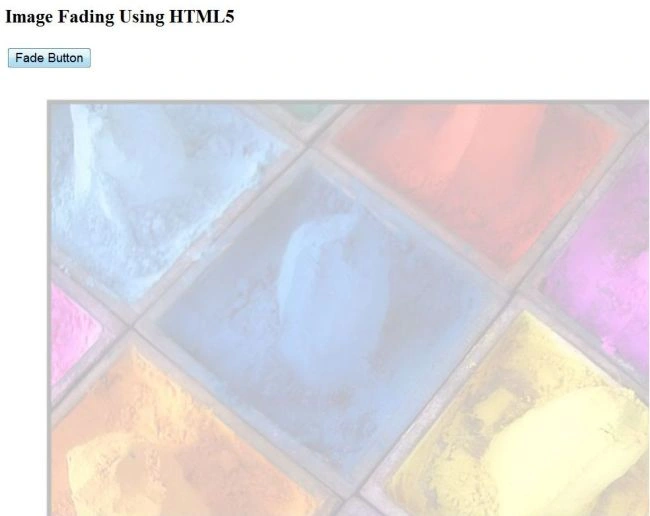
In this article, we learn how to create image fading using HTML5. We use the canvas element of HTML5 and define its id, width and height attributes. When the user clicks on the button, the image fades.
Step 1 : First we define the body of the HTML using a canvas element, like this:
  1. <body>
  2. <div><h3>Image Fading Using HTML5</h3>
  3. <input type="button" id="fade_button"value="Fade Button" />
  4. </div>
  5. <canvas id='mycanvas' width='650' height='450'></canvas>
  6. <script src='fadescript.js' type="text/javascript">
  7. </script>
  8. </body>
Step 2: Then we use JavaScript to define the functionality. We use the invisibility function to increase the visibility of the image; the startfade method is used to do the image fading. We create the image as an offscrean canvas and then pixels are captured from that canvas, like this:
  1. function incvisiblity(imgd, steps) {
  2. var x, dx, nxt, l = imgd.data.length;
  3. for (var a = 3; a < l; a += 4) {
  4. x = imgdnewcanvas.data[a];
  5. if (x > 0) {
  6. dx = imgd.data[a];
  7. nxt = Math.ceil(x / steps);
  8. if (dx + nxt <= x) {
  9. imgd.data[a] += nxt;
  10. } else {
  11. imgd.data[a] = x;
  12. }
  13. }
  14. }
  15. }
  16. function startfade(context, imgd, steps, millisecondsPerStep) {
  17. var y = 0;
  18. for (var a = 3; a < imgd.data.length; a += 4) {
  19. imgd.data[a] = 0;
  20. }
  21. gap = setInterval(function() {
  22. y++;
  23. if (y > steps) {
  24. clearInterval(gap);
  25. } else {
  26. incvisiblity(imgd, steps);
  27. context.putImageData(imgd, 0, 0);
  28. }
  29. }, millisecondsPerStep);
Step 3: Now we apply CSS in the Head section of the HTML for looks and formatting of our HTML page, like this:
  1. <head>
  2. <title>Image Fading</title>
  3. <style>
  4. body
  5. {background:white;
  6. border:black;
  7. cursor:crosshair
  8. }
  9. #mycanvas
  10. {background:white
  11. }
  12. </style>
  13. </head>
The complete code looks like this:
  1. //HTML code
  2. <html xmlns="http://www.w3.org/1999/xhtml">
  3. <head>
  4. <title>Image Fading</title>
  5. <style>
  6. body
  7. {background:white;
  8. border:black;
  9. cursor:crosshair
  10. }
  11. #mycanvas
  12. {background:white
  13. }
  14. </style>
  15. </head>
  16. <body>
  17. <div><h3>Image Fading Using HTML5</h3>
  18. <input type="button" id="fade_button"value="Fade Button" />
  19. </div>
  20. <canvas id='mycanvas' width='650' height='450'></canvas>
  21. <script src='fadescript.js' type="text/javascript">
  22. </script>
  23. </body>
  24. </html>
  25. //JavaScript code
  26. var img = new Image(),
  27. mycanvas = document.getElementById('mycanvas'),
  28. context = mycanvas.getContext('2d'),
  29. newcanvas = document.createElement('canvas'),
  30. offscreenContext = newcanvas.getContext('2d'),
  31. fade_button = document.getElementById('fade_button'),
  32. imgd,
  33. gap = null,
  34. imgdnewcanvas;
  35. function incvisiblity(imgd, steps) {
  36. var x,
  37. dx,
  38. nxt,
  39. l = imgd.data.length;
  40. for (var a = 3; a < l; a += 4) {
  41. x = imgdnewcanvas.data[a];
  42. if (x > 0) {
  43. dx = imgd.data[a];
  44. nxt = Math.ceil(x / steps);
  45. if (dx + nxt <= x) {
  46. imgd.data[a] += nxt;
  47. }
  48. else {
  49. imgd.data[a] = x;
  50. }
  51. }
  52. }
  53. }
  54. function startfade(context, imgd, steps, millisecondsPerStep) {
  55. var y = 0;
  56. for (var a = 3; a < imgd.data.length; a += 4) {
  57. imgd.data[a] = 0;
  58. }
  59. gap = setInterval(function () {
  60. y++;
  61. if (y > steps) {
  62. clearInterval(gap);
  63. }
  64. else {
  65. incvisiblity(imgd, steps);
  66. context.putImageData(imgd, 0, 0);
  67. }
  68. }, millisecondsPerStep);
  69. }
  70. fade_button.onclick = function () {
  71. imgdnewcanvas = offscreenContext.getImageData(0, 0, mycanvas.width, mycanvas.height);
  72. startfade(context, offscreenContext.getImageData(0, 0, mycanvas.width, mycanvas.height), 50, 1000 / 60);
  73. };
  74. img.src = 'color.jpg';
  75. img.onload = function () {
  76. newcanvas.width = mycanvas.width;
  77. newcanvas.height = mycanvas.height;
  78. offscreenContext.drawImage(img, 0, 0);
  79. };
Output
fade1
fade2
fade3