

Introduction
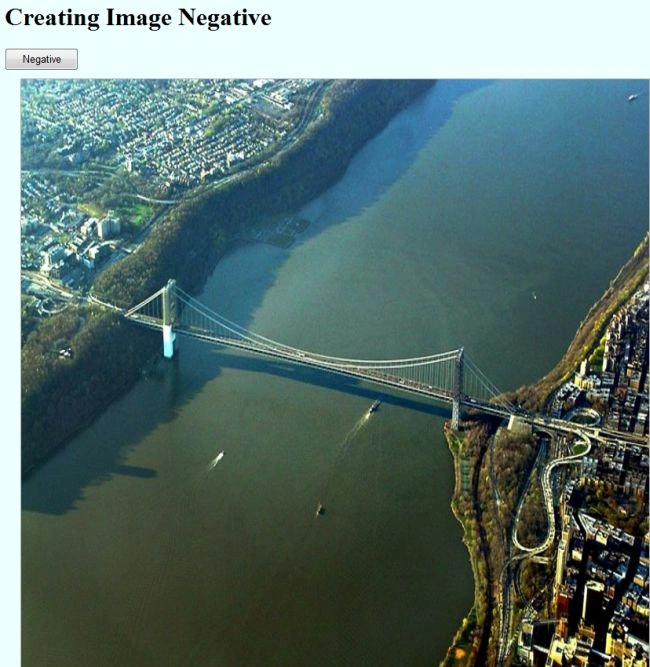
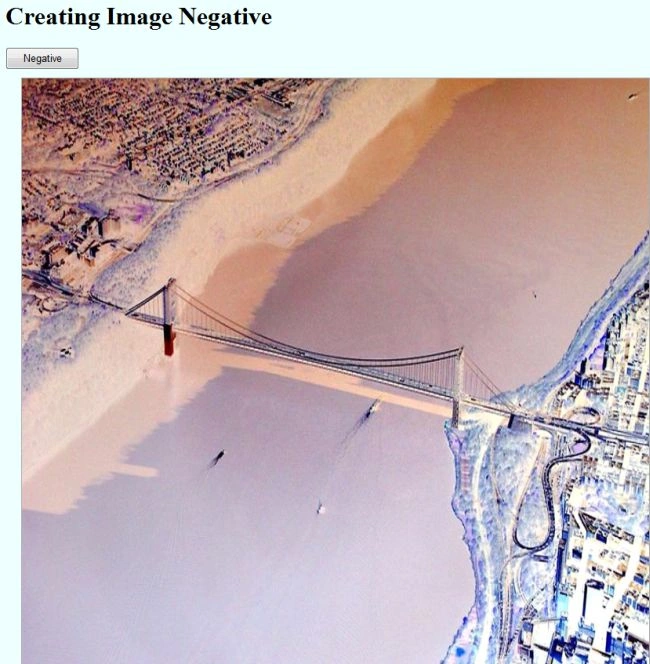
In this article, we learn how to create a negative of an image using HTML5. When the user clicks on the button, the image is inverted to a negative and when the user clicks again, the image is inverted back to original.
Step 1: First we define a body for the HTML using the canvas element and a button, like this:
- <body>
- <div>
- <h1>Creating Image Negative</h1>
- <input id='Neg_Button' type='button' value="Negative" onclick="return Neg_Button_onclick()" />
- </div>
- <canvas id='canvas' width='800' height='750'>
- Sorry,Canvas is not supported in this Browser..
- </canvas>
- <script src='negative_script.js' ></script>
- </body>
- var canvas = document.getElementById('canvas'),
- context = canvas.getContext('2d'),
- image = new Image(),
- Neg_Button = document.getElementById('Neg_Button'); ;
- image.src = 'bridge.jpg';
- function Neg_Button_onclick() {
- var idata = context.getImageData(0, 0, canvas.width, canvas.height),
- data = idata.data;
- for (i = 0; i <= data.length - 4; i += 4) {
- data[i] = 255 - data[i]
- data[i + 1] = 255 - data[i + 1];
- data[i + 2] = 255 - data[i + 2];
- }
- context.putImageData(idata, 0, 0);
- }
- <style>
- body
- {background:rgba(200, 305, 500, 0.3);
- }
- #canvas
- {margin: 10px 20px 0px 20px;
- border: thin solid #aaaaaa;
- cursor: crosshair;
- }
- #Neg_Button
- {
- width: 94px;
- right: 0px;
- top: 79px;
- left: 10px;
- height: 29px;
- }
- </style>
- // HTML Code
- <html xmlns="http://www.w3.org/1999/xhtml">
- <head>
- <title>Creating Image Negative</title>
- <script type="javascript" type="text/javascript">
- </script>
- <style>
- body
- {background:rgba(200, 305, 500, 0.3);
- }
- #canvas
- {margin: 10px 20px 0px 20px;
- border: thin solid #aaaaaa;
- cursor: crosshair;
- }
- #Neg_Button
- {
- width: 94px;
- right: 0px;
- top: 79px;
- left: 10px;
- height: 29px;
- }
- </style>
- <body>
- <div><h1>Creating Image Negative</h1>
- <input id='Neg_Button' type='button' value="Negative" onclick="return Neg_Button_onclick()" />
- </div>
- <canvas id='canvas' width='800' height='750'>
- Sorry,Canvas is not supported in this Browser..
- </canvas>
- <script src='negative_script.js' ></script>
- </body>
- // JavaScript Code
- var canvas = document.getElementById('canvas'),
- context = canvas.getContext('2d'),
- image = new Image(),
- Neg_Button = document.getElementById('Neg_Button'); ;
- image.src = 'bridge.jpg';
- function Neg_Button_onclick() {
- var idata = context.getImageData(0, 0, canvas.width, canvas.height),
- data = idata.data;
- for (i = 0; i <= data.length - 4; i += 4) {
- data[i] = 255 - data[i]
- data[i + 1] = 255 - data[i + 1];
- data[i + 2] = 255 - data[i + 2];
- }
- context.putImageData(idata, 0, 0);
- }
- image.onload = function () {
- context.clearRect(0, 0, canvas.width, canvas.height);
- context.drawImage(image, 0, 0, image.width, image.height, 0, 0, context.canvas.width, context.canvas.height);
- };
shanthi pochaPosted Jun 6, 2012, 3:28 AM
useful article.. thanks for posting.